Every day we offer FREE licensed software you’d have to buy otherwise.
Giveaway of the day — FOCUS projects 4 Pro (Win&Mac)
FOCUS projects 4 Pro (Win&Mac) was available as a giveaway on March 27, 2024!

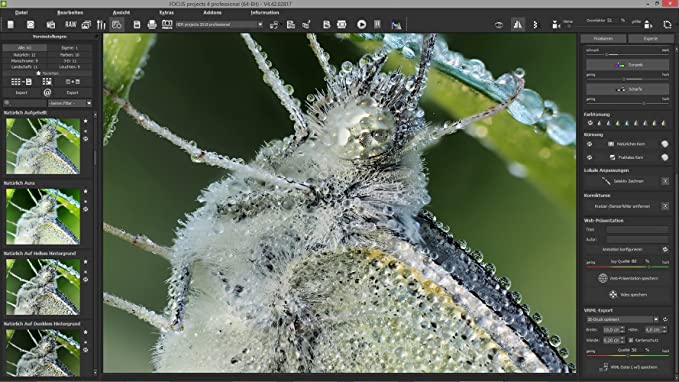
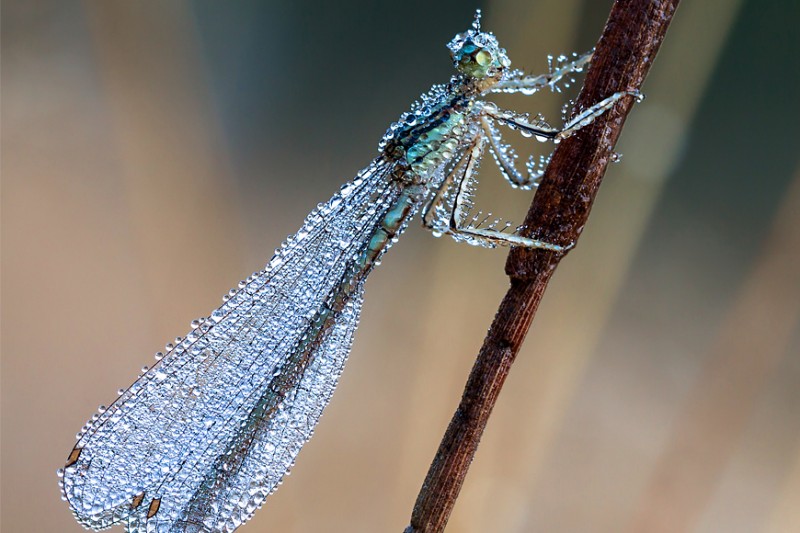
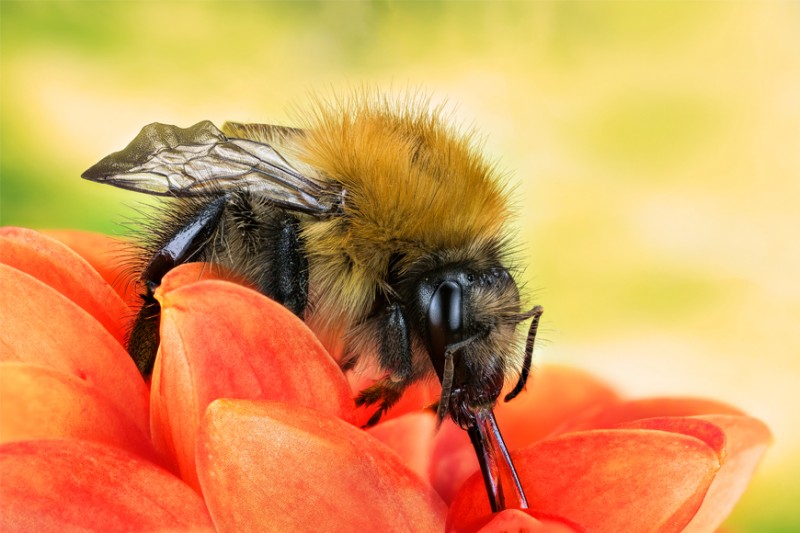
Create textbook macros, razor-sharp and with details like you’ve never seen before. With the new technologies of FOCUS projects 4 professional you can create state-of-the-art macro photos which have a fascinating depth of focus and bring extraordinary details to light.
NEW: HQ stacking with 64-bit calculation;
NEW: Focus boost technology for even greater sharpness;
Up to 1000 sharpness levels;
Unique precise alignment of all images in the stack;
Including plug-in for Adobe Lightroom.
System Requirements:
Minimum: Windows 10/ 8/ 7, 32 Bit; Processor Core Duo, 2 GB HDD, 1.280 x 1024 Pixels Screen Resolution, Graphic: DirectX-8-compatible, 128 MB, 32 bit colour depth; Mac OS X ab 10.7, 64 Bit, Processor Intel/G5, 2 GB HDD, 1.280 x 1024 Pixels Screen Resolution
Publisher:
FRANZIS Verlag GmbHHomepage:
https://www.projects-software.com/season/focus-4File Size:
144 MB
Licence details:
Lifetime
Price:
$99.00
GIVEAWAY download basket



Comments on FOCUS projects 4 Pro (Win&Mac)
Please add a comment explaining the reason behind your vote.
iPhone app giveaways »





Android app giveaways »



I could not complete the installation as it does not provide the option to choose what drive to use for the install. My C: drive is too small.
Save | Cancel
Please how do you install the lightroom?
Save | Cancel
steve, The installer should detect if you have Lightroom and install the plugin automatically.
Save | Cancel
No problems installing or registering, email arrived instantly.
Haven't used it yet but have it installed alongside all the other amazing Franzis photo software.
Save | Cancel
I have this (not a free version) but have never written about it. Maybe it's its first time here?
The aim is to overcome the limited depth of focus of lenses (you can decrease the aperture to increase the depth of field, but this only goes so far and causes diffraction to soften the whole image noticeably after a certain point).
So you just shoot something from a Tripod at an aperture where the lens is sharp and shoot several images with the focus point moving through the scene. For example if the subject is from 25-30 cm away you could shoot with the focus starting at 25 and advancing in about 1cm interval to 30cm (so 6 images total). Feed them into this and everything should be sharp.
Note you'll need a lens that focuses close to do smaller objects.
There's also an effect of lenses called "focus breathing" where the image size varies with focus (i.e. the focal length of the lens varies a little depending on how far away you focus). This could be an issue shooting at greater distances and might need experimenting to choose the best camera/lens. (Just aim it at something, say, 10m away and manually adjust the focus, see if stuff at the image edge moves in/out of the image.)
Oh and being fairly old (2018) note it's not high-DPI (i.e. 4k/5k monitor) friendly. So if you have one I'd recommend, on Windows 10 or 11, that you right mouse button the program, select Properties, then the Compatibility tab, click "Change high DPI settings", tick "Override high DPI scaling..." at the bottom of the next dialogue and select "System (Enhanced)", or if that doesn't work well then "System".
IMHO worth the download if this might be something you'd like to play with.
I haven't had Breakfast yet, so I'll leave it there for now...
Save | Cancel
JohnL, That was very helpful. Thank you, JohnL. Do you happen to know if there are any advantages to this over using Photoshop?
Save | Cancel
JohnL, previously on Giveaway on 2/27/23
Save | Cancel
Kay, Skipping past the "this is free" part the usual/simple way to do a focus stack in Photoshop would be:
Take images (using a Tripod) close enough together in focus distance (manually focused) that the sharp areas overlap between photos. So in my 1cm example that needs the sharp part of each image to extend over 1cm in depth. If not take images closer together.
(If the camera supports focus peaking that can be helpful, but don't trust it to show what is in best focus, just the rough distance you're focused at.)
Then in Photoshop:
File->Scripts->Load files into Stack
Find and select your images
While still in that dialog tick "Automatically align" as that can help with focus breathing
Hit okay and leave it to do it (the load will be fairly fast, the align maybe less so)
(BTW I wrote my original message in a way that seemed to suggest Focus Breathing was more an issue at longer distances, that wasn't the intention - it's a problem at short distances too, just easier to see at longer distances as you don't need a tripod when checking, while at shorter distances small camera movements from hand-holding while looking for it may look like breathing.)
Then:
Select all the layers in the layers panel
Edit->Auto Blend Layers
In the dialogue choose "stack images", you can leave the bottom things checked or not, it's not important
Hit OK and go get a coffee (or wine), I did neither and it was boring
When it's done you should have a top layer that is a merge of the sharpest parts of the other layers
It can be good, but having a second route to try with Focus Projects is IMHO worth the effort of installing it...
Also when talking about diffraction softening I could have mentioned that even if stopping down to f/22 or something will get it all the image equally sharp it won't really be all that sharp anywhere in the image, and a focus stack at the lens' sharpest (give-or-take a bit) setting would look a lot sharper if it works well. (Movement in the scene being an enemy of stacking.)
P.S. I just did an instant comparison of 21 x 20MP images of my Kitchen floor (it was handy) at f/1.2 and Focus Projects was a very great deal faster than PS (50x or more) and selecting Focus Stacking Method "Cubic error (MCE)"; "Natural Maximum Focus" in the left panel; "Optimisation on" and not changing anything in the right then it comes out okay. Specifically it looks better than the Photoshop version, but:
I think it's over-sharpened (presumably my fault for choosing "Natural Maximum Focus")
I think the colours are too saturated (again an easy fix inside the tool)
The speed you can change things in Focus Projects is very impressive though. Neither show focus breathing effects (and the lens has quite a bit).
Hope that helps?
Save | Cancel
Hogwasher, Thank you - I didn't go looking as I didn't remember it and hadn't had Breakfast (and I think I missed it then, which didn't matter to me as I already had a copy).
Save | Cancel
Update - I think "Natural Neutral" and the Optimisations off is fine as a starting point for most things.
Also tweaking the saturation wasn't trivial like I expected from using other Franzis tools. It depends how much pop you like in your images whether you care.
I should have also pointed out the "Optimisation assistant" on the right has nots of presets in its dropdown. "Naturally cool" helped with the colours but was still a bit contrasty (thought the PS merge lacked contract".
Other notes I would have usually included in my original comment if I wasn't in a hurry for food and coffee:
The thing to get your brain around with the Projects software is they are a huge pile of image processing tools, which are gathered together into presets in the left pane. All those options do is select a bunch of processing tools and choose options for them, so they are infinitely tweakable. Focus Projects adds a multiple image merging option on top.
After you've loaded the image(s) you want to work with you can then play with the canned effects on the left side, play with assorted things on the right side panel (which should start on the “Finalise” tab).
Once you are happy with that changing to "Expert" in the right panel (entirely optional and probably best ignored) means you can add filters from the list at the top, select them in the middle of the panel and tweak their effects at the bottom (may need scrolling down). (The options on the left are just choosing and configuring a bunch of these options for you.) I'd be inclined to ignore this for quite some time and you never have to use it.
The boxes at the top of the left panel filter the effects that are listed in the panel, so ignore them initially. Later you can use the favourites option to make a short list of presets you prefer (generally or just for the current image).
The main disadvantage is the lack of Undo operations, although you can save Restore points.
With a fast computer you can click the Eye icon on the tool bar to worth with a fully rendered image not a preview, which I usually do with Franzis tools, but found it too slow with my 21 x 20MP images so stuck in preview mode to try out options. (You can always click it to double-check your hopefully final selections.)
To add raw image support for more recent (although not very recent) cameras:
Usually the GAotD releases come with an old Raw file import library (e.g. from 2014) so straight-out-of-the-box won't support more recent cameras. However you can just copy a later version of FreeImage.dll over the one in the program's directory to help with that (although it's still not completely up-to-date).
Look in "C:\Program Files\Franzis\FOCUS projects 4 professional" and see if it has an old version of FreeImage.dll, which is the library that decodes Raw images from your camera (you don't care if you only plan to use it with JPEGs). I replaced this with the newest version I have (once I've shut the program down so don't have a sharing error) which is:
FreeImage.dll - 6,924,800 bytes - 26-02-19
Alas usually you can download later versions from Franzis, but the downloads haven't been updated so you have to go to:
https://freeimage.sourceforge.io/download.html
and download the DLL (second link down the page)
Unzip the archive and choose the correct copy (x32/x64 - if you're running the 32-bit version of Windows your computer won't have a directory "C:\Program Files (x86)") of FreeImage.dll from FreeImage\Dist (which is 3.18.0.0, same as the one I used). I did install and test this exact file and it does work with supported cameras. You don't need the archive afterwards.
Note these are still not completely up-to-date, so recent cameras may not have Raw support and I just used JPEGs for my testing and was happy with avoiding all the Raw conversion time.
If you have a Mac you'll need to get the OSX version of FreeImage from SourceForge and replace the existing one, wherever it might be.
Save | Cancel
Kay, Sorry, wrote a couple of long and detailed responses (after doing a comparison test) but they seem not to have got approved. Short answer = worth trying.
Still at least the two typos disappeared...
Save | Cancel
Kay, Oh, they are back :-)
Typos:
"With a fast computer you can click the Eye icon on the tool bar to worth" -> ...work
"(thought the PS merge lacked contract." -> "(though the PS merge lacked contrast)."
Save | Cancel
Kay, I should leave it now... one for the road:
"on the right has nots of presets" -> "on the right has lots of presets"
Save | Cancel