Every day we offer FREE licensed software you’d have to buy otherwise.
Giveaway of the day — Batch Image Combiner PRO 1.2.3
Batch Image Combiner PRO 1.2.3 was available as a giveaway on June 4, 2023!

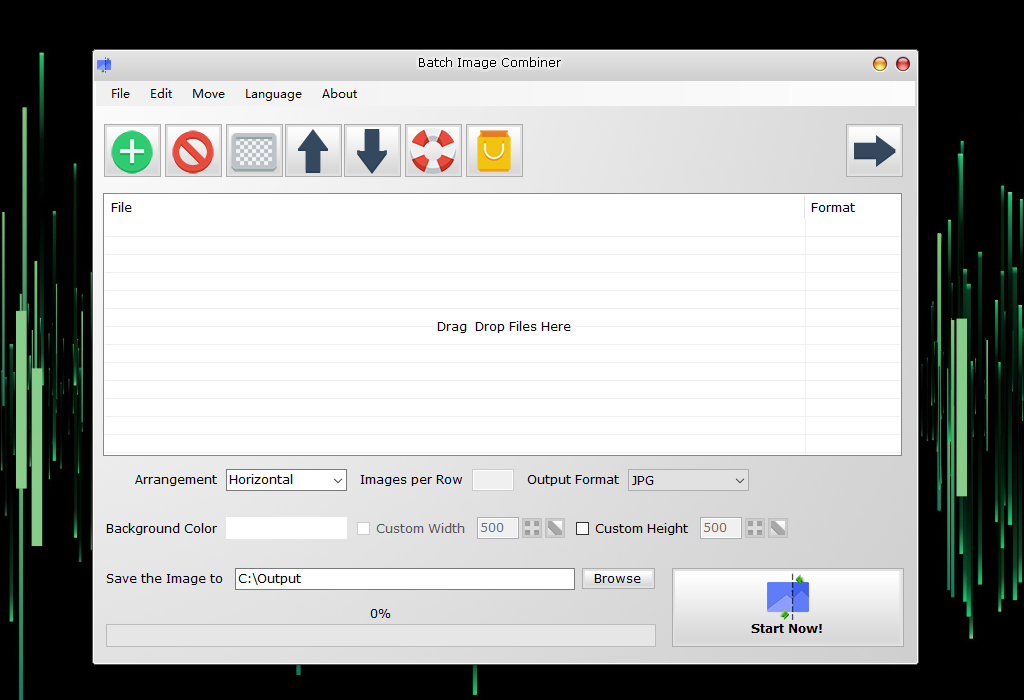
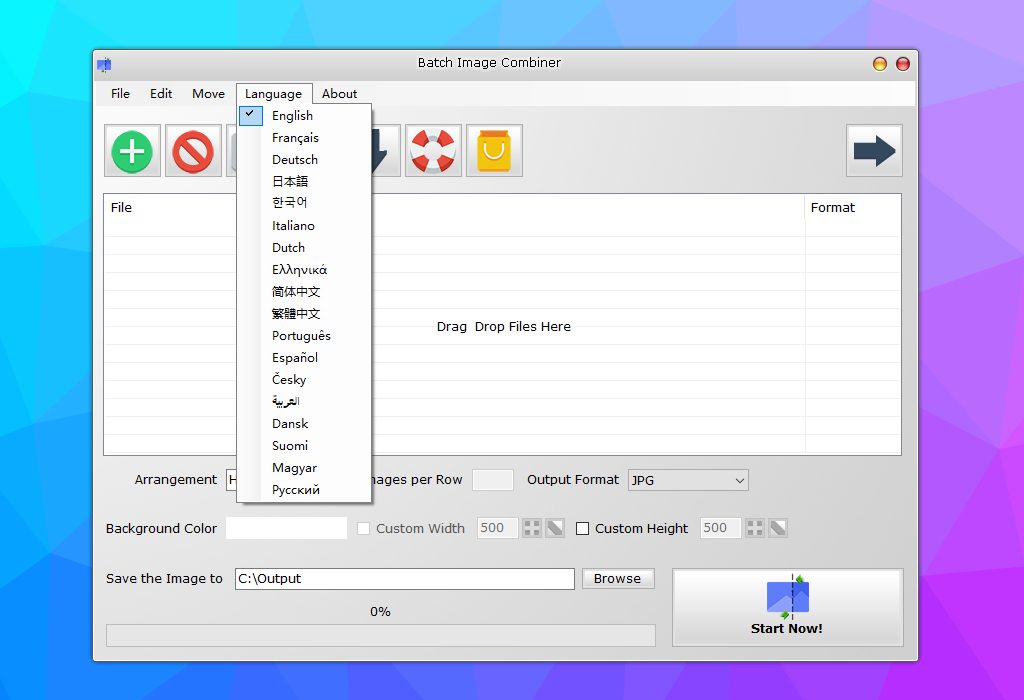
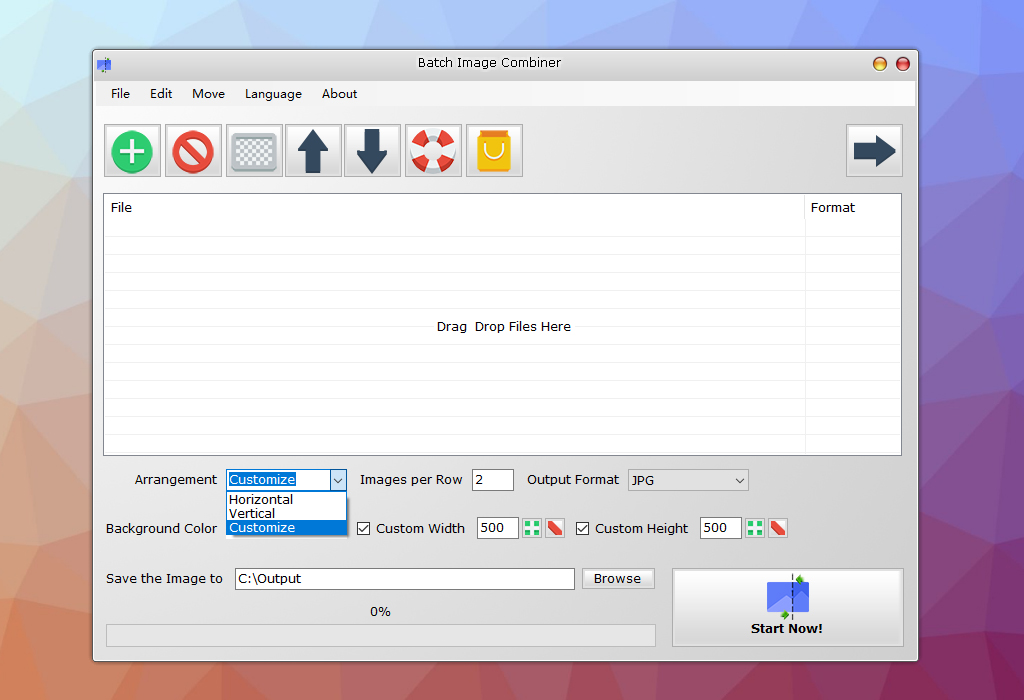
Batch Image Combiner is a handy and user-friendly Windows program that enables users to easily join several images into one quickly. It provides an array of features that make the image-joining process a breeze. You don’t need to be an expert to join multiple photos and pictures into one image file. Batch Image Combiner will handle all the hard work for you. Batch Image Combiner provides a variety of options to customize the merging. You can adjust the arrangement, how many images per row, output format and even the background color. With its intuitive user interface, you can easily add images, reorder, and then join them to one large image together. You can even choose to join your images vertically or horizontally to create the perfect composition.
Once the images are arranged and customized, Batch Image Combiner automatically merges them into one image. The final result can then be exported to the popular image formats such as JPG or PNG. The best feature of Batch Image Combiner is batch image combining. The program enables you to combine dozens of pictures to one image file and in JPG or PNG format. This feature is especially useful for users who need to merge a big number of images.
With Batch Image Combiner, joining images into one is easier and faster than ever. Give it a try today and see how fast it works!
System Requirements:
Windows XP/ 7/ 8/ 10/ 11 (x32/x64)
Publisher:
BgGenerator.comHomepage:
https://bggenerator.com/batch_image_combiner.htmlFile Size:
1.17 MB
Licence details:
Lifetime
Price:
$29.95
Featured titles by BgGenerator.com

AI PNG Enlarger is a Windows image software tool uses AI (Artificial Intelligence) deep learning image enlargement algorithm to enlarge PNG and JPG images without Losing Quality offline.

PDF Eraser is a Windows PDF document eraser application that deletes and erases text, images, logos and all unnecessary objects from PDF files. It also supports cutting unwanted pages from PDFs.

PDF Password Remover is a shareware tool that enables the removal of PDF restrictions from protected PDF files on Mac OS X.

PDF Anti-Copy is a handy PDF security utility that prevents PDF content from being copied and converted to editable formats.
Comments on Batch Image Combiner PRO 1.2.3
Please add a comment explaining the reason behind your vote.
iPhone app giveaways »





Android app giveaways »





I would suggest if people are having problems with the orientation of photos they rotate them first in Irfanview, available free.
Save | Cancel
As the name indicates, Batch Image Combiner works well if you want to quickly combine multiple images into one. The program creates no-frill collages. But it works best if all the source iamges have the same dimension, same orientation, or same aspect ratio.
I tried it with a few test images and I was quite happy with the results. It combines the images in a few seconds.
Suggestions for the developer:
a) It is misreading the orientation for some images. For example, I have an image which appears as vertical in Explorer and my other graphics softwares, but it is appearing horizontally (i.e., rotated 90deg to the left) in the collages. This needs to be set right, that is, you need to find out why these certain images are getting rotated and tell the program to ignore the rotation information in those images.
OR
An easier solution: Along with move up and move down, provide a Rotate 90deg option too, so that we can rotate the image from within the software if we find it is misreading the rotation information.
b) When we select a custom width and a custom height, the images are getting resized to the exact width and height that we specify. This causes some images to get "squashed".
c) Currently, when I select Custom Width, the software asks me to also specify the Custom Height, and vice-versa. There is no option to specify only the width, or only the height.
Instead, I feel the software should work as follows:
i) If only custom height is specified, it should resize the image to the specified height and proportionately change the width.
ii) Similarly, if only custom width is specified, it should resize the image to the specified width and proportionately change the height.
iii) And if both width and height are specified, it should resize the image to fit whichever dimension is larger and proportionately change the other dimension.
Hope you like these suggestions.
Save | Cancel
Sunil Suresh, Thanks for your suggestions.
Save | Cancel
This app COMBINES images—it does NOT merge them. From their website, here’s what it does do:
- Join Multiple Images into One Image
- Combine Images Horizontally or Vertically
- Customize How Many Images per Row
- Customize Background Color
- Support PNG and JPG Formats Output
- Option to Automatically Fit to Image Width and Height
- Auto-copy to Clipboard Option
- Extremely Fast
- Portable ZIP Version is Available
- Multilingual
- 100% Offline
Here's what it does not do:
• Offer any output options other than jpg & png
• Allow you to rotate the pictures to display them properly. I have 2 photos of a long 20-seat table that I tried to attach. Whether horizontally or vertically, for some reason, both photos are rotated 90 deg. and attached lying on their sides. I have no idea what is unique about these 2 photos and why this happens, nor can I find any way to correct/change it.
In a test with a mixed group of portrait and landscape photos, all of the portrait photos that contained long/deep subjects (i.e. the long table, with or without people) were rotated 90deg. whether attached vertically or horizontally. In this last group of tests all the pictures maintained the same aspect ratio, whether they were taken in portrait or landscape format.
Positive: easy to use; I was able to quickly add/subtract and arrange photos for my tests. But I'm put off by the strange actions of the software...and the Phishing findings on their website.
Save | Cancel
I was very excited about this, but it's useless. Far fewer features than the always free and much better program Image Grid by rw-designer: http://www.rw-designer.com/image-grid
Batch Image Combiner PRO is lacking all the "pro" features... it is a very basic image combiner that offers no real tools other than mindlessly smalling images together. No spacing / padding settings, no auto crop, no visual preview, near useless resize tool that gives you a single option.
The world does actually need a good pro level image combiner / grid tool but this is not it.
Save | Cancel
Very basic but works fine. It offers two formats to save end product,
No spacing between photos. Not essential but would be nice.
Offers drag&drop for quickness.
Prob will be useful at times.
Save | Cancel