Every day we offer FREE licensed software you’d have to buy otherwise.
Giveaway of the day — AOMEI Backupper Pro 8.4.0
AOMEI Backupper Pro 8.4.0 was available as a giveaway on July 16, 2026!

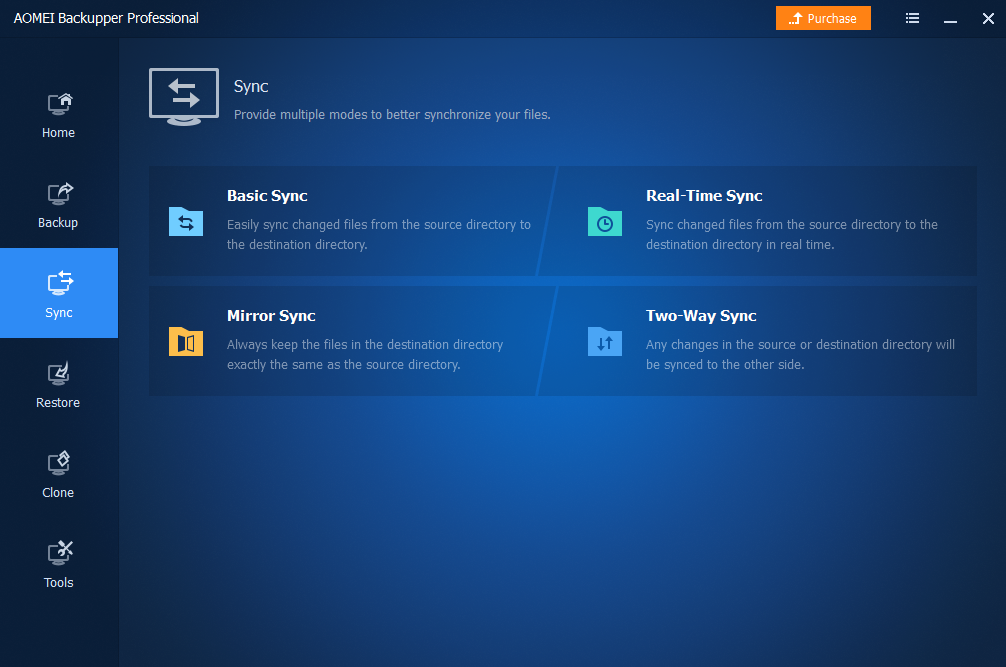
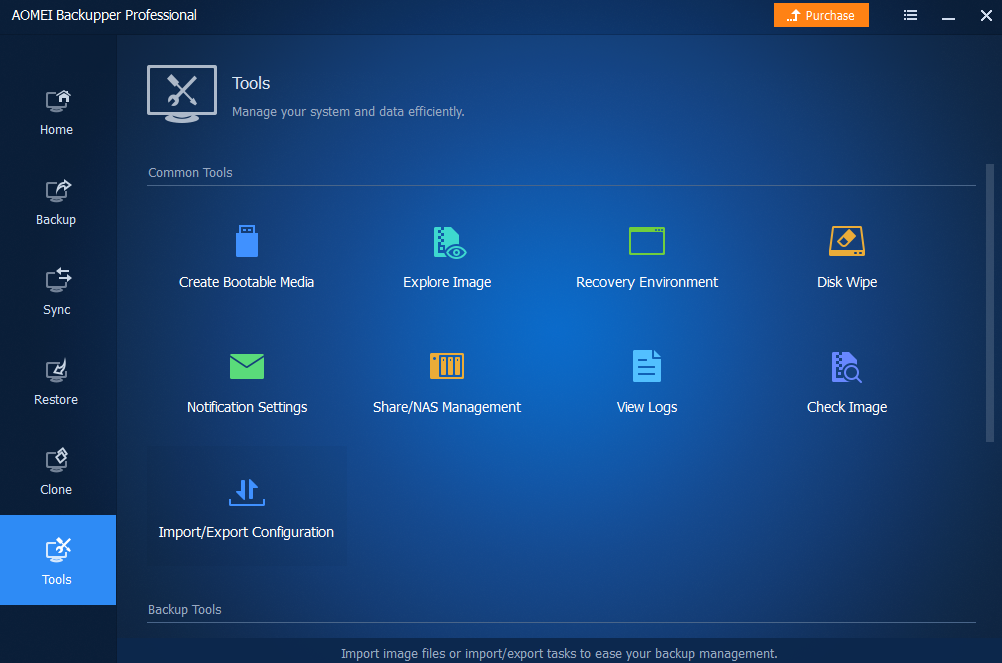
AOMEI Backupper Professional edition is complete yet easy-to-use cloning and backup software for Windows PCs and laptops. As the advanced edition of AOMEI Backupper Standard, it includes all features of the Standard edition, and provides more unique features listed below, helping create the best computer backup.
Added "Email Backup": Automatically backup entire email accounts or only selected email folders to to a local, external, or network drive in case of original emails are destroyed or deleted. Supports Gmail, Outlook Mail, Yahoo! Mail, Hotmail, iCloud Mail, Zoho Mail, HushMail, GMX Mail, etc.
- Advanced system clone, UEFI clone, GPT to MBR clone, and customized clone.
- Smart backup strategy and scheduled differential backup to save time and space.
- Easily dynamic disk volume clone, copy or backup to ensure data safe.
- Automatic monitor and real-time sync newly added, modified or deleted files.
- Fast bare metal restore, universal restore and selectively file restore.
- Useful utilities: merge backup images, password encryption, split backup images, customize email notifications, etc.
- Multi-Language: support English, Deutsch, Français, 日本語, Dutch, Italiano, Español, Traditional Chinese, etc.
System Requirements:
Windows 11/ 10/ 8.1/ 8/ 7; CPU: Intel Pentium or compatible, 500MHz or faster processor; RAM: 256MB or greater; CD-RW/DVD-RW drive for bootable media creation
Publisher:
Aomei TechnologyHomepage:
https://www.ubackup.com/professional.htmlFile Size:
188 MB
Licence details:
1 year license
Price:
$39.95
GIVEAWAY download basket




Comments on AOMEI Backupper Pro 8.4.0
Please add a comment explaining the reason behind your vote.
iPhone app giveaways »





Android app giveaways »





I've used this for years and have been extremely happy with it. The first time I had to restore my C drive with Backupper I was very nervous, but I've found it has never failed. I couldn't recommend it more.
Save | Cancel
Best backup
Save | Cancel
I bought the full verson, i love this software.
Save | Cancel
I use since ever, Acronis True Image ( my current lifetime version is 2025 ), but wanted to try a new backupper, which would be faster and easier than Acronis. So last week I tried this one as a trial installation.
It is a little bit faster but the backup was the same size as the original C: and D: backupped drives, while Acronis gives me approximately 17.5% of the original size. It also uses a Proprietary backup file format.
I couldn't find a compress files option.
So I decided not to use it.
Thanks any way GAOTD and AOMEI.
Save | Cancel
Mario, see the help documentation here:
https://www.ubackup.com/help/compression.html
"Determine a proper compression level for your current backup task. The Normal option is selected by default and is recommended, but you may also select Higher or None.
When creating a new backup task, you can click the "Options" button and then click "Advanced" to set up the compression level."
Save | Cancel
It says in the readme text only valid for 1 year use - what happens to the backups after that, can you still use the program to restore them or have to buy the full version
Save | Cancel
Kevin Williams, it converts to the free version and you can still use your backups
Save | Cancel
This is great software. I paid for the full version after using it for a year last time, and it has really helped me a lot with restoring my backups.
Save | Cancel