Every day we offer FREE licensed software you’d have to buy otherwise.
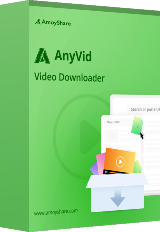
Giveaway of the day — AnyVid Video Downloader 10.9.5
AnyVid Video Downloader 10.9.5 was available as a giveaway on July 1, 2026!


Search and Download All Videos You Need
AnyVid allows you to download various videos from more than 1,000+ sites. Just paste the URL or search by keywords, and then it will display all the results to meet your needs.
Download Video to MP4 & MP3 in Best Quality
This downloader is committed to providing you with high-quality audio and videos. Whether you want to download video to MP4 or MP3, you can choose to download the best quality options as you want.
Bulk Download Playlists & Hashtags in One Go
AnyVid allows you to download playlists and short video in bulk up to 1,000 videos at a time, significantly improving download efficiency and enabling you to enjoy offline videos as soon as possible.
Download Video Without Watermark
Using the Pro Video Downloader, you can easily download videos with no watermarks, giving you a clear impression and original video you want. You can use the video you download for your own purpose.
System Requirements:
Windows 8/ 10/ 11
Publisher:
AmoyShareHomepage:
https://www.amoyshare.com/anyvid-downloader-2/File Size:
319 MB
Licence details:
1 year license
Price:
$12.99 per month
GIVEAWAY download basket




Comments on AnyVid Video Downloader 10.9.5
Please add a comment explaining the reason behind your vote.
iPhone app giveaways »




Android app giveaways »





Hi everyone!
Thanks for your interest in the AnyVid downloader for Windows. To help you better use this tool, we just place this post here with guides and more.
· Registration Guide:
Step 1: Register on the giveaway page with a valid email and password. You will receive a confirmation email in your mailbox. Click the link in the email to confirm receipt of the free license.
Step 2: Log into AnyVid with the email and password you entered in the first step. After login, the free 1-year license will be activated immediately.
The activation email is valid for 1 hour. If you don't receive the email, please check your spam folder or try claim again.
The 1-year license is applied to all Windows versions of AnyVid, as well as new versions in the future.
Our website: https://www.amoyshare.com/anyvid-downloader-2/
If you have any further questions or feedback regarding today's Giveaway, please don't hesitate to contact us right away!
Best wishes,
AnyVid Support Team
support@amoyshare.com
Save | Cancel
Hi everyone
If you encounter a situation where you are still unable to claim your reward after clicking the confirmation link in the email, please contact our customer service email address: support@amoyshare.com, and we will manually help you resolve the issue.
And if you are unable to receive the confirmation email, please fill out the form again and claim again, or try again using a different email address.
Save | Cancel
I also had trouble with it still being in free mode, I reset my password and that fixed it.
Save | Cancel
will not download anything, either error code 100012 or freezes, uninstalled
Save | Cancel
What's the role of AI in this?
Save | Cancel
Same here. Followed the instructions, registered an account, got confirmation email, entered in program, still says "Free Trial". Uninstalled, tried the GiveAwayOfThe Day version install again - same. Uninstalled again, downloaded the version offered directly by Amoyshare after registering - same.
Save | Cancel
I downloaded the program, registered my email address and I am still getting the prompt that I am using the trial version every time I open the program. Logged out, closed the program, reopened and logged back in and still says in Trial Version.HELP!
Save | Cancel
Hi, James
Thank you for your feedback. Regarding the issue of the app showing as being in trial status after claiming the card, we investigated and found the main reason was your participation in a previous AnyVid GOTD event, causing a data conflict. Please contact our customer service email at support@amoyshare.com, and we will manually fix it for you.
Save | Cancel
Hi James,
Please contact our customer service email, and we will manually resolve the issue you are experiencing.
Save | Cancel
AnyVid Support, I uninstalled the program, redownloaded it, reinstalled it and then I got the confirmation email. All is working now as it should be. Thanks and I really appreciate these giveaways and your quick response to my issue!
Save | Cancel
Installed the program. Logged into my previously set up AmoyShare account. Got this notification: "Your email has been registered, please launch the AnyVid program and log in with your account". Every time I launch the program, even though it says I'm logged in, it says "You're in free trial version now". Restarting the program does nothing. (I had a previous giveaway version in the past which was uninstalled a while ago). How do I activate the program?
Save | Cancel
Shemp, I had the same problem, what I did:
Uninstalled it, cleaned the registry, restarted the OS and then installed it again, it worked.
Save | Cancel
Also, I never received a confirmation email.
Save | Cancel
Created a new account and that worked.
The icon in the start menu is blank though. Had to create one manually.
Save | Cancel
Fixed the blank icon issue by restarting explorer.exe
Save | Cancel
mike, there are many ways to "clean the registry" manually or programmatically, what specific keys did you remove? Be specific and you can be of help or are you hoping people will pay you to clean their registry for them?
TK
Save | Cancel
Hi Shemp,
Thank you for your feedback.
Please contact our customer service email at support@amoyshare.com and we will manually fix it for you.
Save | Cancel
Hi Shemp,
Please contact our customer service email, and we will manually resolve the issue you are experiencing.
Save | Cancel