Every day we offer FREE licensed software you’d have to buy otherwise.
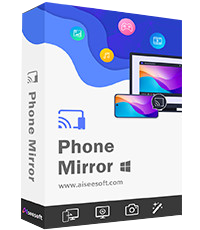
Giveaway of the day — Aiseesoft Phone Mirror 2.2.58
Aiseesoft Phone Mirror 2.2.58 was available as a giveaway on February 25, 2026!



Aiseesoft Phone Mirror is a practical screen mirroring and control tool that allows users to display their iPhone or Android device on a Windows PC in real time. It supports both Wi‑Fi and USB connections, enabling activities like mobile gaming, app demonstrations, teaching, or presentations on a larger screen. Beyond simple mirroring, it offers features such as recording, screenshots, and on-screen annotations, and for Android devices, it even allows full control from the computer. With support for a wide range of iOS and Android devices, Phone Mirror is ideal for users who want to interact with their mobile content conveniently on a PC.
System Requirements:
Windows 11/ 10/ 8.1/ 8/ 7
Publisher:
Aiseesoft StudioHomepage:
https://www.aiseesoft.com/phone-mirror/File Size:
78.2 MB
Licence details:
1 year license
Price:
$31.96
Featured titles by Aiseesoft Studio
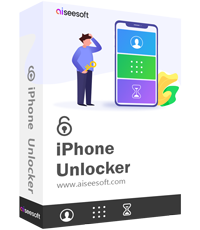
Aiseesoft iPhone Unlocker can remove iOS screen lock without passwords, touch ID, or face ID. You can also bypass iCloud activation when forgetting your password or entering a factory reset. Troubled by the old screen time limit and cannot remember your passwords? Don't worry, iPhone Unlocker can also help you bypass and reset screen time on your iPhone/iPad. Compatible with the latest iOS 26/18/17, this unlocker software is surely something you wouldn't want to miss.

Supporting the latest iOS 18/17 and Android 15, Aiseesoft MobieSync becomes your reliable companion in transferring files among iOS, Android, and computers. Simply connect your device to your computer, and MobieSync can scan all the photos, documents, videos, audio files, messages, and so on. You can then back them up to the computer or sync them to another device. Additionally, managing Android and iOS files with MobieSync is also easy. Whether you want to merge, check, or delete files from your phones, SD cards, or tablets, MobieSync has got them all covered. There are also extra features, such as converting your iPhone's HEIC photos to JPEG/PNG and creating ringtones for your iOS devices.
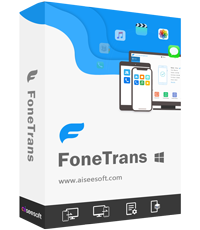
Aiseesoft FoneTrans is an iOS data transfer app that connects iOS devices, iTunes, and computers. You may selectively transfer photos, messages, contacts, movies, music, notes, calendars, Safari, eBooks, and other items for iPhone, iPad, and iPod without using iTunes. It also allows you to sync data between iOS devices and your computer/iTunes without overwriting anything.
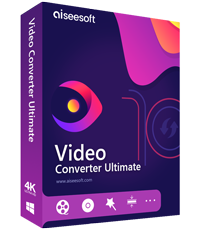
Aiseesoft Video Converter Ultimate is a very professional versatile video utility. It converts video to more than 1,000 different media formats. It also supports converting video resolutions between 8K, 4K, HD, and SD to fit your requirements. Aside from the basic editing capabilities such as rotate, crop, clip, merge, watermark, subtitle, audio track, and so on, you can also improve the video, create 3D effects, and adjust the video speed as desired.

Aiseesoft Data Recovery is a software tool designed to help users recover lost, deleted, or formatted files from various storage devices, such as computers, external hard drives, USB drives, and memory cards. It offers a user-friendly interface and supports the recovery of a wide range of file types, including documents, photos, videos, emails, and more. With it, you can recover lost files due to accidental deletion, preview before recovery to make the process more efficient and recover files from PC, laptop, and external hard drives with a high success rate.
GIVEAWAY download basket




Comments on Aiseesoft Phone Mirror 2.2.58
Please add a comment explaining the reason behind your vote.
iPhone app giveaways »





Android app giveaways »





Hi guys,
Thanks for jumping in. I'd like to correct my original post. It WAS listed four times in the Windows Firewall under the Inbound Rules. Two were "Block" and two were "Allow". I changed ALL to Allow in both Public and Private but it didn't help at all.
Peter
Save | Cancel
Very limited in functionality. No graphics-based file access. Could not find any text-based files (all formats showed 0). Fairly easy to install and operate. Clean UI. Just doesn't add anything for me. Uninstalling.
Save | Cancel
The application appears to be functioning in both the PC (Windows 11) and the tablet (Android). After entering the pin number, the PC screen says "Please click 'Start now' or 'Allow' on your mobile..." which I do but after that, nothing happens. The tablet claims to be "Casting screen via WiFi to Aiseesoft Phone Mirror" but the PC is still waiting for the "Click Start now". Permission was given to the Windows firewall although I don't see it in the list. Any advice? Many thanks.
Save | Cancel
Peter, good comments. I will try and tell you. Regards.
Save | Cancel
Peter, Me too, I will try and[sic.] tell you. Hope this info is helpful, ie. that I will, at some time in the future, tell you.
Save | Cancel