Every day we offer FREE licensed software you’d have to buy otherwise.
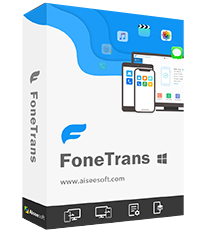
Giveaway of the day — Aiseesoft FoneTrans 9.5.80
Aiseesoft FoneTrans 9.5.80 was available as a giveaway on April 29, 2026!

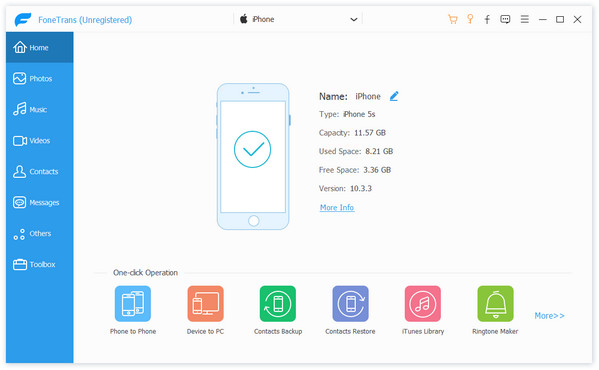
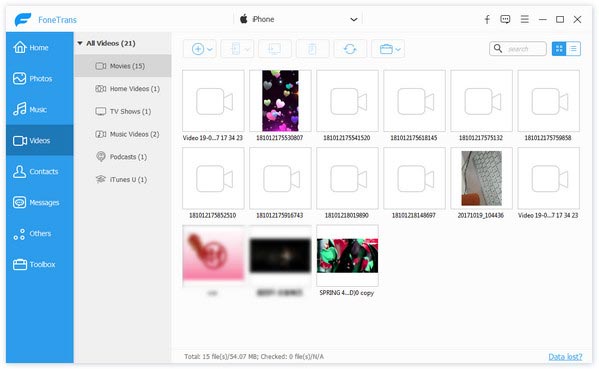
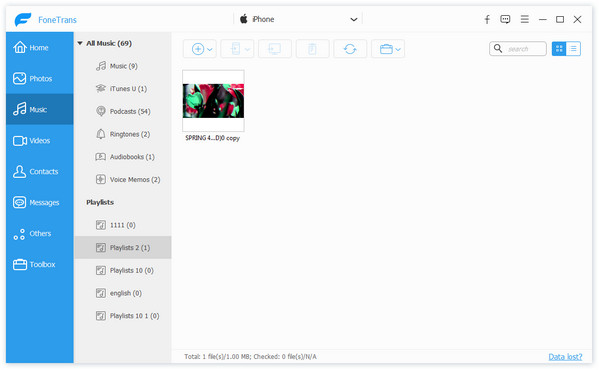
Aiseesoft FoneTrans is an iOS data transfer app that connects iOS devices, iTunes, and computers. You may selectively transfer photos, messages, contacts, movies, music, notes, calendars, Safari, eBooks, and other items for iPhone, iPad, and iPod without using iTunes. It also allows you to sync data between iOS devices and your computer/iTunes without overwriting anything.
System Requirements:
Windows 11/ 10/ 8.1/ 8/ 7, Vista/ Windows XP (SP2 or later); Supported iOS: iOS 6.0 and higher versions (iOS 16 included); CPU: 1GHz Intel/AMD CPU or above; RAM: 1G RAM or more; iTunes: 10.7 and above
Publisher:
Aiseesoft StudioHomepage:
https://www.aiseesoft.com/ios-transfer/File Size:
109 MB
Licence details:
1 year license for 1 PC
Price:
$19.96 per month
Featured titles by Aiseesoft Studio

Aiseesoft Phone Mirror is a practical screen mirroring and control tool that allows users to display their iPhone or Android device on a Windows PC in real time. It supports both Wi‑Fi and USB connections, enabling activities like mobile gaming, app demonstrations, teaching, or presentations on a larger screen. Beyond simple mirroring, it offers features such as recording, screenshots, and on-screen annotations, and for Android devices, it even allows full control from the computer. With support for a wide range of iOS and Android devices, Phone Mirror is ideal for users who want to interact with their mobile content conveniently on a PC.

Aiseesoft iKnockin can remove iOS screen lock without passwords, touch ID, or face ID. You can also bypass iCloud activation lock when forgetting your password or entering a factory reset. Troubled by the old screen time limit and cannot remember your passwords? Don't worry, iKnockin can also help you bypass and reset screen time on your iPhone/iPad. Compatible with the latest iOS 26/18/17, this unlocker software is surely something you wouldn't want to miss.

Aiseesoft FoneEase is an all-in-one mobile data management tool designed to simplify the transfer, backup, and organization of files across iPhone, Android, and computers. It enables seamless data migration between devices—even across different operating systems—without relying on iTunes, making it especially useful for users switching phones or managing large amounts of data. With support for photos, videos, music, contacts, messages, and more, FoneEase also allows users to preview, edit, and organize files directly on a desktop for greater efficiency. Overall, it serves as a convenient and flexible solution for cross-platform data handling and device management.

Aiseesoft Video Converter Ultimate is a very professional versatile video utility. It converts videos to more than 1,000 different media formats. It also supports converting video resolutions among 8K, 4K, HD, and SD to fit your requirements. Aside from the basic editing capabilities such as rotate, crop, clip, merge, watermark, subtitle, audio track, and so on, you can also improve the video, create 3D effects, and adjust the video speed as desired.

Aiseesoft Data Recovery is a software tool designed to help users recover lost, deleted files from various storage devices, such as computers, external hard drives, USB drives, and memory cards. It offers a user-friendly interface and supports the recovery of a wide range of file types, including documents, photos, videos, emails, and more. With it, you can recover lost files due to accidental deletion, preview before recovery to make the process more efficient and recover files from PC, laptop, and external hard drives with a high success rate.
GIVEAWAY download basket




Comments on Aiseesoft FoneTrans 9.5.80
Please add a comment explaining the reason behind your vote.
iPhone app giveaways »





Android app giveaways »





Please read this guide if you are not sure how to register the software.
Step 1. Download Zip package from GOTD. Unzip the Package and run setup.exe to install the software.
Step 2. Run this software, and a pop-up window will appear. Click the “Get Free Registration Code” button to visit the registration access page, where you can enter your username and email address to receive the registration code for free.
Step 3. We will send the free activation code to the email address you provided. Please check your email inbox in due time. If you don't see it in your inbox, just check the spam folder.
Step 4. Return to the software, copy and paste the received registration code in the input box that shows “Please enter the registration code” and click “Activate now” to activate it successfully.
Save | Cancel
Aiseesoft Studio , can this function without iTunes being installed or does it use iTunes binaries in its operation?
TK
Save | Cancel
TK, found this on their website.
"FoneTrans is the bridge to connect iOS devices, computer with iTunes. Not just an alternative to iTunes. Now you don't have to rely on iTunes to transfer photos, music, contacts and voice memos from iPhone/iPad/iPod to your computer or reversely."
Save | Cancel
Gerry, Back-tracking on my comment which is misleading. This app will not connect to my iPhone 4 touch which is important to me. Further, a comment on their website on not being able to connect - "What if your iOS device cannot be detected?
Situation 1. Check if iTunes has been installed
In this case, first you should check whether you have installed iTunes on your computer and make sure it is the latest version."
Save | Cancel
TK, You need to make sure iTunes is installed on your computer when using this program. It needs certain data from iTunes, although iTunes should not be launched when our program is running.
Save | Cancel
Gerry, caveat, not necessarily the latest version, just the latest version supported by your version of Windows and this... this does allegedly support iTunes 10.6 which I believe is last version to support XP as well as more modern versions. You just need a functional iTunes installation of 10.6 or above. If your iOS device no longer supports version 10.6 and you only have access to XP system then you're out of luck.
TK
Save | Cancel