English
Every day we offer FREE licensed software you’d have to buy otherwise.
$55.95
EXPIRED
Giveaway of the day — Dimo MP4 Video Converter 4.2
The best way to convert any SD/HD/4K video file to the popular MP4 format
$55.95
EXPIRED
User rating:
33
25 comments
Dimo MP4 Video Converter 4.2 was available as a giveaway on June 28, 2018!
Today Giveaway of the Day

Instead of dozens passwords, remember just one!
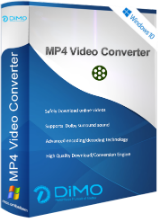
Dimo MP4 Video Converter offers the best way to convert any SD/HD/4K video file to the popular MP4 format for using on smartphones, tablets, TV, VR devices, media players, and video sharing websites.
Main features:
- Convert a wide range of videos such as MKV, Tivo, H.265 and more to MP4 (SD/HD/4K)
- Transcode video files to iPhone, iPad, Android, Sony Vegas, VR, TV, PS4, etc.
- Provides basic editing functions for you to trim/crop videos, add watermark/effects, etc.
- With advanced encoding/decoding technology, it gives world No.1 fast conversion speed
- Support output 5.1/7.1 Dolby surround sound to provide a marvelous audio effect
- Share videos onto portable gadgets and TV from PC/Mac in the same network
Please note: to install and activate the product follow the instructions in readme.txt
System Requirements:
Windows 10/8.1/8/7/Vista; DirectX 9.0 or above; >1.5GHz Intel or AMD CPU; 50G free space; 1Gb RAM
Publisher:
Dimo StudioHomepage:
https://www.mediadimo.com/mp4-video-converterFile Size:
56.3 MB
Price:
$55.95
How would you improve Dimo MP4 Video Converter 4.2?
Featured titles by Dimo Studio
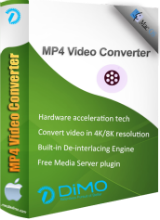
Dimo MP4 Converter for Mac is known as the best Mac MP4 conversion software to transcode any videos MP4 on Mac for use on popular portable devices, media players, online video websites and more.
Comments on Dimo MP4 Video Converter 4.2
Thank you for voting!
Please add a comment explaining the reason behind your vote.
Please add a comment explaining the reason behind your vote.
iPhone app giveaways »

$2.99 ➞ free today

$0.99 ➞ free today

$0.99 ➞ free today

$0.99 ➞ free today

$0.99 ➞ free today
Android app giveaways »

Collect recipes from around the world and create the ultimate food truck!
$0.99 ➞ free today

$2.49 ➞ free today

A strategic combat game about a forgemaster who accidentally awakened a dragon.
$0.99 ➞ free today

$0.99 ➞ free today

$0.99 ➞ free today
I Only Use DivX. The Link for the Download and other Support for it is:
https://www.divx.com/
Save | Cancel
I converted a bunch of flash video files to .MP4 with this program. The MP4 video files turned opt being about 10 times the size to the original flash files.
Also, there is no batch file section function. You can select an entire directory but you will still need to click a START button to start the conversion for each file in the directory.
I'm not sure if this software is ready for Prime Time yet. It doesn't work well for my needs.
Save | Cancel
I suggest you read the readme file added with this.. follow the instructions for the free code to register the software. mine was DE4kT1Y0f1NoEkxjCzVHKnZOUw== so thanks giveaway of the day great software
Save | Cancel
seedo, got same
Save | Cancel
seedo, we did read the readme; it's just that the publisher did a remarkable job of disguising the fact that the "Get Free LIcense Code" text on their giveaway page is clickable, as it's neither styled like a button nor does
mousing over it give you a "pointing finger" pointer.
Save | Cancel
if you all read the read me file then you would get the free code to register it this is what code they gave me DE4kT1Y0f1NoEkxjCzVHKnZOUw== and it works. thanks giveaway of the day
Save | Cancel
I think I'll stick with RipBot256. It's free and I have full control of everything including 4k, correct conversation of fps, audio delay, Trimming, TV to PC etc.
Save | Cancel
There's always Handbrake - it's always free probably does a much better job that this tool.
Save | Cancel
Didn't get register key with Dimo mp4 converter
Save | Cancel
This company had offered more converter's, most of them with one input-format.
Installation etc same as the others. Screen's also.
Something I do not understand.
A video with a higher resolution(4096) takes almost the same space as a file with lower resolution(640).
And the file with lower resolution as the original takes more space:
https://www.dropbox.com/s/fub0kdvbscl7gdi/Eigenschappen.png
And the CPU has to work:
https://www.dropbox.com/s/yhq5nmhtlnigh9b/Belasting.png
The originals, from the internet Free:
Water without sound: https://ootjegotd.stackstorage.com/s/Ta5QBjJtmcKBqbb
Bird: https://ootjegotd.stackstorage.com/s/ExsAa80ERy1z2Z0
Water 640: https://ootjegotd.stackstorage.com/s/RV1l3YAFPHEjnkG
Bird 640: https://ootjegotd.stackstorage.com/s/whCYwPUbPttHQAj
Water 4096: https://ootjegotd.stackstorage.com/s/b852bGfCpjcF5uv
Bird 4096: https://ootjegotd.stackstorage.com/s/Nztla7rb03c7zEq
Save | Cancel
mike, "because they're encoded differently."
I did selected the same profile.
At first I converted at high resolution 4096.
After it was finisched, I loaded the same originals again.
And ONLY selected a different resoltution, 640. All other setting on that profile were not changed.
If I did selected a different profile, I would understand.
Same profile, different reoslution, almost same size of file.
Save | Cancel
TK, "YOU MUST KNOW AND MANUALLY SET THE OUTPUT BITRATE "
You're right. I did not set/read the specific settings.
I just set a profile:
https://www.dropbox.com/s/qs42rhqq7i4g1tp/GeladenVideo.png
And set it to 4096. Nothing else.
And the second time it choose the same profile and set it to 640. nothing else.
But I did not looked at the other settings, changed or not changed. I assumed that they were the same.
So at the end I was wondered about he size.
Also when I looked at the properties; almost the same KBPS 7568 and 7674:
https://www.dropbox.com/s/fub0kdvbscl7gdi/Eigenschappen.png
Save | Cancel
Never thought of it that way but I guess you're right.
Save | Cancel
Today's developer continues to live in a world of its own, stripping out from its very ordinary converter individual components which it then offers up as one-trick ponies at prices so over-the-top they defy belief. Today's single-purpose MP4 converter, at a hoped-for $56 retail, is a case in point.
Free MP4 converters abound. So do free video converters which manage every kind of input and output file format. And so, too, do paid-for full service video converters that are regularly offered by major software publishers on giveaway sites such as GOTD.
Dimo's cynical approach to marketing and seeming contempt for the intelligence of its target audience would be bad enough. But there's also the fact that its self-proclaimed expertise notwithstanding, it appears to know so little about the world of video that it's quoting Sony Vegas in today's promotional blurb, this despite the fact that Sony's lack of investment in that once renowned product meant it declined to the point where it was flogged off cheap to German developer Magix two years ago and is, effectively, no more.
If Dimo genuinely means business, it should take advantage of the excellent platform GOTD provides to all developers and promote the fully functioning software it publishes rather than extracting bits and pieces and pretending they're worth something. Until it does, its succession of one-trick ponies fools no-one.
Save | Cancel
MikeR, couldn't agree more!! On their website, the $56 is crossed off and the price of $37.95 is listed, to make people think they're getting a bargain. Almost every tech vendor on the web tries to use this marketing subterfuge, including PC vendors with their ubiquitous "instant savings".
Save | Cancel
MikeR, I couldn't believe the creator was offering a one-format converter after reading the description, so I checked out the comments to see what I was overlooking. Turns out it is a dumb as I thought. Thank you so much for the excellent description - I won't waste my time with this.
Save | Cancel
The publisher's giveaway page appears to be missing the license code.
If you look at the HTML source of that page, you can see the license info popup, but it says "Hi folks, the giveaway campaign is expired" where the code should be.
Save | Cancel
Rick Williams, I Strongly Suggest that you, and EVERYONE ELSE TO CHECK OUT THE HOME PAGE LISTED ON THE UPPER RIGHT... It Reads:System Requirements:
Windows 10/8.1/8/7/Vista; DirectX 9.0 or above; >1.5GHz Intel or AMD CPU; 50G free space; 1Gb RAM
Publisher:
Dimo Studio
Homepage:
https://www.mediadimo.com/mp4-video-converter
File Size:
56.3 MB
Price:
The program is available for $55.95,
but it will be free for our visitors
as a time-limited offer! DON'T DOWNLOAD OR INSTALL ANY, ANY PROGRAM UNTIL YOU VISIT THE HOME PAGE THAT IS LISTED!
Save | Cancel
Not the most polished app of this sort, but it gets the job done.
The application can be deployed in a matter of seconds thanks to a typical installer and is by no means a sophisticated application regarding functionality. The user interface looks quite decent and it provides easy access to all the functions, however, we have experienced a few annoying glitches and delays during our tests.
Save | Cancel