Every day we offer FREE licensed software you’d have to buy otherwise.
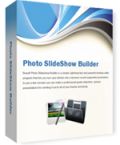
Giveaway of the day — Boxoft Photo SlideShow Builder 1.6
Boxoft Photo SlideShow Builder 1.6 was available as a giveaway on September 24, 2013!

Boxoft Photo SlideShow Builder is software which can be used to put thousands of still photos or images into a dynamic slideshow. You can add MP3 files or even record audio to output professional slideshows, and the output formats can be standalone executable file (EXE), screensaver file (SCR), video (AVI/ WMV/ MPEG), or burn to CD or DVD.
System Requirements:
Windows XP, Vista, 7, 2000, 2003 (x32/x64); Pentium or similar processor; 64MB RAM
Publisher:
BoxoftHomepage:
http://www.boxoft.com/photo-slideshow/File Size:
28.4 MB
Price:
$27
Featured titles by Boxoft
Flip PDF is a utility which converts Acrobat PDF files to page-flipping eBooks. All original content is retained intact for publishing. The eBook, your new digital publication, can be a digital magazine, a digital catalogue or any other kind of digital book.
Hi Slider is a powerful WYSIWYG and fully customizable application that helps you create any jQuery and WordPress Image Slider with no coding, this software will enable you to publish responsive jQuery image slideshows, seamless WordPress and Joomla and Drupal slider plugins, amazing website sliding banners and fancy JavaScript slideshow presentation.
GIVEAWAY download basket




Comments on Boxoft Photo SlideShow Builder 1.6
Please add a comment explaining the reason behind your vote.
iPhone app giveaways »





Android app giveaways »





@ 9. ric
photostage slideshow producer -
has been given away here before.
so if it is again you won't have to pay.
it's actually quite good, would recommend.
as for this one, * Boxoft Photo SlideShow Builder, eh I don't know, I don't think it's that good.
have had a lot of experience trying different slideshow makers (for my son's 21st) and knowing what's possible doesn't compare favourably with this one (didn't have to pay for any of them).
* there sure are a lot of transition effects
* not much control over transition timing (some programs can make the transition slowler or faster, such as with photostage slideshow producer, windows live movie maker)
* very frustrating that I couldn't control within the program how large the images appear in the slideshow, or that it stretches them sometimes no matter which settings I choose
* interesting concept with the Build to video option that captures it live while playing - not interesting enough though, just captures a not very big deal slideshow :-P
sorry don't have time to include the other slideshow makers I found quite good.
if you want to do your own research of course giovanni's recommendations are a good start :-)
Save | Cancel
The "About" screen appears every time I open the application. In order to continue, I have to click "ok" which is annoying. There does not seem to be an option anywhere to keep it from appearing so I would like to suggest this as a future improvement.
It does have one interesting feature and that is the ability to scan an image to your slideshow.
It says it supports .wmv format input but when I attempted to add a .wmv file, I received the following error message: "A-PDF Image to FlipBook does not support convert file '...wmv' to FlipBook, such as .avi, .wmv, mpg video file formats!"
Also, it lacks the ability to add captions or any text and is more like a basic starter version than anything else. I imagine this is A-PDF's/Boxoft's first venture into the slideshow arena and that they will add more features and show improvement over time.
Save | Cancel
Read Ashraf's review. "Average" and free in GOTD looks reasonable. Anyway, it is up to each individual choice.
Have read elsewhere that these two are the cat's meow, when it comes to Slideshow software (but must pay).
Proshow Gold
Photostage Slideshow
Save | Cancel
I have to jump in here to remind newbies that an old, favorite utility called Irfanview (IV) can do this: Make an image show with your Jpgs and gifs and whatever, burn it to a CD with the IV engine to run it in case the destination PC doesn't have a copy of IV. Add music or not to it. I used to make these CD shows for nurses shows and pharmaceutical displays in hospitals. IV is free, has been for years.
Save | Cancel
27 bucks for this?? Come on....be serious man!!
* DVD slideshow GUI (==> Softpedia Editor Pick and my Personal First Choice)
Best FREE slideshow creator ever created with 237 transitions and 100 special effects to add on your entire slideshow. With this magic FREE tool you can even add and edit music, 35 motion backgrounds, borders and subtitles.
To add an audio track (for instance a recorded narration) to a specific point of your slideshow, just export your slideshow to mpg/avi format, then open it with the freeware “DubIt”:
http://www.softpedia.com/get/Multimedia/Video/Other-VIDEO-Tools/DubIt.shtml
After recording your narration or adding your music sounds to specific points of your slideshow, export to wav/mp3 and then import them into you DVD slideshow GUI project.
http://download.videohelp.com/tin2tin/features.html
Then, if you want to publish your Video Slideshow on your own website in a very professional way, just use this amazing FREE APP kissing YouTube and BigG brother goodbye for good:
http://flowplayer.org
As you can see, this awesome Open Source Video Player can be easily embedded in any websites in order to enhance their content with video clips, presentations or family movies, thus enabling users to create web pages streaming Flash movies. And it's even able to switch between different video streams, so as to provide the best possible content to users with different Internet connection speed, thanks to its awesome "Bandwidth detection plug-in" which automatically monitors the maximum bandwidth and changes the bitrate accordingly.
Full Online Tutorial:
http://flash.flowplayer.org/documentation
* Microsoft Photostory 3
Awesome FREE app by Microsoft designed to create professional slideshows from your still pictures. It supports any kind of photo format, offering you a preview window and some basic editing functions. It lets you add text over your photos and even create songs on the go to add on your final slideshow.
http://www.softpedia.com/get/Authoring-tools/Authoring-Related/Microsoft-Photo-Story.shtml
See also:
http://www.perfectphotoshow.com
http://www.jetphotosoft.com/web/?s=jpstudio_0
http://www.dicksonlam.com/2012/05/09/339
==> FREE & ALWAYS UPDATABLE BETTER ALTERNATIVES <== Enjoy!!!
My 2 cents for today's giveaway....
Save | Cancel
The installation was without any problems.
The UI is clear and it is easy to insert several pictures at the same time.
There are many different effects (hundreds of them) and they look fine.
You can see an example created by the software here: http://www.aj3000.org/demo/demo.html
The resulting file was nice and small.
What surprised me was that the software creates the mp4 files by capturing the screen but the resulting file is fine and clear.
Of course, you can add music but there is not the possibility to add an over voice which I find as the only negative.
On the whole I like the software. Thumbs up.
Save | Cancel
Your own simple slideshow maker without additional software but with sound in full brilliance and magnitude without bothering your registry.
For modern TV sets, e.g. 1080p:
1 Resize your pics to your TV's resolution, e.g. batch processing by free portable IrfanView (to avoid downsizing per TV with worse quality). Perhaps include some interesting enlargements (cropped by free portable JPEGCROPS =lossless).
2 Copy them to a folder on some USB medium.
3 If you wish sound: copy appropriate MP3s to a sound folder on same medium.
4 Start first MP3 on TV.
5 Start slideshow mode for pics folder or first pic respectively.
6 Lean back and enjoy, perhaps with friends or family!
That's how we view my own 3D pics in anaglyphic mode (cyan/magenta spectacles) on every TV. And believe me it's very impressive.
Save | Cancel
Yet another of the pseudo DVD slide-show pieces of software out there - when will we see a free one that actually utilises the true ability of a DVD to store images in their native form with a decent menu system and not simply encode to images to a 720x576 movie of rolling pictures. Simply speaking there's a lot of wasted space by these slide-show apps as they do not simply display an 'i-frame' and then freeze for a number of seconds, but waste disc space with the 24 extra frames they must display each second (depending on the native fps of the player) so each image in a 5 second-per-image slide show is taking up well the space of over a potential 100 images of the same quality.
Bottom line, you're better off dumping the images into folders and playing them with the functions of your DVD player which in my experience can generally display the images at a much better resolution than the native 720p of a DVD.
Save | Cancel
Free alternative:
Bolide Slideshow Creator - it has more output video formats, but can't export the slideshow as a screensaver.
Today's giveaway is good for those, who want to make a screensaver with photos
Save | Cancel
Pros
*Export slideshows as screensaver, video, or to CD
*Supports many input image formats
*Set MP3 files for background music
*Supports dozens of transitiions between images
*Customize slideshow settings, like display duration
Cons
*Doesn't natively export to video but rather records to video
*Why only MP3 files for background audio?
*Export to video is limited to AVI, WMV, and MPEG
Free Alternatives
IrfanView
Anvsoft Photo Flash Maker Free
Final Verdict
Click here for final verdict and full review
Save | Cancel