Every day we offer FREE licensed software you’d have to buy otherwise.
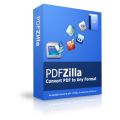
PDFZilla 1.2.9 was available as a giveaway on May 7, 2010!
PDFZilla is a desktop application that quickly and accurately convert PDF files into editable MS Word Documents, Rich Text Documents, Plain Text Files, Images, HTML Files, and Shockwave Flash SWF Files.
PDFZilla supports most of popular formats: DOC, RTF, TXT, BMP, JPG, GIF, PNG, TIF, HTML, SWF formats.PDFZilla also support batch convert mode and Page Selection.
System Requirements:
Windows 2000, XP, 2003 or Vista
Publisher:
PDFZilla.comHomepage:
http://pdfzilla.com/File Size:
6.58 MB
Price:
$29.95
Featured titles by PDFZilla.com
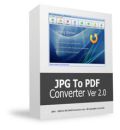
JPG To PDF Converter is a windows utility that quickly convert multiple images into a single pdf document. With JPG To PDF Converter users can create pdf files from image formats like JPG, GIF, BMP, TIF, PNG and PSD.
Zilla PDF to TXT Converter is a windows application to convert pdf files to plain text format files in batch mode. Zilla PDF to TXT Converter also support convert specific pages range to txt files.
Download YouTube Music videos and convert them to MP3,AVI,WMV,MOV,MP4,3GP formats. Download Millions of music from YouTube, Try YouTube Music Downloader Now!
MP3 Converter is an easy-to-use all to MP3 Converter. With MP3 Converter you can convert no matter video files or audio files to MP3 format. MP3 Converter supports WAV, WMA, AVI, WMV, MOV, 3GP, MP4, FLV, VOB, DAT, MPEG...
PDF OCR is based on OCR technology to convert scanned PDF paper books and documents into editable electronic text files fast and easily. PDF OCR has a build-in text editor which allows you to edit ocr result text without MS Word. PDF OCR also supports batch mode to OCR all pages of pdf file to text at a time.
GIVEAWAY download basket


Comments on PDFZilla 1.2.9
Please add a comment explaining the reason behind your vote.
iPhone app giveaways »




Android app giveaways »




Crashed and burned for me!
Installed the program on laptop with Windows 7 - Converted a five page PF document - with all the annoying text boxes - that I can't edit.
There's also no explanation that I can find in the help files about how to edit exported text.
Then on my attempt at a second PDF document - only three pages - no images - the program starts but crashes as I start the conversion.
Is this a Wolf in Sheep's clothing -- all promise -- but no delivery.
I'll be uninstalling this one.
Save | Cancel
Is it only me....this program wiped out ALL my original PDF files on my computer ?? Even on my F: drive. I was NOT converting all..just did a couple for testing purposes. Thanks
Save | Cancel
Doug, The registration code is in the Readme file, within the downloaded zip file.
Save | Cancel
PDFZilla does not do the job for me. When I tried it on a PDF file, it converted the text perfectly -- except that the words and numbers were all run together (no spaces appeared anywhere). While it converts text entries perfectly, it apparently does not recognize that the various entries are separated from one another by implicit spaces. While the words may be readable with difficulty, tables of numbers are unintelligible in this format.
Save | Cancel
I tried today giveaway and I must say that it seems to work quite well. (XP SP3) I picked a document that had graphics in it. I tried the first option (PDF to Word) and it worked expect the graphics for the most part didn't come out, then I tried (PDF to HMTL converter) on the same doc, and it allcame out quite well, then I finall tried (PDF to Image converter and again everything came out quite well. Thanks GOTD this seems to be a keeper.
Save | Cancel
"...do a search and replace to remove all paragraph returns..."
Or you could use TED Notepad (freeware) to unwrap paragraphs: Paste the text into TED Notepad. Select text and hit ctrl+shift+W. Ofcourse you end up with a plain txt file from which you can copy the text over into Word.
Save | Cancel
I installed fine, but when I run it it only converts half the PDF file and aks me to register, but I have no register code. HELP!
Save | Cancel
Will not convert encrypted files without password.
Interrupted while I was writing this post with it's conversion processing progress and took control of the screen meaning I was typing this post and when the progress screen came up no letters were being typed in to this post.
It's OK if you just need to change a this or that in the document, but the fact that it puts EVERY sentence into it's own text box makes it worthless. The reason to convert to a editable document is to edit it.
I did a mass conversion of 51 of all types of pdf files. It had a hard time with some of them and stopped and took it's time. Even though I set it to convert the files in to .doc, every file upon opening in Word 2007, had to be converted to another format such as RTF or TXT etc. So it looks like even though the file name had a .doc extension, it appears that it was not converted to a true .doc file. I then set it to convert to a .RTF file and upon opening still had to be converted by Word. Perhaps this is a Word issue. The The first file I opened had the space markers(dots)on the letters, touching the letters and in some parts no dots at all as well as each sentence in it's own text box.
I also converted the Readme file to .txt and .jpg and another file with graphics to just.jpg. These seemed OK.
That's all it took for me and did not even bother to look in to other converted files.
Sorry but just from this part this program is a Thumbs DOWN even for a GOTD. There are much better free ones.
Save | Cancel
Does not work properly under XP. Installs fine, and works first time. Good output, no problem. Then on second use mouse will not enter task bar, screen freezes, and program opens to black box with icoms that cannot be clicked. Reboot, then OK first use but same problem on second. Time to uninstall. Pity.
Save | Cancel
Downloaded and activated.. Needed this software a lot...
Thanks GOTD..
Save | Cancel
I tried it on a PDF I published from Access, hoping to convert to Word and Import into MS Publisher. The PDF had a column of text with pictures on the right side.
It hosed the text, hosed the pictures, hosed the spacing, hosed the page size... In short, TOTAL GOTHIC FAIL.
It might offer some functionality in some situations, but don't assume it's going to convert PDFs to anything useful. You're probably about as far along with select all, copy, and paste!
On a separate note, why there is no way to get output from (MICROSOFT) Access DIRECTLY into (MICROSOFT) Publisher is just one more in a long list of reasons that company should die screaming.
Save | Cancel
Always on the lookout for better conversion of PDF to Word, I downloaded and installed this product. It is appallingly bad. All lines are entered in Word as frames. This makes it almost impossible to edit. Also, the font is changed (from Times New Roman 12 pt to Arial bold 14pt). You can highlight all and apply the original font but why should you have to? Font info is in the PDF. Best bet so far is PDFPro by Nuance although that is pretty expensive.
Save | Cancel
Installation is a breeze. Ran a 300K pdf file conversion to doc format. It seems that the text conversion is ok, but most pictures have been flipped, horizontally 180 degrees.
Save | Cancel
BTW, if you decide to check
http://www.softpedia.com/get/Office-tools/PDF/Some-PDF-to-Word-Converter.shtml
dont't forget to look at
Developer/More Programs section
to find more PDF (conversion) software
Save | Cancel
I downloaded and installed this program on a 64-bit Windows 7 PC.
It seems as though the developers are not at all familiar with normal conventions. For instance they want to install the program off C:\, rather than Program Files, or Program Files (x86). Once installed, I opened the program and went to the portion to convert a .pdf to .doc. Once again, normal Windows conventions were ignored (such as selecting multiple files with Ctrl or Shift). Selecting a file and pressing the Delete does nothing. Right-clicking? No context menu. Click the X icon and it brings up a menu, rather than just deleting. Most of the icons in the toolbar seem to be stolen from other programs and yet are not what you would expect. When converting, the progress bar breaks out of its frame and when it reaches maximum, nothing happens for a while (I have a very fast PC) and then some other progress bars appear. The interface glitches are an indication of poor software quality in my opinion.
Once the conversion is complete, I can see that it was a complete waste of time. Sentences have no spaces between words!
I'm done.
Save | Cancel
I don't agree with manufacturer's statement
... accurately convert PDF files into editable MS Word Documents ... ,
because PDFZilla converts each line of document to separate text box containing the text of that line,
so, it does not preserve paragraph structure of the document (paragraph in most cases contains several lines, not only 1).
This makes further editing of the document almost impossible, because in fact it cancels the main feature wordprocessors were built for:
the program should decide, how to format paragraph to lines, and change it appropriately when text is added or deleted.
But PDFZilla not only converts each line to separate paragraph, but, what's even worse, it embeds it into text box, so if you try to further format/edit it, it is done within that text box only, thus completely breaking the structure of a document.
So, even method suggested by #3 can't be used.
Summary:
When converting a document to Word (or RTF) format, PDFZilla coverts it to a document which only looks identical, but is almost impossible to edit without breaking its structure.
So, if not only coversion, but also editing/formating of converted document is required I use (and recommend) free
Some PDF to Word Converter
http://www.softpedia.com/get/Office-tools/PDF/Some-PDF-to-Word-Converter.shtml
It by no way makes ideal and/or accurate conversion
but offers several options to adjust the coversion to the structure of converted documents, e.g.:
- use text box on/off
- auto merge on/of (merge subsequent lines into 1 paragraph)
- delete line breaks on/of (if on, each line becomes a paragraph)
- insert/remove graphics/pictures ...
and more.
By using appropriate options editable document similar to original one is produced.
In most non trivial cases some aditional editing/formating is still needed to get expected results, but at least it is possible to do so.
;-)
Save | Cancel
to #20, Nobody has answered the question about the difference between this and version 1.2
=================
The new version added the standard TIF format output. The old version only convert pdf files to Compressed TIF, which cannot be used for OCR. But the latest 1.2.9 version's TIF format is the standard/uncompressed TIF image format.
Save | Cancel
@19 Jack gives a good rundown of the different PDF filetypes and the difficulties in conversion, but I think he's overly critical in saying that PDFZilla is "useless." Not every PDF converion needs to be complete; sometimes you just need an extract. Certainly if I was paying for such a product I would get something like Abbyy's PDF Transformer (not free and more than $30), but as a free give-away PDFZilla will convert some PDFs to another format sufficient enough for many uses.
As pointed about above there are some free tools available as well and you'll find that some work better on certain PDFs than others. I think it is handy to have several tools in your toolbox...
Save | Cancel
Out of all the PDF converter programs that are available, I would rank today’s GOTD as one of the better ones. I’ve used this program on many occasions without running into major glitches or any other vermin. There were never any major security issues as far as being able to copy and edit protected documents. The conversion process itself was quick, and the output always came out accurate. And when you’re dealing with bookmarks and tags accuracy is the name of the game (so to speak).
The only thing of note is on the developer’s site where in the hype they boast that this program is able to “Batch Convert More Than 10,000,000 PDF Files to Word Documents at One Time.” Now although I’m sure the hardware technology today can handle that kind of storage, unless some home user is trying to emulate the Library of Congress on their laptop I don’t think there are too many people who’ll see that and say “Oh man I’ve been waiting for a program like this! Now I’ll be able to finish converting my 9,999,999 PDF’s into Word files before the end of days in 2012! Ten Million PDF files to Word documents, Phewww...
*All Visitors are encouraged and welcomed to use the GOTD forum for writing in-depth final verdicts, recommendations, and full reviews for any GiveAwayOfTheDay!
Save | Cancel
@19 (Jack) did an excellent explanation. Keep up your good work. Appreciate it.
Save | Cancel
Nobody has answered the question about the difference between this and version 1.2
Save | Cancel
There are several types of PDF files. In simplistic terms a PDF is a container file format like Zip. A PDF file can contain image only, image and text, text only or neither.
How to know if your file contains any of the above:
-open a PDF file
-try to select some text
=-if you can't then it's a image based PDF file
=-if you can and the extracted text is legible then it's a text based PDF or a mixed based PDF file
=-if you can and the extracted text is illegible then is neither of the above
Strategies to convert PDF files into other types of files: doc; html; txt; rtf.
1 - Image based PDF files
Image based PDF files contain only images. To convert the contents to text and preserve the formating an app has to extract the images files, then has apply OCR [http://en.wikipedia.org/wiki/Optical_character_recognition] on the extracted files. And then convert the result into "doc" files.
OCR cannot guarantee neither lossless conversion nor semi-lossless conversion.
-Lossless conversion
--the final document is an exact representation of the original, preserving both the complete text without errors and the original formating.
-Semi-lossless conversion
--the final document is an almost exact representation of the original, preserving the complete text without errors but ignoring the original formating.
OCR is difficult and not even the best OCR applications promise 100% fidelity.
PDFZilla fails with false advertising. Doesn't even support Unicode or accented characters. Doesn't preserve formating. So the PDFZilla guarantees data loss.
2 - Text based PDF files
Text based PDF files are the easiest to convert to other documents. Every PDF viewer is able to extract text without formating from these PDF files. And there are several utilities designed specially to do this and most of them are free.
The tricky part is preserving formating, ie, complete lossless conversion.
Does PDFZilla provides complete lossless conversion? Does it preserve the formating?
3 - Mixed PDF files
Mixed PDF files contain both text and image. They are very difficult to convert correctly.
A two pass strategy has to be employed. First: extract the text part. Second: extract the image part and convert to text preserving the formating. Third: combine the first two into a complete file.
Mixed PDF files contain parts that cannot be export to text correctly, like math formulae, or should not be exported to text at all, like graphics, charts, etc..
Since PDFZilla failed the 1st strategy it fails this one too.
4 - Neither (the garbled text extraction)
To convert this type of PDF files the converter has to apply a 3-pass strategy:
-convert the PDF file to image files
-convert the images into text using OCR
-convert the result into a new document
Since PDFZilla we already saw that it can't do OCR correctly it fails this one too.
So it's plain to see that PDFZilla is incapable of doing what's advertised:
Avoiding data loss is the most important thing in any program. If it fails in this important task then it's useless.
Save | Cancel
Overall it looks like a good program, though there are a couple of things to look out for:
1. By default it installs to C:\PDFZilla, instead of the program files folder
2. When you click the register link in the corner of the window, it opens up a browser window to buy the software. Just close that, go back to the program, and the window will be up and ready for you to enter the registration code.
3. As has been mentioned, the quality is not what it could be, and some things will have to be fixed in the outputted document
These, of course, are minor, easy to fix things, so overall I am very happy with this giveeaway. Thanks a lot to the GAOTD team and PDFZilla!
Save | Cancel
I'm using Solid Documents, which was a waste of my money. Why? Because it won't convert a scanned pdf file into an editable word document. Sure, it converts the file. But into a giant picture, uneditable in word. So will this program convert a scanned pdf into an editable word document?
Save | Cancel
Doesn't work well for me on XP Pro SP3 and Word 2003. I converted a PDF containing a mix of text, charts, tables and graphics, all formatted to fit on 8.5 x 11 inch paper. The resulting word document is about ten inches wide, so in print layout view the right hand 1.5 inches is simply missing. The tables are so scrambled that it would be easier to re-enter them from scratch than to try to reformat them. The charts and graphics are chopped up and reassembled badly (not that I would be editing them in Word, anyway). So, disappointing, because I would have a use for a program that does what this one says it will do.
Save | Cancel
Finally GOTD gives away PDFZilla again, I missed the last giveaway and I really wanted this program!
Save | Cancel
For 64 bit windows, must "Run as Admin" to get the serial number to work, else the s/w will keep showing unregistered.
I had older 1.2 version. I did not have to uninstall old version. But after the install, it still shows as 1.2 standard and nowhere as version 1.2.9 so not sure what changed between the two versions.
Save | Cancel
Hi,
This is a nice one!
I am a old user of this software
Save | Cancel
Works surprisingly well, although garbles some text, seems not to be able to find the letter I when if follows an F (weird) in every case I've tried. So there are newly misspelled words in the WORD output. Also punctuation and capitalization can come out any way the wind blows. But the images are all separated, the layout is pretty much accurate, and the result is quite usable as new source material, or in my case, parts for restructuring a document. This is a keeper, and I've tried several I just deleted. Good enough it made me post for the first time.
Save | Cancel
Sounds a bit crazy to have to go through 3 more steps to fix something like paragraph returns after you use this. Why can't it do that? Hard to believe they didn't fix that yet. Sounds to me like it wasn't quite ready for distribution. Although I know it's been around awhile. Guess they think they have the market cornered on PDF converters so that such things as paragraph returns don't matter. Hmm. It matters to me. But then probably enough people just love it anyway, & that's why they don't bother, I would assume. I wonder how many will defend it here. :)
Save | Cancel
Not support unicode. Try these (hungarian) words in a pdf what get after convert:
árvíztűrő tükörfúrógép
And all line in a box when pdf convert to Word...
Save | Cancel
PROS:
* Successful download, installation, activation, registration on Vista x32 OS.
* Simple, attractive, easy-to-understand, easy-to-navigate GUI.
* extensive Help File (including tech-support info.) located in program.
* Can select/convert single file or entire folder for conversion.
* Supports Drag & Drop of files onto conversion area of inside screen.
* user may designated location of output folder for conversions.
* user may select output conversion format from within inside screen or from main/outside screen.
* progress bar at bottom of inside screen allows user to monitor output conversion status.
* conversions are very quick - too quick to time specifically.
CONS:
* program window cannot be re-sized.
* quality of converted output is hit-or-miss (i.e., inconsistent. The resulting MSWord, RTF, Text, and HTML output documents were accurate for the most part, except for the number "5" was converted into the letter "s" - but this is editable, so it may be fixed during the post-conversion editing process. Also, the signature-field conversion yielded a bunch of unreadable "gobblety-gook." The "SWF"-converted output was completely inoperable - it did not work at all. Lastly, all image-converted outputs (gif, bmp, png, etc.) were all 100% accurate and flawless (even the signature field was 100% correct).
Summary - The program would be much better if the noted flaws were eliminated. But, despite these flaws, the program does serve a useful purpose of allowing the user to edit a PDF document, as needed (especially in the MSWord, Text, RTF, HTML modes.) The image-format output conversions are perfect, so all-in-all, the program does as it says (in the final analysis) - and I give the program an overall thumbs up. Thanks, GOTD and PDFZilla.
Freeware Options:
Free PDF to Word
PDFill PDF Editor
Some PDF
Save | Cancel
anybiz has a 3 page limit, this doesn't.
Search and replace paragraph marks under "special" in word.
Save | Cancel
Last time GAOTD offered PDFZilla Version 1.2. Is this version 1.2.9 the same or new and improved?
If it is new, should we uninstall 1.2 first or install this over the existing previously offered version.
By the way, this is a great program and performs exactly as advertised. Don't miss it, if you need to convert PDFs you'll be very pleased with this awesome giveaway!
*** Thanks ***
Save | Cancel
Works as advertised. Downloaded and installed no issues on Windows 7 64bit system. Conversion from PDF to DOC is not exact, but is to be expected. All in all worth the download.
Save | Cancel
Thanks for sharing! I am used to download "Free" software from gotd now.
But sometimes i purchased if it could really help. I learned simpo pdf to word on gotd some days ago. It meets all my needs to convert pdf to word or pdf to text.
Save | Cancel
Paul, it's easy to remove unwanted paragraph returns in Word. Use search and replace. First, do a search and replace to convert all double paragraph return into a specific text like "*tempreturn*". Then do a search and replace to remove all paragraph returns - so you'll also remove triple paragraph returns or more. After that, do another search and replace to change back all *tempreturn* into single paragraph return.
Save | Cancel
PDFZilla is a desktop application that quickly and accurately convert PDF files into editable Word Documents, RTF's, Text Files, Images, HTML Files, and Shockwave/Flash/SWF Files.
Therefore, PDFZilla supports most of popular formats: DOC, RTF, TXT, BMP, JPG, GIF, PNG, TIF, HTML, SWF formats.
PDFZilla has a batch convert mode and Page Selection.
One of the biggest problems with getting text from a PDF file to Word is that if you copy and paste the text manually from PDF to Word, you'll end up with paragraph returns at the end of every line in the PDF. This means that you will have paragraph returns in the middle of sentences in your Word file. You'll then have to manually delete those paragraph returns. Although this shortcoming isn't unique to PDFZilla, it's still undesirable. I found that PDFZilla didn't solve the problem--paragraph returns were still in the middle of lines of text.
Free alternative is AnyBizSoft PDF to Word Converter, which does the same thing as PDFZilla, but is free for personal use and is simpler to use.
Save | Cancel
Cool! I can use this to convert PDF e-books into text or word format so I can re-convert into whatever format I need for my various e-book readers. Thanks!
Save | Cancel