Every day we offer FREE licensed software you’d have to buy otherwise.
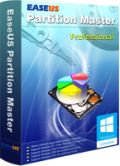
Giveaway of the day — EaseUS Partition Master Pro 10.0
EaseUS Partition Master Pro 10.0 was available as a giveaway on May 21, 2014!

The giveaway is over, but you can use this coupon code to buy EaseUS Partition Master Pro or Todo Trans Pro at a 30% discount: GIVE-DBN9-AWAY. The offer is valid till the end of June.
Partition Master Processional is easy-to-use and excellent partition and disk management tool. With it, users could resize, move, split and merge partitions to fix low disk space, extend partition, manage disk space easily on MBR and GUID partition table (GPT) disk.
The program can also be used to recover data from formatted disk, lost partition or to make a copy to the partition or disk so that users don’t lose files due to disk upgrade or system reinstallation.
Version 10.0 also includes new features:
- Available to migrate OS to SSD/HDD;
- Multiple language supported: English, Deutsch, Français and Chinese;
- Better compatibility with SSD drive;
- Better support on UEFI motherboard and GPT drive.
System Requirements:
Windows 8.1/ 8/ 7/ Vista/ XP
Publisher:
EaseUS SoftwareHomepage:
http://www.partition-tool.com/professional.htmFile Size:
43.5 MB
Price:
$39.95
Featured titles by EaseUS Software
An advanced and reliable data backup and system disaster recovery software.
- Backup all files or Backup certain file type in specified folder;
- System migration and System Snapshot;
- Disk & partition recovery.

Free migrate data to your new PC or to new windows system.
- Free transfer music, pictures, documents, etc. from an old PC to a new one;
- Full version could transfer applications to new PC;
- Easy-to-use and 7 X 24 free transfer assistance.
Free recover lost data from disk and storage disk.
- Retrieve deleted data from formatting, partition loss, improper operation etc.;
- Recover photo, video, email, documents, audio etc.;
- Safe and quick and complete recovery.
Optimize Your PC's Speed and make your PC more smoothly and efficiently.
- Remove Unwanted Software;
- Clean up all your tracks;
- Delete all types of junk files.
Comments on EaseUS Partition Master Pro 10.0
Please add a comment explaining the reason behind your vote.

iPhone app giveaways »





Android app giveaways »





@19 Ciuly
It said, "Join in the Customer Experience Improvement Program"
If you read the agreement, it tells you about this 'program' that sends information about your computer, hardware and such to the company to 'help improve' their product, etc.
And yes, the checkbox for 'joining it' is pre-checked. You can opt-out it appears, if you uncheck this on install.
I also concerned with the program this partician software tries to run at startup:
\EaseUS Partition Master 10.0\bin\TrayPopupE\TrayTipAgentE.exe
My trusty little "Scotty" barked at me about it. I did not allow it. But after starting the program & before registering, under "Help" there is a way to turn off the "pop-up window."
I'm still not sure what it is, I'm guessing it was some sort of 'nag-screen' popup to get you to buy/register the software. Once I disabled it via that menu & after registering the software, it no longer tries to embed itself in the start-up of the computer.
Save | Cancel
Why is the WinPE-Bootable unable to delete or format the System Partition ?
All Linux and WinPE Boot disks that I know of
can do "their thing" regardless of the purpose of the partition
Regards
Alan
Save | Cancel
@59 Karl + @63 Mike and others!
So in which partition should one save all the giveaway programs we download? What primarily should reside on the C: drive?
Thanks for your response
Not-so-Techy-Troop
Save | Cancel
Ummm... finishing the above tip...
I discovered that when you turn on your pc and the boot disc starts loading, you have to hit a key >>QUICKLY<< after the "Hit any key to continue to boot from CD" message appears.
If you wait even as long as three seconds or so, that is probably too late, and you will just get booted into your regular (hard disk) operating system rather than into the WinPE environment.
Hit that "any key" fast... ;-)
Save | Cancel
Like the others, my copy was able to be activated fine once EaseUS fixed the server problem.
A tip to any people who are finding that the WinPE boot disk seems to be starting, then just kicking you into your regular (hard disc-based) system: this was happening to me, and I got quite frustrated burning and re-burning boot discs to try different methods.
I iscovered that the problem was that you have to "hit any key"
Save | Cancel
Thank you for extending the giveaway. I was finally able to register the software and use it.
The creation of the Windows PE disk went smoothly, as did the partitioning of a hard drive, formatting of another and the transfer of a partition to another drive (yes, dreaded system recovery!).
Save | Cancel
I waited to 2:00 AM to download and install due to serial # problem on their end.
Once installed I burned the Win PE boot disc to see if that worked.
Not good. It would lock up. Then tried this morning and it would just kick me out of the boot disc and go directly to Win 7. Does not like my UEFI Bios. Most likely made for Win 8 and not 7.
Tested further by putting Linux boot disc in from version 9.1 and booted fine.
I had the same problem with Todo 6.5 paid version. I had to email tech support and they had to send me a special UEFI Win PE boot disc ISO in order to get it to work. At this point I am not happy with them.
I will uninstall this because even after registering the serial # it still shows up in Add-Remove as:
EaseUS Partition Master 10.0 Trial Edition EaseUS 5/22/2014 92.7MB
Save | Cancel
#56 I activated it no problem yesterday. If you look closely in the activation sequence, you can goto their website and activate "Off-line". Send the Activation code and code generated by your PC, and they will send an "Off-line" generated number you input to your PC and it activates no problem.
Save | Cancel
Hi., On my XP SP3 unable to create WinPE bootable Disk, I have always an error message "...failed to create WinPE ISO....
Save | Cancel
#50 confused
Can someone tell me what portioning is?
A good question.
You have a hard disk. This hard disk has the drive letter C: and you have your operating system and all your user files on this disk. If it is a very large disk, it is better to separate the operating system and the user files for easier backup and handling.
With a partition system, you can take a physical portion of your hard drive and make a new (virtual) drive with the drive letter E: or two new drives with the letters E: for your documents and D: for your video&music.
#51 unruly
If I say yes to continue with the MBR repair will it screw up config of my XP???
It should fix it without problems... IF the defect MBR is really your problem.
#54 Gromit
Today's version comes without OpenCandy or any other strange things. I tested it.
Save | Cancel
I downloaded this software this morning with no problems! It works great and does quite a bit!
But the other software offered, EaseUS ToDo Backup Free isn't that good! A lot of the features on this software, are turned off, unless you paid first!
Save | Cancel
couldn't create the bootable disk on windows 7 x64, it has serious peoblems with windows AIK, it wants to download an .iso file, but requests for a zip file.
Save | Cancel
@50 Confused
If you are looking for "portioning" you never will be successful! Partitioning a harddisk means that afterwards you'll have more than one partition with drive letters C:\, D:\, etc., each with a certain part of your HD storage, each can be used like a separate harddisk. If your windows is lost somehow (virus, windows itsself in former time, faulty use, etc.) there is a good chance other partitions are still usable. If you have used an imager to backup at least your windows partition you then can restore it and continue as if nothing had happened.
See also my comment 23 "Additional advice"
@GOTD
This GOTD is not apt for Windows XP because of needed online server for activation (phoning home!). After MS stopping even security updates in april 2014 only silly fools are still using Windows XP online. I have downloaded EaseUS Partition Master Pro 10.0 elsewhere and now can't use it at home with Windows XP even if I should trust EaseUS fully. I need XP for older peripheral hardware and some software I don't want to buy again!
Save | Cancel
Finally got a new reg. code that works. Why does it only see 2TB of my 3TB Drive? There is a 777M unallocated space at the end of the drive that is not seen.
Save | Cancel
I used to re-set the size of my sys partition with free version of easeus partition tool. Once I trusted easeus as a quality supplier of software. Later this software comes with OpenCandy as part of its installation licence agreement. This is a total turn off for me, it will add few intrusive adware services and a stupid floating side bar menu. I would not trust easeus anymore.
Save | Cancel
We've agreed with EaseUS to prolong current giveaway for another 24 hours. Our thanks goes to whole EaseUS team and especially Sarah who've been most helpful during this UNeasy situation.
Once again we apologize to you for the temporary problems and hope that they won't prevent you from enjoying the software.
Thank you for your patience and understanding!
Save | Cancel
Activation working now.
I've never seen this before on any Paragon, Easeus, Acronis, or other partitioning programs: a misread of my disks.
In WinXP Pro I have drive0 as small system partition C: and large D:. In drive1 I have one large partition E:.
This program shows drive0 as 1 partition (my former D: size) and drive1 as 2 partitions: (former small C: and large E:).
This does not inspire confidence. I understand that partition naming rules could be a factor, but this renaming does not seem to follow them even if ignoring my own customizing. Perhaps Easeus could explain what I may be missing here. Using NTFS on 2 SATA hdd.
Thanks very much GOTD for all the great programs here regardless.
Save | Cancel
Help Please...........can I download this software on a windows 7 Pro with 64 and create a WinPE bootable disk and use it on a XP Windows Pro 32. I am trying to recover my Windows....blue screen said windows 32 config corrupted or lost. I am using at present Wondershare Live Boot which did get me into PC and during using their program that lets me repair the MBR I got stuck on a question it asked...continuing will make it compatible with Windows 7 and 8....I had to use my friends Windows 7 PC to create this Live Boot disk but am using it to get into XP. If I say yes to continue with the MBR repair will it screw up config of my XP??? or will it fix it. If you know I thank you for any help I can receive..Cindi
Save | Cancel
Forgive me, please. Can someone tell me what portioning is? Does it create a new drive letter on my hard drive? Will it save me from a system crash? Simple English explanation please. I have HP win 8.1 64 bit. Sincere question. Thanks GAOTD and all the brilliant responders here (You know who you are)
Sincerely, Confused
Save | Cancel
Further to my earlier comment (#27), it now installed fine on my XP computer. So I downloaded it to my Win 7 and 8 computers. In both cases I get a "the setup file is corrupted" message. I re-downloaded - same thing (even with Kaspersky disabled)
Save | Cancel
I'd like to add my thanks to EaseUS and GOTD. My activation worked. EaseUS customer service has been quite responsive via live chat on this and other programs -- all free ones they offer. So kudos to EaseUS for fixing this so quickly and for GOTD for dealing with this issue in such a timely manner. Thanks much.
Save | Cancel
Application registered. Thanks to all. From #27
Save | Cancel
Thank you EaseUS & GOTD.
Save | Cancel
Tks for quick response and fix for activation problem,,,registered no prob :-D
Save | Cancel
This is a 32-bit only program.
However, the install worked OK on my 64-bit computer, and has created the WinPE disc, which I suspect also works in 32-bit mode.
Save | Cancel
Mine is fixed also. Thank you!
Save | Cancel
Number 28 and 29--my activation also worked. Thanks.
Save | Cancel
And please don't worry, about all licenses which users gain during the giveaway, we are totally sure you could active successfully now.
If you still don't active, please contact sara.monica@easeus.com
Save | Cancel
@27 Finally had success with Activation on my W7 and W8.1 computers
Save | Cancel
@26 and @27 - I had the same problem, but it seems to be OK now. I just now (8:07pm CDT) activated it on two separate PCs without any problems.
Save | Cancel
I am Sarah from EaseUS
So sorry for the activation issue. There is something wrong with our activating server, now we have fixed it.
Sorry again for the inconvenience which we bring, we are willing to hold another giveaway (PC Trans Pro). Certainly if GOTD Team will give us the chance.
http://www.todo-backup.com/free-pc-transfer-software/
Save | Cancel
I tried installing on xp and it said activation failed. I then tried it on my windows 7 64 bit and it said the same thing and never had it installed on either version. Installation Failed with the code provided with GOTD.
Save | Cancel
Hi ...... ignore previous (#20) ... uninstalled, reinstalled,ignored the popup box and pasted into activate wizard .... worked, now registered ... thank you GOTD and EasUS
Save | Cancel
UPDATE:
I just retried and it went through without a problem.
ibwebb
Save | Cancel
Activation seems to be working now
Save | Cancel
Activation is working now.
More news on this giveaway a bit later.
Save | Cancel
Yes, it would not activate after a clean install. Now, the big problem with the install is that is asked to delete my previous version (OK), now I'm SOL on my computer and I really thought the upgrade would help since I was using a very old prior version.
Hopefully, someone finds a resolution.
Save | Cancel
@ The GOTD project team: Great news!
I've been typing too late or too slow. LOL
Thanks.
Save | Cancel
Just tried to install EaseUS Partition Master Pro version 10 and received the same message the last few posts noted, that the activation failed. Thanks GAOTD for trying to work out the activation issues with EaseUS. This is really nice software.
Save | Cancel
I am 20 years IT-Guy. I like and use the software but PMP has so many competitors out there now, I can't even test out 10.0 against them because even trying to expand a partition now requires a registration that doesn't work. Few more hours left. Good luck staying competitive. I'd mention my preferences to your product but they also have their flaws. Legal registration, not being one of them.
Save | Cancel
Hello everyone and first of all let us apologize for the problems with the activation most of you wrote about.
EaseUS is experiencing problems with its activating server that haven't been resolved even at this moment. We are trying to contact their support to arrange a rerun of the software or (if it would be possible) prolong current giveaway so that all of you would be able to activate your copy.
Rest assured we will give you chance to grab a copy of EaseUS Partition Master Pro with a working license.
For the latest info about this particular giveaway please refer to our blog or check the latest comments to this post.
Once again, we are sorry for the inconvenience!
GOTD Project Team
Save | Cancel
The program downloaded and installed without a problem on Windows XP and 7 systems. When trying to activate with the registration number provided, it pops up with an "Activation Failed" window on both systems. In searching the EaseUS customer service forums, there were several with the same problems. There was no assistance offered. Any help to get the registration to work would be appreciated.
Save | Cancel
Problem: W7 Ult x64 - installation removed previous version and installed a trial version - copied & pasted the provided registration key - the box showed a green check mark & said it will be activated - clicked Activate and box comes up saying Activation failed. Tried the activation process several times. Tried manually typing in the registration key - same set of events occurred.
Please help.
Save | Cancel
I remember when a 20Mb drive cost me over $2500US -NOW- I have 14 Tb of space & ALL of it cost less than $500US - this software is fantastic & if you are using drives (ie - D: E:) my suggestion is - use drive E: as a storage & the registry will have very little use for the drive letter E. That being said, I love how easy it was to chop up my 1 TB drives for same stuff storage (pics, midis, mp3's, wav's, etc.) & it did it in no time at all & with no "ooops". Thumbs UP from me.
Save | Cancel
@14+16 TheArtfulDodger/Sparky
This ".../HDD/Macrium/pe5x64.zip" probably is WinPE for MacriumReflect, competitor of EaseUs:
http://www.macrium.com/reflectfree.aspx
I therefore don't believe that it's of any use for constructing 64 bit WinPE for EaseUS!
Save | Cancel
@12 Karl + @13 Clas
HTH (Hope That Helped). Yes, it did! Many thanks for your fast answers to my second post. 141 MB is just inside my acceptable limit.
& greetings in return! Francis
The last question in my first post was answered indirectly too, by downvoting (negative net result)! This happened often in the past when some comment was not praising the GOTD from a certain very populated country.
I'm sure that others will consider my advice for using an imager before repartitioning!
And long time readers know that I like to remain critical. Where much light is, there's a lot of shadow, too!
Additional advice:
Normally I'm repartitioning new harddisks depending on type of content which needs backup in different intervals, e.g. you could reinstall your software even if a backup is missing but your own texts, pics and videos were lost forever (sometimes recovery software helps). And it's useful to cut your videos using an empty partition which naturally isn't fragmented. If you are planning thoroughly resizing is needed very seldom. But if yes this partition should be defragmented before.
Save | Cancel
Thank you very much EaseUS and GAOTD. Installed fine on XP-PRP-SP3.
Save | Cancel
# 17 ginz
ImagePE.iso IS the bootable media, which you can burn to a disk or install on an USB drive. The bootable media is stored, where YOU wanted to store it in the export ISO dialog.
After burning, you can delete all instances of this .ISO, which should have about 170 MB for a Win 8.0/8.1 system.
Save | Cancel
#14 Graham
Yes, you can merge partition D: with partition E: to a larger partition D: if both partitions are adjacent. During the merging process, the files of E: will be copied to D:. It works only for the NFTS file system!
This is the way, it SHOULD work. If it really works without problems depends on many things, starting from disk errors to a system crash during the operation, because of (powerfail, memory fail...)
So better to make a backup before, as always. ;-)
Think of it : all registry keys pointing to E: will be obsolate, programs, which have been on E: will not work. You have to correct with a registry editor all instances of E: to D:
Save | Cancel
It would appears the feedback/share your ideas thingie is not working. I find it hard to believe that nobody came up with feedback there so far, especially because I did.
Anyway, I was suggesting to easeus to move the "Join ..." (whatever subscription was there as can't recall the text)
from the Create additional icons list somewhat down and make it default unchecked.
It's a little nasty from their part to automatically include you in whatever that thing is by "hiding" it in plain sight like that, making a lot of users look over that checkbox believing it's for some icon. I know I almost did.
I'm curious how many of us "click-next-ers" actually noticed it.
Save | Cancel