Every day we offer FREE licensed software you’d have to buy otherwise.
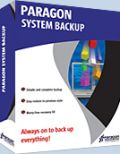
Giveaway of the day — Paragon System Backup 9.5 (English)
Paragon System Backup 9.5 (English) was available as a giveaway on June 2, 2010!

Simple, automatic and reliable backup solution for complete PC protection!
Now System Backup has two approaches:
Instant, auto backup. It is based on simplicity and minimal user participation … as easy as 1-2-3:
- Download and install the software.
- Follow the recommendations of the software - decide, where and when to back up.
- Relax! Complete PC backups will run automatically.
and…
Customizable, seamless backup. Power users can create their own backup strategy:
- Scheduling: fuzzy or precise.
- Choose Snapshot type: auto, full or differential.
- Choose volumes to backup.
- Exclude unnecessary data from backup images.
Key Features and Benefits of System Backup:
- Intuitive user interface. System Backup is based on simplicity and minimal user participation.
- Advanced notification system. Color indicators in the system tray inform you about the level of danger your system and data are in and prompt you with ways to fix it.
- Set-and-forget backup strategy. Cyclic Backup establishes a self-running data protection system, providing a “set-and-forget” backup strategy.
If you are x64 OS user please follow the download link here (file size: 86.5 MB)
Please see more features, usage scenarios and detailed product information at System Backup 2010 website
Technical Support:
During the Giveaway period Paragon Software provides technical support at http://twitter.com/paragonsoftware. Please, post your questions if you have any troubles while downloading, registering and using the software. Paragon Software’s support team will reply you as soon as possible.
System Requirements:
Intel Pentium or compatible, 233MHz or higher processor; 128 MB of RAM required (256 MB or greater recommended); 100 Mb HD for the program installation, extra free HD space for the snapshot storage (either on external or internal disk drive); Limitations: No WinPE included in this download
Publisher:
Paragon SoftwareHomepage:
http://www.paragon-software.com/home/systembackup/File Size:
86.6 MB
Price:
$29.95
Featured titles by Paragon Software

Partitioning is not for amateurs. That is why millions of people have trusted our safe, stable technology and professional software solutions for over 15 years. Our latest 11 version easily organizes your hard drive and redistributes free space to enhance system performance.

Don’t wait for a disaster to strike – get an instant data and system recovery kit today to ensure your protection! Rescue Kit professionally fixes boot problems as well as retrieves your data when your system fails to boot. It even rescues deleted partitions. All, you need to do to achieve complete control over any situation is burn the software on your CD/DVD!
HFS for Windows enables the use of Mac-formatted partitions in Windows operating systems. Utilizing Paragon’s own unique technology – the Universal File System Driver (UFSD), Paragon’s HFS for Windows is able to extend the boundaries of Microsoft Windows’ scalability and interoperability.
GIVEAWAY download basket




Comments on Paragon System Backup 9.5 (English)
Please add a comment explaining the reason behind your vote.

iPhone app giveaways »





Android app giveaways »



![[365fun] Running Man Giveaway](https://android.giveawayoftheday.com/wp-content/plugins/gotd_googleplay_plugin/images/100/2026/06/com.whitewind.runningman_app_icon_1780400784.png)

I got system backup 2010 in previous give away, was setting it up , and program said to restart to complete snapshot.
I clicked ok and my computer never came back on! just blinking cursor at top left .this software is dangerous, I would suggest not to use it.
I am on another computer now as my fav one was knocked out by paragon system backup 2010, and whether it is called 9.5 or 2010, dont use it.
Save | Cancel
#48
Check up the comparison table here:
http://www.paragon-software.com/home/db-express/comparison.html
(already mentioned in comment #26)
#50
it's some problem with Windows Installer. Recommend you to contact Paragon support
#53
registration link is in comment #6
#56
yes, GAOTD version are now numbered as -0.5 from current version
It was explained above by mike (see comment #24)
Save | Cancel
I was going to install this but I already had it from last time.
It doesnt put a icon anywhere so went to folder and sent to desktop.
I have all of the below programs installed from here, and no problems installing any of them. they all go in the paragon programs folder.
Paragon System Backup 2010
Paragon Backup and Recovery™ 10 Compact Edition
Paragon Drive Copy™ 9.5 Personal
Paragon Hard Disk Manager™ 2009 Special Edition
Paragon Virtualization Manager™ 9.5
Save | Cancel
#51 Angry@#6 gave you the address.
Save | Cancel
When I started to install this, my pc brought up the screen asking if I wanted to modify, repair, or uninstall v 2010. Evidently this is 2010 with a different name.
This is so confusing when one tries to determine which version is the newest best version and the versions are named so inconsistently differently!
Save | Cancel
have the product key and registration but no place to put it...help
Save | Cancel
One of the messiest downloads out of dozens I've done here - can't you just put a shortcut on the desktop to start the exe file?.
Registered and installed well. Ran for about a minute and then said "File allocation errors due to cross linked files. Run OS utilities to fix this" or something to that effect. Then it shuts down.
If anyone has any ideas about this, great, because I do not. If not, yet another Paragon product will be uninstalled from my computer. I want it to work and it looks like Paragon does offer great products, but no luck so far. I agree with the commenter above, I just don't think I'm smart enough for your products.
Save | Cancel
downloaded, followed instructions in read me file, got to the "get free serial" button, clicked on that, and the registration screen never came up. The wizard went immediately to another screen that said the wizard was interruped before it could be installed. Tried several times, same screen. So can't install because I can't get the reg screen to send for email product number, etc. 10 pm pacific time.
Save | Cancel
I am not recieving the Paragon System Backup 9.5 product key in my email.
Save | Cancel
Enjoy people!!
I personally have been a tester for Paragon Products.
And I must say (at least here) that this backup program is a kill among the competition!! ts absolutely amazing! :) Thanks GOTD and Paragon s/w for giving us such a good software here.
Save | Cancel
Win 7 64-bit. Downloaded ParagonSystemBackup_x64.zip and ran Setup.exe in it. Got the UAC screen and then WinRAR self-extracting archive screen. Clicked Install. And nothing happened. Finally thought to look for SB95_ea_x64.msi in C:\Program Files\..., and clicked on it. Got InstallShield Wizard, accepted EULA, came to Registration window. As per instructions, clicked on "Get Free Serial," and got: "InstallShield Wizard Completed / The wizard was interrupted before Paragon System Backup 9.5 could be completely installed. / Your system has not been modified. To complete installation at another time, please run setup again." Several tries, same result. Wha??
Save | Cancel
To expand on the earlier post about WinPe.
There are several types , the original is based on XP and requires an XP license to create it.
Later came Vista and WinPe 2.1
Now there is Win7 and WinPe 3.0
Both WinPe 2.1 and WinPe 3.0 are available free from MS for individuals to create their own boot media.
If you have a Vista /7 install disc ( or recovery disc ) , you already have it. It is in the BOOT.WIM in the sources folder on both of those.
If a commercial concern wishes to use WinPe in their products, they have to pay a license to MS .
That is why you don't get it with the free products.
The advantages of WinPe include much greater hardware support, the ability to load drivers, and a much better interface than the Linux boot discs that come with free products.
Hope it helps.
Save | Cancel
Hi All
On 18 March I installed Paragon Backup and Recovery Compact Edition from GoTD.
How is this different from that? Is it better, or shall I keep that one?
Reviews on that one seemed to rave more than this one’s.
Is there any benefit in having both?
Do I have to uninstall that one to install this one?
Why is it so complicated?
It looks as if they are competing with their own products. Why would they do that?
Many thanks for your help.
Kabez
Save | Cancel
Well, I guess I will give up on this program. It must be retarded because it couldn't find the Java Runtime. Well everything else I do that requires Java (and that's quite a lot) finds it just fine.
Save | Cancel
I am using Mozy backup. Do I still need a backup program like this?
@31 - Are you using the paid version of unlimited space on Mozy? If not then the free space they provide is only enough to backup select files.
"Needing" it is relative. How important is your backup and how much security do you want to have with your data? The more redundancy you have the better change you have to keep all your important info.
Also, depending on which version of Windows you're running, the built in back-up app is more than adequate.
Save | Cancel
@40 Hulu -- Thanks for that! Backing up to the network is not available when launching "System Backup" from the system tray via "Show Console...". That part of the product seems to be concerned mostly with creating and managing "snapshots", and perhaps snapshots are not compatible with network storage?
But backing up to network drives is available when you launch the "Backup Wizard":
(Start -> All Programs -> Paragon System Backup 9.5 -> Advanced -> Backup Wizard)
Also note that you have to shutdown "System Backup" via the system tray icon before you're able to launch "Backup Wizard".
Save | Cancel
I extract the installer file and proceed but I get "the wizard was interruped before Paragon could be installed". I disabled my antivirus and shut down msiexec.exe in the task manager but still nothing. I'm running out of time, what can I do?
Save | Cancel
This is confusing since no one seems to hit the main point. I have Vista home premium 64 bit. It crashes a lot. I want the capability of restoring my system after a crash without a lot of hassle. For example, if I install Vista SP2 there is a good chance that it will fail and I'll have to wipe the hard disc and reinstall. A backup would be great.
All this talk about WinPE, Barts, Linux, Virtual machines etc really confuses things. I know how system restore works and have used it a number of times. Backup is better, but now it seems as if it is "complicated".
So my question. If my system fails and I want to reinstall my most recent image, can I use this product to reinstall the system I had before from a boot disc with an option to click on restore and wait an hour and get going again, or will it be a lot of work with some pre boot Win PE, command line scripting, system repair tools and a few days of my life? Is this an answerable question?
Save | Cancel
@34 Omy,
There is no icon on the Desktop, if that is what you are looking for.
It is in the Start Program Menu, in the Notification Toolbar as well as seen on the Add/Remove Program.
The correct .exe that fires up the program is pelauncher.exe.
Save | Cancel
@ 33 AAA,
It can be save backup through Network Drive. The feature is right there on the same page, immediately below to the feature to save to Local Drive (which defaults to My Document folder).
Save | Cancel
Does Paragon backup handle foreign languages or only English? I had experience in the past with a backup program, I don't remember which, that did not backup Hebrew documents.
Save | Cancel
I have downloaded and installed the 64-bit package without any problem at all on WIN 7 Home Premium.
There may be some misconceptions from previous comments and from when you first install the software:
On first run the 'wizard' looks for suitable USB hard drives for the backup location. If you don't have one, it seems as if you can't use this software. However, if you click on the system tray icon and get intio the main program you can set a different backup location. In my case, I have to use a partition on my main drive... which is labelled drive 'E:'. You can also specify a network drive.
After that, click on the link "Select areas to back up" (or something like that... In my installation, I needed to deselect drive E:. The backup is now happening smoothly as I type this. No evidence that anything is happening in the background. Very nice!
Please keep in mind that my backup storage choice is solely mine. The backup storage should in fact be a different physical drive for the obvious reason that if the hard drive fails, you do not want to lose your backup.
Just one other note, when I rebooted after installation I got no option to boot into recovery mode. This may be due to the fact that no backup was made at the time.
And a final piece of data: My backup image will be approximately 121GB... total backup time looks to be less than 2 hours. That's perfectly acceptable to me, especially since I can still use my computer without restriction!
My final verdict: If I had four thumbs they would all be pointing WAY UP! Thanks to Paragon and GAOTD for this superb backup utility. Now I have no reason not to have a current backup on hand at all times.
Save | Cancel
#34- it's in C: Ya, strange place to put it, huh? :) Wish it had been put on desktop. :)
Anyone who has any other Paragon backup aps installed, it's a good idea to uninstall them before installing this. Unless you have the very latest ap they've made, which is Paragon Hardisk Manager 2010 Suite, OR if you have one that does partions & you need that, then this is the best backup system anyway. This does wonders. Even has a recovery wizard at bootup.
If you're worried that your whole hard-drive may someday die & leave you no way to use the backups, think about it. If a hard drive dies, you have to get another 1 anyway, in which case you can simply install a Paragon product like this one to recover your new drive from the backups of old drive. You don't even have to use this exact ap, any Paragon product that recovers a Paragon backup will work. Save this ap and the reg keys to your external backup drive and install later on new drive if you want.
BTW, you don't HAVE to have an external harddrive for backups if you don't have much on your system. Most of us do have is all. If you have room on your harddrive, backup there. If whole harddrive dies though.. that's a problem. You can even put the backup on a CD or DVD or a flash drive, depending on how much room you need. A lot of stuff on your PC will make it too hard to do that. The image Paragon will save is a bit smaller than what your PC shows that it has on it, but on mine, it still needs a huge amount of storage space for the backup.
* If you get a message that it can't install correctly, turn off your firewall/anti-virus. Online Armor kept mine from installing.
Save | Cancel
Can the backup software support the following scenario:
Disk A -> HDD on desktop computer (275GB)
Disk B -> External USB drive (500GB)
Disk C -> External USB drive (1TB)
Backup disks A and B using C as the backup disk?
Thanks
Andrew
Save | Cancel
In my PC Paragon System Backup installed doesn't suggested me to boot in Paragon too.
I have installed Linux Mint in different partition and can boot in Windows or Linux, but now there isn't option/possibility to boot and in Paragon System Backup..
Any idea, is that because of GRUB?!
Save | Cancel
using winzip on a vista 32 bit..it seems to instal ok ..goes to the giveaway site etc..then simply disappears after saying its installed..a search of the computer does not reveal the program.
Save | Cancel
It's a straight-forward, user-friendly program, as best as I can tell. The main drawback from my perspective is the inability to save backups to network drives. If it can backup over the network, please let me know how to set that up.
Save | Cancel
Is this the same as the Paragon Drive Backup 9.5 that was a giveaway a few weeks ago? Or is this different as it says System Backup? Anyone knows?
Save | Cancel
I am using Mozy backup. Do I still need a backup program like this?
Jim - Thanks for explaining what WinPE is for those of us who are not as technically current as many of the users here are.
Save | Cancel
Downloaded and unable to register even after following directions. The Registration from Paragon is no help. Furthermore, in attempting to uninstall, it is creating HAVOC with my system. Windows keeps closing, and it appears I cannot re-boot. Frankly this program appears to be a nightmare. The instructions are terrible. Thanks for the opportunity Paragon. It has taught me one thing...NEVER BUY A PARAGON PRODUCT. I'm just not smart enough to use your products.
Save | Cancel
I downloaded the 64 bit version and ran set up. it recovers the 32 bit version, which does not install. I am using Vista 64 bit
Save | Cancel
@#23 -- This appears to be the replacement of the now discontinued Drive Backup. To see a comparison of the products go to: http://www.paragon-software.com/home/systembackup/comparison.html
Save | Cancel
#23: Please refer to http://www.paragon-software.com/home/db-express/comparison.html
Save | Cancel
A bit of a hassle to install. All Setup.exe does is extract the installer to a default folder. Then you have to navigate to the folder and find the 'msi' file and either double click it or right click and choose 'install.' To my experience, most other setup programs in the industry actually setup something. All this does is check the date for the GOTD and extract the actual file needed for setup.
Save | Cancel
What is the difference between this and Paragon Backup & Recovery Free Edition (32 bit) 10.2 specifications on Cnet.
Save | Cancel
A big thing appears to be made of the lack of a "Win PE CD". The reason it is not included in giveaways is due to licensing issues with Microsoft.
If you have a Windows installation CD or DVD, you already have "Win PE", albiet preconfigured to do the installation task. It is what is running between booting that media and the first restart from the hard drive. (Win PE is an acronym for "Windows Pre-installation Environment")
The non-configured version, intended for deploying Microsoft's products in a corporate environment, is available through them. (No link because that part of Microsoft is *not* designed for high traffic)
Save | Cancel
# 15: Copy installation file to any safe place (e.g CD/DVD) to be able to re-install.
For restore you can use Paragon Recovery CD which could be burn directly from System backup or create bootable backup environment, which will ask for F6 key at startup to run repair.
# 18: No. Encrypted disks are not supported.
# 19: Make sure that you use correct installer. 64x is here http://files.giveawayoftheday.com/ParagonSystemBackup_x64.zip.
Then disable antivirus and try to run it again.
# 20: backup is not the same as copy. Backup is compressed file which physically can't be bootable.
Save | Cancel
To the developer: If you could, please add a way to boot from the backup drive for verification purposes. That way, I'll know that if I lose a hard drive, I can boot from my backup drive. My backup is larger than my main drive. Or at least provide a goov verification method. Thanks.
Save | Cancel
I run the setup .exe but nothing shows up on my laptop. I'm using Windows 7 64-bit. What should I do? Any help please?
Save | Cancel
Does anyone know if this product will image a PGP encrypted hard drive?
Save | Cancel
# 10 : Please contact Paragon Support from My account - Send New Support Request (https://www.paragon-software.com/my-account/) and they will help you.
# 12 : Yes. There is built-in Snapshots explorer and File Transfer Wizard as additional tool.
Save | Cancel
All of Paragon's programs seem great and have great reviews, but I can't use any of them. I'm running Server 2008 on my desktop at home and the install gives an error that it can't be installed on a server. I can certainly understand why, but it's still anoying!
Does anyone know of a workaround?
Thanks!
Save | Cancel
As I understand it, you can only install the GOTD within a specified time frame. So what would happen if, you have this program installed and were using it for backup and your hard drives dies. Yes, you have your backup but wouldn't you need the program to restore from the backup?
Save | Cancel
#4. Could you share your method of creating a WinPE CD for Paragon drive copy, or give the appropriate URL to look at.
Save | Cancel
#2 if you have SB2010 yesterday, you should try to restore your last backup--the one before you uninstalled. This is perfect test for what the software for. if you can't, it's not a backup, isn't it?
the same goes with this SB95.
Save | Cancel
Can you explore files in the Backup?
Save | Cancel
I don't know- maybe they made it so you can back up just part of the system, but the last giveaway didn't have any way to do so.
Save | Cancel
Oh, no bloody way.
I'm still trying to figure out how to get the last version of this given away removed from my system without making my WinXP unbootable.
As in not even getting to safe mode and 'last known good config' doesn't work either.
And if you don't have a unused drive with space for *everything* on your current system you can't use it at all.
I got PSB 2010 just after adding a 500 gig sata drive to my system, and I sure didn't have a second one to make a copy to. I still don't.
Save | Cancel
can anyone tell me whether I can use it without starting windows or not?(immediately after boot)..I am using one very old sof 'roxio goback' & never tried any other back up sof
Save | Cancel
#4 Paragon products for GAOTD always are without WinPE Recovery CD.
And Boot Corrector from Linux-based CD (which helps to repair boot issues) has the same options as from WinPE CD.
Even more, it has additional options, which are not available from WinPE CD.
Paragon usually recommends to create both Recovery CDs or at least Linux-based CD.
#5 Please try to disable your antivirus, and check if msiexec process is not already running before starting install.
#6 Re-install is possible, if un-packed installer of Paragon System Backup 9.5 is saved anywhere on your PC.
Save | Cancel