Every day we offer FREE licensed software you’d have to buy otherwise.
Giveaway of the day — Paragon Partition Manager 11SE Personal (English Version)
Paragon Partition Manager 11SE Personal (English Version) was available as a giveaway on July 15, 2010!

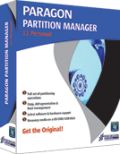 Get the original! Paragon Software's advanced partitioning tools help you completely control and manage your hard disks!
With growing hard drive capacity, the need to reasonably split up the space is more important than ever. This easy-to-use partitioning tool is ideal for re-structuring your hard disk for optimal and effective data storage.
Key Features and Benefits:
- Create, Format, Delete Partition. You can create, format, delete a partition of any popular file system.
- Express Create Partition. Create a new partition in the most appropriate place of a hard disk, format it to NTFS and then make it available in the system.
- Move/Resize Partitions. You can resize and/or move partitions on a hard disk.
- Express Resize Partition. Increase free space on one partition by utilizing the unused space of an adjacent partition (including partitions of Apple Boot Camp).
Please see detailed product information at Partition Manager 11 Personal website.
Technical Support:
During the Giveaway period Paragon Software provides technical support at http://twitter.com/paragonsoftware. Please, post your questions if you have any troubles while downloading, registering and using the software. Paragon Software’s support team will reply you as soon as possible.
System Requirements:
Windows 2000/XP/Vista/7; Intel Pentium or compatible, 300MHz or higher processor; 256 MB of RAM required; Hard Disk Drive with 350 MB space available
Publisher:
Paragon SoftwareHomepage:
http://www.paragon-software.com/home/pm-personal/File Size:
104 MB
Price:
$39.95
Featured titles by Paragon Software
Enjoy the benefits of virtualization without being too technical and for free! Continue using your PC’s applications in a virtual environment. Programs, files and user settings are transferred automatically with zero user downtime. Even if you moved from PC to Mac – you can continue using your Windows PC on your new Mac.
Total PC Protection for Serious Users! Take complete control of your PC’s safety. Based on solid commercial backup and recovery software from Paragon, the new Backup & Recovery 10.2 Free Edition will give you a rich set of features that you can trust.
Don't wait for a disaster to strike - get an instant data and system recovery kit today to ensure your protection! Rescue Kit professionally fixes boot problems as well as retrieves your data when your system fails to boot. It even rescues deleted partitions. All, you need to do to achieve complete control over any situation is burn the software on your CD/DVD!
Comments on Paragon Partition Manager 11SE Personal (English Version)
Please add a comment explaining the reason behind your vote.

iPhone app giveaways »





Android app giveaways »





It becomes very easy to manage your computer system if it is properly partitioned. With the help of partition you can help your computer system to manage all the things in a proper manner. London pc help provides you different tips to manage your computer system.
Save | Cancel
Multiple attempts on three computers and I still can't get the program to accept any of the three different registrations numbers I was sent from their return emails. And then there was the problem of having to get rid of prior version 9.5. When it was uninstalled it still diddn't clean it out on my Win7x32 machine well enought not to try to install version 11 by using the supposedly removed version 9.5 installer. (and yes, I did reboot after each uninstall attempt)
I liked 9.5 when I had used it but now I can't reinstall that version or the new version 11. Really, Paragon Software, you can make your own programs (or instructions) better than this.
Save | Cancel
I'm glad to say Thank You to Paragon Software. Last time i got my HD 80GB wasn't boot and i lost all partition have tried many Recovery Programs but i wasn't fortune until few month later GAOTD Offered Paragon Virtualization Manager Which is have Recover Partition feature So i was try to recove partition and what the result yep it's works. Drive C: and D: come back like normally while other Partition and Recovery programs can't to do it. Thank you Paragon the best Hard drive management tools i 've used in my life.
Regards
Eyang
Save | Cancel
Well this pretty much blows for me! I've written many times to ask how many and what type of these PARAGON programs are needed Never got an answer, after this huge d/l it asked me if I wanted to uninstall, repair version9.5 from whenever that was installed. It's the same thing?
Save | Cancel
Paragon Partition Manager 9.5 was given as a Giveaway here: i havn't used it till now. I don't have much use for it, although i have a lots of Paragon ware: i'll skip this.
Better is Easus Partition Manager.
Save | Cancel
I must admit that I've had the same 'Paragon' experience as Per Aspera in comment#27. A 12 hours wait, didn't wait 12 hours, Escape, disk destroyed.
However, after much correspondence with Paragon, after two years, I got an apology...
Save | Cancel
Might be a great program?! However, I shall never know; clicking on the "Get Free Serial Number" button results in an error message telling me that the installation was interrupted and could not be completed...?!
FEH!!!
Steven C. Barr
Save | Cancel
I've asked at #6 but yet nobody responded to my question :
I have 35GB 'Unallocated Partition' showing on my 120 GB hdd C
which I am unable to delete or merge it back to drive C
Can anybody tell me if I can do this with this program ?
Save | Cancel
PARAGON system backup 2010 knocked out my PC, by doing something to the master boot record. reading here I see others have had problems with paragon software.
I am not going to use their software, free or not.
anyone needing a rescue disc should google bart pe and you can make your own or find a place to DL one for free.
that was the only thing that allowed me to resurrect my pc after the paragon mbr incident.
when using the Sys Bkup 2010, it made the image and then asked for reboot , I clicked ok , and windows never came back on. last known config etc. would not work.
so if your going to use paragon stuff at least be prepared for system crash.
Save | Cancel
Aw, Shucks! I could not get past the point where the "checking giveaway availability" activation process tries to contact GAOTD to verify the installation. I tried over 20 times spread over 90 minutes, but I always got "Failed to Connect. Please try again later."
I tried re-downloading and re-unzipping ParagonPartitionMan11Personal_x32.zip, but it did not help. My browser (Firefox 3.6) is working fine with downloads from other sites, but I cannot believe that the GAOTD server is that swamped.
I really would like to get this program. Can anyone give me any tips? Thanks!
Save | Cancel
Thanks Paragon and GOTD for this fine offer.
Installed and registed fine on xp pro 2002 sp3 32bit.
I found a Bug:
I noticed one strange thing/false detection with my OCZ 8gb usb-pen plugged in and have started the program from windows.
I know for a fact that it is formatted with FAT32.
But in "disk view" and "partition list" the icon is BROWNish, saying that it is not formated. it also says:
File system: Not formatted
Partition ID: 0x04 FAT16, less than 32 MB.
The same goes for when i'm in "disk view" and enter "properties".
This is false.
Then when I'm in "Disk view" and change to "Volume explorer", the icon is GREEN and it says that the file system is FAT32. I can also browse my files.
I use this usb-pen daily and it works perfectly.
I hope it can help in improving the product.
Thanks from a happy user.
Save | Cancel
I already have Paragon Harddisk Manager 10 which does more than just partitioning (and also has a WinPE bootable ISO), so I don't need this.
But thanks anyway GAOTD.
@49: This software is very useful IF you know how to use it. If you don't know hot to use it properly, you can easily lose your data.
Save | Cancel
Unless the earlier version of the program is uninstalled the install menu for version 9.5 is displayed with no option for registering the product. so uninstall before running the .msi file
Save | Cancel
Thanks to No. 39 I finally was able to get the program to install. I thought the program was installed but actually it copies the MSI file to the C; directory. Now it works. Thanks No. 39
Save | Cancel
@ Ashraf
Regarding Partition Magic, a surprising omission is that V.5 seems unable to recognize or format/partition USB memory keys, at least that's the case on my computer.
The USB key was recognized OK by Explorer and other programs.
Save | Cancel
Registration Link: http://www.paragon-software.com/registration/PM11SEpers.html
Save | Cancel
to
#20 Dr. Olaimi
#8 Oneiros
You might find some tips here:
http://www.mydigitallife.info/2006/01/18/ibm-lenovo-thinkpad-recovery-cd/
Save | Cancel
@16: I have installed the 32 bit version on Vista 32 bit and the installed size is about 120 MB (pretty close to the installer size). About half of this space is taken by a bootcd.iso file (the full functional Linux/DOS recovery CD, how Paragon calls it). The other half is the program itself where about 20 MB is taken by the program documentation.
Save | Cancel
this software is useless no surprise because most of there stuff is, this as ruined two of my friends PCs i wont be downloading this
Save | Cancel
I got Partition Manager Professional 9.5 for free. It appears that this newer but Personal version has less features according to their website.
I will pass on this one.
Save | Cancel
Same as No. 26 above. Downloaded on both my Desktop and Laptop (bothe very modern and AOK Windows 7) Same error message when tried to install, about java script then Windows installer interruptewd etc. Any ideas before this GA too late? Thanks.
Save | Cancel
How does this compare to Easeus Partition Master PRO given away a few weeks ago ? I noticed someone wrote about restoring a partition from NTFS back to FAT on an external drive. Does the Easeus Partition Master PRO do this ? Thank You
Save | Cancel
#42 @phase
No conflicts - Paragon software is always compatible with each other :).
***
If someone misses this giveaway today - he can get it for few time at Paragon free registration page.
Save | Cancel
Well; the "You will see “Get free serial” button during installation process" isn't happening for me. The program installs (I think) since the system is showing “PM11_Pers_full_ea_x32.msi” running; the next thing I see is not the "online registration form" but instead the "you are licensed" web page comes up. No desktop Icon shows up.
Any ideas? I'm downloading/installing from out of the U.S. (I'm in Costa Rica); could that be the problem?
Ciao;
Tony
Save | Cancel
Will this conflict with other Paragon software?
Save | Cancel
There is a new Google Chrome extension for Giveaway of the day here:
https://chrome.google.com/extensions/detail/hoagdbocpggckbnpcalkncianfndpdch?hl=en
Save | Cancel
#31 -- The when you unzip the package and run setup, the setup program creates an .msi (installation) file. You need to then run this .msi file to get to the registration invitation box. Run the setup program and choose to extract the file to a directory or take note of the default directory offered by the extraction utility.
THEN go to that directory and run the .msi file.
Hope this helps.
Save | Cancel
@ #26
JavaScript is not Java, so installing JRE accomplished nothing.
See if "Dave"'s post here helps: http://www.vistax64.com/vista-installation-setup/92894-vista-error-message-error-2739-could-not-access-javascript.html
Save | Cancel
#20 Dr Olaimi, try EASEUS Partition Manager Home Edition, the link is in Ashrafs post. It can merge system partition with another.
The free version is 32bit only.
Save | Cancel
Program (x64) would not install on my pc (Win 7 64 bit) until I completely removed Paragon 10.
Program looks very user friendly, nice interface, lots of options.
Save | Cancel
I installed 9.5 some month ago.
Do I need to uninstal 9.5 before installing 11?
Thanks for help,
Hungry Tiger
Save | Cancel
Very nice & useful tool.
Thanks GAOT for providing wonderful software's
Save | Cancel
Downloaded file three times on three different computers and each time install says "Successful" but cannot find directory or program link. Readme.txt mentions instructions for registering will be displayed when installing - never saw any such instructions. Waste of time. Find another program.
Save | Cancel
This one won't install.
When I start Setup.exe, after I allowed it to make contact with the internet, a small window comes up with in the title bar "Giveaway of the Day" which reports: "Fatal error: key is invalid." and just an [OK] button.
Huh??? What key?
The zip-file tests OK.
Using 32 bits version on a 32 bit XP-Pro SP2 machine.
Please advise.
Save | Cancel
To #20 - "Dr. Olaimi"
Most times you cannot just merge partitions just by deleting one and scale the other.
1. first make sure both partitions are either primary og logical/secondary. I would do that by deleting the second partition, in your case you deleted the recovery partition(hopefully you already have your Windows on CD media, and/or you have burned out to CD media a repair/recovery Windows ISO file, or maybe you already maintain a clone and/or an image file backup. I would consider Universal Imaging Utility for image backup, restore and deployment.
2. then make sure that the second partition is located next the first partition. You do that by creating a partition in the free space OF THE SAME KIND as the first partition, then you move the second partition so that it is next to the first one.
3. delete the second partition, and scale up the first partition.
DONE!
Save | Cancel
The last time paragon offered software that would make a rescue CD I instaked it and created 3 copies just in case. Low and behold my system crashed and those "rescue" CDs were USELESS! When I tried to use them they would freeze and I ended up putting another windows back on again and tossed the paragon "rescue CDs"! Is there any such things now as a rescue CD that actually works?
Save | Cancel
Allan #10
If you are using hotmail, try to use gmail this time.
That's what I did, and it solved the problem.
Hope it helps.
Save | Cancel
I'll NEVER trust a Paragon Partition Manager again.
Why?
A 500GB LaCie USB-hard disk was delivered with a 30GB partition
filled with some utility programs. After about a year I
had collected more than 400GB of multimedia stuff in the other partition.
I really did not need two partitions - so some weeks ago I decided
to merge the two partitions using an earlier Paragon program from
GOTD. I was using a boot cd that I earlier had made from the
Paragon program menues.
In this way I would not take a chance with my laptop and it's
files, I guessed. (I was horribly wrong.)
The Paragon Partion Manager 10.0 was told to
1. delete the smaller partition and
2. expand the big one to the whole disk.
First operation went OK.
But then Paragon told me it was moving everything (to fill
the now empty space in the beginning of the disk, I guess.)
I was not given a choice here; the moving started at once.
The program called the operation 'Quick move' or something,
but told me that it would take 9 (nine) hours to complete!!!
And it could not be stopped.
Nine hours later the screen text seemed to indicate that the
copying had stopped, but there was no message saying that
I could leave the program.
30 minutes later I discovered that everything was frozen.
Nothing could be done - so turning off the computer was the only option.
Results:
The laptop would not boot. I've got lots of utility Cds
(linux, Bart and others), and could see that all my important
files still was there. I've got other partitions in addition
to the non-booting Vista one.
(To make things short: Vista was never fixable,and I ended by
installing Windows 7 instead. The laptop is ok now.)
The LaCie 500GB ?
Nothing there anymore...
Nothing was visible. Windows see it as an unformatted drive.
Other utility programs - like recovery/undelete and so on
has been of little use.
Am I now sitting all in tears? No, in most cases I copy files
to two different drives, so the most important files are still
here.
(But 100-200GB of DVD files from earlier DVD-coping were gone.
I had collected them to use vob-files on an media etc.)
So no more Paragon Partition Managers for me.
But to sweeten this bitter report a little:
I have used the Paragon *Drive Backup* ver. 9.0. som times.
I has been working as promised.
Save | Cancel
It says "error2739: javascript runtime error, could not access javascript for custom action" wen i run "PM11_Pers_full_ea_x32" and then it says "setup was interrupted" i installed the JRE and its still the same :( can sumone pls help me?
Save | Cancel
Have used Paragon Partition Manager for many years.
It was always free. Why is this one $39.95?
There are so many similar softwares for partition management and mostly freeware, there is no need to go for this time limited one.
Having said that, Paragon Partition Manager (and its email support) is excellent.
Save | Cancel
#20 - I can see two possible issue you might face:
1. According to your description you try to merge the c: partition with an empty one? This isn't possible, you have to remove the second partition entirely from the drive, so there is only one partition left (the c: partition). Then you should be able to resize the c: partition so it's extended into the now free disk space.
2. As c: is the boot partition, it might not be possible to extend it while running the operating system stored on it, so if you did start the partition manager from windows, please try to boot the linux cd created by partition manager and run the program from linux.
Save | Cancel
*Warning* I installed this in Win7 Pro X64. The first attempt left the machine running but crippled (Firefox, Opera etc "not responding") while the Partition Manager install had stuck for 20 mins or so almost complete. Hard reset was the only way out as task manager had no effect. Reboot + system restore recovered the situation and a second install attempt worked correctly. However, my previously working DVD-RAM drive appears to become logically disconnected at the BIOS level. This became apparent when I tried to create a backup CD. I may have been unlucky or it may be pure coincidence but installing this software has left me with some problems to fix. It's a shame because I have been a happy user of Paragon Partition Manager since release 6 10 yearsor so ago.
Save | Cancel
# 20
Note the size of your old and now empty recovery partition. Use a live-CD of DBAN and nuke that partition.
Save | Cancel
(#10) I have received the serial # for every Paragon product I have, using my regular email address, I have never had a problem.
Please advise, what the difference is between the previous offer on "Paragon Partition Manager 11SE Personal" and this new offering ??
It has the same edition name... Thanks again GOTD...
Save | Cancel
Partitions Merge!
Still I am not able to merge and empty partition (empty!)
I have a notebook (IBM/Lenovo R61), and after deleting the recovery partition.
It recognized it, and willing to format it, yet I need increase the size of the C: Drive! I couldn't!
I tried to resize it, it would resize the lower value, even after resizing the free space on the second partition to 1G only! still it wouldn't expand (resize-up) the system drive!
Got this problem with v10 before!
The only solution I have is to backup data and delete all partitions and flatten it up fresh! which is not an option for me :(
Spent time researching this problem with no success (Getting old for new tricks I suppose!)
Any hints would be very appreciated.
Thanks
Save | Cancel
One small note.
This program will not run on a Windows Server platform (like Windows Server 2003 or Windows Server 2008). I have tried it myself, but the installer refuses to work with an appropriate message box.
Save | Cancel
Using XP PRO with a previous giveaway, 2009 Special Edition version 9, is there any advantage to me upgrading to the latest giveaway?
Thanks, Charles
Save | Cancel
#2 - Look about 5 inches below the Key Features and Benefits: notation and you can find the 64-bit version - this is standard for all Paragon products offered here. See the description as follows:
If you are x64 OS user please follow the link here(file size 104 MB)
Save | Cancel
104M? You're kidding? Whythe heck does this need so much space?
Save | Cancel
Great offer today - I don't have Windows 7, so this is a great gotd. I will give it a try, thanks.
Save | Cancel