Every day we offer FREE licensed software you’d have to buy otherwise.
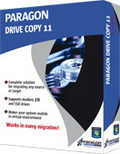
Giveaway of the day — Paragon Drive Copy 11 Compact (English Version)
Paragon Drive Copy 11 Compact (English Version) was available as a giveaway on May 25, 2011!

You no longer need to spend hours performing tedious, complicated re-installations when upgrading your PC. Take all the best from the system you’re used to - and simply move it to the new hard drive. The operation requires no system restart and is completely safe for your data. You can continue working on your computer until the migration is over, and then - your new hard disk is the exact duplicate of your old one, with all your software ready to go.
Drive Copy 11 Compact includes handy intuitive wizard which performs fast and safe Windows migrations to new Solid State Drives and even downsizes to smaller capacity drives, thanks to advanced new data exclusion capabilities. You can transfer a live system with no impact to your work, and have your partitions automatically aligned in the process if needed.
Use Drive Copy 11 Compact for fast, efficient computer migrations!
Key features:
- Clones an entire HDD or a particular partition in one simple operation;
- Migrates Windows to Solid State Drives (even with smaller capacity) in a single operation;
- Migrates hard disk to container;
- Proportionally resizes partitions during migration to a larger hard drive;
- Automatically aligns partitions on the destination disk if necessary;
- Automatically detects and copies MSR (Microsoft System Reserved) for successful migrations of Windows 7;
- Allows the user to exclude data during the process in order to fit the destination disk;
- Includes Paragon's time-proven move/resize functionality.
Limitations of Compact Edition:
Paragon Drive Copy 11 Compact is based on Professional Edition, excluding the following functionality:
- WinPE Recovery CD (Linux-based Recovery CD is included into the product)
- Creating virtual clone of your PC (P2V operations)
- Adjusting OS to different hardware (P2P operations)
- Migration to 3TB drives
- Scheduling and scripting
Please see more features, usage scenarios and detailed product information at Paragon Drive Copy 11 Professional website.
Technical Support: During the Giveaway period Paragon Software provides technical support at http://twitter.com/paragonsoftware. Please, post your questions if you have any troubles while downloading, registering and using the software. Paragon Software’s support team will reply you as soon as possible.
System Requirements:
Windows XP/ Vista/ 7 (x32/ x64); Internet Explorer 5.0 or higher; Intel Pentium CPU or its equivalent, with 300 Mhz processor clock speed; 256 MB of RAM (512+ recommended)
Publisher:
Paragon SoftwareHomepage:
http://www.paragon-software.com/home/dc-professional/File Size:
104 MB
Price:
$ 39.95
Featured titles by Paragon Software
The safest tool for hard drive partitioning! Partitioning is not for amateurs. That is why millions of people have trusted our safe, stable technology and professional software solutions for over 15 years. Our latest Free 11 Edition easily organizes your hard drive and redistributes free space to enhance system performance.
Total PC Protection for Serious Users! Take complete control of your PC’s safety. Based on solid commercial backup and recovery software from Paragon, the new Backup & Recovery 2011 (Advanced) Free Edition will give you a rich set of features that you can trust.
Don't wait for a disaster to strike - get an instant data and system recovery kit today to ensure your protection! Rescue Kit professionally fixes boot problems as well as retrieves your data when your system fails to boot. It even rescues deleted partitions. All, you need to do to achieve complete control over any situation is burn the software on your CD/DVD!
Comments on Paragon Drive Copy 11 Compact (English Version)
Please add a comment explaining the reason behind your vote.

iPhone app giveaways »





Android app giveaways »





@ 46/zZz,
Using Windows 7 BU is more complex and need more steps. Therefore this software is very useful.
I have used Paragon software for years to both BU, virtualization and migration and I have never experienced problems. Paragon Drive Copy is intuitive and easy to use.
Save | Cancel
RE:#80 "(I interrupted an 8 hour Paragon job once and the source was completely scrambled.)"
say that you interrupted job like resizing 1TB partitions after it running 8 hours, I wouldn't surprise the scrambled ending
RE#81 , maybe run the setup again, and pay attention to where it writes to before you click through ok ok next next. hint : #72
Save | Cancel
To #81, Go to C:\ drive and look for download folder or drive copy 11 folder. I don't exactly remember the folder. Double click on the drivecopycompact.msi to install. You will need to give email address and then check your email for the code. Copy and paste into the software to activate it. Good luck.
Save | Cancel
Oh sure, very useful. Once downloaded, how the heck do you find the darn thing so you can "Register" it before time freaking runs out!!???? ~ Been doing a search to try to find the dumb thing for 30 minutes now. ~ Says it is in my C drive, but where!!???? ~ How can you use something you can not find to register to use???? :( :( :( :(
Save | Cancel
I'm afraid I have to support Michael's warning, #35, that Paragon software can be very dangerous.
It's over-smart, in that it presumes that it knows what is going on with the exercise you're undertaking and inserts its own logic into the operation. As Michael says, if something goes wrong with the process it doesn't detect it but blithely continues and then ends up by altering the source drive !
If that's the definition of clone, duplicate, then I need a new dictionary.
(I interrupted an 8 hour Paragon job once and the source was completely scrambled.)
Save | Cancel
Curious:
I am considering downloading Paragon BACKUP and RECOVERY 2011 to make backups a breeze. In a you tube tutorial it said that one can make "Recovery Media" using this software. (Drive Backup Express 9.0) assuming its an earlier version.
Why would I want or need to download this DRIVE COPY 11 (since I am assuming it can back up my data files as well) if I already have Paragon Backup and Recovery. What would the benefit or downside be to either one or the other.
I can't understand why the same company would build two different utilities that do the exact same thing... so there must be a pretty big difference that I am just not seeing. Please help me understand.
Save | Cancel
#46 AND 49
You forget the problems with 7 image backup. If you want to change your HDD, to a new SSD drive feks. Then, it is a must, that your new SSD drives capasity (memory) are at least the same size as the old one.
Save | Cancel
Hi,guys. I need to reinstall the O.S. soon on my netbook (Win XP, Home Edition) but keep the GOTD programs and it will be my first time. You think it would be risky to use for this a program from GOTD (although from a company with a good reputation) and I should prefer a free one?
Also, can I do it using partitioning on my internal HD? I want to avoid buying an external HD and DVD-drive. BTW I have the XP disk and the drivers disk.
P.S.: Most of today's comments have been quite educational for me. Thanks.
Save | Cancel
I downloaded and isntalledand, requested for product key and serial#.
only got a letter but no pro. key and ser.# .
anyone else got the same problem?
ps* its not in my spam bex either.
Save | Cancel
Upon installation attempt, at Wizard page, I get Message: "Error 2739. Could not access JavaScript runtime for custom action."
Any idea of what is preventing installation?
"The Wizard was interrupted before (program) could be installed."
Save | Cancel
You CANNOT continue to work wile its running it asked me to re-boot and then "OVERTOOK" my computer!!!!!!!!!
Save | Cancel
In case any one has issues getting to the registration page you can find it at: http://www.paragon-software.com/registration/dc11compact.html
Save | Cancel
thanks GOTD, installed it and registered it on win 7 ultimate. used it successfully to clone a smaller drive to a bigger one. roughly 2 hours to complete, worked perfectly. unlike Easus software which gave errors, and would not boot.
Save | Cancel
Casper Xp is the best program I ve seen so far.
Small simple,easy and fast.No confusing descriptions,complex menus etc.
You can transfer everything the way it is from your old hard drive to the new one.
Save | Cancel
downloading at work and the download speed is now 5.42 KB/sec and will take about 5 hrs. Any one have this slow of download speed. At home, i do not have fast internet.
Save | Cancel
George #51
The backup you require is download here:-
http://www.seagate.com/ww/v/index.jsp?locale=en-US&name=MaxBlast_5&vgnextoid=7add8b9c4a8ff010VgnVCM100000dd04090aRCRD
I have used it for years, works great!
I have found clones useful as most problems in Windows are in the registry; having a clone means you can often clear up problems using RegEdit or similar, however if you mess up you still have a working copy.
Lots of great comments today with so many excellent suggestions and information, thanks one and all.
Save | Cancel
Regarding all the nonsense about email addresses: Paragon doesn't spam, and if you setup an account with them, you can log in and get all of your Paragon keys, no need to wait for email.
Save | Cancel
If I install this software, and clone my HD to another on a new computer, will payware programs such as GOTD giveaways be installed and useable, or because it is a different computer will the product keys be invalid?
Downloading the software, just wondering about that.
Save | Cancel
I've tried some of Paragons stuff in the past and I had no trouble but the only bootable CD that managed to transfer my HD to an SSD was EASEUS Disk Copy . It's free and it dont have to be installed. It runs from a CD through a Linux distro. Just my 2Cs
Save | Cancel
to #10 Mark: Using spamgourmet.com for registration is/was a very good advise.
I used it many times sucessfully. But... more and more companies are currently refusing spamgourmet.com-addresses, so you don't get the unlock-codes. Alternative: a new gmail/ymail/hotmail account, that you drop as soon as spam is coming.
Save | Cancel
Re: #49
I cannot say what Intel or Kingston does when it comes to third party software, but Seagate usually requires certain information before they provide download links to some of their software. The Acronis software is a special Seagate version called "Seagate Disc Wizard," which is usually included on a cd boxed with their internal hard drives. It only works if you have a Seagate drive installed or if you attach a Seagate portable drive. You don't have to use the drive to create or restore an image but the software must detect a Seagate drive. The only problem I've had is when I tried to restore an image that I had saved on a portable Seagate drive to my laptop (which does not have an internal Seagate drive). There is some issue with using a usb drive for a complete recovery (and I don't know if this applies to full versions of Acronis Backup or just this specific Seagate version). Anyway, I had to use a trial copy of the full version to get around the Seagate drive issue.
So far I haven't had cause to be able to test the difference between Acronis and Paragon in image restoration.
Save | Cancel
On the plus side, perhaps Paragon does pay attention to the issues that we raise. On the minus side, it takes them an awfully long time to address the basics. This is the first Paragon product/version which correctly reads my RAID and USB flash volumes.
I always do clean installs to substantially different hardware. For other people, it would be good to know if Windows 7 does its normal SSD optimization when you're using this type of software. I suspect that Windows 7 does most of the SSD optimization at installation time, although I suppose it could do it when it detects a drive change. Windows 7 disables disk defragmentation on SSDs, and may disable Superfetch, boot prefetching, application launch prefetching, ReadyBoost and ReadyDrive, depending upon performance. On my PC, some are enabled, some are disabled (I have a mix of SSD and RAID HDDs). You shouldn't disable things other than defragmentation unless you're prepared to do timed benchmarks (and enabling most types of prefetching will only show maximum improvement over a long time period).
On a related topic, StorageCraft released ShadowProtect 4.1 user guides.
Save | Cancel
@TomH
"So if I go from WinXP 32bit to Win7 64 bit it won’t work?
How about going from AMD cpu to Intel cpu?"
Seriously????
1. Windows won't let you upgrade a 32bit to a 64bit OS. NEW INSTALL!
2. AMD to INTEL - New install as you will require an entirely new Mobo and drivers. You can't even do this natively with Windows (at least Windows 7 that i know of) without having to reinstall!
I would guess this tool would be best suited to assist those people who happen to get viruses (adware, spamware etc) on their computer(s) often and need to restore it back to it's "Good" configuration state.
Save | Cancel
I have drive copy 9.5 from paragon and have used it successfully to create an exact copy of my original drive. Is it necessary to uninstall the 9.5 version before installing this one, or can I just install the newer version? thanks
Save | Cancel
I have a question, I have several HD's that I load as back ups for my computer. But they have (*or I will be putting) all of my software on them. I have appx 23GBs of programs I have installed. I would just like to copy over the software and updates, so if needed I can pop in the new drive if my current one fails. All of these "extra" drives are 250GB drives. So will or won't this migrate the programs? Thank you.
Save | Cancel
Big advantage to programs such as this is that the vast majority of currently available drive copy programs do NOT allow you to clone to a smaller drive than the one you currently have, making the transition to a newer, smaller SSD very difficult.
In fact, aside from this product, the only programs I've seen that DO allow cloning to a smaller drive come bundled as "special editions" with the SSD you buy.
So, thanks Paragon and GAOTD.
Save | Cancel
Paragon website for PRO version says:
For the Windows installation package
Operating systems: Windows XP/Vista/7 and XP SP2/Vista/7 64-bit
Internet Explorer 5.0 or higher
Intel Pentium CPU or its equivalent, with 300 MHz processor clock speed
256 MB of RAM (512+ recommended)
Hard disk drive with 200 MB of available space
SVGA video adapter and monitor •Keyboard •Mouse
USB 3.0
Does it really require USB 3.0 or will it work with 2.0?
Save | Cancel
Re: #16 Marcus. Do you have the web address for Intel where I might be able to get a copy of Acronis Backup ?? I have read that some other companies like Seagate have copies but I never tried. Anyone got their web address ??
Thanks
George
Save | Cancel
"Where you’ll get into trouble is if Computer B has a significantly different hardware configuration from Computer A. If the systems are very different then the restored image may not boot."
So if I go from WinXP 32bit to Win7 64 bit it won't work?
How about going from AMD cpu to Intel cpu?
Save | Cancel
Not only is Windows 7 image drive copy reliable it's very fast (considering Your drive's speed(s). No need for bulky acronis true image or any others, Windows 7 handles it so use it.
Save | Cancel
A bit OT, but thought this may be useful. I bought a SSD and will be returning it. I've tried every combination of drive image, (Acronis) disk partition copy, repair OS, edit BCD,etc, and sill could get the drive to boot on it's own. I could do a clean OS install, but not about to do so and spend weeks re-tweaking my system. I may be open to one last try, so if you have an idea, you can email me at rthaler yahoo. Running Win 7 x64.
Best of luck to others migrating to an SSD.
Save | Cancel
#25 "Can I clone my hard disk to another computer exactly replica. I have lots of giveaway programs installed".
To do that try the FREEWARE ALTIRIS SOFTWARE VIRTUALIZATION SOLUTION (by Symantec)
This nice APP allows you to put applications and data, stored in your HD, into special files called VIRTUAL SOFTWARE LAYERS, preventing them from being installed to the base file system and Registry of your machine.
By placing applications and data into these virtual layers, ALTIRIS SVS allows users to activate, deactivate or reset their software with a couple of click mouse, so as to avoid conflicts between different applications as well as remove them cleanly without altering the Windows registry.
This means that, thanks to these VIRTUAL SOFTWARE LAYERS, saved on your USB Flash Drive, CD, DVD or External Drive, you can:
- move your Files, exchange Data or do whatever you want from your OLD machine to the NEW one without any hassle at all (Windows Registry Mess, conflicts between different applications and/or OS etc...).
- bring your GAOTD Programs (or any other app) back with you when you lose them, for instance after a sudden and unexpected reformat.
COOL, isn't it??
How to get the KEY LICENSE for FREE??
Download the Software from here:
http://download.cnet.com/Software-Virtualization-Solution-SVS/3000-2651_4-10516806.html
Unzip the downloaded file "SVS_21_Personal" and begin the installation by double clicking on "Software_Virtualization_Agent.exe"
Then, when you are asked for the PRODUCT KEY, click “Get it free!” and ACCEPT the license agreement
Once you click "Accept", the file "Altiris_SVS_Personal_License.zip" will start downloading.
Enter the PRODUCT KEY, you have found inside the "Altiris–SVS License Key and EULA Personal Use" text document, into the proper field of the setup process of step 2 (see above).
Finally, don't forget to check the "Software Visualization Admin Tool" option before ending the installation process.
It works like a charm for me and it's FREE!!
Alternatively, if your PC has a large amount of HD space and RAM to spare, you can also try Paragon Go Virtual or VMware vCenter Converter Standalone Version + the Open Source VirtualBox to read the virtual file.
Enjoy!!
Save | Cancel
Why all the stupid comments. There is a far less complex solution...
1> Use Windows 7 image backup
2> backup to image to separate internal drive
3> Use the recovery CD You burnt with Windows 7 ( At Boot ) to restore.
4> Imaging with Windows 7 is simple and has always worked for me.
5> So long as no drastic drive changes, You can restore as You previously had... CheerzZz...~<(___)~
zZz
Save | Cancel
@ #13 #4 is correct. I have been a member of Ashampoo for a number of years and only about a month ago received an email from Ashampoo regarding their server being hacked and potential personal information was obtained. See the link below.
http://www.giveawayoftheday.com/forums/topic/9608
Save | Cancel
Making a WinPE disk .....that's what has me confuse. How do I make one, and do I install and run that FIRST, then take out the WinPE CD disk and put in my new image?
Save | Cancel
I have to move to a new computer in a couple of weeks. I don't have to worry about data transfer since I have a well-organized directory tree but is there a way to transfer applications? I am mostly worried about the GAOTD applications since reinstallation is not an option there.
Will this or any other application help me with this?
Save | Cancel
I tried Paragon Drive copy 9 SE when it was available here on GOTD. Later, because I liked the program so much, I purchased Paragon Drive Copy 10. I couldn't be happier with it. It is easy to use - a definite "must" for me - and it's fast. My drive is cloned once a month so, along with my regular data backups, I am worry free.
The tech department was responsive and helpful when I had trouble installing it to the folder (outside of "Program Files" and way too deep) of my choice. I couldn't be happier with the program or the company.
SEE MARTY'S (#35) COMMENT. HE HAS IT RIGHT.
Save | Cancel
In the past I used something called "Spirit" which worked well, FWIW. Can not find if "Spirit" still exists, plus I heard that their pricing got out of hand. Paragon is a good company. Paragon pricing looks reasonable. I will pass on this download as when I have to upgrade computers, I will probably buy the "real" one with no exclusions as some of the exclusions are important to me. BUT, I would not never seen this without appearing on GOTD. Thanks!
Save | Cancel
@Promytius and Marty: Yes, you do have to install this on some computer today; that's how GAOTD works. You don't have to use it today or any other time soon. It should still work exactly as well 20 years from now, though there may not be any disks left to use it on by then.
This program works a lot like a photocopier does. You can photocopy a printed page or scrap of paper to another paper that is larger or smaller, and can enlarge or reduce in the process. There is also the ability to crop if the target can't hold all the original. Likewise, this program lets you copy a disk to a larger or smaller disk, resizing if desired, and "cropping" files you choose to exclude.
The intended usage is to clone the disk in a computer so it can be used in that same computer if its hard disk stops working correctly. The chances that it would work in computer B are fairly slim if B isn't identical to A, simply because everything on the disk is set for a specific hardware configuration.
Yes, you would have to make a new clone every time you have added something to your existing disk that you will also want to have when you swap from your current disk to your clone. You might find some kind of incremental backup program more useful for the task of keeping your clone up to date, but cloning is the only sure way to get an exact replica.
Save | Cancel
Aye I'd like to know what Marty (28) is asking as well :) Also I've got a question about installation...
At the website it says you cannot install the software from the site if it's been a promo product... but what happens if we need to reinstall after doing one of the functions of this (and other) software? If we use the same install .exe it'll check with GAOTD so I'm pretty confused as to why we have serials etc :/
Save | Cancel
Marty (#28), I'll try to briefly answer your questions:
You'd install this program to Computer A, make a backup image to a second internal hard drive or to an external hard drive. You'd then create a Linux recovery disk that will allow you to restore the image you just created back to your repaired computer or possibly to a new computer. You'll lose any information that was created/stored after the image was saved so you'd need to make routine backups and specific backups after major software changes to minimize potential data loss. Most free imaging software doesn't make incremental backups, i.e. just the stuff that changed since the last backup, you have to create a new image of the entire partition.
Where you'll get into trouble is if Computer B has a significantly different hardware configuration from Computer A. If the systems are very different then the restored image may not boot. This download version does not include the WinPE or P2P routines which would make fixing or preventing an unbootable OS much easier but Paragon does include information on making a WinPE disk available on their website.
Save | Cancel
to: #23/Kirill
Thank you so much for your information!
Save | Cancel
As an IT professional needing to migrate a 250GB hard drive to a 1TB drive, I recently purchased a copy of Drive Copy 11 Professional. In all my years (over 30) of computing, I have never used a more dangerous piece of software!
The details... When I attempted to perform the migration, the program informed me that there was a problem with the source disk. I instructed the program to continue (one of the options) whereby it failed to migrate and then rendered the source disk unbootable! I've never seen a copy program make changes to the source disk. IT'S UNHEARD OF!! Trying to reach technical support was a nightmare as I'm located in the U.S. and the company is in Europe. (Another reason to steer clear since you can't get anyone on the phone without paying for an annual support contract!)
I'D STEER CLEAR OF THIS PROGRAM UNLESS YOU'RE AN ADVENTUROUS RISK TAKER.
Save | Cancel
I'm with Marty on this one. It is a simple question but one of the most used scenarios. These are: 1. Transferring you system to a new computer or to a laptop, even if your old one is still working; 2. Your hard drive gets corrupted or dies, so you need to restore to a new hard drive and want to restore everything, including the OS so you don't have to spend days restoring your software; and 3. You want to restore your system but take the time to replace a few hardware parts for upgrade or because they are getting towards their end of life.
These tasks should be but aren't often listed on how-to's but probably form a good fraction of the user needs. They should be up front in all software of this type.
Save | Cancel
Oh and BTW your old HD will now be a backup drive. If something does happen to your new HD then just take it out and put in the old drive. Just keep in mind that anything that was added after the migration will not be there, at least you will have an working HD.
Save | Cancel
I use Paragon to do complete 1TB back ups of my system every month or 2. It's a good feeling knowing I have a complete back up that takes about 5 minutes to switch out if I have a hard drive failure. I've given Paragon my email several times over the past few years and have never had any issue. Some of the best software given away here in my opinion.
Save | Cancel
#25 Rajesh, Yes you can easily clone to a new HD. I recently used Paragon Drive Copy 9.5 that was on GOTD. I upgraded from a 100GB to 300GB on the computer that I am using right now. It took about 1.5 hrs to migrate 80GB to the new HD. You will have to use a Bridge adapter like this one (this is what I used): http://www.satagear.com/SATA-IDE-U2_SATA_to_USB.html to clone it. You simply connect your new HD to the drive adapter and then plug into your USB port. Your computer will then recognize it as a new HD and then just follow the directions from the Paragon program. It was so simple the do. I did this about a month ago and have not had any issues with any programs. Hope this helps!
Save | Cancel
Thanks nr 3. My thoughts too. I label this a criple ware and am sure there are other FREE more functional software out there. Don't think I'm gonna install something thats cripled and being unable to install it again later. I'll stick to NERO. Thanks GOTD for your offerings. Today I'll pass.
Save | Cancel
Hey guys, I need your help and advise. First of all, how does this work? If I download this program on to my computer (let's call it computer A) when do I copy my hard drive? Right now or when something goes wrong? If computer A crashes and I buy computer B, how do I get the info on the paragon program to my new computer (B)? Remember, computer A has crashed and probably doesn't start. Do I copy my hard drive onto an external hard drive to be used later? What about all the new GAOTD programs I've downloaded on to computer A? Do I have to copy the computer A hard drive every day?
I'm not trying to be cute. I just don't understand how this works. Someone PLEASE HELP.
Save | Cancel
IMHO - practically useless. This is the kind of program you either use immediately, or store on the shelf until it's needed. By then, today will be over. Good if you're migrating today or soon. As in other comments, portable would have been nicer; I did read Kirill's remarks andthey were helpful; thanks. I used this program once but that's irrelevant as it was many years ago; it worked great then. I'll look at it and try to get back for comments, but I doubt I'll use this, as the need will most like arise on another computer, well in the future. Will keep this company in mind when/if I do need one.
Save | Cancel