Every day we offer FREE licensed software you’d have to buy otherwise.
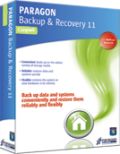
Giveaway of the day — Paragon Backup and Recovery 11 Compact
Paragon Backup and Recovery 11 Compact was available as a giveaway on January 13, 2012!

Paragon Backup and Recovery 11 Compact is a simple and powerful backup and recovery solution to secure stand-alone Windows desktops and laptops. It quickly backs up your files and folders, operating system or even your entire hard disk to any storage you choose. Compact edition ensures that your system and valuable data are protected and can be restored in case of any disaster! Now supports the latest HDD standards!
Key Features:
- Support for the latest HDD standards. Enjoy support for AFD (Advanced Format Drive), 2TB+ and non-512B sector size drives.
- Boot Corrector. Powerful utility that recovers the operating system’s startup ability.
- Selective Restore. Extract individual files and folders from an archive without restoring an entire image. Use the Restore Wizard and simply check the files that you’d like to restore.
- Partition alignment for bare metal restore. Partition alignment during restoring to new hard drives ensures that there will be no performance loss due to incorrect partition alignment.
- Smart Backup Wizard. Easily secure valuable data without additional configurations.
- Encrypted Backup. To avoid unauthorized access to your backup files, you can easily encrypt them within our backup wizards.
Limitations: WinPE recovery media is not included in this download!
Technical Support: During the Giveaway period Paragon Software provides technical support at www.giveawayoftheday.com. Please, post your questions if you have any troubles while downloading, registering and using the software. Paragon Software’s support team will reply to you as soon as possible.
System Requirements:
Windows 2000/ XP/ Vista/ 7 (x32/x64); Intel Pentium or compatible, 300MHz or higher processor; 256 MB of RAM required; 250 MB (during the installation additional free space (up to 1GB) will be required); For the Recovery Environments: On-board BIOS supports booting from CD/USB first
Publisher:
Paragon SoftwareHomepage:
http://www.paragon-software.com/home/brc/File Size:
304 MB
Price:
$29.95
Featured titles by Paragon Software
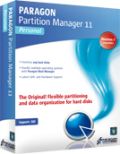
The safest tool for hard drive partitioning! Partitioning is not for amateurs. That is why millions of people have trusted our safe, stable technology and professional software solutions for over 15 years. Our latest Free 11 Edition easily organizes your hard drive and redistributes free space to enhance system performance.

Don't wait for a disaster to strike - get an instant data and system recovery kit today to ensure your protection! Rescue Kit professionally fixes boot problems as well as retrieves your data when your system fails to boot. It even rescues deleted partitions. All, you need to do to achieve complete control over any situation is burn the software on your CD/DVD! Recommended software
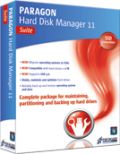
All-in-one suite to completely protect, maintain and manage your PC! Hard Disk Manager Suite provides you with all of the tools you need to manage today’s hard drives, including partitioning, backup & restore, migration, optimization & defragmentation, hard drive disposal, boot management and system recovery. Price: $49.95.Buy now.
Comments on Paragon Backup and Recovery 11 Compact
Please add a comment explaining the reason behind your vote.

iPhone app giveaways »





Android app giveaways »





I wish I knew how good it was. Couldn't babysit a 4-hour download or come back to register it, so, maybe next time. Or maybe they should split up the 32 & 64 bit downloads. Just sayin'.
Save | Cancel
Had the same problem as quite a few others... Uninstalled the previous version and the program still wouldn't install. Used 3 different uninstallers and 2 different registry cleaners to check for traces, rebooted twice and it still wouldn't install. Aaaaack! Gave up and reinstalled version 10 without any problems. It made no mention of a version already installed. Did anyone find out what was the malfunction with this installer?
Save | Cancel
Downloaded (long time), unpacked (struggled for quite a long time - on point of crashing), activated (eventually), installed (apparently) and applied for registration key. Filled in personal info on Paragon website, got info through email (immediately), tried to fill it in and, hey presto!, program disappears! CAn't find it via Windows search or manually in apps. So Paragon have my info, I have zilch.
Save | Cancel
i have started trusting paragon specially after i got their OS to SSD SE. upgrading HDD works like a charm! i am gonna download this, however, size is big and once download was failed after 200 MB, therefore, i am gonna download again, however, i must say that it is very weird (and, not a good thing) that paragon is offering both 32 and 64 bit files in the same download. i would like to see separate files the next time so that no time is wasted.
Save | Cancel
to@63 EaseUs has booth
But EaseUs dont have restore to dissimilar hardware. Only thing that scare me is this driver in Paragon, that stops safe mode in XP
www_todo-backup.com/products/home/comparison.htm
Save | Cancel
"X! Another version of this product is already installed. Installation of this version cannot continue..."
Not very helpful, I'm afraid. Paragon seems to specialise in 99% products. What program do I have that's incompatible?
I do have Drive Backup 9.5 Professional Edition and Drive Copy 11 Compact. Are they the culprits, and, if so, do I want to sacrifice one or both of those for today's 'compact' edition of 'Backup & Recovery'?
I do wish Paragon would provide the final 1% with CompNetTeach#50's image validation check, and some indication of why it won't install on a typical disk like mine. :-(
Save | Cancel
I have just now been able to get a complete download after trying all day and this time it took over 2 hours to download with a cable connection. Paragon failed to send the activation codes and now the giveaway is over. I certainly am not impressed with the company.
Save | Cancel
I need help with an installation problem. I am trying to install this but I keep getting an error message that a prior version must be installed first. I had a prior version of backup and recovery which I uninstalled thru Add/remove programs. I restarted my computer and I am still getting this error message. I had problems installing the November giveaway of this program. How do I get arouond this error message? I want this program but I cannot install it. I did get to register it.
Also, I have a Raid 6iRSAS configuration. Will this work to image my computer so that I can then load my image to a new Raid configuration? I have a degraded RAID 1 now that I am trying to reconstruct with two new hard drives. I want to put the image onto a new hard drive in the Raid configuration.
Save | Cancel
Thank you GOTD and Paragon, this version works perfect for me. The Paragon FREE never detected my drives and partition correctly when I booted the rescue and restore boot CD, but this version given away today works great and restored my system fine :-) Very happy.
Save | Cancel
Hi again, at the end of downloading period and following closely all fantastic (as ever:) Debate here - my personal choice, thanks to sensible advice - would be Comodo Time Machine. I repeat this my personal choice and no disrespect what so ever to Paragon's Giveaway!
In my previous machine (laptop) I have been dogged by bsods - till it sailed away to junkyard sunset.., but here fingers crossed - it would probably serve me better having Comodo recovery piece. Just by chance doing some research on Major Geek's site (old habit:) - I came across a little (free) Software called "whocrashedSetup.exe" - and since we are on subject of Recovery, and why we need it, and bsods were mentioned.. - this Software could be handy establishing (pinpointing) what is causing them. Just in case, if it helps. Thanks for wonderful Advice!
Save | Cancel
#25 Mike R "My 1Mb line speed and connectivity reliability is never going to accommodate a download as large as today’s" Really? I was downloading full CDs in the '56k' (really =50) POTS modem days. Sure, it was overnight, but with the right programs, we made do. My DSL here is only 1.5Mb, and now also, I do alright. Perhaps what you mean is, 1] The line is unreliable for large single packages (not much you can do, tbss) 2] You don't have the patience 3] Not flat-rate service; too expensive to justify long download sessions, also tbss. Guess you pay a few pounds for a CD of Microsoft updates when they happen, eh? Service packs must be pretty onerous for you.
Save | Cancel
For those who want a smaller Download (less 100mb), get the Free
"Paragon Backup & Recovery 2012 Free".
www_pcauthority.com.au/Review/275011,review-paragon-backup–recovery-11-home.aspx
Compare Editions:
http://www.paragon-software.com/home/br-free/comparison-old.html
Save | Cancel
I don't have time to read all the posts so my apologies if this has already been brought up, but is anyone else really confused by the ongoing stream of Paragon backup giveaways? I wouldn't mind at all if they re-offered the same product or an update of the same, but it seems like they keep altering the feature set a little, and we are left wondering every time if we will either lose or gain something over the version we already have installed. I've been using some version of Paragon B&R for a long time and it's excellent software. I just wish they would simplify, and if they must change the feature set then lay it out in detail and link to it in the giveaway description so we can figure out if we need it.
Save | Cancel
Am I to understand that if my HD fails I can use Paragon to re-install my Vista OS? I was never given an install disk when I bought my PC since it came pre-installed with Vista on it. I did make a rescue disk from the D partition but if that fails it would be nice to have a "backup plan". Does Paragon copy the Windows key or will I have to provide it?
Also, will it be restored to a vanilla version of Vista or the latest version with all my Registry entries and Windows updates?
Thanks to all who reply...
Save | Cancel
I got all the way to a pretty screen where the default choice was product registration. I clicked on the install the 32-bit version of the program. Much disc action followed by a screen asking for the registration number and serial number. Clicked on registration. IE8 browser opened (not my default browser) and sat there. Waited patiently through a couple of games of Freecell, then restarted the whole process. Finally back at the registration screen, IE8 opened and sat there. I closed all and put the file in the trashcan. It may be a great program but it did not install on my XPSP3 computer.
Save | Cancel
#41 Giovanni, Backup software needs to access system files to image them. Your AV simply thought through Heuristic scanning that the action was malicious. It wasn't.
Save | Cancel
Hey dudes...how about PARAGON RESCUE KIT 11.0??
This awesome tool can retrieve valuable information from your HD and copy it to another local drive, partition or CD/DVD, in case your system should be faulty, following a virus attack or file corruption.
It can also FIX BOOT PROBLEMS and recover even deleted partitions!!!!
Just 50 MB in size and amazingly FREE of charges:
http://www.softpedia.com/get/System/Back-Up-and-Recovery/Paragon-Rescue-Kit-Express.shtml
Honestly, despite being FREE, I found it much more useful than today's giveaway !!
Wht do you make of it??
Save | Cancel
Re: Backup Time.
If you are backing up to an external hard drive over a USB 2.0 connection, the 7 hour estimate is about right, this is the limitation of USB 2.0, has nothing to do with Paragon. Use eSATA or USB 3.0 to speed things along.
Save | Cancel
crashes on VSS in windows 7. have checked disk no bad sectors and it still happens
Save | Cancel
No. 43
I agree! What a HUGE download!
Save | Cancel
Now I know why I can't get it to download at all. Seems there are thousands of us trying to D/L at the same time.
To #22, I have been trying to DL the program for 12 hours and always get a "server interrupt".
Save | Cancel
#32 Having read my comment, you've obviously MISSED THE POINT but just to clear this up for you ... My ISP is good, fast and reliable that's why I was surprised that this 304Mb file was downloading so slowly, when normally it would download in seconds from another source, therefore problem was with Paragon server or from whatever server software was downloading from ... I suggest that you read comments properly, before making stupid remarks. Should be easy to read as not joined up writing!
Anyway 10/10 to GOTD & Paragon for this superb program.
Save | Cancel
#54
Just to clarify ... EaseUS Todo Backup does NOT include WinPE. It does however, have a LinuxISO image included.
Now, for those of you that think today's offer is SOOO large because it includes a LinuxISO image ... Think about this ...Even with the included LinuxISO, the installation package for EaseUS Todo Backup 4.0 (current version) is only 99,300 kilobytes (roughly 12 megabytes).
Save | Cancel
More to #64 above:
If I have to uninstall Paragon Drive Backup 9.5 Pro,
does Paragon Backup and Recovery 11 have more features considering it is not Pro?
Save | Cancel
Trying to install the SW it says there is a previous version that must be uninstalled. I do not have a previous version of "Paragon Backup and Recovery 11".
I have other Paragon SW:
Paragon Drive Backup 9.5 Pro
Paragon Drive Copy 10 Personal SE
Paragon Hard Disk Manager 2009SE
Not sure which one it wants me to uninstall. I do not want to uninstall a wrong one that may have more features than "Paragon Backup and Recovery 11"
Please respond before the giveaway time period expires.
Thanks
Save | Cancel
I may be confused here, but if it won't backup to an external HD, then what is it good for? A couple of the machines that I need to back up don't have room for another internal HD.
Save | Cancel
Todays version is :
Paragon Backup and Recovery™, version 10.0.17.13783 (04.08.11 ) Compact Edition
Component versions:
hdm.dll, version 10.0, release 17, build 13783
biont.dll, version 10.0, release 17, build 13783
biont.sys, version 10.0, release 17, build 13783
Paragon Base Services Library, version 1.1, build 12383 (04.08.11 )
Save | Cancel
Paragon Backup and Recovery™, version 10.0.17.13783 (04.08.11 ) Compact Edition
Component versions:
hdm.dll, version 10.0, release 17, build 13783
biont.dll, version 10.0, release 17, build 13783
biont.sys, version 10.0, release 17, build 13783
Paragon Base Services Library, version 1.1, build 12383 (04.08.11 )
Save | Cancel
Coontinued
Point 4. This version gives you incremental and differential backup. Thr free version of Easus doesn't.
Save | Cancel
A couple of important points.
1. I've been using this for some time now and it is very good I run a nightly differential backup. I used it to recover from a total disaster and I didn't lose anything. (I use Paragon in conjunction with Dropbox for all of the files I am currently working on so I have an up to the minute backup of all of my current data files.)
2. Although there is no PE version available with this (Paragon has to pay MS to distribute this), there is a Linux based boot disk included in this one. It is just as good as the Windows PE and only a tiny bit less comfortable to use.
3. This is as good ad Easus and I personally stay away from Easus as they sent a lot of Spam to the forum I moderate. Spammers don't get my business.
Save | Cancel
To MikeR for the slow and unreliable connection have you tryed a
torrent program? Have similar problem in Canada with expensive data
rates and lousy connection, I can't remember how many overnight downloads
were broken only to have to restart from scratch, even
download manager can't always restart. Torrent tools get pieces of
files out of a block of many, after interruption it simply resumes
where it left off at, of course you have to share forward
with somebody else out there , round and round it works great,
access to limitless files programs, as you may have time on your side.
Have used this for years, best ever forums, eventually you find to
private trackers and treasure chest.
Save | Cancel
can this create a bootable clone to a new dardrive in Win7?
Save | Cancel
@ 36 and 41
For many years, microsoft has provided the Windows Automated Installation Kit. (WAIK)
It is a very large download at 1.7gb.
It includes a very basic winpe - not really usable as it is. It also includes various packages you can incorporate into the basic winpe.wim by using command line tools - those tools are also in WAIK.
WAIK is available free to anyone for deployment purposes, or for personal use.
If you wan to include winpe as part of a product that is being sold - then you have to pay a license fee for each one.
That has not changed.
Save | Cancel
Turns out it registered itself. I'm a little paranoid, because several times I've tried to open gaotd software only to get a message that it wasn't registered in time and the deal has expired. Frustrations aside, we are fortunate for gaotd.
Save | Cancel
Got Product key and license, but can't find a screen in which they can be inserted. When I tried going back to previous registration screen it said that the offer had expired. This is great software otherwise.
Save | Cancel
Downloaded in a few minutes. Installed fine on WindowsXP. 174 Mb installed. Nice windows program plus can create a Boot Disk on CD that allows normal or safe mode boot, network access, image copy, file transfer system restore if you have made your backup.
I've used version 10 to restore a corrupt Windows OS and it worked fine.
Most of us don't need WinPE. For those that do it can be created. Just do a Google search. There's also BartPE.
Save | Cancel
Can someone post the actual installation version for today's offer?
I grabbed this in November when last offered here. Although it's called Paragon Backup and Recovery 11, when I click Help/About, my copy says version 10.0.17.13783 (04.08.11 ). Go figure.
I like this, but I prefer Macrium Reflect for its simplicity and minimal footprint and for the ability to fully encrypt your backup images (Paragon provides password protection, but AFAIK the image is not encrypted).
Save | Cancel
Waited forever to download 304MB. Install kept repeating itself. registration was easy. But it takes a long time to backup and will not backup to an external drive. First time I uninstall a program from GOTD.
Very disappointed with this program.
Save | Cancel
Balderdash. EaseUS ToDo Backup FREE v4 is available for download any time of day. I am not at home at the moment but I think it even includes WIN PE Recovery support (the Paragon offering today explicitly doesn't). Either way, EaseUS is outstanding and I've relied on it heavily. It's saved me hours of rebuild time in disaster recovery. My girlfriend's machine just took a powder as well ... after reinstalling and getting all the Service Packs and updates back on (took HOURS) I imaged her machine using EaseUS as well. Indispensable stuff. I am sure Paragon is good, but why bother when Easeus Free ver is out there?
Save | Cancel
#35. I agree. Thanks for the ref to other software. I just cleaned off my school laptop and reinstalled MSwin7-pro. I used it's own backup software to do a full backup and recover disk. This of course after I downloaded all the patches/updates. I rather not depend on software that I can only install once and then 2 months down the road, I need it but I'll have to buy it to restore my system.
Save | Cancel
My usual caveat with Paragon imaging / backup solutions applies. I have experienced about a 92% success rate in creating a usable image. It is the 8% failure rate that will kill you (especially when you need the backup the most). Until Paragon implements an image validation check, the only way you can handle it is by making multiple backups and praying. Otherwise, Paragon makes some wonderfully useful products.
And yes, hotcore?.dll does interfere with XP safe / recovery console modes. Unfortunately, many backup applications that enable background backups have the same behaviour, the low-level driver does not have a routine to enable bypass during boot - poor design.
Save | Cancel
How does today's offering compare to Norton Ghost?
Save | Cancel
Here's an alternative I use daily for backups. I've used it to clone hard drives and partitions. It has always worked well without problems. Best of all ... you don't have to provide any personal information that can be exploited ... unlike today's offer.
EaseUS ToDo Backup Free Edition
http://www.todo-backup.com/products/home/free-backup-software.htm
Save | Cancel
Fortunately, I downloaded this the last time it was on offer, it was smaller then, I have found making a clone of the drive well worthwhile.
However, for those of you who cannot download such a large file I recommend you take Giovanni’s #35 advice, as I did a few months ago, and use “Comodo Time Machine,” an 11 meg download.
It helped me recover from the following situation:-
In normal mode:-
Blue screen informing me Windows have been kind enough to stop my computer from loading in an attempt to save damage to it!
In safe mode:-
The same blue screen!
In an attempt to run the recovery console from CD:-
The same blue screen!
Basically I had a very expensive paperweight unless I lost everything and reinstalled Windows.
Enter “Comodo Time Machine,” it runs before Windows loads, I opened it with a click of the mouse, with a second click of the mouse I restored my system to an earlier state.
Low and behold I had a fully functioning computer again.
Save | Cancel
Why all the whining of 300MB? If you think that is much you could probably back up all your files on a 16GB USB stick using no software at all.
Save | Cancel
After reading #36, I checked the MS website and the latest version of WinPE does appear to be free since you can download it freely from here
http://www.microsoft.com/download/en/details.aspx?displaylang=en&id=5753
Those who grumbled about the size of the Paragon offering should be aware that WinPE from the MS link above is 1.7 GB!!
Save | Cancel
Here is good unbiased review, it was helpfull to me
www_pcauthority.com.au/Review/275011,review-paragon-backup--recovery-11-home.aspx
Save | Cancel
This is the COMPACT version at 304mb?? I would hate to see the FULL version size!!
Save | Cancel
Recovery bootable CDs in Linux, are included indeed, for both 32 and 64 bit versions, thus the big initial setup size. Everything ok.
Save | Cancel
Giovanni
Daily-backups 0.9.9.9
is repeatedly identified by CIS as a malicious item.
Deleted it of course.
Save | Cancel