Every day we offer FREE licensed software you’d have to buy otherwise.
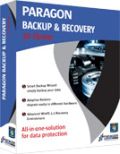
Giveaway of the day — Paragon Backup and Recovery 10 Home Special Edition (English Version)
Paragon Backup and Recovery 10 Home Special Edition (English Version) was available as a giveaway on September 29, 2010!

All-in-one solution for data protection! Whether you want to simply save your data or create complex backup routines - this package of useful tools covers all your needs.
This solution quickly backs up these files and folders: My Documents, My Media Files, My Email Folders and easily secures valuable data without additional configurations. Backup & Recovery Home has an improved user interface with special wizards that ensure ease-of-use, even for novice users. It’s ideal for the comprehensive security of your home PC and data.
Key and New Features:
- Windows 7 Support. Enjoy full-fledged support for Windows 7
- Smart Backup Wizard. Quickly backup following files and folders: My Documents, My Media Files, My Email Folders and easily secure valuable data without additional configurations
- Backup and Restore to or from FTP. Offload backup images to offsite storage for an even higher level of protection if disaster strikes
- Scheduling for File-level Backups. Schedule any file-level backup task according to your requirements and obtain a new level of flexibility
- Selective Restore. Extract individual files and folders from an archive without restoring an entire image
- Next Generation of Adaptive Restore. A powerful and unique technology that restores any version of Windows (since Win2K) to completely different hardware
Detailed Product information is available at Paragon Backup and Recovery 10 Home Edition website
Limitations: No WinPE included on this download.
Technical Support: During the Giveaway period Paragon Software provides technical support at http://twitter.com/paragonsoftware. Please, post your questions if you have any troubles while downloading, registering and using the software. Paragon Software’s support team will reply you as soon as possible.
System Requirements:
Windows 2000/ XP/ Vista/ 7; Intel Pentium or compatible, 300MHz or higher processor; RAM: 256 MB; Disk space: 150 Mb; Internet Explorer 5.0 or higher
Publisher:
Paragon SoftwareHomepage:
http://www.paragon-software.com/home/brh/File Size:
188 MB
Price:
$29.95
Featured titles by Paragon Software

The safest tool for hard drive partitioning! Partitioning is not for amateurs. That is why millions of people have trusted our safe, stable technology and professional software solutions for over 15 years. Our latest Free 11 Edition easily organizes your hard drive and redistributes free space to enhance system performance.
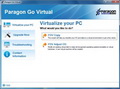
Enjoy the benefits of virtualization without being too technical and for free! Continue using your PC’s applications in a virtual environment. Programs, files and user settings are transferred automatically with zero user downtime. Even if you moved from PC to Mac – you can continue using your Windows PC on your new Mac.
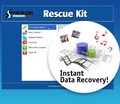
Don't wait for a disaster to strike - get an instant data and system recovery kit today to ensure your protection! Rescue Kit professionally fixes boot problems as well as retrieves your data when your system fails to boot. It even rescues deleted partitions. All, you need to do to achieve complete control over any situation is burn the software on your CD/DVD!
Comments on Paragon Backup and Recovery 10 Home Special Edition (English Version)
Please add a comment explaining the reason behind your vote.

iPhone app giveaways »





Android app giveaways »



![[365fun] Running Man Giveaway](https://android.giveawayoftheday.com/wp-content/plugins/gotd_googleplay_plugin/images/100/2026/06/com.whitewind.runningman_app_icon_1780400784.png)

Hi Kiamski, I'd suggest that you check Paragon's Knowledge Base (http://kb.paragon-software.com/paragon/templ/302.jsp?catId=2124). If the answer isn't listed, then you could ask your question. Also, there's the possibility that the LAN option isn't supported; FTP is.
Good luck :)
Save | Cancel
Downloaded the Paragon backup and recover 10, registered and did a backup of a number of files. I wanted to store the backup on a network HDD (Iomega), but the Paragon program seems to recognise only the lokal disks, but not the via LAN network disk. The network disk is via an ethernetcable connected to the PC.
Question: Am I overlooking something?
Friendly greetings Kiamski.
Save | Cancel
I certainly don't classify this programme as simple. I am reasonably adept around computers but I have yet to master one simple backup of files. I find it is full of unnecessary ambiguity. For example, "Backup Destination" in the Smart Backup Wizard is explained as "Please specify where to back up the selected files and folders." This could be read as both 'What is the file you want to back up' and 'To where do you want the file backed up.' They need to get someone that speaks clearly and who is not a techy to review all their material.
Save | Cancel
To Dorothy
I installed Paragon Drive Copy 10 Personal SE when you offered it recently, and with it copied a “compressed image” of my hard drive onto my 2 TB backup drive (which also contains copies of important individual files that I transfer as needed to save space on my much smaller hard drive). Would I still have a need for Paragon Backup and Recovery? Do I need to make a Bootable CD even though I have am image of the drive?
Drive Copy can't create compressed images, it can only clone disk to another disk or partition to unallocated space. While Backup & recovery creates compressed backups. The difference between backup and copy is explained here:
http://kb.paragon-software.com/paragon/include/templ/object2.jsp?objId=2605
And yes, bootable CD is very useful. What if the system doesn't boot at all? In this case Recovery CD can help you to restore backup, or copy data back to main drive, or extract certain file, or repair boot loader.
#44:
Proprietary format is used, so to open backup and restore files from it you will need to use Backup & Recovery.
Save | Cancel
Got it downloaded in the end.
I had not realised that I could use FlashGet with GAOTD so that is a useful piece of knowledge.
Registered it on my XP machine no problem.
Ditto Vista.
Backed up to external HD. One piece of feedback on that point - I really need the image to be encrypted. This does not do it and it does not recognise anything inside Truecrypt either.
My intention is to have two external hard drives, one in the house that is "live" and one in the garage in case the house burns down and to alternate them weekly. As things stand, I will need to encrypt/decrypt each week which is a pain.
First attempt at creating the backup produced a VSS error. Get round this by using Tools/Settings/Hot Processing Options and selecting Paragon Hot Processing.
Save | Cancel
What an ordeal. I kept getting a BSOD on my Vista 32 when installing with a different error message each time. I'll give Paragon the benefit of the doubt and say it's just my computer but something in the install didn't agree with my settings.
I was finally able to successfully install it after switching to Game Mode using Iorbit SystemCare's gaming mode tool, however, I don't think I want to preserve my computer at this time as it appears to be in need of some work. <----- Something Paragon might want to know.
Regarding #33's comment. Trialware is for testing products out and some here probably do end up purchasing products because they liked the giveaways but I think this site is more to get the word out on products so we will spread the word (which I have) but having stated that, when it comes to software that you rely on to save your computer in a time of disaster, I recommend purchasing a product with lifetime customer support.
Save | Cancel
I have not read all the comments since my time is limited. The last Paragon backup software I installed slowed down my PC too much as it backed up in the background, so I disabled it.
A very simple setup would say:
1) Where are you now?
-a) New system
-b) Old system
-c) etc.
2) How do you want to backup?
-a) Option 1 - Incremental in the background
-b) Option 2 - Full at set time
-c) etc.
3) Where do you want to back up to?
-a) Option 1
-b) etc
4) How do you want to recover?
-a) Replace the internal HD?
-b) Switch to another internal HD?
-c) Run from an external HD
-d) etc.
Based on your responses, the software should prompt you as to what to do.
My experience has been that the simple guide has been too simple and the advanced guide too advanced.
What is needed is an approach that starts very simply then allows you to progress incrementally to your maximum level of understanding.
Save | Cancel
Installation & registration went ok & restarted the program, but not the computer. Tried to burn rescue kit with Recovery Media Builder, to CD, "Typical" Recovery Media image but nothing happens after clicking "next" to start the burning. Anyone have any ideas what the problem is?
Save | Cancel
Correction to #68 pressing yellow icon replaces registration button with Install button n brings up make disc button too.
Also The Recovery Disc:
I made two recovery iso files n they are both empty but bootable occording to ultra iso. This suggests that the program is not on there, so it cannot be installed later but that it simply replaces corrupt boot info.
Save | Cancel
@37. Why Image the whole Drive?:
Reinstalling a clean copy isn't always practical for everyone and then reinstalling every program and getting all your settings exactly how u want them and then recovering all your backups on top of that. Plus its actually a good idea, your computer will run much better and faster if u do a clean reinstall every 6 months.
So why not get this program, then do a clean install, setup everything just how you want it and recover all ur backed up files. Then while it's fresh u image the drive and next time u can put nearly everything back at once, then u simply back-up any extra stuff u add. But you core setup and core files are all in one easy recovery.
Next if you do a recovery every 6 months ur computer will run like new most of the time and will probably last longer since it will run smoother. And each time u recover, u can add new stuff or update/upgrade progs and make a new image or keep one primary setup image. And no hasel with re-registering progs and typing in all those codes.
I used to reset my Laptop to factory defaults every three months, but then I still had to do a lot of setting up, so I made a new image after setup and it's much easier now.
I know so many people that have comps that are a year old and say it runs like crap I need a new one. Mine is 4 or 5 years old and still runs like new.
Save | Cancel
WHERE TO PUT REGISTRATION KEYS:
After u get them, go back to the box where u clicked register. Press the looooong button on the Left with a yellow/orenge icon that says the name of the product. That will start the actual install where it will ask for the keys b4 u can continue.
The process B4 it asks u to Register was just the pre-instal setup/unpacking.
Save | Cancel
The install has been sitting there doing nothing for over an hour n a half. I did the registration and got to the actual install with and the green status bar went nearly to the end and then has just sat there for an hour n a half.
Vista x86, AMD Turion 64 Mobile 2GHz Acer Laptop with 2gb
And the install on my HP laptop with XP x86 has been stuck in the same place for 30 mins.
Save | Cancel
I see nothing about whether this software allows automatic backup setup. Does it? Would like to be able to set it up to do automatic backups (weekly or monthly), then as part of the automation, have it make a copy of that backup to an online backup service.
Save | Cancel
I'm totally stumped, been trying all day to get this up and running. I guess I need more step by step instructions. I've installed it to C: drive which I didn't want, but it wouldn't allow me to install to my portable drive. I have registration and serial numbers and keep getting an error message. Now can't even find it so I can uninstall it. I'll go back to the old way of doing things
Save | Cancel
Come on now people. It took me 5 seconds to register. Unzip the package and read the "read me" file. Or just start the installer and click on "register". That will open up Paragon's registration web page.
Save | Cancel
Please, post the URL for registration. MY DOWNLOAD IS HANGED!. I think that posting the URL is legal, I am asking for the URL so I can register, I'm not asking a register code!
Save | Cancel
I downloaded todays giveaway. Before installing I uninstalled the previous version....big mistake. After the uninstall my Catalyst Control Center would no longer work...immediately got the Windows message "CCC control host has stopped working".
I tried running the Paragon install and after it unzipped I could not find it anywhere. As soon as I do I'll dump it.
I did a system restore but my CCC will still not work....even uninstalled and reinstalled it....nothing.
I have no idea what the Paragon uninstall removed but I'm not taking a chance on the new one doing something like that again.
Save | Cancel
To #58 (Rob Montierth): hope this screenshot helps: http://dottech.org/wp-content/uploads/2010/09/2010-09-08_230440.png (source: http://dottech.org/freebies/18233 )
Save | Cancel
Great article Mike. I think everyone should read your comment #59 and comment #39 by Terry. They are both excellent and informative. I have downloaded this GOTD but not tested yet but thanks to GOTD also for fine apps.
Save | Cancel
Hi, i was wondering if this is identical to what i have got from another promotion.
Paragon Backup & Recovery, version 10, build 10444 (14.07.10 ) Suite
and if it is not the same one, what is the differences?
Save | Cancel
I downloaded the software, got the email with the key and serial number but do not know how or where to put the key to register it and where does the software install? Can not find it anywhere.
any help will be much appreciated
thanks
Save | Cancel
This is really good software; at today's price, it's a great value. I got the same version from Ashraf's offer about 3 weeks ago. I have used it to backup WindowsXPSP3 32-bit and Windows7Pro and Home 64-bit systems, but I'm installing another copy for a friend. This time it downloaded at about 275KBs over public wifi in about 12 minutes. As mentioned, if you save the unzipped .msi (Microsoft installer) file and the registration keys, you will be able to reinstall at any time later, e.g., after a system rebuild. Or if you recover an os partition, then your Paragon installation will also be recovered. I like how the wizard displays every (including all hidden) partitions. I ran CCleaner, MyDefrag, and NTREGOPT, then used Paragon Backup & Recovery 10 Home SE to image the 32GBs of files in the 75GB Windows7 x64 operating system partition with High Compression in 00:07:59 to a different drive. The Recovery CD wizard announced that the CD could be booted into either WinPE or Linux and burned the disk almost instantaneously. The built-in software Archive checker and the Disk checker verified both, but I haven’t had occasion yet to test by booting the Recovery CD, restoring the backup, and booting the restored image. But my previous Paragon Backup & Recovery 10 Free Advanced rescue CD and backup image did pass that test twice ;-) I wish I had a good idea for improvement so I might win more of Paragon's great tools, but everything worked so well, I'll have to settle for giving two thumbs up.
Save | Cancel
Great! I was about to buy this! (and at ?$20 USD, it was quite a good deal).
And a big thank you to the GAOTD community for their input:
#40 JC: Right on!
#59 Mike: Your information on virtualization proves valuable; much thanks.
Save | Cancel
Dear people, don't uninstal Your other software like Drive Backup 9...and so, with this You can't do anything, because you can instal it only today and If You do some backup you cant them after Your windows needs to reinstal because You can't download and reinstal this software again-this is special edition and is not the same with Paragon Backup 10 Suite.
Save | Cancel
downloaded fast but still waiting for key.... an hour so far, and no, it's not in junk...
Save | Cancel
HELP!!! Several of us have asked for help with registration, and the software developer would do well to answer our questions. Like the rest that have asked. I have the registration info but where do I actually register at????
Save | Cancel
This is just what I needed. Hate to say that I am one of those who doesn't do backups more often. I always did it manually, to a HD on my network. This will make the task easier. It downloaded in under 5 minutes, installed easily, and it registered itself like the program should. I received my product key and SN right away. Thanks GOTD. Much appreciated.
Save | Cancel
Sorry to bother again. I stumbled acrossw how to solve registration problem. Click Paragon Back up and Recover Home 10. Then go to right side of page and click the top button on the right side. Enter numbers and you are REGESTERED.
Save | Cancel
I received my serial number and registration number, but would someone be kind enough to tell me HOW or WHERE to put them to register the software? I'm new at this and nearly blind. Your help would be greatly appriciated.
Newbie but learning
Save | Cancel
According to the product comparison page http://www.paragon-software.com/home/brh/comparison.html, Paragon BR Home Special edition should support both incremental backups in "file backup" mode, and differential backups in "sector backup" mode, and here's a knowledge-base page on the differences and how their backup engine handles each of those tasks respectively http://kb.paragon-software.com/paragon/include/templ/object.jsp?catId=2124&objId=6679&foLang=en. Hope that helps anyone else that was wondering! :o)
Save | Cancel
does this program disk images like norton ghost for image recovery?
Save | Cancel
I am using Win XP Pro SP3, and I have downloaded and installed several programs from GAOTD with no problems. But today I can't get the setup.exe to run.
I had no trouble downloading the zip file. Using 7-zip File Manager, I extracted the setup.exe file. The extracted setup.exe file has a size of 197414598 bytes.
When I start the setup program, I get a pop-up that says "Starting", and at the bottom it says "Software Key Wrapper 0.9". That remains unchanged for several minutes. Then it changes to "Connecting to giveawayoftheday.com", and the SKW version changes to 1.0. After several minutes, another pop-up appears, telling me it cannot connect to the server.
Save | Cancel
I've enjoyed using many of Paragon's solid titles in the past. "Paragon Backup and Recovery 10 Home Special Edition" installed and registered without a hitch on Windows 7 x64, went through my first backup and though I haven't tried a restore, I doubt there should be any problems. Hope that helps anyone wondering if it works on Windows 7 x64.
Save | Cancel
Downloaded and installed fine but when it goes to the screen with "Registration," Paragon Backup and Recovery 10 Home Special Edition," and "Support Contacts," I click the "Registration" button to the right and nothing happens (I get a momentary hourglass then nothing). I used the web site and got a registration key emailed to me but I cannot get into the registration process to enter it. Any thoughts? TIA.
Save | Cancel
Program won't finish installation. Keep getting Invalid Serial Number error message even though it is the number I was sent.
Save | Cancel
Where and how can I register this software. I downloaded it, received the serial number, but have no idea where or how to register it.
Thanks
Save | Cancel
I have had great results with Paragon boot CD backup and recovery.
I use it to preserve the stages of the "clean install"
(format and reinstall everything).
I save simple images of the various stages of the new installation:
_Setup and activate
_Drivers and updates
_Applications
_Security Suite
Before each image: remove PageFile, defragment and compress,
make simple uncompressed .iso. (for reliability),
and burn to DVD.
It is definitely worth buying one of Paragon's Suites
to buy tht WinPE Recovery/Restore CD.
They have special offers: register freebee, create account
signup for newsletter. Check in your "Downloads" account
for updates and upgrades.
den
*****
Save | Cancel
I just installed and everything went smoothly on my Vista home 32 bit. Thank you for a great program! My question--i see i can easily back up email IF it is in outlook or office. since I use incredimail, will I be able to backup my email using that one click feature, or will that only work for outlook and office?
Save | Cancel
I still have Professional version 9.5 so I am not going to install this Home version 10 unless Paragon explains the differences. I do not see the comparisons on their website. I can say that the Pro version works well.
Save | Cancel
Excellent giveaway. Paragon software is top notch. I'm upgrading from 9.5 professional edition and this has all the features I was looking for. This is much more powerful than the "System backup" software. If you have system backup, grab this one.
Save | Cancel
I've had trouble with version nine finding a hdd faulty - something to do with VSS - so I tried Acronis Backup and it worked a charm - they do have a free version, though I ended up buying their full version - quite cheap - it is a lot easier to use than Paragon but does not compress as well. - Trying to download version 10 now and it is taking ages 15 minutes for above 50% (ie 90 MB)
I’ve found Paragon support very good.
Save | Cancel
Does it use a proprietary backup archive format or not? Can I access
an individual file from the backup without using this software, eg.
from a Unix system can I access/extract/copy an individual file either
directly or via unzip or the like?
Save | Cancel
uh... Selective Restore.. i could use that, but i think i am more interested in the full software, as it offers WinPE enviroment to backup files I didn't before the failure.
#35 you are wrong. First, If you have some important files, in the case of a backup, you can restore it (even more, if you do a backup to a ftp that is even more helpful in case of hardware failure).
Second, restoring takes a hole lot less than reinstalling. Only the XP install (without drivers and softwares) takes more than 25 min, when a restore with everything could take 10 min (2-4 min in my case).
When you talk about installation, why don't you make a clean install, then install your drivers (if needed), then install some really important software you use every day, and make a backup of those ? after that you can install the little things, so your system is ready to use when you do a restore, and you know it's clean
#33: 3 days ?! i think you have some really important data to wait 3 days. if it's so important try investing in a portable hdd. For about 150$ you could buy a 1TB one, or for less, a smaller one, but more than enough for those 30gb
Save | Cancel
Folks, if you read #22, you'll see that the software allows you to make a bootable CD with the software on it. That will allow you to recover your drive image/backup. There is no need to buy the software just because your machine crashed and you need to restore.
Save | Cancel
I installed the Paragon Backup and Recovery 10 Compact Edition via GOTD earlier this year. How does the Home edition compare to the Compact edition? Thank you.
Save | Cancel
Oh how I agree with Patrick (comment No.2) concerning Twitter, Facebook et al. Please GAOTD, don't re-route to ANY 'social networking sites' for questions to be answered. Like many people, I don't have the inclination to join any of these ridiculous websites - life is too short!!
By the way the Paragon back-up on offer today is excellent value, it has saved my bacon on more than one occasion.
GAOTD - ROCK ON! and many thanks for the service you provide.
Love, Light and Peace
JC
Save | Cancel
Some of the Paragon software I've gotten from GOTD can be reinstalled, IF you keep a copy of the MSI (installation) file and IF you copy down the registration mail you get from Paragon. You can't get a new registration mail after the giveaway day, but the registration you got that day will still work. Sometimes the MSI file is extracted into your TEMP directory.
The other thing is to use the recovery CD that's included. If your hard drive dies, you probably won't be able to use it to boot. Say you get a new, blank hard drive. The easiest way to install then is to boot from the recovery CD, have it restore your data (and OS) to the new hard drive, then boot to the hard drive. No registration needed when you use the restore CD.
Please think about (and practice) a full restore-from-backup, using as your starting point "what if my computer is completely destroyed". Where is the recovery CD stored, so if your computer is destroyed the recovery CD is still available? Where have you stored the registration information for all your software? If you have an offline backup service (highly recommended) where do you keep the login information? How long will it take to download a full restore from an online backup service? (Probably forever!) Maybe you need to make a "base" full image backup to a cheap 2TB hard drive, and rely on your daily or off-site backup just for changed files. It's a lot faster to restore from a hard drive than from an online backup service. Just store the "base" image hard drive at another location.
Next time you get a new computer, spend a while practicing your "full restore" strategy. Make an image of the new computer (it might fit on a single DVD when it is new). Then try booting from your restore CD and restore the data from your old PC. See how it goes. It shouldn't take you very long to figure out which things got missed, or that the boot cd doesn't boot, or restoring from your FTP site takes way too long, or something else is incompatible. Make changes to your backup strategy on your old PC, then test again, until everything you need comes across with the backup in a reasonable time (and stuff you don't need disappears into the ether). Once you are sure your backup works, restore the image of the "new" computer and enjoy its new features.
Save | Cancel
I have Paragon Drive Copy 10 Personal SE. Are there any more features in Today's giveaway? Thanks.
Save | Cancel
Like many it seems I have big concerns as to the availability of the backup if anything happens to the installation of this software. I currently use a second hard drive and once a week copy over all of my documents and my pictures to it and any software installation packages then every second backup I delete the oldest ones so I always have two backups. A second hard drive is not much more expensive than backup software. The point of backing up the whole computer, to me, seems fairly pointless because, with the exception of hardware failure, would I want a copy of my installation that is obviously so bad that it needs to be restored by one that is just short of the same status? In the event of hardware failure it can strike anywhere including your backup so how many copies do you keep?
Personally if my computer failed because of a software issue I would far rather reinstall everything and have a clean computer rather than reinstall a backup that is quite close to failing again.
This is not knocking the software as Paragon makes very good products and I am sure this is good but for me I do not see the point.
Save | Cancel
Pain to install. 40 minutes download time - why is it so big? Got the registration info email ok, but had to stumble upon where to put the info. Had to reboot twice.
But I'll still say thanks for the software.
Save | Cancel