Every day we offer FREE licensed software you’d have to buy otherwise.

Giveaway of the day — MetaProducts Inquiry Standard Edition
MetaProducts Inquiry Standard Edition was available as a giveaway on October 30, 2009!

MetaProducts Inquiry makes Internet research a snap! Collect, organize and view information from the Web on your terms, quickly and easily. Inquiry stores various Web files: entire web pages, selected text and images, Shockwave Flash clips and many others. It can also import documents from your browser Favorites and export them to various formats to share with friends and colleagues. Forget cumbersome open and close dialog boxes. A single click saves the page you are currently browsing, or your selected text or images. Inquiry stores pages much faster than the regular Internet Explorer Save As feature.
A Windows application, it is fully integrated with Microsoft Internet Explorer and is also available as a standalone application. Inquiry is available from the right-click context menu in Mozilla, Netscape, FireFox, Maxthon and Opera browsers.
System Requirements:
Windows 98/ME/NT/2000/XP/2003/Vista
Publisher:
MetaProductsHomepage:
http://www.metaproducts.com/mp/inquiry_standard_edition.htmFile Size:
4.27 MB
Price:
$29.95
Featured titles by MetaProducts
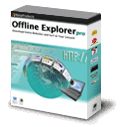
MetaProducts Offline Explorer Pro is an offline browser Windows application that allows you to download an unlimited number of your favorite Web, HTTPS and FTP sites for later offline viewing, editing or browsing. RTSP, PNM and MMS streaming media downloads are also supported.
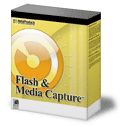
Flash and Media Capture is a Windows application for MS Internet Explorer. It adds a nice toolbar that allows you to save all images, flash video (from YouTube.com and other video sites) and Flash applets from a page to the folder you want.

Picture Downloader is the tool to search, view, download and manage pictures and media files (video, audio) from the web easily. It is useful for digital artists, designers, photographers, webmasters, journalists and other people to get images without the need to save them to your disk manually one-by-one.

Mass Downloader is a Windows download manager application that makes it easy to download video/audio streams and files from Internet sites at the maximum available speed. Download resume is supported. Multiple channels technology significantly reduces download time.
Comments on MetaProducts Inquiry Standard Edition
Please add a comment explaining the reason behind your vote.
iPhone app giveaways »





Android app giveaways »





This program is a crap. Here is my reasons :
1.It not registered in Vista x32 SP2 even with Administrator privileges.
2.It not integrates into Opera 10.10
3.It makes 7 processes to autorun after install(!)
4.It makes 323 registry records (!)
Save | Cancel
#25 JV,
What is the registry path for your comment on "For re-installation, the key may be found in the Registry."
Anybody knows?
Save | Cancel
learning curve indeed. finally found the right click>inquiry>save page in ff, but I'm still unsure if it's saving the page as I have it blocked down to size with noscript or not. tentatively, I'll give it a positive go for usability testing.
Save | Cancel
If you have to ask why this is better than just saving a page:
You can organize the saved pages hierarchically, annotate them, etc.
There are some good commercial alternatives:
MyBase + Web Collect
Surfulater
Web Research
Save | Cancel
Actually, there's a Firefox plug-in:
http://www.metaproducts.com/download/mpint.xpi
Save | Cancel
Am I missing something, or does the firefox integration require I pay for one of the metaproducts offline browsers? when I open up the options for the extension it tells me "unable to detect any installed MetaProducts download manager. please visit the site to install software: www.metaproducts.com"
ok, installed the free 'download express', but still don't see any way to save pages to inquiry without the built-in browser. strange.
Save | Cancel
I did notice some interesting benefits and problems with MetaProducts Inquiry. It can save a webpage to MHTML when IE8 won't, but it truncates the title, messes up the format (badly), and uses the wrong fonts. UnMHT works much better (but it doesn't support IE). Microsoft has various problems displaying MHTML files. The Preview Host, used for the Preview Pane in Windows Explorer, can screw up. IE8 can screw up (although I think that's for MHTML files which were saved by an earlier version of IE or other software). Sometimes, Opera can display an MHTML file which IE8 won't, and vice versa.
Save | Cancel
From the screenshots, I don't see anything better that what Opera browser's left-panel bookmarks offer for free. Are they kidding us?
Save | Cancel
Shame that it doesn't appear to support Iron browser.
I wouldn't have Firefox on my PC even if you paid me!
Save | Cancel
For #28 Saul
The Portable Offline Browser v5.7 application from MetaProducts is a very professional tool. There is also an extensive product comparison chart.
It all depends on what kind of use you need. Offline browsers can also be freeware - if you occasionally need to download a complete website then that's enough.
Save | Cancel
I am still trying to figure out how this product could be really useful to me. The comments so far didn't convince me that it is worth installing at this stage. I'll certainly have to skip it.
Save | Cancel
For #14 'Josh',
Do a search for "Bookmarklets". They are javascript bookmarks which can do some very useful things to web pages, such as change backgrounds, clear ads and remove those "intellitext" annoyances you mentioned.
Save | Cancel
This looks okay as a standalone product, however it does not appear to have any functionality with Firefox, it downloaded and extension but this does not work and I don't use IE. Also I would like to save pages and access them from any computer, which would be best of that Evernote or Zatoro which does work directly with Firefox, or are all these three doing completely different things?
Save | Cancel
Regarding #14 comment "What could make this software good? How about it having a simple way of grabbing only content without ads or website menus." Take a look at "ReadonWeb".
Save | Cancel
Well I don't need viruses as stated in #18.
On Canaware in #6 -this downloads demo files that are crap and I deleted it -so not good on that recommendation.
It would be extremely helpful if the owner of this product would state whether it works with vista 64 bit-and yes everything has to be run as an administrator. Vista sucks.
I will not install any toolbars usually have hijacked my browser in the past.
So I just save my webpages to favorites and that is the best and only way other than chancing some of these programs listed here.
Save | Cancel
Installed and activated easily on Win 7 x64. Very slight learning curve with some time being spent just on checking out the options. There actually are a lot of options, so don't be surprised if you have to look twice to find the one you want. Being able to disable the splash screen is a small one, but it's nice, and is there none the less. I'm currently researching preloading .SWF files. With this, I'm able to take the various links, export them all as .MHT files, and check the stuff out later, without using up bandwidth. Of course, Windows will do this for you too...this just feels more refined and "tricked out". I did find that it will not save live images (maybe it's not meant to). However, a trade off I'm more than happy to make, and for reasons I can't explain, it seems to load Java based files, such as webcams or radar loops, much quicker. (Many Win 7 users know what I'm talking about.) If I open a Java based weather radar link through regular Favorites, it's slow...open the same link through Meta, and it pops up in half the time. For re-installation, the key may be found in the Registry.
Save | Cancel
AVG reported/recorded a tracking cookie; other than that installation went well but I don't see anything 'new' or different from any of the add-ons or add-ins that I already have for my browser.
Save | Cancel
The only difference between standard and Pro is the ability to save and manage citations, and I have to pay $30++ or whatever for that?
This smells alot like overpricing and it cannot compete with the competition!
I currently use Net Snippets Pro and eSnips Net Snippets Pro and eSnips and find them very good. The most important plus is that there is no proprietary archive storage formats, everything is stored in HTML so no need for exporting etc.
Thank you "bettersafethansorry" for the Zotero Firefox addon tip!
Save | Cancel
Don't see how this is any different that Scrapbook, Read it Later, or any other free compilation software that uses a fraction of the space and processing power this does.
Save | Cancel
Installed on winxp sp3 slowed PC down uninstalled and PC faster. Not sure if just my pc or not.
Save | Cancel
read the comments and was thinking of installing the sofwtare....but my Norton antivirus (2009) reported a Suspicious.Graybird.1 (heuristic virus) in the Temp folder, whenever i want 2 install the software....is this sofwtare containing a hidden virus or what...will someone from the GOATD or the software team clarify the point to all of us!!! thanks anyways..
Save | Cancel
I'm looking forward to trying this program, looks like it puts a lot of capability in one place. So far I've been very happy with a Firefox extension called Scrapbook, lets me capture pages, even edit out elements I don't want before or after capturing so I'm not saving ad images. I can add notes and markups like highlighting, supports a tree-view of folders I can manage, and captures original URL. I'm also trying a Firefox extension called Taboo that works like bookmarks but stores images of each page, more as a temporary holding tank for pages you want to read later. MetaProducts Inquiry looks like it will really shine as far as exporting the data and could replace both Scrapbook and Taboo. Thanks to GAOTD and MetaProducts!
Save | Cancel
err.. @16 david- say what? I'm simply looking for a better way to find web pages, not giving anyone else a hard time. I think that was #2 taking a jab at me, and that early in the day I'm not installing *anything*, much less testing it. I check the giveaway just after taking my midnight meds, to give 'em time to kick in, and I was sorta disappointed that the title initially mislead me into thinking it was a search-the-net app. My bad, I guess.
Once I find or am sent to a page snagging it isn't usually a problem, though I'll be seeing how well this works to organize saved pages, and how space-intensive it is compared to ripping pages to pdf. Once on DVD-r and cataloged, finding the pdf's is fairly painless.
somebody ought to get ahold of Víctor García Tascón and see if he wants some major publicity for InsideCAT. (http://www.insidecat.biz)
Save | Cancel
I agree with #15 about the first poster. The first poster must be someone from the company who makes the software.
I don't see the point of this software. When I want to save a page, I go to File > Save Page As. I guess its thing is organizing them. It provides no better saving capabilities than what regular browsers can do. Example: videos from Metacafe are extremely hard to save (but not impossible). I thought maybe this software can do it. Nope. It saved the same files that Firefox alone does. And I also saw something I haven't seen in quite some time: a popup ad! Apparently, the standalone version (the one I used) depends on IE.
What could make this software good? How about it having a simple way of grabbing only content without ads or website menus. Like maybe you press a hotkey and hover over a body of text and it only captures what you want. Another good feature would be the ability to disable annoying things like on some website that have highlighted keywords that have little nagging blocks come up when you hover over them. Also, I have seen some sites that won't allow you to select text (to copy). How about a feature that enables you to select text. Or how about getting rid of those annoying "Sign up to this website now" blocks that come on the screen and cover up what you are trying to read?
To me, it just seems unnecessary if it does not add any usefulness to browsing. And taming annoying websites would help it a lot.
Save | Cancel
It would be nice if Chrome were supported.
Save | Cancel
This is an interesting product with lots of features, and I think it's worth installing while it's free, but personally I wouldn't pay for it. The biggest problem is that it's going up against IE's MHTML export abilities, which have been around for many years, and Windows Search 4's search and Explorer preview abilities (and Windows Explorer thumbnails). It's also going up against more versatile proprietary-database products like Evernote. Microsoft's solutions do have their problems. MHTML export can fail, doesn't export the original URL, and the MHTML iFilter is defective. UnMHT for Firefox and other browsers is better than IE's MHTML export (there's no reason why UnMHT couldn't support IE). MetaProducts Inquiry has numerous features, but some of them don't seem very useful. Saving Flash files isn't something I normally need to do. Saving Images could be useful in rare cases for saving multiple images at once, although webpage images are frequently just thumbnails, and better solutions are available to save the originals. MetaProducts Inquiry can export from its database as well as saving the current webpage directly to MHTML (and other formats), but again, UnMHT is better. The ability to automatically save while browsing could be useful occasionally, but I prefer to select which pages and fix unavailable titles manually. If I merely need to track what I've been browsing recently, IE's History by Order Visited Today, and TimeSnapper Pro have me covered. If you like all-in-one products with proprietary databases, this is good, but again, there are several products which do much more, like Evernote.
Save | Cancel
Although I told it to integrate with Opera I can see no facility within Opera to be able to use Inquiry. It default opens into Internet Explorer which I do not particularly want.
Save | Cancel
Is it possible to upgrade to the PRO version by installing the free GOTD download and then pay the extra fee [$20???] for the upgrade? The citation feature would be particularly useful for me.
Save | Cancel
Did you see the bogus copyright claim on the installation screen?
Trying to claim some of those terms as owned by Metaproducts is a thumbs down from me! I will NOT accept that they own the term "Tray Icon". I can see a law suit on the way from them to a few other people soon, like Microsoft and the claim will be "n million people accepted our terms and conditions, so they agree with us!"
@A .... as you say, FireFox ???? If that is an indication of the quality of code inside, I don't want this on my PC...
Save | Cancel
And this is better than google how? They all search by keyword?
Save | Cancel
On the face of it this program would appear to have very similar functionality to the freeware Canaware Netnotes http://www.canaware.com/default.aspx?page=b26f1a87-b934-4a94-ba4a-a317c78c9eb5&pagenum=1
With Canaware you can similarily;
Save pages via a right click context menu entry in IE and Firefox.
Edit saved pages
Canaware can also be used as a conventional tree based note taking program - maybe it is there in Inquiry but I have not found it yet.
Another excellent research tool to save/edit/cite web pages is the firefox add-on Zotero http://www.zotero.org/
(firefox only I'm afraid)
Save | Cancel
When you open the "About Metaproducts Inquiry" under the help tab it initially tells you that you are on day 1 of a 30 day trial.
Closedown and restart the program and this statement disappears.
I assume that further registration of any sort is not required.
Save | Cancel
A Windows application, it is fully integrated with Microsoft Internet Explorer and is also available as a standalone application. Inquiry is available from the right-click context menu in Mozilla, Netscape, FireFox, Maxthon and Opera browsers.
Save | Cancel
Vista and higher users should right-click Activate and Run as Administrator. Use the About box under the Help menu to check registration. I have comments, but I have something else to do right now so I'll post them later.
Save | Cancel
PROS:
* Smooth download/installation/activation on Vista HP x64 SP2 OS.
* Smooth program access without using Administrator Mode.
* Attractive, clear, easy-to-understand, easy-to-navigate GUI.
* Supports IE, Firefox, Opera, Maxthon, Maxthon 2, netscape browsers.
* Allows folder to be sorted by: name, date, URLL, none, descending.
* Allows folder to be viewed by: thumbnails, text, thumbnails & text.
* Allows viewing of toolbars in following modes: standard, browser, customized.
* Supports 11 languages: Arabic, Danish, Dutch, English, French, German, Portuguese (Brazilian), Russian, Chinese Simplified, Chinese Traditional, Turkish.
* Can save pages to: "saved pages" folder, user-designated folder.
* Can save images and flash files.
* Can import: favorites, folders with pages from disk, files from disk.
* Can export to: HTML Help file, HTML file, MHT archive, compressed "exe" viewer, metadata to XML, XBEL, extract all pics.
* supports: drag-and-drop, right-click context menu to save pages.
* smooth program operation.
* numerous options choices to give user flexibility in determining program feature settings.
CONS:
* Installation process took a little while to process. Appeared to hang/freeze a bit. Was this unique to my system? Maybe, but not sure.
* No direct contact information listed in program - though clicking on support links takes user to website and/or e-mail program for contact communication.
* Program processes and choices can be a bit overwhelming for first-time (novice)users.
SUMMARY: - Program is easy to install, operate and is very useful, as nowadays everybody uses the internet and has a need to save browser pages for sharing with others. A definite keeper for me. Thanks, GOTD and MetaProducts.
Save | Cancel