Every day we offer FREE licensed software you’d have to buy otherwise.
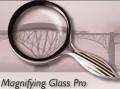
Giveaway of the day — Magnifying Glass Pro
Magnifying Glass Pro was available as a giveaway on July 28, 2007!

The Magnifying Glass Pro utility is a virtual magnifier (virtual lens, screen-zoomer) that enables you to enlarge (magnify) text and graphics as they are displayed on your computer monitor or attached television screen, or projected onto a larger media during a presentation (e.g., using an application such as PowerPoint).
As you pass your mouse cursor over a section of the viewing area, the display is magnified making it instantly more readable and accessible. In addition, you can apply a variety of visual effects and enhancements to that display.
System Requirements:
Windows 9x/ME/NT/2000/XP/Vista; Preferred CPU frequency is 500 MHz and more
Publisher:
Workers CollectionHomepage:
http://www.workerscollection.com/wcollect/english/html/mg_pro.htmlFile Size:
1.35 MB
Price:
$24.95
GIVEAWAY download basket



Comments on Magnifying Glass Pro
Please add a comment explaining the reason behind your vote.

iPhone app giveaways »





Android app giveaways »




Once again, thanks to GAOTD for supplying us with this great Giveaway! Also, thanks to Workers Collection for participating!
#1. For those of you who somehow CONTINUOUSLY tell us that Windows XP has a magnifier built in... Don't you think those of us who like this program already KNOW that? I've been using XP's magnifier out of necessity, but it's a very annoying program to use. Maybe you should try it. Try the XP version, and then try this. There IS no comparison.
#2. If you don't need a magnifier, don't rag on about this one, because you aren't one who can make a valid assessment of what is necessary for this program to be functional. For instance, today GAOTD is offering an RSS Feed Creator... I have no use for such a thing, and wouldn't know the first thing about it, so I won't be downloading the program OR making any comments about it.
#3. I'm not visually impaired -- I do wear eyeglasses, but I can see very fine with them, thank you. I have 5 computers in my house, and I only use a magnifier on this one, which is hooked up to the TV, as a sort of WebTV/Entertainment computer. So I think for those people who use a PC hooked up to their TV (which is becoming more common these days as people are moving their computers into their living rooms), you know your TV doesn't have the resolution of a regular monitor, so the magnifier makes it easy to read that fine print.
#4. For those of you worried about CPU cycles, try this: Go into the program's settings (right-click on the icon in the system tray, and select 'options main dialog'). That should take you to the General tab. UNCHECK "Run application at Windows startup" and CHECK "Show Glass after application start". Now grab the shortcut that's in your start menu for "Magnifying Glass Pro" and drag it down to your Quickstart Toolbar. Now whenever you start Windows, you'll have the Magnifying Glass Pro icon there, if you should need it, but it's not always resident in your system tray. If you need it, just click once on your quickstart icon, and voila! There it is. When you wanna exit, just right-click on the system tray icon and select "exit". That way you don't always have it running in the background.
Hope this helps.
-BrotherBryce
Save | Cancel
as an SFX designer, it's nice to have a nifty useful tool to quickly zoom in and out. beat the living crap out of ANY zoom tool in ANY software since i can work in two resolutions at once. me likey.
Save | Cancel
#54, Techie Teri, I'm beginning to think you should drop the "Techie" moniker. "I haven't used either program yet"--what kind of review is that? ZoomIt IS by Microsoft (and not to be confused with Zoomit technology, which they also recently bought). I've never been able to figure out what Microsoft's 22,000 programmers do--virtually every facet of their technology comes from other companies which they have purchased (typically, dozens per year). The people who wrote ZoomIt know more about the internals of Windows than anyone at Microsoft, so Microsoft bought their company, and now they're Microsoft employees. When not being used for presentations, ZoomIt functions as a part-time full-screen magnifier, which is fairly unique. Unless you have a very low-end computer with limited RAM, there's no harm in setting ZoomIt and Magnifying Glass Pro to start with Windows (although, as with any software that uses hotkeys, you need to watch out for hotkey conflicts). Magnifying Glass Pro uses a small amount of compute during mouse motion if you have mouse-shaking enabled. Magnifiers are not just for the visually impaired.
#52, 67, 74--I'm not knocking your preference for other software, merely your comparisons with Magnifying Glass Pro. The difference between all of your suggestions and Magnifying Glass Pro is that Magnifying Glass Pro doesn't interfere at all with your applications; i.e., you can continue to use your applications normally while the "glass" is visible, and the glass doesn't need to be dragged. Virtual Magnifying Glass 3.3 uses a hard-coded hotkey, and has the bare beginnings of (beta) dynamic mode. None of your suggestions has even remotely the capabilities that Magnifying Glass Pro has (although they may have some features which Magnifying Glass Pro lacks).
Save | Cancel
Thanks for those who listed alternatives; will check out later, but this one looks really good to be as someone who teaches class at a small local blind association. They don't have an Internet connection, but I downloaded the trial version before I had a class today and the students enjoyed it. The price is not bad compared to MAGic and ZoomText, the major players.
Save | Cancel
Hmm, I have skimmed the listing of comments and no one seems to have noticed...but when this giveaway was like 2 minutes old it had 198 thumbs up ratings...seems a bit odd to me.
(back to your regularly scheduled program)
Save | Cancel
For Ed #68: there is a place in Options>General where you can uncheck the "Run Application on Windows Startup." Then, the program will not use any resources until you choose to launch it.
Most programs have this turn-off feature. If one doesn't and you still want to keep the program but not have it load at startup, click on Start>Run and type msconfig and press OK. In the msconfig dialog box, select the Startup tab, find the program in question and uncheck it.
Save | Cancel
Several months ago, I accidentally stumbled upon the GAOTD. I have enjoyed several of the software packages, many I skipped over. I usually read the comments and get upset that people would get as nasty as the do, even when receiving "free" software. If you don't like it, don't download it!
As for the Magnifying glass program - Thank you for allowing us to try it. I just installed it on my laptop, and it works for what I need. I am neither blind nor have eye problems! I have arthritis and cannot hold a large laptop, so I bought a small 12 inch laptop and some email, etc on the internet is so small I cannot read it. So I also use Mozilla Firefox and it's great TEXT magnifier, but it doesn't magnify graphics. I love to read comics daily and Firefox cannot magnify these. Magnifying Glass does!
I know that Microsoft has a built in magnifier but I have yet to find it.
Thanks again for the software.
Save | Cancel
Windows XP does offer a magnifying glass, BUT the magnified image shows up in a small corner on the left side of your control bar -
It is a very weak substitute for this program -
Many of you who say YOU THINK that XP offers something like this have obviously not tried to use it because you would understand how bad it was.
I will certainly try this alternative out -
Save | Cancel
There is a simple and free alternative to this software, it is called Dragnifier. Probably doesn't have the features of this app, but it is small and super usefull if you do web design & web coding (to align things to be pixel-perfect).
Save | Cancel
I am not one to complain about free stuff. I wear reading glasses and can use a break from them. Thank you - I will share it with my nearsighted sister too.
carmen
Save | Cancel
You know. I find it funny how GAOTD is giving away a software which isn't a screen saver and isn't a video/audio/flash converter and people are *complaining* about it. If you don't like the software which is being given away, please use the Back button on your browser and leave the site. No one is forcing you to download this software and no one is forcing you to use it. Believe it or not, there are people out there who can make use of this software and who are probably glad to have it freely available for today.
Save | Cancel
Tried it out and it works as advertised. But it doesn't magnify any better than freeware versions that have been mentioned, and any extra features it has aren't worth the resources this eats up. Lastly, asking $25 for this is criminally insane.
It reminds me of the kid trying to sell lemonade at $10 a glass. When someone tells him that's kind of steep for a glass of lemonade, he smiles and says, "Yeah, but I only have to sell one glass."
Save | Cancel
@33: Perhaps these people don't live alone? Perhaps their hubby or spouse has 20/20 eye sight? Friends; relatives; neighbors...? As someone who has a legally blind spouse I find your remarks quite below level, and the joke (if any) is on you!
Thanks GAoTD, this is one utility that will be used daily here!
Save | Cancel
Great app for someone who can't see well.
Save | Cancel
One type of comment that would be terribly useful on many of these programs is how easy it is to install in a way that does not use system resources.
I have installed many of the give-Away –Programs on the theory that that might come in useful someday and it would be nice to have them. Alas, I have found some of them run in the background and use system resources. In many cases there is a way to set up the program so it does not start immediately but is still available if you want it some day.
It would be very useful if commentators would mention whether the program uses system resources and how to avoid using them. Admittedly, I am not very computer sophisticated. (but not a complete amateur having used computers since punched card days and got a Mac before it was possible to buy a fancy accessory called a modem that let you access other computers). In most cases you can read manuals, install programs, and experiment, but this is time consuming (not to mention risk of really fouling your system up).
This program is an example. I don’t have the time to experiment now but would like to have the program available for occasions when I need it. If anyone believes it has advantages over what is already in windows, perhaps they could tell us how to install it now so it does not run normally, but could be turned on when needed
Save | Cancel
Prefer Lens Magnifying Glass(http://www.abf-soft.com/lens-magnifying-glass.shtml) which is freeware. Its interface is more intuitive and skinable. Highly rated.
Save | Cancel
#33 (Terry): They would find out about it through something called family and friends (perhaps you've heard of such a thing?). I for one am responsible for maintaining computers for two septuagenarians, one of whom has macular degeneration. The apps with Windows only go so far and frequently do not meet their needs. Are there other programs out there that might help them out? Undoubtedly. But I will definitely have them try out Magnifying Glass Pro -- worst case scenario is that it won't need their needs and I will uninstall it.
As for all the other nay-sayers -- I have only found two programs usefull in the past 6 weeks, but, knowing that I am the Center Of The Universe ONLY to myself and a FEW others (meaning that it isn't all about what I find useful and it isn't all about what I want), I have gladly accepted what I could use without complaining and bad-mouthing what I could not.
Just because Microsoft has done its utmost to convince the sheep of this world that it will meet everyone's needs (and that if they aren't met, they must not be necessary) and that no other software or software companies are necessary, does not mean that it is true. If other companies stop producing software (at any price), we could be left with what Microsoft deems necessary, and I, personally, am tired of those limitations.
I am glad to see the variety of software offered by GAOTD -- if it focused only on the needs of business users or technical users or crafters or photographers I wouldn't stick around because such a limited scope would rapidly become unnecessary. So I say "Thanks!" to all involved with GAOTD -- its great to see some of the other software options out there!
Save | Cancel
For the Obtuse gripers who really feel the need to complain all the time about the free programs offered. Checked out the XP magnafying utility and at the start of the program it stated. "Magnifier is intented to provide a MINIMUM LEVEL of functionality for users with slight visual impairments. Most users with visual impairments will need a magnifier utility program with higher functionality for daily use". Hmm.. Sounds exactly what GAOTD is offering here. Those grippers are probably the same people who complain about TAP water and go out and buy Aquafina cuase of it's nice packaging, Guess what, It's TAP WATER. People Don't hate and look a little further than the tip of your nose.
Save | Cancel
Perfect if I ever go legally blind...so far I'll reserve it for tini wini text.
Save | Cancel
To those who are saying 'Windows comes with Magnifier! This is useless!' - You clearly didn't try the application or even read more about the application - I may even guess some of you may never have even used the Magnifier included in Windows before either. This application is far more powerful than anything Microsoft has. Check out my review above; You may realize that this is more than 'just a magnifier'.
Save | Cancel
Hello all! Sorry for the delay in the review! Two power outages can make life fun!
Here's today's 15-Minute Review! Enjoy!
http://www.bladedthoth.com/reviews/15mrs/magnifying-glass-pro-v1-4/
Save | Cancel
For BoRegard #12, Manb #15 and Terry #25: this magnifier is a vast improvement over Windows' magnifier. I am assuming you have not used Windows' magnifier. For starters, it screws up the desktop if you have icons on it, because it commandeers the top portion of your screen, forcing everything on the desktop toward the bottom. Also, the lowest size of magnification [2] is way too big for me [and it goes up to 9]. It's very awkward to run your mouse over text while having to look at the top of your screen to read it. Also, there is no hot key to send it to the system tray...you have to launch it to use it and close it when finished or leave it taking up a portion of your screen which would be very annoying to most. Maybe this is OK if you don't mind having your icons rearranged and only use it rarely. But I prefer having it available in the event I do need it without messing up my desktop.
For Terry #33: Apparently, you are not familiar with Windows and three button mice. Or maybe you just have a two button mouse. On a three button mouse, if you hold down the control key while wheeling the center button, it should enlarge and reduce the size of the print on the page. If you don't have a three button mouse, most browsers have options to increase and decrease the text size on a web page or in an email. However, some web designers and some email newsletters encase their font size in concrete, so to speak, and nothing will change it. That's when a magnifier comes in real handy since people who do this tend to use tiny print.
I like this one because you use it just like a magnifying glass, running it over the print you want to enhance. I like being able to set the size of the magnification as well as the window size. I have the text size set at a 1.5 zoom which is just enough to enlarge small print on websites where you are unable to enlarge the small print or, as a previous reviewer said, to "read the fine print." I have the magnifier window set at a height of 100 and a width of 900. This pretty well covers 4 lines of small print on my 17" monitor.
I have used several magnifiers over the last few years and this is one of the best.
Save | Cancel
#29 and #31
These tools only magnify. The GOTD magnifier comes with a cursor, so you can type and click weblinks. Very nice!
Save | Cancel
For another Zoom-type application (free) that is good for software demos, check out Zoom-it from Microsoft Sysinternals. (Search for sysinternals)
Save | Cancel
Oh thank you giveawayoftheday and Workers Collection! This is the best magnifier I had ever used! Far better than the Windows Magnifier that comes with Windows, which resizes your windows on top when activated. And turning it on and off and changing options just by evoking them from a mouse shake is just so cool! I can now take my wireless keyboard & mouse across the room and watch TV and see and operate my computer from my lazy chair. How cool is that?
Save | Cancel
Great tool when the windows and IE options are not sufficient. Windows magnifier is an awkward window at the top of your screen. Enlarging font size in IE is of no use on websites with fixed font sizes. In all these cases Ctrl-G easily starts a real magnifying glass.
Save | Cancel
I would like to suggest an additional use or two for the program.
If you make camtasia (Or other) screen capture training videos it is sometimes hard to see where your cursor is on the screen especially what you are typing for example in to a form. Even with the little yellow circle.
So you could use this program to enlarge the work area on tutorials (or presentations) where what you type, or highlight etc. is important.
The only reason I think I would use the suggested Microsoft Zoomit (Not really BY Microsoft but in the TechNet section) would be the ability to annotate what you are doing, instructions, etc. which todays program does not seem to offer.
I would take the extra step with either utility to keep them from starting with Windows if you are not using it all the time like visually impaired people would.
Also, if you were making a humerous video you could also use the magnification effect to do something funny, distorting an image etc., like those greeting cards with the animals that have the big heads, etc. (Which, by the way, I think are really funny )
This way you could use the program for "action" distortion right in the process of making the video vs. changing one pic from "regular" to "distorted" like a morph or other program might do...
I hope this helps todays visitors see beyond just magnifying text for reading, which not all, in fact probably a small %, would use the program for.
"Techie" Teri
PS. It is just a couple of ideas, I haven't had a chance to use either program yet, but I will the next how to video I make that needs a little visual magnification :)
t.t.
Save | Cancel
If you have a mouse with a scroll wheel you can try this magnifying trick also. If you want to bring the page closer so you can see what is on it, just press "ctrl" and move your scroll wheel away from you and the page will be brought closer. When finished, just press "ctrl" and move your scroll wheel toward you to where you want it to be. Happy Scrolling!!!
Save | Cancel
I tried this and its ok but the one I already use is much better.....and its always free! Check it out here.......Virtual Magnifying Glass 3.3
http://magnifier.sourceforge.net/
Thsnk you GoTD.
Save | Cancel
Just press ctrl "+" and firefox will up all text 1 pt!
Save | Cancel
A bit difficult to not ROFL after visting the creators site
http://www.workerscollection.com/wcollect/english/html/about.html
A small suggestion to the creators : Don't have a page in English unless you are pretty certain that it comes over as professional. Don't use a free online automated translator to do the translation of the Russian language pages to English.
To qoute : "We wish robust health to all."
Love the sentiment...laughing my head of on the way they put it forward.
About the program. Except for the built in magnifier in Windows, the free ones, open sourced ones and all kinds of methods to enhance the size of the text up to and including (control key + scrolling the mouse scroll wheel) in any browser the reason that anyone would pay 25 USD for this is what exactly? No being visual impaired wouldn't do it. You would have to be mentally impaired as well.
I use a computer for my job, I have to look at photos and line drawings, the programs them selves offer zoom functionality. Besides, there's a point that zooming doesn't make them clearer. Anything you look at is only as good as the pixel quality of the original text, drawing or photo.
They have a page with what can "Magnifying Glass Pro" do for you:
http://www.workerscollection.com/wcollect/english/html/mg_pro.html
They also have a page for the visual impaired
http://www.workerscollection.com/wcollect/english/html/mg_pro_blind.html
Now I don't care about being Political Correct or not but.....designating a page for the visual impaired with "blind.html" is perhaps not the best commercial move. Especially when you then use a yellow font on a blue background.
Rather difficult to believe in the company considering the awful English, the anonymous nature of the Company (who are they, where are they, what are their credentials, etc...), and the fact that they can't even be bothered to update their homepage. Afterall they do mention that "...Application for which all this Workers developed will released in middle 2006...." but there's no sign nor mention of the actual application and the last time I checked we're past the middle of 2007.
Thanks GAOTD, thank you Workers Collection, but no thanks.
Save | Cancel
To you people insisting that MS has this already, this is true, but for some that have poor eyesite, this program will be helpful for reading email, MS zoom does not work for outlook express.
To # 16, How can you say those nasty things? "If you can't find it you are too stupid?" You are a jerk and an ignorant animal. Have you ever heard of the elderly, some of which have a hard time seeing and sometimes the internet or email is their only communication to the outside world. Get a little humble before you go blind.
Save | Cancel
As usual, lots of negative comments from people who assume that everyone else works the same way that they do. Sure, if your desktop resolution is 640x480, you won't see the value in magnifying software. My Windows desktop is 2048x1536. For those of you running at 1024x768, I can fit four 1024x768 images on my desktop. I don't see nearly as well as I did in my younger days, but I don't have bad eyesight. I don't use corrective lenses of any sort, I haven't had eye surgery. I'll bet very few of you could read a screen as small as mine from the distance that I view it. I don't increase my font sizes, and I use small icons. Occasionally, I'll use IE 7's zoom to view text, but mostly I use it to enlarge pictures and zoomable videos which would otherwise be quite small. Applications which have zooming and resizing capabilities aren't the problem, it's the ones that don't. Normally, it's not a problem, but on rare occasion I need to see something more clearly, such as an error code. I could temporarily reduce my desktop resolution, but that's slow, can move icons, and move and resize windows. I could use the Windows magnifier, but that's slow, has the same problem with moving and resizing things, and the magnified area is typically distant from the working area. I like Microsoft ZoomIt--very fast, very easy (full mouse support, including zoom wheel). The only downside, although it rarely matters, is that it presents a non-interactive, static snapshot of the desktop. I did take a look at Zoom 1.3. Sure, it's small, it works as a basic magnifier, but it's not useful to me. It will typically open far from the working area; if you want it closer, you have to drag it. It covers part of the screen, and doesn't automatically get out of the way. It doesn't display the cursor, so if you're looking at the zoomed image, you can't tell when the cursor changes. It doesn't support anti-aliasing. I like Magnifying Glass Pro. To those complaing about its numerous options--that's the only way for different users to tailor an application to their specific needs. If it didn't have so many options, you'd be complaing that it didn't do what you want. Magnifying Glass Pro allows me to use a zoomed image which is at or near the work area. Transparency allows the covered area to be seen. Anti-aliasing improves image quality (there are better algorithms, but they require more compute). Mouse-shake interface avoids hotkey conflicts. Auto-switcher allows you to tailor it for specific applications. While I won't use Magnifying Glass Pro often enough to justify spending $25, it's a great little tool, and if you check the website, you'll see that it was originally intended to be part of a collecion of tools, so, depending on the cost of the collection, that could be a good way to get it.
Save | Cancel
As quoted by the Microsoft Windows XP Magnifier program, "Magnifier is intended to provide a minimum level of functionality for users with slight visual impairments. Most users with visual impairments will need a magnification utility program with higher functionality for daily use."
I believe that today's freely offered software would be considered a "magnification utility program with higher functionality".
So yes, XP does come with a magnification program, but it meets only the most basic of needs for slightly visualy impaired users.
Also, people with special needs don't always know that there are programs out there designed to make their lives easier. Perhaps someone is using the XP magnifier, is needing something better, and will see this program today and start using it. Or maybe someone will tell a friend in need about it and make that person's life a little easier.
Save | Cancel
Just another thing I forgot: Why are some complaining about the drain on cpu-time. Do you have so many other applications running in the background? If not, you purchased that computer to make life easier for you - at least some of us did. Why not let it do the work for you. As long as the cpu is not used up to 100%, what do you gain by saving e.g. 20% cpu? Am I missing something?
Save | Cancel
As a visually impaired computer user I would give this soft ware 9 out of 10. It compares much more favorably than the magnifier provided with Windows XP. Lets also get things in perspective. I use a commercial software package called Zoomtext magnifier/reader V 9.0 from AI Squared (you can download a full working trail version from their website) It not only magnifies (1x to 36x) with text smoothing, it also includes Neospeech with human sounding voices in either AppReader or DocReader. It costs $NZ1400.00! and is worth every cent to me because it keeps me in the workforce. So for what Magnifying Glass Pro does (and I have tried out alot of similar software) it does it well. I would say that it is very good value for its price
Thankyou #8 for thinking outside the box
Save | Cancel
This giveaway is a kind thought to those who have problems reading. How-ever Windows Vista comes with many functions to help the impaired. They can be activated before you even log on your desk top.\
(its called access located at the bottom of the screen)
I sorry Workers Collection, I just don't see the need for people to buy your product.
Thanks GAOTD your varity of programs are on the incress. Very nice.
Save | Cancel
Those who "haha" about this obviously have not even tried it, therefore these comments are just wasting their and our time. I find it very useful and there simply is no comparison with the built in magnifier. Give it a try and then make your comments (or is that too much effort?) I like the many options to adjust this to your own personal taste (and needs).
Save | Cancel
The magnifier XP has, is about worthless....so this is a great alternative. However, I have one in my mouse which is great til it stops working just about the time the warranty runs out. So this will be a great backup! Thanks!
Save | Cancel
Say what you want. I love this program. I use my computer with my television set (in addition to a 19" monitor). Sometimes if I'm sitting in my easy chair w/my cordless mouse & keyboard, I use the magnifier to zoom in on web pages I can't see all that well. This program does that, AND it allows you to set automatic profiles for each program! So when you start using your mouse in Paint Shop Pro, you can set it one way... Editing HTML source? Set it another way... it will automatically switch for you. Not only that, but the clarity, transparency, and size of the window are SO simple to customize. Amazing gift, GAOTD! Thanks
-BroBryce
Save | Cancel
This program has a quick installation and several settings that you can change as you want. Bring up the magnifying glass with hot keys (control-alt-g) and see the fine print or small objects in photos. Closes without asking if you're *sure....really sure......really, really sure*!! No closing screen -- it just shuts down when you click back on the icon.
This is perfect for people like me who can never find their glasses or is a bit visually impaired.
The same thing may come with Windows, but when you're in a hurry or can't see where to click on all of the drop down boxes, it's a lifesaver!
Thank you GOTD!! For my needs, this is one of your best.
Save | Cancel
have to agree with a lot of the others GAOTD windows has this already installed cant see the difference really sorry
how about giving away free new hard drives or new pc's :-)
Save | Cancel
If there's one aspect that does stand out about this third party version, it's the typing feature:
http://www.workerscollection.com/wcollect/english/html/images/ss_anim_typing.gif
This would justify the whole program alone for some people.
Save | Cancel
Dont really know why this software is there for! Windows already has a built in one!
Save | Cancel
Another program that all windows programs already have included. The one that is already in the OS works very well and probably is better than most any other that does the same.
Save | Cancel
In Vista (and XP, it is said) the built-in magnifying panel can be adjusted anywhere from 1x to 16x. I can't imagine anyone wanting to use 16x, other than some kind of digital artist, because seeing huge blocky pixelated text hardly improves readability. It has several options, including to invert the colours.
Control Panel > Ease of Access Center > Start Magnifier
Magnifying Glass Pro has features that Vista Magnifier lacks (it can be expanded or contracted and you can play with the contrast, for example). I'm not saying "don't go and buy stuff that you already have," heaven forbid. I'm just suggesting that if you think you really really need something like this, and you didn't find out your PC already came with something very similar, you're probably deceiving yourself.
Save | Cancel
At first I was going to reject this offer. I reconsidered and downloaded it because my wife's sister is sight impaired. Once in a seldom great while she comes over ans uses our computer when her ISP is down or whatever. So, yes, tis a great tool for magnifying stuff on page. Right off the bat, I double clicked on the icon, and it magnified everywhere I went on the desktop, then mouse pointed to the tray icon and clicked it away. You dont have to have to have it run on Windows Startup, but you can. I created a desktop icon. It is very versitile to use. Change border color, size of magnified area, mag power, hot key, all of which, and more can be changed in the program.
In short, it is very handy to open and use, and also to close in order to free up the very small amount of resources that it uses. Simple to configure, simple to use. I am using it right now to type this comment. Excellent software for someone who needs this. I rate it a "10"!
Save | Cancel
Ha Ha. Anyone who REALLY needs this software wouldn't be able to read about the giveaways on GAOTD anyway, so how would they find out about it? Erm? Sorry, just having one of those moments. Puff. Puff. Hey Man!!
Save | Cancel
I have tried to download the zip file from your site but I keep getting an invalid zip file. The same thing happened with the previous giveaway of the day.
Michael
Save | Cancel
Have no need for such a thing so can't compare, but similar open source portable app version here:
http://portableapps.com/apps/accessibility/virtual_magnifying_glass_portable
Save | Cancel