Every day we offer FREE licensed software you’d have to buy otherwise.
Giveaway of the day — KeyExtender
KeyExtender was available as a giveaway on February 20, 2010!

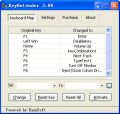
KeyExtender provides users with an effective solution to quickly and easily change keyboard mapping. The program offers a host of features, enabling a user to assign hot keys to perform predefined actions, use multimedia keys on the standard 101/102 keyboard, and many more.
KeyExtender allows you to:
- Replace a key with any other keys;
- Insert frequently used text such as your email address with a single keystroke;
- Assign adjusting volume control to a single keystroke;
- Assign eject/close cdrom drive to one key press;
- Disable keyboard keys(such as win key) temporary.
- Assign hotkey combination or even a sequence of combinations such as 'Ctrl+A, Ctrl+C, Ctrl+V' to one key
Many more useful functions has been predefined in the software.
System Requirements:
Windows 2000/XP/Vista
Publisher:
EasySoftHomepage:
http://www.remapkey.com/index.htmlFile Size:
1.31 MB
Price:
$19.95
Featured titles by EasySoft

USB Virus Scan is designed to enhance the protection when using USB storage devices, it combines proactive behavioral detection with definition-based scan. The moment a USB device is plugged-in, it is automatically scanned by USB Virus Scan, and the viruses on USB drive which may be ignored by common anti-virus software will be detected and removed by USB Virus Scan.
GIVEAWAY download basket




Comments on KeyExtender
Please add a comment explaining the reason behind your vote.
iPhone app giveaways »





Android app giveaways »


![[365fun] Running Man Giveaway](https://android.giveawayoftheday.com/wp-content/plugins/gotd_googleplay_plugin/images/100/2026/06/com.whitewind.runningman_app_icon_1780400784.png)


@34 - Paste is usually Ctrl-V (no alt)
Save | Cancel
I installed this and cant get the key combinations to work.
like ctrl+alt+v for paste to key 2 and it doesnt work.
other things like key 9 now opens calculator do work.
I mainly wanted keys for copy and paste and cut, but so far doesnt work.
will keep trying , thought it was worth a try.
will try some of the free stuff mentioned here if this wont do it.
Save | Cancel
Thanks #22 AdamG for Autohotkey link. Giving a try. Can use Win key as
a modifier as well as a mouse button. And can set letters to expand like btw to "by the way". Been fan of hotkeyboard but free ver doesn't allow for text strings like an email addy nor Win key.
Save | Cancel
Microsoft Keyboard Layout Creator (MSKLC) - free and easy to operate!!!
Save | Cancel
@23: F-Lock is actually a keyboard-only key, meaning that it doesn't pass through to the computer at all. It only toggles the Function keys within the keyboard, so that there's no way to control that via the OS, unless there is a special call that can be made to the keyboard.
Save | Cancel
I agree with #26. I thank Ashraf & Bubby for testing the software programs given away by GAOTD. Keep up the great work guys! :-)
Save | Cancel
Way back in the CP/M days using my Osborne 1 "transportable" computer, I used the very best application for keyboard mapping. It was called "Smartkey". It actually allowed whole boilerplate documents to be loaded into a key definition (up to 100k I believe) pausing for user input at the appropriate places. It also allowed one macro to call another.
KeyExtender may not be quite as good as Smartkey was, but the Smartkey author died before Windows even caught on. So many webmasters would give up their firstborne for great software like this if only they knew how easy it would make their lives. Forget about copy&paste. The past/present/and future belong to very good macro utilities like this with perhaps a few more tweaks.
I personally have tried almost every keyboard macro utility that has ever been written, hoping to get something as close as possible to Smartkey. Nothing has even come close... until today.
This is very worthy software if you understand how it can improve your computing life. It is simple and straight-forward. No glitzy GUI. No scripting required. Just type in your boiler-plate text and speed up your work by hundreds of percents. Of course, if you don't do repetative text entry very much this might not be the right fit for you.
I for one am very appreciative of GAOTD and the developer in providing this Giveaway. Oh, and the price? $19 is NOT too much to ask for this software as long as it provides you free upgrades for life. As able as Smartkey was, it sold for about $25 way back in 1981.... expensive comparted to today. Yet it was a bargain. Imagine you work in a legal office managing the preparation of standard mortgage documents. Can you appreciate how much time can be saved using software like this.
I have TWO thumbs WAY UP on this offering !!!!
Save | Cancel
what is it that people have to berate and slate peope that give thier own honest reiews about the give away of the day
let us all remember that these people have taken thier own time to look at these programmes in thier own time to do this and i am glad that these people do this
we all have a freedom to read these reports and decide from there
whether we take notice and then download
i for one appreciate these peoples reports as i am not perfect in my knowledge of commputers
thank you from me and possibly many others whom do appreciate you efforts
please keep it up
and thank you
Save | Cancel
Competition! This makes GOTD even more valuable. BuBBy actually beat Ashraf to first post. Wow! And the competition is friendly. What else can we expect in the future? The CNET review is neither detailed nor recent as BuBBy or Ashraf (thanks guys) but we have to accept the difference between labors of love and work for pay. Come to think... Ashraf's dottech.org must make great reading for his resume.
Ashraf, BuBBy, GOTD, thanks again.
Save | Cancel
Before you (mis)adjust your K'brd go to this site!!!
http://www.keyxl.com/
---------------------
Platform : Windows Macintosh Linux Web apps Other All
Windows XP - http://www.keyxl.com/aaa6c92/47/Microsoft-Windows-XP-keyboard-shortcuts.htm
ALL Excel - http://www.keyxl.com/l?t=microsoft+excel&c=0&l=1
ALL MS Word - http://www.keyxl.com/l?t=microsoft+word&c=0&l=1
ALL Microsoft - http://www.keyxl.com/l?t=Microsoft&c=0&l=1
ALL PhotoShop - http://www.keyxl.com/l?t=photoshop&c=0&l=1
Save | Cancel
What I’d really love to see in a future update is some added ability which makes it possible to save program-specific re-mapping
....further to my earlier comment, I've now just discovered that KeyExtender already permits the saving and reloading of program-specific settings. Right-clicking the icon in the system tray presents the necessary options....
This program is getting better and better for me!
Save | Cancel
It also doesn't include an option to change the F-Lock key. Duh. Seems like this one is a Lame Duck.
Save | Cancel
AutoHotKey (free) truly outdoes this by far, and also adds mouse and joystick functionality to the mix.
Save | Cancel
Doesn't seem to work at all on my Windows 7 x64 system. Tested by setting Pause Break to "Calculator", hit Activate, pressed Pause Break, and nothing happened. Tried setting Caps Lock to different functions with the same results.
Save | Cancel
WOW. This program is actually the first key mapper that has worked for me in different first person shooter games. It does have glitches and would be nice to be able to modify the delay times for key up & key down etc after defining... I have tried most of the free key mapper pgms but they worked on some and not on other FPS games. Great little program despite the bugs. I you are a fPS player and want to reduce some of the wrist fatigue... this program is great. I should be able to get my usb contoller to work with this key mapping utility, the controller did not work with other free ones but this one might just work.. For all you MOH and COD2 MW fans out there this program actually works... so pull out your old usb controllers etc and give it a try.
Save | Cancel
#14 Fubar:There are definitely too many limitations and bugs with KeyExtender. It shows input alphabetical characters as uppercase, but in some cases it remaps lowercase (only), in others it remaps uppercase and lowercase input to the same output.
Correct me if I'm wrong...but I am of the opinion that KeyExtender isn't really designed to discriminate between upper and lower case used for input? After re-mapping single keys, I too will (sometimes, not always) experience issues if attempting to elicit a desired response by subsequently pressing "Shift+key" (though pressing the single key with CapsLock enabled has so far at least worked consistently without problems). Rightly or wrongly? - I've been happy to forgive KeyExtender for this behaviour.
Save | Cancel
BuBBY, Ashraf & Fubar giving evaluations on same day! GREAT to see all 3! BuBBy et al, I did not read estjaan's (#9) remarks as being a slam on your objectivity. Maybe he (she) should have worded remark better. And making it bold did not help.
And yes, just because software is free, does not mean we should use it. Malware is free too, but I am in no rush to install it.
Save | Cancel
@ estjaan (#9). Regarding your comment to Bubby here is an excerpt from the editors review at cnet who unlike ashraf, review software products for a living.
“However, some of these latter functions didn't perform during our tests; further, without a help guide, the registry map option won't be of much use to novices. Nonetheless, KeyExtender can be very useful to those looking for an efficient key remapping utility, but be aware of possible glitches.”
For the final verdict by a professional software editor, recommendations, and full review please click here http://download.cnet.com/KeyExtender/3000-2094_4-10639828.html?tag=mncol#editorsreview
Save | Cancel
It does not run in Windows 7. Not even in compatibility mode. It gives error 0x800ccc0f
Save | Cancel
There are definitely too many limitations and bugs with KeyExtender. It shows input alphabetical characters as uppercase, but in some cases it remaps lowercase (only), in others it remaps uppercase and lowercase input to the same output. Sometimes it fails to create a tray icon or show itself when it starts (you have to kill the process). The tray icon doesn't always respond to right-click properly. Sometimes, it gives a "Cannot open clipboard" message, when it shouldn't be using the clipboard at all. And this isn't even remotely a new product.
Save | Cancel
Hi all,
Finally a program that's useful for me.
Have win7 x64 and program works fine on my Acer laptop.
I can remap any key in what I want.
No need for me to set in compatibility mode.
Thanks very much EasySoft and GOTD for this one. ;-)
Save | Cancel
....just to avoid (or add to) confusion regarding the Registry Map issue correctly referred to by Ashraf (and wrongly by myself). Having now looked at the manual in more detail, I have to agree unequivocally with Ashraf that something definitely does need sorting with the manual. Further reading of the manual, and looking at the included screenshots (of version 3.9) suggests that the program once had the ability to use both KeySwap Maps and Registry Maps. I'm thinking that the Map tabs are no longer present in the current version, presumably because this feature is now obsolete - whilst the manual is probably relating to an earlier version?
Save | Cancel
On Vista, I didn't have any problems installing or running (no compatibility mode or reboot required). KeyExtender can do things which simple keyboard remappers can't, such as associating multiple keystrokes or predefined tasks with keys. I found it to be straightforward and easy to figure out. However, it's not very useful. Only certain input keys can be mapped/extended, and only predefined tasks can be launched.
FYI: I tried Opera's latest beta. I haven't had time to study all of the features or hotkeys, but it's very fast, light on memory, and easily capable of opening huge numbers of tabs. It doesn't support some stuff, such as Google Wave.
Save | Cancel
@9 - estjaan. BuBBy - The freeware alternatives you mention are not equivalent You are correct, they are in my opinion superior - Ashraf also suggested one of the two alternatives that I made.
The freeware alternatives that users list are rarely a 100% feature match with the giveaway. But the options that I mentioned, I believe most will agree could be substituted should they return to this page after the giveaway finishes (looking for a freeware option).
One of the "missing features" from the freeware could be more than replaced with something like Phrase Express.
2. "Ashraf's evaluation is more objective and fair." Are you suggesting that my evaluation was unfair and not objective? Do you believe that had I written that I loved the program - that would be more "objective"?
I have no affiliations with any of the products - and wrote it from my viewpoint as a software developer of over 20 years.
For Example:
Key Extender gives you a button that you can click on - and when you do - tells you that you should only click on that button after you have clicked on something else... ok so if the button wasn't supposed to be clicked on ... WHY WASN'T IT DISABLED ? - Why give users the ability to make invalid selections - or (like in Hitch Hikers Guide) give the user a button that lights up when you press it - reading "Please do not press this button again"
It may have some bugs and imperfections, but so what – it is free. Firstly it is free to you today. That is different to saying "it is free" - because it isn't. Today GOTD paid for the software - and next week when someone is looking at purchasing the software for whatever the current price is - the reviews they will want to read - is it worth the money?
Yes we got the software today for free - but don't be fooled into being more lenient or glowing about how good the software is, just because you didn't pay any money for it today.
Tomorrow the same software, flaws and all will not be free.
...and yes, "it has bugs and imperfections, but so what - it is free." There are lots of things with bugs and imperfections - and I don't lower my standards or expectations of quality - just because I didn't have to pay for it. There is rubbish freeware out there (it doesn't improve in quality because it is free).
Save | Cancel
@ Bubby (#1). The freeware alterantives you mention are not equivalent.
This program provides important and useful options that the freeware, KeyTweak and SharpKey don't. The latter can only replace one key with another, e.g. caps lock with shift. But this program can assign multiple keys to one key, and much more.
Ashraf's evaluation (#2) is more objective and fair. I am afraid Bubby had a bad day when he tried this program :). It may have some bugs and imperfections, but so what - it is free.
I will try it and as it fulfills my needs for rapidly accessing certain key combinations as well as entering text with a single keystroke (of course there are few keys available for it). I will consider switching CapsLock and delete keys for example to make the latter more accessible (though that is also possible with the freebies)
Save | Cancel
Users above are correct about the help but once you get into the way the program works it is quite flexible and easy to use. With regards to typing accented carrected pick a key (Set) then select typetext in the (To) box and a dialog box pops up and you can enter any text to wish in the box. Then when done click on activate.
I agree that this is in no way a commercial product purely from the help (or lack of) but I have figured it out to do all I need and apart from a bit of fumbling at the beginning found it to be a neat little program. Thanks to everyone who published details of other freeware programs if I do have any problems in the future I will check them out but for now This does all I need.
Easysoft if you are a true software house employ a technical author to write your helpfiles or design your UI to make it so easy to use that you dont need a help manual. I figured it out but 2 other people did not. Suggest you check out 'Joel on Software' about life the universe and ui design he runs a software house the way they should be run!
Save | Cancel
Early comments: Maybe going against the grain a little, but I think I'm going to like today's program a lot. Whilst I haven't had time to explore all features yet, I'm already seeing a lot of practical potential. Admittedly there are problems with English translation, and a paucity of help. For example, when Ashraf says that The program manual claims KeyExtender is able to remap keys to the registry, I rather suspect the manual is only attempting (with it's best rudimentary English) to educate as to the difference? So far, I've personally been finding the program quite intuitive to use, and I haven't encountered Bubby's issues when re-setting keys - they just disappear from the KeyExtender window, and are no longer re-mapped.
I've been testing KeyExtender whilst using Poser 7 (3D software). Like most complex applications, features and views within Poser 7 are usually accessible by means of keyboard shortcuts, which take the form of key combinations. Apart from having to press maybe a combination of 3 keys (e.g. Shift+Ctrl+O) the problem of course is in remembering these key combinations. I don't think Poser uses any of the Num pad keys for it's existing shortcuts, so my brief testing thus far has involved assigning most of my commonly used key combinations to particular Num pad keys. It was a breeze to set-up in KeyExtender and seems to work flawlessly, saving me a great deal of head scratching and time. Although the assigned key combinations only appear in KeyExtender's window as KeyCombination1, Keycombination2, etc. the precise key combinations can be viewed and easily modified (if required) by right-clicking.
I suspect there's a lot of other useful practical potential to be found in KeyExtender. But though I've only touched upon the surface, and in spite of others' earlier warnings and misgivings, I have to say that the program is already proving to be a winner for me. What I'd really love to see in a future update is some added ability which makes it possible to save program-specific re-mapping, in much the same way that MS intellipoint software permits program-specific mouse keys.
Thanks EasySoft and GOTD.
Save | Cancel
There is one security related use case of this software.
If you face extremely sophisticated BIOS based spyware or hardware keyloggers, you can keep your precious passwords secret with this application, as these devices only have access to the physical keystrokes not to the results of any windows based software mapping.
However, this program might not protect you from software keyloggers.
But if you like to use this programm for such security purposes, you should solely use it for the input of passwords, pins etc. and never for the input of entire text, because "intelligent" keyloggers would reconstruct your secret mapping using character frequency analysis and even digit frequency analysis.
Save | Cancel
Tried this before and,let us just say, I'm not inspired to *retry* it. From installation struggles (on Win7 Ultimate 32) to mysterious error messages, the program is better left in *my* rearview mirror. About the only good thing I can say about it is that it went away without problem
You might feel differently, of course.
My freebie alternatives: autohotkey if you aren't tech unsavvy; customkeys lite if you are.
Save | Cancel
Hi,
Installation on XP pro sp3. Ad-aware correctly informed me that a new process was attempting to access my registry. I clicked allow. Unfortunately the installation process didn't wait, it continued, flagged an error and then failed to install properly.
After installing it I was disappointed. I have an English Keyboard yet sometimes need to write Czech characters such as č ě š ž ý. As they are not visible on my keyboard it's a bit hit and miss for me. I have to use the Menu key + 1-9 and thought I could re-map to something like Menu key + s for š. Unfortunately the key combinations in KeyExtender are hard coded, ie you cannot create your own combinations, or at least I was not able to do so.
Also, once you select a mapping to be changed and not set what it should be changed to it will give you an error message when you exit the program.
Exiting the program doesn't close the program either, it's process still runs, you have to exit from your task tray.
When it's running it doesn't show on your task bar, so if you are changing tasks you have to double click the system tray icon to make it appear again. That may not seem difficult but it's not the standard windows way of doing so which is what I'm used to.
You need to be very careful with keyboard mappings, what might be good for one person may well not suite another who uses your computer. Recording macros is great, they are at a program level, changing common keyboard settings at the system level is not a good idea at all.
Personally I think it's very buggy and not well thought out, and is certainly not worth $19 on a normal day.
Kind regards, Andy.
Save | Cancel
Seems, from its description, as similar to "iTouch" of "Logitech", so if anyone has a Logitech Keyboard, than downloading (free) and installing it enhances natively the Keyboard abilities.
["By downloading iTouch software, you’ll be able to customize the time-saving F-keys and hot keys. In addition, you can easily program the iTouch keys to launch the applications of your choice."]
[for example - for WinXP - http://www.logitech.com/index.cfm/478/3362&cl=us,en?softwareid=643&osid=1§ion=downloads]
Save | Cancel
The Good
* Straightforward and easy to use.
* Allows users to remap any keyboard key to any keyboard key (based on a standard keyboard).
* In addition to remapping individual keys to individual keys, allows users to map keys to do other tasks, such as insert predefined text, clean text, simulate a sequence of keypresses, make one key do the work of multiple key keyboard shortcut, etc.
* Supports remapping of "multimedia" keys in addition to the standard keyboard keys.
* Users can suspend/activate the program at will.
* Users can save/load settings at will.
* Has a feature which allows users to disable the keyboard.
The Bad
* Windows 7 users (and Windows Vista?) must either run the program in compatibility mode or restart computer after installation.
* The program manual claims KeyExtender is able to remap keys to the registry (instead of remapping at the program level) but there is no clear way on how to do this.
Free Alternatives
Comfort Keys Lite
SharpKeys
For final verdict, recommendations, and full review please click here.
Save | Cancel
I've found this to be very unfriendly - and very undocumented. (The online user guide reads more like 5 sentences listing the basic "features").
To give an example - the first few minutes of using KeyExtender - I was battling with 2 error messages. I clicked on the "change" button - and got a message Change successfully!The change can be applied after clicking the Activate button." - When you click on the Activate button - you get a message to please "change the key first".
After defining a few keys - I decided to remove them - and just couldn't remove the last key mapping - if you click on the key mapping - and try to reset it, you will get a message that the change was successful - and KeyExtender puts the key mapping back. Solution right click on the mapping in the grid and select remove from there (Don't use the Reset Key button).
Clearly this hasn't been put through any sort of workflow or user testing (that is your job today). If all goes well this should be the first user interface "EasySoft" have designed. (This is certainly by no means at "commercial software" level of polish and function)
Save yourself the hassle - just go with the freeware on this one (the freeware is so much better).
KeyTweak - 2.3.0
http://webpages.charter.net/krumsick/
How do I ... remap my keyboard with KeyTweak?
techrepublic.com
Sharp Keys 3.0 note: lots of blogs etc point to older versions for download
http://www.codeplex.com/sharpkeys
Map Any Key to Any Key on Windows 7 / XP / Vista
howtogeek.com
Remap Keyboard (With Sharp Keys)
ghacks.net
How does this all work? (Slightly Techie)
usnetizen.com
To map entire strings or text passages etc to a keystroke - It is more useful and flexible to use a package such as Phrase Express. Freeware for personal use.
(All of the freeware is reported to be compatible with at least XP, Vista and Win7).
Save | Cancel