Every day we offer FREE licensed software you’d have to buy otherwise.
Giveaway of the day — Hide Window Plus
Hide Window Plus was available as a giveaway on March 31, 2007!

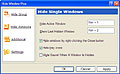
Hide Window Plus is a tool that allows you to hide any window from the screen and the taskbar with a single keystroke or a right click on the Close button. If the program creates a tray icon (near the clock), it will be hidden as well. You can later un-hide the program with a keyboard shortcut.
This tool also allows you to run a screensaver, turn off the display or mute the sound in no time using keyboard shortcuts. The program runs invisibly in the background and doesn't clutter your system tray. Hide Window Plus is a must-have tool if you are concerned about your privacy. Hide Window Plus is compatible almost with any Windows program.
Why use Hide Window Plus
- It helps you to feel safer and more confident
- It protects your privacy
- It allows you to save energy by turning off the monitor with a shortcut when you leave the computer
System Requirements:
Windows 98/ME/2000/XP
Publisher:
Hide Window SoftwareHomepage:
http://www.hide-window.comFile Size:
669 KB
Price:
$19.95
Comments on Hide Window Plus
Please add a comment explaining the reason behind your vote.

iPhone app giveaways »





Android app giveaways »





Worth for buying it, I recommend this program.
Save | Cancel
To all people who said they can program this type of application themselves quick and easy, blah blah blah
They don't know what the heck they are talking about.
I am in the programming business for 20 years, and I have to say HWP is not an easy application that anyone with little knowledge of VB or Delphi could do in a year, never mind 5 minutes.
Regards,
Save | Cancel
Awesome! Very useful. Ctrl+C and all my internet windows are gone. =]
Save | Cancel
#22 and #108; You are referring me to a review that refers twice to "hided". LOL. Yeah, I bet I couldn't do have the stuff you do, but then again I don't play with myself!
Save | Cancel
#109, easy...
1: I always have a simple rule, you can use my computer when I am not around, but never ever shut down my comp. 99% of the time my computer is doing something when I am not around, downloading, converting movies, defrag my hard drive and etc etc. People can easily remember not to shut down a comp, but sometimes it is hard or easy to forget not to close specific programs.
2: First they have to know if you indeed using a windows hide program. Secondly, they have to know which program it is. Thirdly, they have to guess your key combination. Not that easy.
3: Some people have, what I call insecurity issue. They have to know every little thing you are doing. Do you want to share your family issue with your girl friend? Do you want to tell every single problem you have in the office with your wive? Creating additional log in profile and locking the computer ALWAYS trigger their insecurity ego right away.
"Hey /your name here/, why do you have to lock this comp , why I have to use a different profile, what are you hiding from me, are you having an affair????!!!" which I can say far to common....
All I am saying is the program is great when you share your comp with a regular user, who just use the comp to browse the internet, email and listening to music (like your spouse or girlfriend). You do not want to use this program and share your comp with someone who has an IT background and their stuffs.
Save | Cancel
#105: Refer to #107. Looks like uradork.
Haha, I bet you can't do half the shit I could.
Save | Cancel
Its function may be useful for someone and sometimes, but this software is NOT good for use!
Programs are hided, yes, but how to recover them? I tried and tried and then I can find ways to recover the hided programs.
So this software must be improved signicantly on easily receove programs, otherwise I dislike it.
Save | Cancel
You guys are absolutely hilarious. This program is so usefull in many level, especially if you share your computer. And for once if you ever let a child to install anything in your computer without an admin access then you are the one who should get the blame.
Why the program is so usefull???
1. You can hide things so people wont shut down that program. If you live with somebody else that sometimes need to use your computer for an hour or so, this program is so useful to keep them from closing your program accidentally. How many times you lend someone your computer and you lose things you are working on. I sometimes open more than 10 windows to do my work, it is very annoying to open those 10 windoes again if someone accidentally close it.
2. I vote for liberal, and nobody else need to know about it.
3. I am having a private converstion that I prefer none else know about it, beside the person I am talking too. And no, not all private conversation is about sex.
My point being, there is some stuffs that you want to keep to yourself and there is NOTHING wrong about it!!!
Save | Cancel
#22
So, you program in VB6? How nice. Try something a little stronger, like .NET. And quit bragging about you making some simple little program. I guarantee that your piece of shit program is nothing like todays giveaway. Maybe your friends didn't use it because it sucks....like you!
Save | Cancel
#92, you should always uninstall software before doing a System Restore. Restores Points only protect some critical Windows areas, they do not back up your entire system. When you do a System Restore, anything not covered by the restore point will remain. Further, if you have installed multiple programs since the Restore Point was set, you may run into serious software synchronization problems.
Save | Cancel
thank you so much, my boss never catch me playing video games all day anymore cuz this grate software from you good dudes at give of the day
Save | Cancel
In response to #13.
Honestly Laura, it's pretty much intentened to reduce the chances of getting caught while watching porn.
There are other free programs that do this aswell.
Save | Cancel
I don't need this,but I'll give it a 5.
Save | Cancel
Thanks GOTD,nice software.For you parents though,just be more responsible in observing your kids use of the Internet.
Save | Cancel
For terminating all hidden programs, just use on closewindow API on the windows' hWnd.
When you hide a window using the user32 API, it is ALREADY effectively hidden from the alt+tab list as well. As with API limitations, this program can't hide program executables from Task Manager... Maybe it's too difficult to achieve without resorting to rootkits.
Running screensaver is just a matter of running blank.scr or logon.scr or any other screensaver file.
Save | Cancel
#27, for muting sound, again it can be easily achieved through accessing APIs.
For hiding multiple programs, it is just a simple loop, each searching for the program's hWnd and then hiding its window...
Of course one will say that his program is the most stable, but $19.95 for such a program that doesn't suit everyone is a bad business strategy.
Save | Cancel
--- deleted ---
Save | Cancel
i so much enjoy using the website
Save | Cancel
The tool is useful for temporarily doing away with forms like a clock that otherwise would stay in front while you are watching a slide show.
All sorts of forms can be put together in one group very easily and without exception. I find it useful and reliable. And unique.
Save | Cancel
I havnt yet tested this Program. But Already use 1 very similar.
I see many negative responses about this style of program.."Why do you need to hide stuff?", "You must be doing something imoral if you have to hide it..."
It's Like this..most days when im working on my Pc, It is usual for me to have about 6 Programs open and running (Web Servers, ftp Server, Lotus, Outlook express, etc) My Task/Sytem tray(Notification erea) already takes up half of the space down there, pluss a start menu & quick Launch.. I run out of room for open programs especialy when I am working several web pages for reviews, or serching and adding information. The more Program that i need to have open and can hide into the backround, the more space I have for the tasks I am working on at this moment..But my server is still running, and I can can check other programs quickly without having to ropen them(Outlook Express)
This Type of program is a most usfull tool for those who have many aplications open and need to keep them at the ready, without clutering the Task Bar or Notification erea :-)
Save | Cancel
Thanks but No Thanks.
Basically, laptop dragpads ftw. i already have all window minimizing, expanding, closing, etc shortcuts on my vaio drag pad.
no need for this, thank you!
Save | Cancel
I appreciate all of the concerns about the safety of children, and the moral judgments of some. But I'm a great-grandfather with dozens of guests in my home at almost any hour. I'm an author, among other things and I don't like others to see my work until I'm done... and I don't always want to close the application. So, not everybody using a program like this is nefarious.
As a precaution against hangups like those experienced by #47...I always create a restore point (I have XP) before installing anything... and this includes updates from Microsoft. If there's a problem, I restore to that point... no "remove software"... no hassles... Poof, it's gone!
Save | Cancel
Well after I installed this the internet connection icon in the taskbar has dissapeared! can someone tell me how to get it back?? also I just noticed that this does not work if you run your web browser in a sandbox. I was using sandboxie and it does not hide the web browser.
Save | Cancel
you must be REALLY paranoid if you want to hide everything. What if you want to uninstall this program if you don't want it anymore. You can't, since it's hidden in the Control panel And and Remove. Seems pointless. Won't be using this one today.
Save | Cancel
I always wanted something like this. Thanks :) I'm not sure if the price is not a bit on the high side though.
Save | Cancel
and i forgot to say,
#46
maybe you can also try set a short key for a screen saver (if you do not set screen savers to ask for password)
Save | Cancel
#60,
I think you should have said that Alt/Ctrl/Delete only works on a computer in a Domain, though it shouldn't be a problem for #46, I guess many people here didn't even have had access to a domain computer.
Save | Cancel
YAY! i can hide My KeyLogger now! *just kidding*
Save | Cancel
#45 and #50,
Did you find any real "outbound connection" or "send data" from that program? It's natural for such a program to have appears to "connect to the network" since it adds a gloabal hook to programs(from what I read by now it hides the window when you right-click the close button, and this surely need a global hook). So what really happens is another program accesses the network but you firewall program thought it is this "Hide Window Plus", and of course if you block it the "another program" does not work any more.
Save | Cancel
This is the perfect tool for kids!! They can get on adult sites while their parents think they are doing homework. LOL!!
Save | Cancel
But what about the children??? (sniffle)
Save | Cancel
Thanks! It works great!
Save | Cancel
Uses? Well since this has come up I'll give my 2 cents.
A lot of people have jobs where they are dealing with sensitive or private information. Some may even take this information home to work on. Even if you have a pvt room There can always be interruptions, but doesn't mean you want to lose what you were doing so hiding it in a hurry could be useful or if you have to get up/away from the computer a minute for a bathroom brake or something.
Or maybe your just a parent with children and you want to look at adult material. (It's not a crime and nothing wrong with it when your the proper age!) you child, as they often do, walks in on you not thinking because they want something. Hiding those window quickly would definitely be a plus. Or even if you have roommates. And don’t have the luxury of being able to have a computer in a separate room. Doesn't mean I want them knowing what I do. Not cause it's bad but because it's non of their business.
SURE, there are other ways of doing this. There always are! like closing windows or turning off the monitor (though sometimes that can look a little suspicious.) But humans by nature make a lot of things we don't NEED we just WANT because it makes life a little easier in most cases. I don't NEED a lazyboy recliner with a mini fridge in it either. Don't mean I don't want one!
Either way, stop judging what other people chose to do with products. It's non of your business, and I'm pretty sure non of you are saints either. Please stick to useful information on the product offered and let others decide what they want it for.
Save | Cancel
#23: I use Your Uninstaller!.
Save | Cancel
The program respond with an expired window and requires payment for use
The application does this after registration with Giveawayoftheday.
Save | Cancel
Thank you very much!I`ll have a try for it!
Save | Cancel
Again "Thanks but No Thanks" I am very happy with (Dropcloth) it works very well & not a resource hog!
Save | Cancel
Now THIS I can use---thanks, GOTD!!!
I'll probably use it to hide my peer-to-peer programs, so my parents don't think I'm clogging bandwidth. :)
Save | Cancel
For those that are interested in a freeware program that does this, I'd suggest WinRoll:
http://www.palma.com.au/winroll/
Save | Cancel
Thanks GAOTD. But I really don't need this as I have my personal laptop, which is just as easy to close the screen. Thanx for the cool GA's tho!
Save | Cancel
I have windows Vista and it wouldn't work for me. Thanks anyway GAOTD.
Save | Cancel
Thoughtful offering as ever from GOTD but obviously not going to suit everyone.
I'm curious about Pedro's post at #46 because I used to work in a similar environment.
And there was no need to resort to anything like hide windows or similar software: as anonymous posted almost at the start of this thread (#2), I just clicked the 'show desktop' icon and that was that.
(And as for turning off the monitor, er, haven't power-save options been available via Windows from as far back as 3.1????????)
Save | Cancel
Thanks, but no thanks. I can program this myself in, like, a minute. 1-10: 4
This could be useful for porn addicts. But there are plenty of free programs that do the same thing, just better.
Save | Cancel
Hello again everyone ;)
I'll be passing on today's download, simply because I or my husband have nothing to hide from one another. I really don't mind on the rare occasion that he looks at (classy) porn, in fact he'll show it to me, usually with a chuckle for some reason, (we have side by side computers in our home office,) and we never seem to be on the computers separately as we like to be together (even after 10 years! ;) and I honestly don't do anything that would need hiding from him.
Hiding from the kids? Well we only have my husband's children every other weekend and he would never look at porn with them in the house anyway. I try not to be on the computer when they're here anyway, preferring to be involved with them in some other way.
So all in all we have absolutely no use for this program. I am a little worried though about kids who frequent this site and see an opportunity to engage in behaviors that could possibly do them both psychological AND physical harm in the future.
Our kids get to use both of our computers and my husband (software programmer,) ensures that our profiles are locked down tight and inaccessible to anyone else. However, the kids profiles are not password protected and we won't even allow it until they're of age. They're also aware that my husband logs all key strokes on their profiles and can check the logs anytime.
We did have a problem with our oldest daughter when she was around 15. My husband randomly checked the logs and found out that she had d'loaded Yahoo! Messenger and was talking to some guy who was 28 years old. We were furious on two fronts; none of the kids are ever allowed to d'load anything without express permission from one of us - and that the kind of 'fun' (as she called it at the time,) could easily become dangerous.
I'm sure we all remember the case of the "Barrel Murders" just a few years ago. The guy would develop relationships on IRC and Messenger, ask to meet them after a few months, lured them into his home, raped them several times, then cut them up into smaller pieces to stuff into barrels filled with (lye?) at the back of his house. *shudders*
I *do not* screw around when it comes to the safety of my children and will employ any method possible to keep them safe.
So, thanks but no thanks GOTD ;) I will be back tomorrow though because I'm so grateful for this site and what it provides to all of us ;)
~ Swan
Save | Cancel
This software has extremely-limited legitimate usefulness for normal computer users. Even at $20-a-pop, I can't see the developer making enough money with it to justify the effort! Even for free, I have no need for it. If you don't want somebody seeing your monitor, tell them not to look at it or turn it off. (There's usually a conviently located button on the front of it that will do the job quickly, -- and it doesn't cost anything extra to use it!)
Secretive, spy-type "privacy" programs are really only needed by spies. Maybe James Bond could use it. The British Secret Service might buy it.
Save | Cancel
#26 About the 24 y.o. stepson, it's perfectly reasonable to not want your computer cruising to worm/virus infected warez sites, leaving your ip allover the seedy side of the net. If he lives in my house, he follows my rules, if he doesn't like it, I'll set the suitcase on the porch for him. When I live in his house, I'll leave his computer alone. #30 the word is Responsibility. We should each be responsible as much as possible for what happens in our own houses. If he was selling illegal firearms to minors from the house would you say sheesh, leave the boy alone, he's 24?
Save | Cancel
Not worth $20. I have been using an open source product called watchcat (search on download sites) for about 9 years now. There isn't any update for a while but it still works fine on Windows XP (except for unhiding console windows). It has 10 times more features than this.
Save | Cancel
#19 as to foridden fruit, I guess we shouldn't outlaw murder or sexual assault then eh? It is true that people often want what is forbidden, but usually it is forbidden because it is wrong and/or bad for us. In school they forbid us (the students) to cheat, but some do anyway. Do you think they do it because it's forbidden? They do it because they are lazy and don't want to do the work. Why do you think we, as a society, forbid cheating in school? It's not to kill fun, it's because if they cheat, they don't learn and if they don't learn, they spend the rest of their lives asking "do you want fries with that?"...or worse. Would kids quit cheating if schools quit forbidding it?
Save | Cancel
Hello all! Today's 15-Minute Review is up! Check it out!
http://www.bladedthoth.com/news/2007/03/31/15mr-hide-window-plus-v2-0-0-0/
Save | Cancel
Sounds like primary use is the same as the old 'bosskey'. Although there could be legit uses I guess, most who use this kind of stuff are just trying to hide something they shouldn't be doing anyway and would probably be better off if they did get caught. Then they could deal with the porn addiction or find a job swingin a hammer etc. where they could do something productive with their lives instead of wasting them on games.
Props to Laura for actually caring about her kids.
Save | Cancel