Every day we offer FREE licensed software you’d have to buy otherwise.
Giveaway of the day — Hard Drive Inspector 4.19
Hard Drive Inspector 4.19 was available as a giveaway on November 4, 2013!

Imagine how you would feel if you had suddenly lost all the data from your computer: all documents, e-mails, addresses, accounts, saved passwords, photos, music, and video. Sounds like a nightmare, doesn’t it? But that’s exactly what will happen when your hard drive, a computer part which stores information, crashes.
Since the hard drive has constantly rotating mechanical parts it suffers from wear and tear. And it can break down any moment without prior notice leaving you with ashes, naked. Yes, a hard drive is just a piece of metal and easy to replace, but can you as easily restore its unique contents reflecting years of your life and work? Prevention is better and much cheaper than cure. Use Hard Drive Inspector which continually monitors disks’ health and warns you in case of danger, thus reducing your chances of shocking “surprise”. Install Hard Drive Inspector for free now, tomorrow may be too late for your hard drive.
Don’t miss your chance to save $20 (50% discount) on Hard Drive Inspector for Notebooks!
Note that best improvement idea will be rewarded with the lifetime license (including updates and support) for Hard Drive Inspector. Use Idea Informer widget to submit your feedback and do not forget to fill in your name and e-mail – otherwise the Developer will not be able to contact you in case you are the one to win!
System Requirements:
Windows 2000/ XP/ 2003 Server/ Vista/ 7/ 8; about 10 MB of disk space
Publisher:
AltrixSoftHomepage:
http://altrixsoft.com/en/hddinsp/File Size:
9.34 MB
Price:
$29.95
Featured titles by AltrixSoft
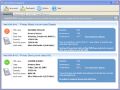
Hard Drive Inspector for Notebooks is a powerful, effective and easy-to-use program that monitors hard drive health. Notebooks edition has all the functionality of the Professional version, but also takes into account specific features of notebooks.
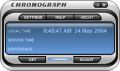
Chronograph is a simple utility that synchronizes your computer’s internal clock to the atomic time. Standard internal clocks are usually very incorrect, and need frequent manual corrections. Chronograph automatically maintains correct time using atomic clock servers of the US National Institute of Standards and Technology.
GIVEAWAY download basket




Comments on Hard Drive Inspector 4.19
Please add a comment explaining the reason behind your vote.
iPhone app giveaways »





Android app giveaways »





I received no answer from the company as to whether it was truly a giveaway or just another free trial. Methings I will uninstall and run a thorough cleanup afterward. These folks are in Russia and that gives me some concern. Bad enough that the NSA is snooping into my life, I don't need the KGB there too. There's apparently lots of free alternatives to this program. I think I'll go to GSmartControl. It works for both Linux and Windows.
Save | Cancel
at #1
Ashraf, I respect your work here but please DO NOT RECOMMEND HDD Expert anymore. It installed spyware in my PC without letting me to stop it! There was no option to do that during installation process. Then the ugly spyware installed hijacked my all browsers home pages and search engines.
Save | Cancel
Because of the serious privacy concerns raised by #38, I'm uninstalling it.
For those keeping it, note that closing it still leaves HDDSvc.exe running and that could be the spyware described by #38. Whatever it is, I don't like programmes that leave things running when I close them. A filename like that made me think it was legit and I let ZoneAlarm allow it. Now I have serious doubts.
Be aware, too, that the default is to add it to your Startup folder. It doesn't ask for permission to do that when you install it, nor does it ask if you want it adding shortcuts to the Quick Launch menu or to the desktop. It does all of that without giving you a choice until after it's installed, meaning you have to go back and tidy up its mess manually.
It's unfortunate, because it seems to work well in what it's supposed to do, but spyware worries me and impolite installation processes annoy me.
Save | Cancel
#2-what do you think... shouldn't it be Mr GioFreeanni? :) Thank you
Save | Cancel
Thanks to GOTD... this software is really Handy and Useful.I've used the earlier version and works well.
Where can i find the Hard Disk "BAD SECTOR" detector and Remover software for free Offline?
Please anyone Share the Link.
uninvited.downloader@yahoo.com
Save | Cancel
It downloaded and installed OK under WinXP but it won't activate. Yes, I followed the instructions and no, nothing happens.
I've tried running activate.exe with HDI running and the window opened, with HDI running and the window minimized, and with HDI not running. It won't activate.
It takes me to a webpage where it will cheerfully accept my payment, but the GAOTD activation isn't working.
It is reporting properly about my hard drive, however, so at least I'll know for the next 14 days that it's in good shape.
Save | Cancel
So...this giveaway does not apply to the laptop version? As nice as this offer looks, I don't know if it's worth installing since I don't have a desktop....
Save | Cancel
I downloaded Hard Drive Inspector from GOTD and installed it. It
would not register when I used the activate.exe. The software still is unregistered and shows trial.
Save | Cancel
Like many of these GotD offers, this is not a "giveaway." It's a trial version which is quite limited. Running the Activate.exe file merely gets one a message that Hard Drive Inspector Professional is activated and registered - yet it is no such thing. It still wants a registration number, and it is of no value in its present shape.
RECOMMEND: Do NOT download; do NOT install.
Save | Cancel
reported my 2 SSD as
ATA Corsair GS in critical condition (god save me...)
ATA Gorsair GT in critical condition (..)
and also reported these 2 models
SATA oCsria roFcr eSG
SATA oCsria roFcr eTG
no idea where it got Corsair name wrong...but i also dont have 4 SSDs...
Save | Cancel
I get message that it does not recognize all my drives and cant perform on them send a note.. LOL they are 2t and 3t drives barracuda. ???.
Save | Cancel
And yes, I did follow the instructions in the Readme text file.
Save | Cancel
I just downloaded and installed Hard Drive Inspector with about 10 plus hours to go on the Giveaway but the activation screen states something to the effect of "Trial version only, 14 days to go" I clicked on the "register" button and that took me to their site where I would have to pay $29.95 to register for a license. Is this truly a permanent "no strings" free program to use as long as I wish or just another trial version? I somehow thought programs offered on GOTD were something better than just a limited trial. You can find them almost anywhere.
Save | Cancel
I checked on the software website HDReg.com and if I read it correctly, it said that it is unavailable and has been unavailable for a while!
Save | Cancel
So it's telling me that SATA Drive 1 has 94% reliability, 100% performance and 100% error resistance and SATA Drive 2 has 71%, 71% and 71%. This seems strange to me because there is only one HDD installed on this PC.
Save | Cancel
#1 Ashraf
...in the past, while you've recommended 1000s of excellent programs, I would be ashamed to PROMOTE the HDDExpert program as found here > http://kcsoftwares.com/?hdde
!!! WARNING !!!
Why? Referring to the following image and or link...
[IMG]http://i42.tinypic.com/e87tjc.jpg[/IMG]
http://i42.tinypic.com/e87tjc.jpg
...the author's software installation includes MONITORING & COLLECTION SPYWARE.
!!! ONE HUGE THUMBS DOWN FOR Ashraf's Free Alternatives recommendation of HDDExpert !!!
Martin
Save | Cancel
This software giveaway is pretty much useless for those who have only notebooks/laptops in the home, unless you pay for the notebook version, even if it's 50% off!
Save | Cancel
Still no comments as to whether this software is any use for solid state drives ?
Save | Cancel
#6 TK: At Green Village Computer Help we see plenty of laptops with crashed hard drives; it's a common problem.
It only takes one head crash to teach you the importance of backing up your data.
The best time to back up your disk is just before it crashes. Since you never know when it will do that, it's best to back up early and back up often. Best strategy: weekly full backup plus daily incremental backup, AND take the backup copy off-site, perhaps to a safe deposit box. That will keep your backup safe, in case of fire.
If you can afford RAID 1, that's a good, automatic copy in case a drive fails, but it should not be considered a backup, since the copy is in the same place as the original and a fire would take out both. But RAID 1 has other problems as well; for example, if you lose power while writing to the disk, both disks in the RAID setup will be corrupted. A UPS will keep that from happening, but UPSs fail from time to time as well, and their batteries go bad regularly too.
Save | Cancel
#13, #19:
Something like "chkdsk /f /r /x /b" has limitations, and can take forever (read hours or even days) to finish.
You have to distinguish between hard and soft bad sectors. Hard bad sectors are sector physically damaged. There's nothing to do but to mark them as unusable. Soft bad sectors can be reset with a low level format. Try HDD Low Level Format Tool and Repartition Bad Drive.
In another era, bad sectors problems were easily solved with Norton Disk Editor (I still have it, lol). I did programming with Turbo-Pascal 4.0 and a MS-DOS/8086 interrupt guide to develop low level tools.
Also, a visit to the disk manufacturer's web site may pay off. For example, Western Digital and Seagate have software to help keep their HDD in health.
Save | Cancel
Seems to work ok 'though on first run Spybot Search & Destroy reported "Encountered and terminated PBHotbar.SearchAssistant in C:\WINDOWS\system32\wbem\wmic.exe!" so it appears to carry a dodgy toolbar payload (didn't see any pre-checked boxes, just the usual 'check to accept license terms' box)...
Save | Cancel
I installed it happily, thinking about it's rave reviews, but I have to say that this has nothing to offer compared to Hard Disk Sentinel (HDS), an older GOTD offer. This new program will not pick up my SMART data like HDS does. No temp, no data, no anticipated life span- nothing! I selected ADVANCED and set everything to SMART data and still nothing! This is a clear dud compared to HDS and I'm uninstalling it.
Save | Cancel
While no program is 100% infallible, I think this one gives you a great idea of what is going on...I think that the data as well as the temperature are all good to be able to learn..and it doesn't seem to grab much system resource...sort of like an oil pressure and water temperature gauge on your car!! And, like any GOTD program..Ya just can't beat the price!! Thank you GOTD for another usable program!!
Save | Cancel
I downloaded Hard Drive Inspector from GOTD and tried to install it. It
would not register when I used the activate.exe. I uninstalled and then
installed it in safe mode and activated it in safe mode as administrator. The software still is unregistered and shows trial.
Save | Cancel
Looks like a good piece of software, but would not, did not register, after multiple attempts. And so it's gone.
No problem; I have WD Diagnostics and several other HDD monitors, but this does look like a good piece of software that I'd love to try.
Save | Cancel
@#19 Bob Holley
Bob, this type of software checks the hardware. The problem you have seems to be the result of a faulty file system which is a software issue and is checked by CHKDSK and comparable tools. Common causes of file system issues are short outages of the power supply, switching the system off without using shutdown etc. To recover I suggest you do a partition backup first and then try to correct the errors using Linux tools.
Good luck.
Save | Cancel
I have a 2TB external Hard Drive (My Book Elite) that keeps indexing and slows access to files and eventually my PC reports that the disk cannot be recognized. I have an open inquiry at a free tech forum on this. Windows 7 and 8 scan disk does not find anything wrong, Western Digital's diagnostic tool, WinDlg.exe couldn't find anything wrong with it BUT THIS DID!!
It claimed to know the temperature of the drive and how long it had been running which I doubt. The program also loads 1 or 2 files at boot that are not necessary but considering it found what Windows and Western Digital couldn't, I recommend getting this. I had two other drives it tested also with good results. It took several attempts to launch the program and I eventually ran it in admin mode.
Hard Drive Inspector's report seemed to be in English and some other language but it recommended I back up the data right away but I can't. Raw Data Failure. I can see the folders and even get to the sub folders but I can't run anything from it or copy it. If ANYONE knows of a good app that will help me copy these files over to another drive, please advise.
Save | Cancel
It doesn't recognize my two RAID 1 HDDs!
Save | Cancel
This software seems to do what it says. I'll keep it in my toolbox. Hey Bob Holley, your problem sounds like 1 of 2 things. Either the 5% that is bad happens to be only on the Windows 7 portion of your disk, or your hardware is fine but you have software problems on your Win7 partition.
Save | Cancel
Anyone with a failing hard drive or a suspiciously -s-l-o-w- system:
1 - blow out all dust, r&r remove and reinstall all electronic connectors to insure they are clean
2 - install supplemental fans to keep everything at room temperature, especially during data recovery
3 - get and run Spinrite.com (it boots without your operating system)
Backup your data ASAP.
I often backup before and after Spinrite, but the fans help cool things down, so do that first. Software wise, I like
-- XCopy (free in the OS),
-- XXCopy.com (smarter, free download),
-- RoboCopy (smartest, free in the OS or downloadable from Microsoft.com),
-- RoadKil.net Unstoppable Copier (free), and
-- z-a-recovery.com (not free, dumps a mess, but an excellent last-ditch effort tool)
Regarding system watching tools, I like free almico.com/speedfan.php for the tweakable reasons mentioned above.
Good luck, all if us who suffer now or eventually, with magnetic surface data loss -- it can't be avoided, but we can have copies somewhere else.
Save | Cancel
Does not run on Win XP Pro - waste of time downloading it.
Save | Cancel
David Woodroof asked: "... does anyone know of a program that allows the definition of bad sectors etc and to quarantine so that you can keep the old disc ..."
Free: [ chkdsk c: /r ] at each reboot, slow, brutal, but effective
Money: Spinrite.com -- great at saving data, or HDReg.com -- faster but less accurate at saving what's in "potholes" ... or just buy a new disk: 2 TB under $100 can't be beat.
==========
A note to all: S.M.A.R.T. just slows a system down by keeping records, but an error-free drive can fail any time (I have a stack of new, surprise carcases), and yet an error-full drive can last, last, last (I'm using one now that took 2 weeks to "resurface", it still has "nervous" boundary sectors, but has kept on ticking for a year now).
Google servers turn off S.M.A.R.T. for Google's hard drives. Intel turns off S.M.A.R.T. with modern ACHI Advanced Host Controller Interface chip that transfer data much faster than can be done with S.M.A.R.T. turned on. I notice that a failing drive will overheat with S.M.A.R.T. turned on during data recovery because the drive is recording every single repair attempt, yet, with S.M.A.R.T. turned off -- I know, I know, counterintuitive -- the drive recovers faster and cooler, and more accurately.
More? For $10,000, buy http://www.deepspar.com/products-pc-3000-data.html and open a shop to make your money back!
Save | Cancel
I'm surprised, in the review, that they didn't include, as a free alternative, CrystalDiskInfo 6.0.1 Regardless, I use Hard Drive Inspector and like it. It's not as robust as CrystalDiskInfo and other free programs, but it gives one a simple, understandable GUI.
Save | Cancel
Another, free, alternative:
"PassMark DiskCheckup"
http://www.passmark.com/products/diskcheckup.htm
Save | Cancel
This software didn't help with a problem that developed last week with my computer. I know that I have bad sectors on my hard drive that are affecting the operation of Windows 7. Chkdsk hangs after finding a certain number of bad sectors. The same is true for several diagnostic programs that hang after investigating around 4-6% of the hard drive. Hard Drive Inspector told me that everything was OK with a 95% score. Everything is NOT ok since Windows now crashes regularly and boot up times are extremely long. Fortunately, my Linux partition still works just fine.
Save | Cancel
Why wood I need this to inpect the hard dive? Make sence to replace then pay for this to inspect it all the time. Thank
Save | Cancel
The only item that down loaded was the set up exe. At 9:212 and I can not get it to be anything other than a trial version . The file down load does not include the activation file. I tried down loading it 2 times and it is as I said no activation file and with out that all we get is the trial version for I think it said 14 days.
Save | Cancel
Thank you very much, installed and ran fine on XP-PRO-SP3. Am using an SSD HD, so I guess not much of the information is important or relevant (am I correct?), but will keep it in case I add regular HDs that I will want to have information or warnings about.
Save | Cancel
Ok, so I downloaded and ran it and it gave me a VERY bad report on one of my disks. Tells me I have an
'end-to-end error - Current state: 1%; Value: 1; Flags: life critical; online collection;event count;self preserving',
and says I shouldn't use it any longer, back it up immediately, etc.
Not wanting to take any chances I am backing it up. It's a 1Tb drive and I have about 2hours to go.
Am I over-reacting, or is this really a problem. If it is, then this prog arrived just in time....
Save | Cancel
What I'd like to ask is does anyone know of a program that allows the definition of bad sectors etc and to quarantine so that you can keep the old disc ?
Seems a shame to throw a disk away based on "likely" errors but still replace it and keep it just in case
Save | Cancel
SpinRite by Gibson Research is the grandfather of hd analysis. I feel that SpinRite is the gold standard of hd defect detection and recovery. SpinRite works on ALL drives, with and without SMART.
https://www.grc.com/sr/whatitdoes.htm
Anything else is just assisting us to see and understand the SMART info, which is better than nothing.
Sure, SpinRite isn't free. But it works.
disclaimer - I do not work for or have material interest in Gibson Research... just passing along the facts.
Save | Cancel
Not accurate at all. I have an ssd drive connected to 600mbs sata 3 connection, at its telling me the opposite.
Save | Cancel
Does it even work on SSD?
Thank you
Save | Cancel
A nice peice of software. Thanks GAOTD.
#2:the freeware you suggested for, among other things, monitoring and controlling fan speed is very dangerous especiaaly if used inappropriately and on Dell laptops. It can even damage the CPU.
As for HDDs:
@General life expectancy is about 5 years of active use but with constantly lower prices of HDDs this can drop to only 3 years.
Very good drives can live up to 9 years of active use.
@It is difficult to get the exact true life expectancy of a drive but it is propably about 1% per year failure not counted on disks older than 5 years.
@Laptops run a little high risk because they can be moved (but only when the disk is spinning).
However most laptops now-a-days have come a long way so that the read/write head never comes in contact with the splatter(s).
Finally, buy a good (expensive) drive and you shouldn't worry too much.
Save | Cancel
Thanks to AltrixSoft & GOTD.
Downloaded,installed and activated.
Tested it.
Result: Very Good.
• you can choose whether to run it at Windows start up
• you can choose whether to display disk's death time estimation
It will run minimised. You can right click and choose to [Open Hard Drive Inspector] to see the main window.
The software displays the hard disk's health under 3 main areas:
• Reliability [e.g. "Good"]
• Performance [e.g. "Good"]
• Error resistance [e.g. "Good"]
It shows the temperature of your various hard disks.
You can choose to display in Fahrenheit or Celsius.
It will also display the temperatures in small font in the system tray area.
It displays data about the hard disks:
• capacity
• total free space
• the accumulated total power-on time (since it was first used)
Well thought through software product and good programming.
Excellent user interface.
This is on par with the other very good software named Hard Disk Sentinel.
Save | Cancel
Off Topic...
#4 XP-Man
You got the Orico HDD switch quick, unless you found a local supplier. Here in Tenerife anything like that has to be bought via the internet.
Save | Cancel
Ran setup but did not allow it to launch, then ran activate, now program was allowed to launch and using this method it did as registered.
Immediately on opening it displayed the details of my hard drive in basic mode, switched to advanced where it displayed even more information.
Going to keep this on my machine as it is easy-to-use and quick to find information about your hard drive.
Off topic, just to thank everyone who helped me fit multiple hard drives and systems on my computer.
Finished up using the Orico HDD switch
Save | Cancel
The majority of manufacturers of prebuilt machines usually include software of this nature for free.
If you visit the website of your hard drive manufacturer, you should be able to download a whole bunch of diagnostics and utilities for free.
At the end of the day, A warning that my hard drive is not doing so well is nice. A quality backup done that is maintained twice a week is far better.
Save | Cancel
Well I found this GAOTD pretty much accurate with regard to S.M.A.R.T. attributes in order to predict any possible HD failure (raw read error rate, spin up time, error rate etc...); and it's also noobs friendly since it can interpret the S.M.A.R.T. data it found with a very easy expanation.
So overall it does the job pretty well and as GAOTD it's ABOVE AVERAGE, but seems to be more suitable for PC DESKTOPS rather than LAPTOPS (support for external drives also appears to be limited).
Personally I prefer a tool designed to check the health of my USB and External drives, as most of my backup data are there....how about you dudes?
And anyway, as usual charging money for a product like this doesn't make too much sense to me nowadays...what do you make of it dudes?
http://gsmartcontrol.berlios.de/home/index.php/About (==> unlike this GAOTD it's more suitable for external HDs and USB flash Drives)
http://www.softpedia.com/get/System/Hard-Disk-Utils/Western-Digital-DLG-Diagnostics.shtml
Wanna a FREE & PORTABLE app?? No problem, with Giovanni you can do that for FREE:
http://www.softpedia.com/get/PORTABLE-SOFTWARE/System/System-Info/Portable-CrystalDiskInfo.shtml
To monitor the fan speed, voltage and chip temperature, so as to avoid damaging your system by restraining the excessive heat of both HD and CPU, try these 2 FREE GEMS:
* SpeedFan (==> Softpedia Editor Pick & my Personal First Choice)
With this magic FREE TOOL users can tweak both voltage and temperature parameters speed fans, according to the detected temperatures, so as to avoid damaging their system by restraining the excessive heat of both HD and CPU.
It can also perform an in-depth analysis on your HDs, by monitoring the S.M.A.R.T. readings of your EIDE, SATA and SCSI hard disks and RAID controllers, thus allowing users to anticipate any possible system failures in the future.
http://www.almico.com/speedfan.php
* eFMer TThrottle (==> Supports both Intel and AMD Processors sporting an internal temperature sensor)
Can monitor the CPU & GPU (CUDA/ATI) temperatures and set the runtime of any running program, to make sure that the CPU or Gpu Processor temperature doesn't exceed a certain temperature.
Yes, you heard that right: what it does is adjusting the amount of time a certain process (program) may run, and then stop all threads of it for a short amount of time should the Core temperature exceed the warning level.
This way you'll always keep the temperature of your system below the “Set Temperature”: cool, isn't it? Must have program especially for LAPTOP users!!
http://efmer.eu/boinc/index.html
Enjoy!
Cheers by Giovanni Mr FREE!!!
Save | Cancel
Pros
*Analyzes and monitors the health of hard drives using S.M.A.R.T.
*Instead of just giving you raw S.M.A.R.T. data, provides some easy-to-understand stats about the health of your drive
*Has multiple different ways of you warning you of potential failure, such as via email
*Works with all types of internal and external drives that support S.M.A.R.T. -- which is pretty much all modern drives
Cons
*As is typical with all programs of this type, failure detection/prediction is not 100% accurate
Free Alternatives
Ashampoo HDD Control 2 (freebie, not freeware)
HDD Expert
HDDScan
Final Verdict
Click here for final verdict and full review
Save | Cancel