English
Every day we offer FREE licensed software you’d have to buy otherwise.
$29.95
EXPIRED
Giveaway of the day — Gold Audio Extractor
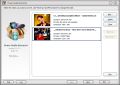
Gold Audio Extractor is all you need to convert video of various formats to audio files!
$29.95
EXPIRED
User rating:
230
22 comments
Gold Audio Extractor was available as a giveaway on April 16, 2010!
Today Giveaway of the Day

Download MP3 from 900+ Sites.
Gold Audio Extractor is all you need to convert video of various formats to audio files! It is a user-friendly converter application that allows you to directly convert video of all popular formats into MP3, WAV, WMA, OGG, etc.
Main Features
- Converting Wizard & User-friendly Operating Window
- Best Support for Most Popular Formats
- Various Presets for Precise Output Control
- Batch File Conversion to Save Time
System Requirements:
Windows Vista/ 7
Publisher:
SuperEZMedia CoHomepage:
http://www.wav-editor.com/index.htmlFile Size:
5.16 MB
Price:
$29.95
Featured titles by SuperEZMedia Co
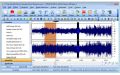
SuperEZ Wave Editor Pro is an ideal solution for audio editing and mastering. The program contains everything you need to create great sounding recordings and audio CDs, including professional tools for recording, analysis and editing. The SuperEZ Wave Editor Pro user interface was designed with speed, accuracy and ease of use in mind.
GIVEAWAY download basket

Developed by MPCSTAR

Transform media files for playback on various devices.

Developed by VSO Software

View the feedback from multiple IP cameras.
Comments on Gold Audio Extractor
Thank you for voting!
Please add a comment explaining the reason behind your vote.
Please add a comment explaining the reason behind your vote.
iPhone app giveaways »

$7.99 ➞ free today

$0.99 ➞ free today

This is a simple camera app that displays the color information of what you want to know.
$4.99 ➞ free today

Habit Tracker Widget is the best tool to help you build better routines and stay consistent.
$2.99 ➞ free today

$4.99 ➞ free today
Android app giveaways »

Are you looking for a handy PDF viewer or a PDF converter to convert images into a PDF easily?
$11.99 ➞ free today

App allows you to convey your message to other people when its not possible to speak or shout.
$0.99 ➞ free today

Empire Warriors TD Premium is the defense game that you’ve always been finding.
$0.99 ➞ free today

An incredible mix of best RPGs and MOBAs with action games elements!
$0.99 ➞ free today

$0.99 ➞ free today
Yeah for some reason it must have taken them 24 hours to approve the comment or something, I don't know what happened?
any way as for the webhosting thats part of the auto signature plugin Mostly ment for emails or forums and well didn't even think , in fact I someone would go therew the trounle of complaining about it, It's second nature u type ur emails or forums ect..then u press cntr-shit-s and in gos your sig anyway,
Just to clear the air that Review should have been on the giveaway of the day from the day before. Maybe admins can move it there?Ii cant find away to?
and I will not use the auto signature
adminski,
Save | Cancel
#17 Sparky,
Good point. Sometimes, newer version may invalidate previous version, but provided the codes are compiled within the same executable. Meaning the Audio Extractor is on its own, but I guess we never can tell how the suite was developed.
Save | Cancel
When AOAMedia.com first released AOA Audio Extractor (free version) it was a great piece of freeware. Conversions were fast and the fidelity was excellent. If you upgrade to the latest freeware version every time you launch the program you have to select between the free version and the platinum version. As far as I am concerned this makes the program adware. Performance and fidelity seem to be equal to the earlier version.
My preferred extractors are Format Factory and Pazera Free Audio Extractor. Jacek Pazera offers an incredible array of audio/video freeware and last time I checked all programs were stand alone executables. This is a very generous man!
Save | Cancel
This developer had programs in the past as giveaway's. They put out an audio editor that's basically driven by the same engine as Audacity. I don't recall anyone having major problems with that GOTD so if that's an indicator, then no one should have any problems with today's GOTD either.
To@#1 ashram - In your "BAD" comment you wrote "No ability to make use of multiple CPU cores". You wrote the same thing the other day about another GOTD and used it before that. Well at least you're consistent; it made the same nonsense today as it did when you used it before. Wait! I know, it must be a conspiracy!
@# adamski - It's not whant it's "want" (w-a-n-t) and it's "ideas" (i-d-e-a-s) not ides. If you're going to ding people about their typo's, you might first check for your own. Dohhhh! ;)
Save | Cancel
no worries! I tried it on my laptop and it works perfecto!
1)It is working in xpsp2
2)1.25 GB of ram
3)2.4ghz procesor
It is a user-friendly converter
Save | Cancel
#16 @adminski
Did you oversleep by 24 hours? And why are you using this forum to advertise some web hosting company? I suppose you're not affiliated to that one too!
Save | Cancel
Anyone know of a free program that creates MP3-g and/or CD-g karaoke files? Hint to GAOTD. :^)
Save | Cancel
To confirm previous comments... the command interface buttons are covered by a white box on my machine too (Win7 Home Premium 64-bit with DV display). While I can add a video file by right clicking I cannot do anything with this software because the buttons are not accessible.
Strange that the developer didn't realize this in testing...
Save | Cancel
I have Gold Audio Suite 3.2.1.2, a previous GOTD offering, which includes Gold Audio Recorder, Audio Converter, Audio Editor, Audio CD Burner, Audio Grabber, as well as Audio Extractor. The Audio Extractor portion appears to be the same software offered here today. Can anyone confirm that? I can't find a change log at all, and the Suite version does not appear on their website. I don't want to download this possibly newer version if it might interfere with the Suite version.
Save | Cancel
EASEUS Partition Master 5.5.1 Professiona; Is it actually Acronis Disk Director?
I find this program to be almost an exact replica of”Acronis Disk Director”. If you were to look at its screen shots it looks like they hacked the source code or maybe legally purchased?
The only differences between the two is the shape / style of the graphics and some of the names were changed using a thesauruses maybe? There are some other pluses and minuses one big minus is when you create a boot disk when you boot into it. It basically say don’t use it may break your system and were not responsible? Well we went ahead anyway after trying to decipher this strange warning that had some typos and /or misplaced words. Maybe it’s just from being lost in translation to English? The rest of the program was fine to Read. One thing I didn’t like was that the way when resizing and some other features that there unit of measure is mostly done with mb not GB in this day, and age we are no longer amazed by a 50mb hard drive.
But I digress these are all somewhat trivial to the functionality of the program, which did what it was supposed to do but for the money I would recommend buying what they tried to copy and get the real deal at: Acronis Disk Director
And just too quite any wondering minds no I’m not affiliated in any way to this product
This is just $0.02
adminski,
Whant more info, ides or your own website?
Save | Cancel
Gold products have been good in the past. This one should at least be worth a try.
Save | Cancel
Another excellent freeware alternative is XMedia Recode. It is well-supported, has a clean simple interface and supports numerous video and audio formats and mobile devices.
Save | Cancel
I currently use AoA audio extractor, and it's perfect for my needs - extracting audio out of flv files (:
Save | Cancel
Reg Key is case sensitive, so to the guy who couldn't get it registered, try that...My prob is that I can't see anything on the panel other than the logo, the Help and Log button, and the line across the top saying, "Select the videos you want to convert,Move Up, Down to change order",...says version 5.2.9...but no functions...running vista...
Save | Cancel
It seems that unless you have fonts and/or the dpi seetings at default, the user interface is, well, unusable.
So thumbs down, for that.
Save | Cancel
Program saves settings and “registration information” in $APPDATA\Gold Audio Extractor\system.dat file.
Thanks #4 Sabine for the link.
Save | Cancel
To Kartheek D. N. You can use this software [Joji is correct; I have xp Pro] to extract the entire file of yours, then use "CyberPower Audio Editing Lab" to cut the section(s) you want to keep (Right down to 1 Hundredth thousand Second!) I have used it since given away here long ago, and I use it every single day. This works quickly, and can be saved as SEVERAL of MANY settings! I saved an FLV file as an OGG file... It is fast enough, as I have a 2002 Dell Desktop 4550, with 2 GB RAM. I would grab this now. By DAVID WELLMAN in Fairbanks, Alaska Enjoy Life!
Save | Cancel
Just to let you guys know, this thing works perfectly with Windows XP, so no worries! I tried it on my laptop and it works perfecto!
One good thing I like about today's giveaway is its simple design and layout. It's not intended for those who want to customize their settings all the time, but mainly for those who aren't that pro in technology. :)
Hope that helps~
~Joji~
Save | Cancel
Hai!
Have a MPEG-4 movie file. If it's of let's say 1 hour duration, is it possible to select a portion of the video file from let's say 34th minute to 40th minute and save it separately? If not, kindly let me know which software is capable of doing this.
Best Regards,
Kartheek D. N.
Save | Cancel
Here is another free alternative, and its even portable:
http://www.pazera-software.com/products/audio-extractor/
Save | Cancel
Will not activate on my Windows 7. I have tried twice. Can not register it.
Save | Cancel
The Good
* Straightforward and easy to use.
* Can do video and audio conversions.
* Supports multiple input and output formats.
* Supports multiple electronic devices, such as the iPad.
* Supports batch processing and drag + drop.
The Bad
* Users are unable to manually customize output file settings.
* Users cannot resize program window.
* No ability to make use of multiple CPU cores (if applicable).
Free Alternatives
iWisoft Video Converter
FormatFactory
For final verdict, recommendations, and full review please click here.
Save | Cancel