Every day we offer FREE licensed software you’d have to buy otherwise.
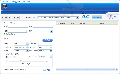
Giveaway of the day — Extra CD DVD Ripper
Extra CD DVD Ripper was available as a giveaway on July 26, 2009!
Extra CD DVD Ripper is a powerful and easy-to-use CD/DVD ripping software.
There are various features. Extra CD Ripper helps you to convert songs from a music CD to popular audio formats, such as MP3, WAV and OGG. Extra DVD Ripper Express converts video DVD to various video formats, such as AVI, MPEG, iPod, iPhone, FLV, Sony PSP, Sony PS3, BlackBerry, Zune, WMV, Pocket PC, RM, RMVB, Mobile 3GP, Apple TV, Archos Player, Creative Zen Player, Disney Mix Max Player, xBox360, HP iPAQ Series, Audio and etc.
System Requirements:
Windows 98/ME/NT4/2000/XP/2003/Vista operating system. DirectX8.1 or higher (DirectX10.0 is recommended)
Publisher:
Extra Software, IncHomepage:
http://www.dvdcopyrip.com/extra-cd-dvd-ripper.htmlFile Size:
8.08 MB
Price:
$37.77
Featured titles by Extra Software, Inc
Are you looking for screen capture software that can record screen activities into video files? Fortunately, you come to the right place. Please try Extra Screen Capture Pro which is a tool for recording any movement of your PC desktop screen. Extra Screen Capture Pro is an easy to use, powerful and lightweight screen recording program. It can capture screen activities and sounds to standard AVI video file or EXE file.
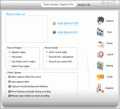
Extra DVD Copy is a flexible and easy to use DVD movie copy program. Its intuitive design gives you a one click DVD backup solution. Extra DVD Copy can copy most DVD-5/DVD-9 type DVD movies to DVD-9 (Dual Layer) or DVD-5 disks with no quality loss.
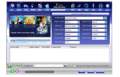
Extra Video Converter is a powerful, universal video-conversion and video-split program that converts video files between all popular video formats (from AVI, DIVX, XVID, MPEG, MPG, WMV, ASF, RM, RMVB, DAT, MOV, SWF, FLV, VOB, and NSV to AVI, MPEG, Apple iPod, Sony PSP, Mobile 3gp, Microsoft Zune, WMV, YouTube, FLV, MOV, MP3, WMV, OGG, or WAV).
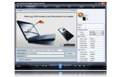
Extra DVD to iPod Ripper Express is flexible and easy to use DVD ripper software that can rapidly convert DVD movies to Apple iPod (MP4) without any loss of quality. Extra DVD to iPod Ripper Express allows you to monitor the video while ripping from the DVD at super fast speed. The quality of the output will amaze you! Now you can enjoy movies anywhere, anytime! Get your free trial copy of Extra DVD to iPod Express now and have a wonderful watching the movies you have ripped from DVD!
Comments on Extra CD DVD Ripper
Please add a comment explaining the reason behind your vote.
iPhone app giveaways »




Android app giveaways »





Extra CD DVD Ripper is really a powerful and easy-to-use CD/DVD ripping software. It has so much function.For example:convert music, convert video DVD and so on. Thanks for offering a good program for us.
Save | Cancel
Extra CD DVD Ripper I have downloaded to used yesterday.I feel that it has the same function as rip dvd music software(rip dvd music),it like Extra CD DVD Ripper can convert songs from a music CD to popular audio formats.
Save | Cancel
#37
1. Dvd Decrypter - though no longer produced for free - is readily available for download all over the web [http://www.mrbass.org/dvdrip/] and in conjunction with the free Format Factory and DVD Shrink, are all most would ever need to rip, copy and convert and DVDs.
2. Yes, if you search his sentence verbatim you will find your way back to this page - it's not magic. However, using keywords like: rip, free, dvd - you will find a plethora of useful information instead.
3. While naming oneself "____ fan" could be considered an opinion, calling said person "daft" (–adjective, -er, -est. 1.senseless, stupid, or foolish) completely unprovoked is another story, and setting them straight - whether i agree with them or not (I'm no M.M. fan) - is both fair and fun - though it may lack your personal brand of smarmy, self-righteousness.
PS. Your CDs have now officially been cursed.
Save | Cancel
I liked the software but did have 2 problems with the software itself. Problem 1. When the transfer of the movie to zune format took place it ran at the same time as if the movie were running and one of the movies I tried it ran so slow one second took a half hour to transfer. When doing the movie in I-pod format it went it took 15 minutes to transfer the same movie. Also It would not show up in my Zune or I- tunes software as movies? Why? Problem 2. When done with my transfers I could not get the software to stop or shut off. I had to CTRL+ALT+DEL to bring up my task manager to get it to shut down. In all though it did do what was designed to do. The movies played in zune, i-tunes,wmp, and wmc. I have yet to try the on my PS3, xbox, psp,or other media devices, but will and will let you know how they worked.
I am new to GOTD but have gotten two wonderful programs so far. I have recomended you to my church, a couple of non- profit orginazations, friends, family, and online hooligans (lol). I hope this will serve to support your site in the future and thank you for your help in finding these wonderful programs that I would not have even thought of purchacing if it was not for your site letting me test drive them first. Everyone hates a used car salesman and ther are alot of those on the net. Thanx GOTD.
Sincerly
Hayt
Save | Cancel
I use DVD Decrypter, DVD Shrink, and RipIt4Me (all freeware). Those who've tried this, what benefits might this give me over what I currently use? I only use rippers to copy my own dvds/cds and media onto CD/DVD, however if something can do it better than what I have (and easier) I'd be willing to take a chance...however if anyone is having problems, then I wouldn't want to lol. Any thoughts?
Save | Cancel
I thought I has a winner,... Installed to Vista 64 and took the disk, no problem. Many conversion tests and crashes later... I will be taking it off. Specifically for PSP, the only format that my PSP could read was the one converted to MPEG-4 320x240. My PSP could not read any other "PSP" conversion. And, since the 320x240 is not even full native resolution, I am not impress.
I will have to look for another program :-(
Save | Cancel
"lExtra CD Ripper - Couldnt find any CD-ROM drives.
You might need an external ASPI manager (like wnaspi32.dll). See the documentation for more details."
DVD player is present and opens a DVD and plays it.
XP Service Pack 3.
wnaspi32.dll is present in windows system32 folder.
Not very useful @ this point.
Maybe tomorrow.
Save | Cancel
I tried it in a VMware virtual machine running Win 7 on Mac OS X. It did not work properly. You can use Videora to convert for Apple products. There is both a windows and Mac version.
Videora, the windows version works perfectly in VMware PC Win 7 as a guest window on the Mac OS X.
Videora loads the output automatically into iTunes so you can sync to your iPod or iPhone.
IMHO - thumbs down. Videora is FREE!
Save | Cancel
@#23 RL - Now I am truly surprised by your comment after the "definate two-thumbs up" #3 MichaelMooreFan gave it. Afterall, you only bought the program and worked with it. #3 MichaelMooreFan used it for whole ONE HOUR before posting his review...lol
Save | Cancel
Downloaded, installed and registered fine. However, when I tried twice to convert dvd to avi, it froze each time and failed. I then downloaded and tried Handbrake mentioned above (#4,14) and it worked perfectly and efficiently. I'm sticking with Handbrake.
Save | Cancel
XP Home SP3
I ripped a 94-minute commercial DVD as a test - ripping time and running time seemed much the same, although I wasn't watching closely. With a 1028kbs specified bitrate, the result was a 800MB file which looks fine other than aspect ratio.
My only objection is that I can't find a way to customize the dimensions. The aspect ratio should have been 1.85, but the closest I could find was 720x480 (1.5). (My standalone player can't handle more than 720.)
Save | Cancel
...But oddly enough, when I went into the program subdirectory to find the uninstaller, on a whim I clicked on the DVD Ripper Pro exe and it started and registered just fine. Go figure. Don't know if it actually works yet, but will give it a go.
Save | Cancel
Installed it, tried to run it, it says it couldn't find any CD-Rom drives (Huh?), and then gave me an error message that said it needed to close. Never even got as far as trying to register it. Won't be wasting space on MY PC for this one. Sorry.
Save | Cancel
This morning has been a learning experience, I’ve discovered that:
1. This app is problematic and superfluous – use DVD-Decrypter (or FF like #10 said) or just rip your damn cds. Not everything needs another app.
2. Austin (#16-17) is right; send more pdf/avi/dvd converters! (please no not do this).
3. #18 needs a Google search in his browser.
4. Perhaps we’ll have to find someone more in league with #25’s political views to recommend software for her – perhaps she’d entrust herself enough to ORiellyFan or CoulterDevotee to test drive an application or two.
Keep your dimwitted political views to yourself – and don’t quit your “Dae” job.
Save | Cancel
XP Pro SP3 - I've used version 6.4 of this program to convert my dvds of tv shows to avi files to watch on the bus to work. It is simple to use and works very fast. The video and audio sound synch is very good (this seems to be a problem with some programs like the ones from APlus). The quality is good enough for my purposes, to view shows on the go.
Two thumbs up for this software from me. Thank you very much, GAOTD.
Save | Cancel
#12 Parity offset errors? But didn't the #3 MichaelMooreFan find nothing wrong? Somehow I trust YOU more, CDexpert. One would have to be daft to be a fan of Michael MooreOn.
Happy Dae·
Save | Cancel
Installed ok on Win 7RC x64. Registered ok. I hate programs that don't have a visible menu bar... It crashed twice trying to rip two different DVDs.
Save | Cancel
Don't waste your time. I tried it, putchased it and found out the purchased copy did not work completely. Attempted to contact tech support with no response, tried to get refund but was denied.
STAY AWAY FROM THIS SOFTWARE AND THIS COMPANY!!!!!
Save | Cancel
This is nearly the same as Extra DVD Ripper Express as was given away on July 17. The versions of DVD Ripper are the same.
DVD Copy has been replaced with the CD Ripper.
It installs into a different folder.
Save | Cancel
I have over a GB worth of songs from a musician which obviously exceeds the capacity of a CD. Can I rip them to a DVD, and if so, is there anything I need to be aware of?
Thnaks!
Save | Cancel
I do wish that programs would give an indication that you have registered.
With this if you enter the registration details & are given the OK, but then click on Register again, you are still asked to register.
Save | Cancel
Does this program rip commercial DVDs and copy them? I'd like to make backups of certain DVDs I own. Will this do it?
Save | Cancel
Not downloading it though. I am getting sick of converters and video downloaders. There hasn't been a useful program in like 2 weeks.
Save | Cancel
windows by default can rip music off of cds. not sure about dvds.
Save | Cancel
I have used this program multiple times but came to the same result..
The ripper is inefficient in comparison to the output given..
the quality is horrible on most settings..
jas
Save | Cancel
to #4 asking comparison to free (open source) HandBrake:
according to
http://www.softpedia.com/get/CD-DVD-Tools/CD-DVD-Rip-Other-Tools/HandBrake.shtml
the main difference is in output formats possibilities (much less for Handbrake)
Save | Cancel
For#5:without express is free version.
Save | Cancel
The Bad: Produces too many parity offset errors.
Recommedation: Do ripping manually on case-by-case basis.
Save | Cancel
I couldn't see an option to specify the output name in the format of the users choice.
Disappointing.
SD
Save | Cancel
Also, check out 'Format Factory' (Freeware) - it rips audio and video, and converts just about anything to anything!
It's the first item on the page here: http://www.softwarecybersleuth.co.uk/
Save | Cancel
First i put(install) aditional software on the url page:Dvd region remove,the latest direct x from Microsoft and more soft that it was neccesary.Next i install soft who was easy and without problems on XP SP3 32.Work excelent and have a beautifull design.I like what sound make when you click.Thank.
Save | Cancel
Successfully installed on Vista, and works well. But I do not see how/where to register it.
Save | Cancel
Really nice software. Installed with out a problem on my Vista. I had a couple of Audio CD's that i wanted to convert for my MP3. And, it works like a charm :)
Save | Cancel
You can use your own name in registration.
Open program and press "DVD Ripper"
Save | Cancel
I've just installed fluently in my computer but I discover both of the icons were coming out,Extra DVD Ripper Express and Extra CD Ripper.Why was I given this Extra DVD Ripper Express,it should be Extra DVD Ripper without "Express".Could anyone here tell me why?Thanks a lot.
Save | Cancel
I use handbrake, can this compare? Has anyone used the two products.
Handbrake is free and works really well.
Save | Cancel
Good morning all - I hope everyone is doing well today.
THE GOOD:
*** Smooth download, installation, and regisration on Vista x32 OS.
*** Smooth program access without using Run As Administrator Rights option.
*** Pleasant, simple, clean, easy-to-understand, easy-to-navigate user interface.
*** Has rich, full-featured online Help Menu via Developer's website.
*** Allows user to choose video source option from DVD-ROM Drive or from Hard Disk drive folder.
*** Allows user to determine audio/video output location folder.
*** Allows for audio/video ripping to the following audio/video device formats:
> AVI, MPEG, WMV
> IPOD MPEG4, H.264, MP3, AAC
> IPHONE MPEG4, H.264, MP3, AAC
> APPLE TV, ARCHOS Players, X-BOX, FLV You Tube
> DVD SONY PSP, PS3
> BlackBerry 3GP, AVI, WMV, MP4, MP3
> ZUNE WMV, MP4, MP3, AAC
> POCKET PC WMV, AVI, FLV, MP4, 3GP
> MOBILE 3GP
> RM, RMVB
> AUDIO MP3, AAC, WMA, WAV
> Creative Zen Player AVI
> Disney Mix Max Player WMV
> HP IPAQ Series WMV Video
ACTUAL USAGE: I will provide more feedback as soon as I am able to do some conversions. However, based on the previous June 1, 2009 GiveAway, "Extra DVD Video Converter v6.48", I expect this program to produce similar top-notch, hiqh-quality audio/video output.
PERCEIVED DRAWBACKS: None as far as I can tell thus far.
SUGGESTION TO DEVELOPER: Please add full-featured Help Menu within the program itself, to supplement the online guidance.
SUMMARY: A definite two-thumbs-up for today's GiveAway. Thanks much, GOTD and Extra, for sharing this terrific program with us.
Save | Cancel
This software is okay. But I much prefer Magic DVD Ripper (http://www.magicdvdripper.com/). It is not as bloated.
Save | Cancel
IF IT CANNOT RIP DVD TO MKV FORMAT THEN ITS NO GOOD TO ME - BUT THANKS FOR TRYING
Save | Cancel