Every day we offer FREE licensed software you’d have to buy otherwise.
Giveaway of the day — Effective Password Manager
Effective Password Manager was available as a giveaway on October 5, 2007!
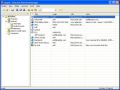
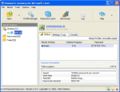
Effective Password Manager is the perfect tool for storing all your most sensitive and valuable information like passwords, logins, pin codes and access codes as well as credit card and account numbers, lock combinations etc. It creates a reliable and well protected database which you can conveniently search and get the right information in no time. You can also store backup copies on various types of media and easily restore the database in case of a hard drive failure.
No more lost or forgotten passwords! Fast and reliable access to the necessary information! A truly effective way to manage your confidential information.
Features:
- User-friendly intuitively adjustable interface in the Office XP style;
- Quick access to account information;
- Customizable automatic backup;
- Encryption of data files with the 256-bit Advanced Encryption Standard (AES) algorithm;
- Password generator;
- Convenient search;
- Export of all data to a file;
- Unlimited number of accounts and data files;
- Low system requirements.
System Requirements:
Windows 98/ME/2k/XP or 2003
Publisher:
InteloreHomepage:
http://www.intelore.com/password-manager.phpFile Size:
872 KB
Price:
$24.95
Featured titles by Intelore
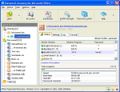
Office Password Recovery PRO is an effective "all-in-one" solution for Microsoft Office applications that recovers all types of lost or forgotten passwords to open and modify files and supports all versions of Microsoft Office, including 2003. Any and all formatting and editing restrictions, locked cells protection, shared protection passwords are retrieved instantly.
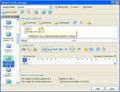
Word Password Recovery PRO is an effective solution for Microsoft Word documents and templates. It recovers all types of lost or forgotten passwords to open and modify files, as well as document protection passwords and supports all versions of Microsoft Word, including 2003. Any and all formatting and editing restrictions, read only permissions are retrieved instantly.
Excel Password Recovery PRO is an effective solution for Microsoft Excel spreadsheets that recovers all types of lost or forgotten passwords to open and modify workbooks, worksheets, sheets and spreadsheets and supports all versions of Microsoft Excel, including 2003. Any and all formatting and editing restrictions, locked cells protection, shared protection passwords are retrieved instantly.
GIVEAWAY download basket



Comments on Effective Password Manager
Please add a comment explaining the reason behind your vote.


iPhone app giveaways »





Android app giveaways »





#65, The Mokoda, I concur that Sticky Password needs to improve their auto-login feature; it doesn't work on some sites. Sticky Password has greater security than RoboForm (see my post #62) and doesn't require the substantial additional fees that RoboForm charges for its portable version. Of course, RoboForm has general-purpose form filler functionality (as I recall, that was its original purpose). I've never tried a third-party form-filler; I certainly wouldn't want one that filled in a form without my permission. To a limited degree, browsers have form-filling capabilities, and the Google Toolbar has some, but I haven't tried it. Speaking of which, Google has added web history tracking to the Toolbar. It's organized differently than the browser history, and of course, it's portable since it's web-based.
Save | Cancel
www.ALTOOLS.NET get ALPASS and forget the cumbersome lengthy rest, seriously, download it see for yourself its free for home users, pay for it if your in a corporation. install all the other highly useful utilities therer as well, peace out have a good one.
~
Save | Cancel
LMAO at all the folks above who think that their memorized pws are safe. Unless you can memorize several dozen 63 random ASCII char pws, you're not safe.
Save | Cancel
Thank you GAOTD team for another app. and game!
And too BladedThoth, thank you for all your advice and and hard work you do to give us an unbiased opinion. I never download without reading your review. You are greatly apreciated. Just thought I would let you know!
Save | Cancel
KeePass is free but better than this
Save | Cancel
I am also a fan of the Maelstrom Solutions password manager (listed above by Cheryl B (#19) Vortex Password Manager.
Yes, they email the file to you, but from my conversation with them (I called to ask why), they will only send you another email if they discover an issue and need to contact people for a hotfix. I have had this for 2 years and they have yet to find any issues or get a single email from them.
They also offer the option to brand if for your company, which does have a cost, but is optional.
This is a no-frills system and we use it with roaming profiles on our network. Hard to beat it for simplicity and security, just don't forget the master password or you are screwed.
Save | Cancel
hm..advertise a password thief program on the same page as a password manager??
Save | Cancel
I don't see the point. This program is kind of cheesy, although it does work. Thing is, there are far more elegant solutions available for FREE (not GOTD free, but really free, like in you can install and reinstall whenever you want, even after reloading your OS), and there are far more powerful and feature-rich solutions for the same or just a little bit more money. This program is therefore pointless.
I like Sticky Password too, but RoboForm is still far and away the leader in this genre. For one thing, Sticky doesn't provide convenient enough access to the password generator; plus, Sticky doesn't always go ahead and process the login for you; it fills the fields, but you still have to click or press Enter to log in. That's relatively trivial in a sense, but it's worth the extra five bucks to just go with RoboForm for true one-click login. RoboForm simply works. Right.
Save | Cancel
I've heard of a program called passwordSafe. Does anyone know how that stacks up against keePass? Which is better and why?
Save | Cancel
First I wish to say thank you to all who submit alternatives. I copy them to notepad for later use.
I will not download Effective Password Manager
Now to Gripe.
Most of Gotd programs do disappear very quickly. If you use it, even if you Don`t like it you may be forced to make the purchase to get back the passwords.
WHY can we not have a code key to Reinstall programs. A few things I would like to keep have been lost due to Spysweeper or Ad-aware.
The program may be good, BUT hot on those terms.
Nuf said:
The Grouser
Save | Cancel
Another important Sticky Password feature which I forgot to mention is its Password Protector. It monitors applications/processes, and prevents them from intercepting passwords. It does work--you'll receive an alert if it detects suspicious activity, and it will give you information about the application and ask you what rules to apply to that application.
Save | Cancel
Hello everyone!
I’ve posted today’s review - I hope you all enjoy reading it! Comments are always welcome on my web site.
Swan Reviews (Almost!) Everything
Thanks everyone!
~ Swan
I’m making money, are you?
“The day will come when machines and software will tell us whom to know; what to eat; what to wear; when to go to work and what profession to pursue; when to sleep; what entertainments to enjoy and with whom to have any kind of relationship. It can’t be avoided and you will succumb.”
~ Swan
Save | Cancel
WWW.ALTOOLS.NET --- Home of ALPASS One of the (if not THE Best password manager) for the pc, as well as quite a few (FREE FOR HOME USERS) Power Monger Utilities that rock & roll, all utilities at ALTOOLS.NET Are superb, enough said.
Save | Cancel
I hear alot about ROBOFORM, well a while back i tried it and it lead to a big mess, it had heavy spyware attachements (Not sure about now, myabe its clean but i will pass, I get all my utilities at:
ALTOOLS.NET (Home of the coolest fastest smoothest ZIP Utility known to the pc planet, "ALZIP" and home of ALSHOW one of the best video players as well as ALSONG that shows lyrics to millions of songs and paces highlights to those lyrics as the songs play, and as for a Password Manager i also get that at ALTOOLS.NET (Again home of the coolest little power monger utilities known to the pc universe, its called, "ALPASS" It does my password managing like a cowboy does rodeo, Enjoy Your Online time, and thanks to all contributors!
Save | Cancel
Not only is Sticky Password a real good Password Manager, but, I recently reinstalled windows, and it is the only program that I downloaded from GOTD that I didn't lose my license to. It is still working today. And very well, I might add. It would be nice, however, if the passwords would be layed-out in a tree form, in categories. But, all-in-all, I have to concur w/ the various people who posted about Sticky today. Hopefully, It'll be offered here again soon. It really does make time on the PC easier. Sticky is not stinky. It rocks!
Save | Cancel
I have to echo the sentiments of those here who have praised Sticky Password (specifically #s 28 and 49) http://www.stickypassword.com/ which was offered here previously. Wait and hope it is offered here again or buy it if you can - I will purchase the next SPwd upgrade. Interlore, you might compare your product's functions to SPwd and Keepass to improve your own product.
Save | Cancel
I previously downloaded "smart to do" from GOTD and now receive heavy volumes of "UK Lottery" and other spam.
For reasons I do not wish to discuss, the spammer is NOT using randomly generated email addresses, it is email addressed to very specific addresses so someone at either GOTD or Smart to Do is supplying/selling email addresses to spammers, or their sites are being compromised.
Anyone else having this problem?
Tks,
Jim
Save | Cancel
OpenSimSim is a great open-source/free alternative. You need to remember only one master password. It will generate strong passwords for each one of your accounts. No more using the same password everywhere or fiddling with bulky password managers. You can generate and paste passwords with convenient keyboard short-cuts.
Save | Cancel
I like this because i remember the passwords with the software because i have quite very many. i recommend free things like this so you can not forget your passwords. thank you so much for the software
Save | Cancel
ROBOFORM IS NOT FREE!!! it is free for only 10 passwords.. if you want to store more you have to buy it!! you people who constantly bad mouth stuff get your facts straight!!!!
Save | Cancel
I'm not sure if I will try this program. I tried Sticky Password when it was offered here but I didn't care for it. I later tried Keepass and I liked that much better. Others in this forum have offered links to both products. Thank you GAOTD for the offer and to the publisher Intelore for the contribution.
Save | Cancel
I have an encryption program that I use for many things. Put my passwords on a spreadsheet and encrypt it..... FREE with no additional installation necessary.
Save | Cancel
#46 I really like your suggestion to create and remember passwords! I think I will have to give it a try because all of my passwords have both numbers and letters and can sometimes get confusing.
I suppose I could download this program but I am leary of storing personal information in any type of program on my computer. And my biggest fear would be a crash in the future and having to pay the company to retrieve my stored passwords.
Save | Cancel
#39, Sticky Password has portability without paying extra. It has an on-screen keyboard to defeat key loggers. It directly supports essentially every browser, and also works with other applications which require passwords or registration information. It has automated database backups. You can easily define multiple fields, auto-login, restrict which web pages to auto fill, etc. It's very good, but not perfect. Like any program which tries to hook into and monitor everything, occasionally it gets a little confused (I just restart my browser when this happens). The only thing that I really don't like about it is the way it handles defining additional fields--it automatically finds and displays them very cleanly in a separate window, but doing so prevents defining additional fields with most secure connections, which is precisely where you usually want to define them. Even so, Sticky Password is more complete than any other password manager I've seen.
Save | Cancel
Roboform all the way guys! I have used it for a few years now and can't live without the 2Go form installed on my USB stick. I've got like 250 password/login combos in there because every website seems to have a different requirement,
#26, if I only needed to remember 10 I could but I handle the finances for the family and the business so I have to remember LOTS of passwords for paying the bills online and ordering parts online, etc. No way I could keep this straight.
Just remember to back up so if you kill the primary location, you can restore. Roboform has this function build right into it and makes it super simple. And upgrades are free for life.
Save | Cancel
@Captain Ozone. Roboform can help you out with multiple computers. Roboform2go can be installed on a USB stick allowing you to simply plug into any computer with a spare USB port and you have all your passwords with you. Unplug the stick when you are done and as long as you didn't have any browser save your password, your passwords are gone from the system. Loose the stick? Not a problem. Roboform encrypts the password data. No one can retrieve the info without your master password.
Roboform will also generate secure passwords for you. You can get as crazy as you want with length, special characters, etc...
I've been using Roboform for years and I love it. Never tried "ALPass" because I choose not to use Internet Exploder....
Save | Cancel
I hope this doesn't come across as condescending but in order to come up with an easily remembered password which is also secure try this.
Think of an event such as buying your house. Then string together a phrase such as - I bought my new house on the 15th of December 08 for 220k. - There is your personal, easily remembered password. Take the 1st letters of each word IBMHOT15OD08F220.
Obviously this is a VERY simple example but very easily remembered and not easily guessed.
How about 'I Sold Sound System Serial No 354GT09TZ To Richard For 200 and Bought Serial No 5463L6TZ'.
You can keep records of the model numbers for reference.
I do it all of the time and just thought this might help.
Save | Cancel
The KeePass I mentioned can store the file on a USB key. Or, there is a specially built version at PortableApps.com (but I am not sure if their wrapper code is Open Source).
Another great feature is keeping the password in memory for only 10 seconds to paste.
Save | Cancel
JM (#41) You're absolutely right, and Gizmo's letter is one of the best newsletter's around. He doesn't just list freeware - he reviews it thoroughly and gives you his best recommendations. Lets not be selfish - lets share it with everyone.
Go to http://www.techsupportalert.com/al_subscribe.htm and sign up for a free email newsletter - you'll be glad you did.
Save | Cancel
I can't beleive this wasn't mentioned yet. Everyone who is so sure that they have found the perfect password manager, please follow this link and try the FREE Altools program called "ALPass". This free program will knock the socks off any other password manager. It's Extremely easy to use, very customizable, and takes little space on your desktop to run. I have been a devoted user of it for years. All other products I have read here have shortcommings when compaired to ALPass. Please try it for yourself. Latest version is v.2.52
Save | Cancel
Not very secure, are you? Ever need to log in from another machine (I can take my KeePass files with me on a USB stick on business trips, or the portableapps.com version)? Do you use the same password on multiple sites?
Bad password: "mynameisbob"
Good password: "jBqTFjesX4fWyDzpDqQG"
And, just like that CEO guy who announced his SSN, I will announce publicly that the example above is my password on one of my financial accounts.
Save | Cancel
>> Oh, and #3 (aka #25), how many more times are you going to copy
>> Gizmo’s newsletter into this forum?
As long as it helps others to find good alternatives.
(and according to the positive feedback, it does)
Save | Cancel
As others have noted, KeePass cannot be beat - it's FREE every day and the source code is available to look for backdoors. It even keeps passwords encrypted in memory to help stop process snoopers. I dunno what kind of forms people are filling out, but with Google Toolbar for FF's "AutoFill" and KeePass I have all my bases covered.
Save | Cancel
The comments are unusually good today.
Does this, or any of the Password Managers help if I regularly use more than one computer? I have two laptops and a desktop at home that I use regularly, and my work computer. Not to mention if I want to access something from someplace else like my wife's personal laptop or a computer where she works.
(And please... I don't need a lecture on security. I don't use public computers, and my wife is technology director where she works and I only use a secure computer there.)
Save | Cancel
#7 - Thanks for the advice on "Stickey Password". I'll look at it.
One thought, however... If it is that good, shouldn't you be willing to pay the $24.95 and support the developers?
Save | Cancel
Hello all! Today's 15-Minute Review is up! Check it out!
http://www.bladedthoth.com/reviews/15mrs/effective-password-manager-v1-0/
Save | Cancel
thats alot of trust to put in program.. ehh no thanks
Save | Cancel
I don't know why someone would download this type of program from GAOTD. Let me draw you a picture:
You download this 'free for today' copy, install and begin using. ("awwright!")
All your passwords are now neatly tucked away and safe ("yeah, thank you GAOTD")
Months later, just like the copy for this product mentions, you have a hard drive failure. ("Oh Crap!")...
and you think "Oh good, I have all my data backed up, including all my passwords."
You restore your system. Restore all your data files, and everything's looking great. ("oh yeah, I'm good")
Now you need a password so you can download some application updates.
You go to open Effective Password Manager... and its not there because you had a hard drive crash. ("what?")
But your passwords are still safe in your backup file. ("whew")
But if you ever want to see those passwords again - you're going to have to buy the program because its not free on GAOTD anymore. ("Oh Double Crap!")
Now... if you had been using one of the freeware versions out there that have been thoughtfully shared in this forum, you'd already have your passwords and be happily on your way again. ("Oh thank you Joe")
You need to think about what you're downloading and using. I've downloaded several utilities from GAOTD and will continue to do so, but I won't download anything that creates its own file types or has its own database because chances are, that program is the only one that will open those files and if you lose it because your system crashed, your options are very limited.
Oh, and #3 (aka #25), how many more times are you going to copy Gizmo's newsletter into this forum?
Save | Cancel
Boring...
Save | Cancel
#22 Where do I find pw info, I want to back it up. My OS is win2kpro.
Save | Cancel
For those who ask "why can't you remember your own passwords", try keeping over 100 straight.
I'm not going to touch this giveaway. Why? When it tanks and you have to reinstall, they've got you by the short hairs. How so? Your passwords will be held ransom until you go pay for it. Thanks, but I'll just keep on using KeePass.
Save | Cancel
I agree with #6--PLEASE stop hijacking our browsers!
And #23--Instead of being nasty about what is offered, we should be grateful that we have and opportunity to get some good programs free. I'll admit, some of them haven't been very good, but we had a chance to find that out FREE instead of buying the thing and finding out it was crap! I thank you G.O.T.D. for all that you have offered.
Save | Cancel
If software is open source it does not make it secure. It is very easy for experienced programmer to hide backdoor, and even if you look at the source its even impossible to realize that. Esspecialy if you dont work on that particular module. Given that many "freaks" out there are changing open source code daily I would rather trust commercial software like roboform. They have responibility, and its much harder for them to take the risk than some guy who got bored with his ordinary job. I know that open source has some checks but chosing between bunch of bored people who work for free and company with credibility, responsibility and good profit I would always trust commercial solution more. Anyway I dont trust anyone, thats why I am memorizing the passwords myself :)
Save | Cancel
why cant people just remember their own passwords? i guess i use the firefox password memory thing just so i dont have to enter it manually but its not like i dont know the password...
Save | Cancel
The "Effective Password Manager" just doesn't stack up (as a commercial offering) when put up against other password managers such as Sticky Password or RoboForm.
A standard feature in good password managers is the automated "capture" of passwords when entered into webpages, and the entry of the same passwords when visiting the websites in the future. Even Free Open Source password managers such as Keepass Password Safe do a better job at managing passwords.
IMO - Effective Password Manager, is more about "storage" than "management", and without the common features that make Password Managers usable on a day to day basis - this product isn't that "Effective" either (The extent of "Management" is Find, then copy, then paste into your browser. When changing a password in "Effective Password Manager" - repeat these steps, just reverse the order... and welcome to the 1990s)
I'd recommend the most usable password manager - Sticky Password, or if you want the best free/open source password solution, you can't go past Keepass (Combined with the free utilities on the Keepass site to automate and import/export passwords to and from your selected browser)
If you already have a list of passwords somewhere (your existing password manager maybe) - you will love the fact that "Effective Password Manager" has absolutely no import feature. So you will be typing them all from scratch. There is an export feature, provided you want to export to a text file or a web page. Export to CSV would've been an obvious choice, maybe someone thought having a webpage listing all of your passwords would be more useful.
Finally, a big thanks goes out to William Devos, whoever you are (your 15 seconds of fame has arrived)
Save | Cancel
Re:my comment #22
Invisible secrets version 2.1 is still available for free here
http://www.download.com/Invisible-Secrets/3000-2092_4-10543258.html
Save | Cancel
If you are forgetful or absentminded I can see a use for these kinds of programs. For the rest of us there isn't anything as secure as keeping the passwords in your own memory.
Unlike some (#19) I don't think that one can only remember passwords if one uses a simple one or just use the same one over and over again.
Afterall, some of us can actually still use their brain, some of us can even still multiply, divide, add and subtract without using a calculator, imagine that!
Between the 10 passwords I have to remember for my accounts, a handful for things both my wife and I have access to and a dozen for work, not counting all kinds of codes that I have remember for bankcards and the like, I think I have to deal with a fair share of passwords. The majority being between 8 and 12 characters (alfa-numerical as well as non alfa-numerical) long.
But seeing as that I use some passwords at some places and not on other places, considering that I need to use some passwords while not even being on my own computer at work, or own family computer or even on the same network as my own computer or family computer the question rises of what use any kind of database program/list would be unless I constantly keep it with me. Not only woulld that be bothersome but also very much a nuisance if one does forget it because one won't be able to access those things that one wants or needs to because one don't know the password. If you do remember the password then you wouldn't need this kind of program to begin with.
However, if you do really need this kind of program may I remind you of the following :
-Anyone using this is creating a false sense of security because they will rely so blindly on it that if they ever loose access to the database they will be up the proverbial creek without the proverbial paddle.
-Any program of this ilk that isn't open source is suspect and there for not secure.
-Anyone willing to pay for these kinds of programs is throwing away money because there are better alternatives that are free.
-Anyone using a program which doesn't can guarantee you that you'll be able to re-open the database even if you have to re-install the program is on a sure way to trouble in the near future.
The only reason left for this program is one has a huge list of passwords, a list way to big and inconvenient to memorize. In other words if one works in a big company but.... as per usual... this version is not legally to be used for commercial means, they even mention it on their own website.
Save | Cancel
The following is an excerpt taken from a newsletter. To see the entire newsletter, Or, just read the passage below:
6.1 Best Free Web Form Filler/Password Manager
Products in this class are among the most useful of all PC utilities because they allow you to complete the common task of filling in web forms and logins by simply clicking a button.
They work by saving user IDs, passwords and other information needed for individual sites in encrypted form for later retrieval. To login to a site you only have to type in a single master password to allow retrieval of the specific password information for that site. This information is then used by the program to automatically login.
This greatly improves security by allowing different passwords to be assigned to individual sites without the need to be remembered while at the same time making logging in easier and quicker.
There's no doubt that RoboForm [1] is the stand-out product in the category; it's full featured, easy to use, seamlessly integrated into both Internet Explorer and FireFox browsers and is constantly being enhanced by the developer. It also allows your saved passwords to be moved between PCs which is very convenient when using multiple machines or upgrading.
I do have a major reservation though:
The free version allows only 10 forms or passwords to be stored. This used to be 30 in earlier versions which was adequate but 10 is way too few for most users and they will be eventually forced to shell out $29.99 to buy the full product.
This reservation aside, it is a fabulous product that saves me time every day. Try it. You'll be amazed how much time it will save you, too.
Note: If you use Internet Explorer, there's some good news: the last free version of RoboForm (V4.6.8) that allowed 30 passwords is still floating around the web [2] and works perfectly well.
FireFox users are out of luck as you can't use this version with the current FireFox. Don't despair, though. Check out the open source program Freepass [3]. It's not nearly as well integrated into your browser as RoboForm but it's a very good product that works without any limitations at all.
[1] http://www.roboform.com/
[2] http://www.321download.com/LastFreeware/page7.html#AI%20RoboForm
[3] http://keepass.sourceforge.net/features.php
Save | Cancel
I guess I'll stick to Sticky Password which was offered by GAOTD a while ago. It is a really nice application, better than Roboform.
Save | Cancel
whole point of G.A.O.T.D is to give free software.Don't knock it!At least you do get something for nothing.................a rarity these days :-))))))
Save | Cancel