Every day we offer FREE licensed software you’d have to buy otherwise.
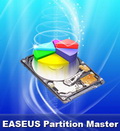
Giveaway of the day — EASEUS Partition Master 8.0.1 Professional Edition
EASEUS Partition Master 8.0.1 Professional Edition was available as a giveaway on April 7, 2011!

As Partition Magic alternative, EASEUS Partition Master Professional Edition is an ALL-IN-ONE partition solution and disk management utility. It allows you to extend partition, especially for system drive, settle low disk space problem, manage disk space easily on MBR and GUID partition table (GPT) disk under 32 bit and 64 bit Windows 2000/ XP/ Vista/ Windows 7 (SP1 included).
The most popular hard disk management functions are brought together with powerful data protection including: Partition Manager, Disk and Partition Copy Wizard and Partition Recovery Wizard. Moreover, you can create bootable CD/DVD in case of system boot failure.
Top Benefits:
- New! Built-in Linux based bootable disk!
- Convert dynamic disk to basic disk easily with all data protected.
- Extend system partition to maximize computer performance.
- Partition Manager utility for better hard disk management and computer performance maximization.
- Copy Wizard to copy partition or migrate entire hard disk to another without Windows system reinstallation.
System Requirements:
Windows 2000/ XP/ Vista/ 7 (SP1 included)
Publisher:
CHENGDU YIWO Tech DevelopmentHomepage:
http://www.partition-tool.com/professional.htmFile Size:
41.7 MB
Price:
$19.95
Featured titles by CHENGDU YIWO Tech Development
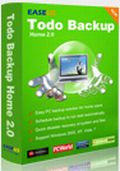
Files can be accidently deleted, damaged by a virus or a hard disk failure, etc. However, less than 20% users back up their computers regularly. EASEUS Todo Backup Home is a free file backup and disaster recovery software, protecting your data, including photos, music, videos, documents, financial data and applications. Back up what you want, when you want.
Comments on EASEUS Partition Master 8.0.1 Professional Edition
Please add a comment explaining the reason behind your vote.

iPhone app giveaways »





Android app giveaways »




good one , many thanks GAOTD luv it , also luv the easy registration Thanks leftey
Save | Cancel
#65
this version can use on the Windows7 machines. u can check whether the setup is right.
Save | Cancel
#57
you may need to run the setup again.
Save | Cancel
Phew, got it just in time! I had Easus Partition Master 6.1.1 from a prior giveaway, so grabbed this one today. Installation & activation were too easy: ran setup.exe as instructed, the installer detected the older version & uninstalled for me, immediately then starting the usual installation & activation of this new version. Afterwards I ran the program to check & it is indeed the new version, seemingly registered correctly & all. Happy camper here!
I've only actually used the free version of this program before, but it helped me resize an old laptop's partition almost effortlessly (just did a bit of reading to make sure I didn't screw anything up, then a few clicks & hey presto! done). My only question now is when I might need to use this version :D. Sure glad to have it whenever that will be!
Thanks so much, Easus & GAOTD!
Save | Cancel
I used the free version for a long time one 2 of my computers. But, it would not work for my Windows7 machines. Glad to see that the last 2 offerings here will.
This is one of the most user friendly and efficient tools that I have seen to partition your hard drives, either internal or external.
Thanks guys!
Save | Cancel
seriously, this software has the coolest/fastest installation of all famous partition/disk utility software. no reboot, no 3rd party crapware. free edition is known to be awesome, and pro edition offers live CD. thanks GAOTD.
Save | Cancel
Like many of the GAOTD programs, this is just a newer version of a previously offered program. Is there anything in version 8 that was NOT in version 7?
Save | Cancel
PERFECT WINDOWS XP SP3 & WINDOWS XP PROFESSIONAL SP3 INSTALLS (over the PRO 7.0.1 version)!!!
Thanks again, EASEUS and, of course, the GOTD TEAM!!!
Martin
Save | Cancel
Well I was happy to get this new update of what I thought was a good program. I used it to slide the partition down to increase my C:\ drive size, taking the space from my underutilized D:\ drive. I think that part worked. My big suprise was finding that in the process it had killed my F:\ partition-along with over 14000 music files. Needless to say I won't be a fan of Easeus now. I am really pissed!
Save | Cancel
I had to increase the size of the root drive on a domain controller so I could upgrade our domain to 2008. After hours of research I picked EASEUS and it did the job perfectly. I fully trust this utility and was really amazed to see it offered free here. Thanks GOTD and EASEUS!
Save | Cancel
I had the 7.0.1 version and now I gladly installed this. The prior version helped save a buddy of mine. His camera card suddenly stopped working and he needed to get the pictures to a woman he took several pictures of. My PC didn't seem to recognize the card in the PC and neither did my other couple of PCs, nor did the half of a dozen or more (a couple of paid ones too) recovery programs see the card. Somehow, this program not only saw the card, but it recovered all but about 3 photos out of around 300. My friend was so happy not to go through the embarrassment of losing all those shots. Speaking of the Partition Recovery, I did like the button on the older version being readily there instead of hidden under menu options. The look of this version is nicer looking overall. Good work EASEUS.
Save | Cancel
I like this much better than Paragon's Partition Manager 11 recently offered. It doesn't give me the control or information that I need. Thanks!
Save | Cancel
ok,so you want to copy your disk (for whatever reason, backup, image etc), you follow the instructs, and it says " 1. Shut down the computer after disk copy and unload the source drive.
2. If the Operating System is not bootable on destination disk, please try to connect the destination disk to the socket of the source disk.
*If the Operating System is not bootable on source disk, please shut down the computer and try to unload the destination disk.
*Please do not start the computer directly from the destination disk once the disk copy is finished."
Pretty simple, seems like some clear help in case you have a problem...except.....
ummm " If the Operating System is not bootable on destination disk ",
So it should be bootable?...(a bootable copy is good right?..I like that....would probably be why I did the copy, beyond backing up that is).
If so, then why does it say "Please do not start the computer directly from the destination disk once the disk copy is finished." ???
So the copy is NOT bootable?..or the copy is unreliable as a bootable copy?
What gives?
(This is just because the instructs seem to have some contradictions...would be nice to have a bit of clarity..I was`nt even looking for this type of problem and it jumped out at Me, I would be having a very large issue (read: anger management) if I intended to make a bootable copy and suddenly had some "unknown" issue because I should not have attempted to boot from the copy)
Save | Cancel
Upgrading Easus Partition Manager 8.0.1 GATO to the version which has the Win PE boot disk removes the Linux boot tool. The Linux boot tool can partition a system disk whereas the Win PE boot disk cannot.
Save | Cancel
Am getting a crash of the program whenever I click any option in the left column. sent 3-4 logs to Easus, no reply or help so far.
Installed it twice, and did a chkdisk r, nothing helps, still the same. Win XP PRO SP3.
Anyone can help with that?
Thanks,
Eldad
Save | Cancel
If I copy a partition for backup, can the backup image be encrypted with this tool.
Save | Cancel
I only use this product for partitioning it is reliable.
Save | Cancel
first, I've used both paragon and easus. eausus wins(for me it's more intuitive).
while there are warnings about possible data loss while resizing partitions I have never ever had a problem
I highly recommend this product, makes partitioning a pleasure. say you've filled one partition. You can 'steal' space from another, or grab free space(it's not a bad idea to leave a little, just for this contingency). I can add more but you get the idea, it's safe, easy and effective, thanks gaotd...
@Rocknut, put your new larger HDD in your PC and this one in an external and you can use it to format and partition the larger drive. Then use whatever to migrate your data over. That's what I do. and while I'm not very smart and it takes time the way I do it, it works just fine with no headaches
Save | Cancel
I just used this today. It copied (Win7 Prem)the partition and resized from a 40 GB HD to a 250 GB HD in 45 minutes. The new HD would'nt boot, hung on verifying DMI Pool data, Had to repair MBR then it booted fine.
Save | Cancel
NewB question: I want to clone (correct term?) my hard disk so in case of failure I pull out the cloned HDD from fireproof storage and install it in place of the failed HDD, and thereby lose only recent files but I'm up and running immediately. Easus says "Copy entire hard disk to another without Windows system reinstallation." Will that function do what I want?
BTW, will it make "unmovable program info" movable?
Save | Cancel
Installed without issues. But, the Linux Bootable CD tool is not working. It seems to think that it is, but the program is NOT actually burning anything on the CD!
Save | Cancel
WinPE
You can build Windows PE yourself:
Follow the instructions here:
http://technet.microsoft.com/en-us/library/dd799244%28WS.10%29.aspx
Ootje
Save | Cancel
PLS Ignore my previous comment "WONOT INSTALL – Fatal Error", it was caused by firewall.
Save | Cancel
Would this help me migrate to a larger harddrive?
Save | Cancel
WONOT INSTALL - Fatal Eror
I downloaded the zip file (41.7M), unzip it and run setup.exe, an activating window showed up, after couple seconds, another "Giveaway of the Day" window show up with "Fatal error: key is invalid"......
I am using winxp.
Save | Cancel
Portability: The Windows version of Easeus Partition Master and Paragon PM both install low-level drivers into Windows. Ergo, you cannot make such programs safely portable. (You can install to a USB drive, but, the installer will still install the low-level drivers into your booting Windows directory (e.g. C:\Windows). If you attempt to run the program from a USB drive on another machine which never had the program previously installed, it will fail.)
Linux Boot CD: I primarily use both Easeus & Paragon from the boot CDs, so that I can work with new hard drives during bare metal rebuilds (nor do I have to worry about cluttering up working systems). Unfortunately, it is common for some of the tools not to be available in the Linux version. As far as the Linux versions go, Easeus' GUI has always been nicer, Paragon's mouse handler can sometimes be flaky. There are many resources available to learn about making the Boot CD run off a USB flash drive (or even to make multiple Boot CDs work off a single flash drive) - google & learn. The problem with many of the one button CD to USB tools is that they don't work well for non-distro packages (such as this, because the tools can't updated regularly enough.)
Easeus vs Paragon: I have used both and will continue to use both. Both have their strengths and weaknesses. Paragon's wizards make certain tasks much easier to do for the less technically inclined, and has the common partitioning tasks available in its other related utilities (e.g. Drive Backup). Easeus' more manual control allows you to do things out of order and do certain tasks that are technically illegal but might be useful as data recovery steps (e.g. Easeus allowed me to screw around with parameters for a S-size BIOS locked CHS partitioned drive to pull the data off a dead laptop, Paragon balked at the illegal values).
Easeus' more manual ability is probably what caused problems for MyTuppenceWorth: he knew what he had to do in general terms, but probably missed something specific. Or perhaps, he has an overclocked system? NEVER work with an overclocked system when performing low-level tasks. I have never had a problem with either program causing messy screw-ups (that weren't caused by my error), but then again, I always use a Uninterruptable Power Supply whenever working on critical tasks and have been supporting systems for over 20 years.
My advice: get both, and learn about what you are doing first. If in doubt, fully image the drive with a RAW copy (all sectors) before repartitioning drives with data. It's always better to make backups. Multiple backups.
I do wish that the drive imaging programs made by both Easeus & Paragon would do a proper image verification though... Verification is a HUGE missing feature.
Thanks giveawayoftheday & Easeus!
Save | Cancel
exactly when I need it ;P
just was going to partition my system again xD
Save | Cancel
I appreciate the free EPM Pro offers that EASEUS periodically makes here: it's the only PM that I'm aware of that lists the offset of the first data sector in FAT32 partitions (which I'd otherwise have to go groping around the Volume Boot Sector to find) - information which can be used to align them properly on 4KB-per-sector disks without having to move to the new Vista/Win7-style alignment mechanisms (which don't play well with older alignment mechanisms, and vice versa) - and while the free version also provides this information it won't let you burn a bootable CD to run it from.
That said, I've found Paragon PM (also occasionally available for free) to be a solider product and generally use it when modifying partition layouts - though PPM is itself not without faults and I often find myself going back to the 8.5 version to avoid its more recent idiosyncrasies.
Save | Cancel
I have used Easeus Partition Manager to perform the following: partition my laptop into two partitions, partition an external HDD into 4 partitions, and to partition another external HDD into 4 partitions and then changed it back to two partitions again later. Did not encounter a single problem. I've come to like and trust Easeus Partition Manager.
Save | Cancel
Not easy to see what extra functions this offers over Partition Wizard free (Home) Edition.
You can of course, take advatage of the $9.99 upgrade and get the Easeus winpe3 media - which is unusualand could prove worthwhile for many people.
You can of course make your own pe3.0 or pe3.1 media - it isn't very difficult, but many will prefer pre made version.
The new Paragon range will align correctly to NT6 partitioning rules - I believe only Paragon does that.
So far - it is only on the HDM2011 Suite , and also (surprisingly) the Backup and Recovery free Edition
http://www.paragon-software.com/home/br-free/
The Paragon alignmenet function was not included in previous Paragon GOTD offerings - but it may be in future.
Save | Cancel
Installed fine on Windows 7 Ultimate x64. Really useful software! Thanks GAOTD!
Save | Cancel
If you go to the first link given in #7 comment, it looks like you can upgrade to WinPE for $9.90. Also,when you install today's offering,it will uninstall any previous versions for you.
Save | Cancel
I can only find the one hard drive. So I can't make a bootable disk! Also, it seems to also install another application (some kind of tweaker), which I don't remember asking for.
Save | Cancel
So how do we know if we're registered / licensed or not? I haven't filled out anything and can't find any info. Don't we need to? Any advice would be great thanks.
Save | Cancel
if you want to install the new one, you should first uninstall the previous version.
If it can't find the drive, maybe the driver is not installed correctly. you can try to download and re-install it again.
Save | Cancel
I've used this program in the past and it's never failed me or caused problems. Will definitively be downloading this new version.
Save | Cancel
To everyone who using EaseUs,
I want to adjust a "cluster block size"....from Windows' default: 4KB to 16 or 32KB.
Is this EaseUs software will help me?
Many thanks,
jksmith0011
Save | Cancel
I did not see MBR tool as listed on their website.
GOTD offered similar software from Pargaon. Any expert opinions one versus the other?
BTW, Mini Tool has a similar software and home edition is free. I have used that one successfully on three computers recently w/o any problems.
Save | Cancel
#23
You can do that, but only indirectly. You have to empty one of the two partitions, delete it and then expand the other one with the unallocated space that has become available by deleting the first one. Note, the deleted partition cannot be the primary active partition.
Save | Cancel
WinPE 3.0 is part of the Windows AIK, which is freely available here
(go find the English version yourself):
http://www.microsoft.com/downloads/de-de/details.aspx?FamilyID=696DD665-9F76-4177-A811-39C26D3B3B34&pf=true
Save | Cancel
Installed but says that it cant find the drive?
Save | Cancel
HELLO, COULD ANYONE OF YOU PLEASE, TELL ME THAT (Has this software got MERGGING TWO PARTITION IN A SINGLE PARTITION FUNCTION? IF yes then i ll definitely download this special GOTD offer.have a nice day . thanks
Save | Cancel
I uninstalled my previous Easeus Partition Master 7.0.1 before downloading this one. I don't know about anyone else but I had it on my USB flash drive. I opened it before uninstalling to see what build it was. Haven't used it for quite sometime but it opened and was ready to go. I have used it in the past from that location.
That is where this one went. USB drive.
Save | Cancel
What's the NEW bootable Linux disc bit all about? Previous Version 7.0.1 had the bootable Linux (and WinPE)didn't it? To me looks like the Tools which they were in the dropdown of is now on the side panel display as well.
Save | Cancel
If you do need partition software, this offering is actually superb (as is most of this company's products - esp. their backup stuff) and will handle most all of your needs...
If you don't know what partitioning is about I highly recommend leaving well enough alone (or at least do your homework) and prevent unnecessary tragedy.
Save | Cancel
Sorry to be negative, but my experience with several versions of Easeus PM has been that they are not fail-safe. A disk partitioning program manipulates the basic structure of your disk - if something happens you will be unable to read your data. Easeus PM fails easily - whether disk/data errors, power surges, processor glitches or whatever - it does fail and when it fails it fails badly. Paragon for example fails less easily and when it fails it tends to recover better.
If your disk does become corrupted, Easeus is unable to correct it again. Paragon can correct some errors created by Easeus.
I know the interface is very nice - my compliments on the visual design. But this hides a serious underlying processing problem. After several nasty experiences I will not use Easeus PM again.
Save | Cancel
Guys, while I always advocate that programs should be made portable this one couldn't bee any more portable.
When you install the program go to the EASEUS Partition Master 8.0.1 Professional Edition\bin fodler and take the Image.iso.
Burn this to a disk and you can use it on any PC with a cd drive without touching your system.
Boot disks are the ultimate on portability =)
@7 BritinSA
The page you linked to was for the server edition. This is the Professional.
I'm not sure if this should come with the WinPE but the Linux boot which is included should be just as usable.
Save | Cancel
#14 Vince
Cameyo only (kind of) works on relatively small programs that are installed on rather clean machines. I tested it on several programs and it failed miserably. Also, most AV-programs will flag it as riskware.
Save | Cancel
I only need a partition manager when I build a new computer, and as coincidence has it, I am about to build one. I have always found Easeus the easiest to use, so thanks for the upgrade.
Save | Cancel
@ Vince #14 (and indirectly @ Ozawa #1) Beside the fact that Cameyo sucks big time I doubt that an application like Partition Master would perform as it is supposed to be when virtualized.
Even if the degree of isolation can be adjusted (Full/Merged/WriteCopy) in most virtualization apps, an application that handles partitions and MBR must access the local machine (read/write) in full so if I were you I would do a lot of experimenting before trusting the packaged/virtualized version.
Also not to be overlooked is the reboot factor: Sometimes, depending on what you intend to do, apps like Partition Master require a reboot. How can you handle that if the Partition Master app has been packaged/virtualized?
Hope you found this useful ;)
Save | Cancel