Every day we offer FREE licensed software you’d have to buy otherwise.
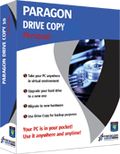
Giveaway of the day — Paragon Drive Copy 10 Personal Special Edition (English Version)
Paragon Drive Copy 10 Personal Special Edition (English Version) was available as a giveaway on January 5, 2011!

Drive Copy 10 Personal is a perfect tool for creating a virtual clone of your PC, including operating system, drivers and settings, all your applications and files. Save it to the USB hard drive and use it on another computer, just as if you're working from your own PC!
Paragon Drive Copy 10 Personal is the latest version that contains all updates and bug fixes! All operations are performed with increased speed and stability.
Key features:
- Windows 7 Support (32/64-bit). Accomplish any operation under Windows 7.
- Copy Features. Copy a full hard disk or a separate partition, and resize a partition while copying.
- Scheduling for copy operations. Set up a timetable for copy operations with new flexibility.
- Refined User Interface. Improved two-level user interface (Easy/Advanced) to satisfy the needs of every customer.
- Support for major virtual machines. MS Virtual PC, VMware Workstation, VMware Fusion.
- Now support for Linux ExtFS, Apple HFS+.
- Wide migration options. Migrate to another hard drive, migrate to different hardware, migrate to virtual machine, migrate your Apple hard drive.
- P2V Copy. Migrate a Win2K+ physical system to a virtual environment.
- P2P Adjust OS. Make OS start up after unsuccessful migration with 3rd party tools.
- Simple Backup and Restore Wizard. Make the process of adding new drivers even more smooth and easy.
3 steps to make your system mobile with Drive Copy 10 Personal Special Edition:
1. Create a virtual clone on your PC. Including operating system, drivers and settings, all your applications and files.
2. You can choose the format of your virtual environment. Choose format you prefer –VMWARE or MS Virtual PC. New users can download a virtual player from the official site of preferred vendor for free.
3. Save a virtual clone of your PC to a USB hard drive. Save a virtual player on the same disk as well and use your PC anywhere.
Your PC is in your pocket now! Use Drive Copy 10 Personal Special Edition and easily migrate to new hard drive or even different hardware without reinstalling, create backup images of your hard drive, and perform basic partitioning operations and even more!
Limitations: No WinPE included in this download.
If you are x64 OS system user, please follow the link here (file size: 101 MB)
Technical Support: During the Giveaway period Paragon Software provides technical support at http://twitter.com/paragonsoftware. Please, post your questions if you have any troubles while downloading, registering and using the software. Paragon Software’s support team will reply you as soon as possible.
Special offer:
Registered users of Drive Copy 10 Special Edition will receive a special 30% discount for new Drive Copy 11 Professional after its official release (if they agree to receive Special Offers). Be the first to get new Drive Copy 11 Professional (you will receive an e-mail with 30% discount for purchasing Drive Copy 11 Professional after the version is released)!
System Requirements:
Windows XP Home Edition, XP Professional SP1/SP2 (x32/x64), 2000 Professional SP4, Vista (x32/x64), 7 (x32/x64); CPU Intel Pentium or compatible/ 300MHz or higher processor; RAM 128 MB; Disk space 40 MB; Limitations: No WinPE included in this download
Publisher:
Paragon SoftwareHomepage:
http://www.paragon-software.com/home/dc-personal/index.htmlFile Size:
101 MB
Price:
$29.95
Featured titles by Paragon Software
Partitioning is not for amateurs. That is why millions of people have trusted our safe, stable technology and professional software solutions for over 15 years. Our latest 11 version easily organizes your hard drive and redistributes free space to enhance system performance.
Take complete control of your PC’s safety. Based on solid commercial backup and recovery software from Paragon, the new Backup & Recovery 2010 Free Advanced Edition will give you a rich set of features that you can trust.
Don't wait for a disaster to strike - get an instant data and system recovery kit today to ensure your protection! Rescue Kit professionally fixes boot problems as well as retrieves your data when your system fails to boot. It even rescues deleted partitions. All, you need to do to achieve complete control over any situation is burn the software on your CD/DVD!
Comments on Paragon Drive Copy 10 Personal Special Edition (English Version)
Please add a comment explaining the reason behind your vote.

iPhone app giveaways »





Android app giveaways »





Will this copy the C: drive (or partition) as it may be to an external drive that is partitioned without deleting everything on the external drive and the partition? In other words, will it copy to a partition leaving the rest of the drive intact?
Save | Cancel
I downloaded this app in both the x32 and x64 version.
I was emailed a product & serial number for ONLY the x64 version.
I emailed TWICE asking for the x32 version product/serial number of the Paragon Drive Copy.
I NEVER RECEIVED AN EMAIL WITH THE PRODUCT/SERIAL KEY for my request for Paragon Drive Copy 10. I have downloaded the ZIP file, but could someone PLEASE email me the Product AND Serial Key for this App. ?
Thanks
lazlatko@gmail.com
Save | Cancel
gaotd description: P2V Copy. Migrate a Win2K+ physical system to a virtual environment
i *think* that's the only way you can "copy" an installed windows os to a different pc. you can copy only into a vm. btw, "win2k+" is shorthand for "win2000, winxp, vista, win7" (and perhaps win2003, win2008). "copying" into a vm is an added feature since traditionally, hdd copy were for backing up.
joybar For permanent "move", doing fresh install on win7 is best. move your docs and some things like passwords and bookmarks into the new profiles.
will this work if i plug the USB with my data on it, into a Mac computer ??? -Jamster Mc
pdc10 description implies the copied windows will run in a vm, so bootcamp? parallels? or a vm that runs in the bsd subsystem? (I'm not a mac user)
Neal - i think you must run the winxp from old laptop inside the new win7, as if it were the old laptop. i don't think pdc can independently "copy" an installed app.
Jancio: What for should I make a copy of my computer to use it on some other computer?
To avoid paying for a second copy of certain software. Drawback is that the new pc (host vm) will need better hardware...
pdc is not just a partition imager (i used driveimagexml for that. simple.)
fubar... V2P? doesn't the source win os in source vm need to be as if installed on the destination pc's hardware?
for pdc10 to move p2p, i think both pcs need to have the same chipset. windows will have trouble "healing" itself if it starts up in very different hardware (example I'd expect fail: an intel install starting up in amd hardware)
Save | Cancel
Ashraf's reviews are second rate outdated under knowledged good and bad lists and that's all they are so as a couple hundred of you listen to him here's more knowledge about todays program...
Key features:
* Windows 7 Support (32/64-bit). Accomplish 'any' operation listed under Windows 7 x64
* Copy Features. Copy a full hard disk or a separate partition, and resize a partition while copying
* Scheduling for copy operations. Set up a timetable for copy operations with new flexibility.
* Refined User Interface. Improved two-level user interface (Easy/Advanced) to satisfy the needs of every customer.
* Support for major virtual machines. MS Virtual PC, VMware Workstation, VMware Fusion.
VMWare is standard i wouldn't suggest using any other Virtual Machine as many are just jokes ie: sun systems wannabe VM Ware... thanks.
-
Save | Cancel
I don't see Ashraf's review as being very conductive, nor thorough this day. It's derogatory, very incomplete and negates most of this program's outstanding abilities, 'The Bad' is not at all so bad in all honesty. Thanks for ok reviews, but just having 'The Good' list and 'The Bad' list is not at all a complete and unabashed review at all. And one shouldn't begin to review the software if they have not 100% thoroughly and completly reviewed the software ( that would make it a review and not just good/bad list of comments now wouldn't it. Anyway thanks for the efforts but more full-on knowledge would be more helpful. That being said, I just bought a 500GB USB Seagate thin & slim drive that this program will work great with. And WinPE Needed? Great! I'll burn a copy...'Not So Bad' afterall,....WinPE bootable burns fine, while I am at it i will just make the WinPE autoboot from my USB HD, oh and auto .exe booter will be nice also.
+Enjoy.zZz~"Avid PC Enthusiast Since 1982..."
Save | Cancel
Out of the last five or six Paragon offers here at GotD in the last year or two, I have only been able to try ONE, because for all the others, including today's, I never got an email with a registration code, even though each time I tried multiple times with different email addresses. A couple of time, including this one, I even started trying early enough in the day that I was able to send an email request direct to Paragon's customer service for this, but never got a response of any kind, hours later.
You can certainly bet I'll never purchase a Paragon product. They may have good software, but customer service reliability is key for me.
Save | Cancel
I have downloaded and installed 3 different times and it says successfully activated bot it didn't show the form to fill out for the key and when I checked, it didn't install the program but it did start Windows Explorer that I don't use, I use Firefox and it did download and install a program that monitors software updates that I had to uninstall that I didn't want.....how do I get the code key please
thank you, Tony Rome
Save | Cancel
Downloaded and installed fine WIN XP SP3 PRO, ....but does not work:
Tried to clone my C HD to another HD, which I have done before with other software, but Drive Copy reboots back into WINDOWS, not doing the cloning. Checking the FAQ, I found for this problem: "Do chkdsk /f", which I did - but got the same result, no change!
Perhaps someone can help?
Thanks, Eldad
Save | Cancel
#52, no i have a true dual boot and virtual machine on my computer. under Windows i use Wubi to run Linux in a dual boot.
Under Linux I use Sun's Virtualbox to run Windows.
It's a testbed computer in case you're wondering about the goofy setup, but I couldn't get Paragon to recognize Windows under Linux or Linux under Windows even though Wubi treats Linux as a separate program.
Nothing against Paragon, it's just a warning to those with VM or Wubi to take heed
Save | Cancel
i managed to clone AND backup a failing laptop with apricorn but i am unable to use the programs and data in a practical sense because there is no longer a functioning orig laptop to restore backup to(or switch out hd). will this program be able to migrate my clone/backup to a newer computer?? thanks.
Save | Cancel
I had the previous copy, but uninstalled it before trying to install this one. But I am getting "Wrong Serial Number" despite copy/ pasting. (and being careful not to add spaces before or after the serial #). What can I do about this? I have tried 3 times to install with no go.
Save | Cancel
@03. But u can use it if the os is on a hdd u've connected externally n aren't currently running from. Or if u boot from an OS on an external hdd then u can copy ur primary. You don't actually have to set up a standard dual-boot system.
Save | Cancel
This giveaway arrived just in time for me. My old laptop suffered hardware failure due to a liquid spillage that damaged the keyboard and the display.
I obtained a 'cheapie' replacement witha small hard drive, preinstalled with Win7.
Using my desktop to house the old disc from the damaged laptop and the preinstalled Win7 disk from the new laptop, I was able to transfer the new copy of Win7 to the old hard disk and boot up my bargain with the older, bigger disk.
Very pleased.
Stuart
Save | Cancel
do you need to uninstall version drive copy 9.5 before installing this version
Save | Cancel
Those of you who are wondering why today's GOTD is a repeat, have forgotten what the GOTD team promised: they said they would be randomly repeating few of the (popular) giveaways of 2010. Those who missed the previous Paragon Drive Copy 10 GOTD offer, will relish the chance to download and try it today.
I like Paragon products, they make very professional tools. Some people who are comparing today's offer to other commercial equivalents seem to be a bit harsh in their feedback. I would request them to get their favorite software (that they praising so much) offered here. Somehow, I don't think that's gonna happen soon. :-)
Unless (and even if) that happens, let us remember the spirit behind GOTD. It gives lower-tiered software vendors to reach a huge untapped audience, take a big risk in giving away their hard work for free for a whole day (and thereby risking chances of piracy and hacks), facing sudden deluge of visitors to their website (which their web host might not even be capable of handling), etc. And the only benefits they want are goodwill, honest feedback (positive and constructive criticism), good suggestions and workarounds, and if you like the giveaway and can afford it, you please buy it. It is a win-win situation for everyone (including GOTD), and if you don't like something and just came here to crib or troll, just remember no one's forcing anything down your throat.
For me, lack of WinPE might turn out be a deal-breaker, as I tend to look for it for crash recovery. Still I am gonna install Drive Copy and give it a go.
Like many of us here, I always refer to Ashraf's comments. In fact, his daily tests/reviews seem to be taking so much time that he is not able to focus much on expanding it (he seems to be more "mobile" these days). Maybe, GOTD should pay him and other frequent GOTD reviewers (thanks Mike!) some kind of bonus for their contributions to this community.
We wish the GOTD team and the GOTD reviewers (and your families) a very Happy New Year 2011 !
Save | Cancel
Paragon destroyed 2 hard drives in one swoop (computer tech 20+ years) but despite that I decided to give this a try. It is now hung on Windows 7 x64 and looking at task manager the install has 6 (six!) copies of the installation going at once. I did download the OS 64 bit version as shown above. thumbs down again on Paragon
Save | Cancel
For those like me who have slower access at home, downloading 100MB can take some time. So, here's the registration page link: http://www.paragon-software.com/registration/dc10pers-se.html. Go and register now, before 24 hours is up in case your download takes you too close to the time limit. I still seem to occasionally run into the problem of the giveaway wrapper running out of time trying to connect & get authorization when "disgorging" large giveaways on slower machines.
For those confused by Paragon's multi-pronged approach, here goes for an explanation: So this particular variant can copy drive contents from one drive to another (its basic task) and make a backup image (the primary task of Paragon's Backup family). It can also create images for use with virtual machines (the basic features from its Virtualization Manager product). Of course, it does have basic Partition Manager capabilities. When they try to sell you the full package of utilities, it's much smaller than adding up individual products by a huge amount.
I would wholeheartedly recommend Paragon as a competent maker of drive manipulation & backup tools except for one major issue: they have yet to develop a proper image verification routine. One of the key aspects of backup is that you must be able to verify that your backup is valid. If you want to use Paragon, then I would strongly suggest that you make multiple backups (at least 2 full backups) and compare them to each other. In testing Paragon, I have twice come across a bad backup in around 80 image creations.
Yes, Fubar is correct that Paragon does have a problem identifying non-standard partitions. I have gotten Paragon to work with some "hidden" system recovery partitions by temporarily changing the partition type to a standard NTFS or FAT-32 file type (as appropriate to the system), but this requires a disk editor and somebody who knows exactly what they are doing.
For those with x64 issues: Make sure you are downloading the correct version, not the usual download link, but the link in the text in bold above the summary box. Install & run as administrator is a MUST! (You otta know this by now...)
If you have been paying attention in the past, you will know that Paragon has gone to a weird numbering scheme that they don't always pay attention to. The main program is released with a given version number. The "Personal", "Special", "Giveaway", "Cover Disk" or "Free" edition is often given a 0.5 version number demotion. Thus, for Drive Copy 10, this Personal Special edition has portions that report a version number of 9.5 and others that report 10. Both are valid. Confusing, isn't it?
Save | Cancel
After reading Fubar's endorsement, I checked out ShadowProtect. It does seem impressive, but it should be noted that a single copy is $89 and a bundle of 3 is $209. That may put Paragon in perspective.
Save | Cancel
I'll tell you why I endorse this software and it's because of 1 feature: the ability to copy EVERYTHING. This may not seem like a big deal but I've tried other cloning software and it won't copy everything, especially, if it's in use but this does. That may not seem important to some but when you're trying to copy your boot drive and it WON'T, what's the point...
Another thing, while I may not be happy about giving up an email address and getting offers from them, I've never been disappointed by their software (Everything that they've offered). Far too many pros vs cons and you can't say that about everything that is downloaded from here. I'm not dissing on the other software but I am saying that pound for pound, they provide the highest quality of anyone that offers here. I would recommend their software to anyone.
Save | Cancel
1) My PC came with Vista pre-installed on it so I was never given the M$ install discs. Can Drive Copy make a copy of my already installed Vista-OS to use on the any of the virtual machines it supports (I plan to use Oracle's VirtualBox) ?
2) This is the version I have from the last GAOTD:
Paragon Drive Copy™, version 10, build 9409 (22.01.10 ) Personal SE
Is today's offering updated?
Thanks!
Dan
Save | Cancel
I used this software to make a virtual machine of my old laptop running under VirtualBox a little more than a month ago. It allows me to use the old system with ALL its programs as if the old laptop never died its rightful death.
It was wonderfully easy and and worked without flaws. Instead of having an old backup of a computer that any new backup software is unlikely able to restore, I now have my old system in the form of a virtual machine (VMDK format) so that I can use it anytime I desire AND performance is much better than it ever was on that old dog.
GREAT software!
Save | Cancel
@30.
For this purpose you need a Paragon product providing a WinPE RCD and P2P functionality. Boot from RCD and insert the appropriate drivers before starting the computer.
Save | Cancel
This is the exact version that was here before which they last updated April, 2010 according to their website:
21.04.2010 10.0
Paragon Drive Copy 10.0 is released with new functionality:
* Windows 7 Support (32/64-bit)
* Refined User Interface
* Support for major virtual machines
* Wide migration options
* P2V Copy
* P2P Adjust OS
* Smart Driver Injector
* Simple Backup Wizard
* Restore Wizard
* WinPE 2.1 recovery environment
* The latest Linux kernel for Linux-based recovery environment
* Support for Linux Ext4FS
* Support for GUID Partition Table (GPT)
* Better support for 64-bit platforms
Save | Cancel
1. Installed 64 bit version
2. Ran MSI
3. Installed to Program Files (86) which I thought was unusual being a 64 bit program
4. It hung at the end of the installation for 15 minutes when it became obvious it wasn't going to move.
5. There were about 10 msiexec.exe showing up in my task scheduler.
6. I tried the install again, since an install was in progress, it said no.
7. Tried Repair option, again no.
8. Restarted the computer and got the blue screen. Something about a driver.
9. Unplugged and restarted. Program ran but I did what #19 suggested and then ran repair again.
10. It is hanging as I am typing. Another 15 minutes.
Anyone experiencing anything similar? Any help, please?
Save | Cancel
To #22: I think your thinking thumb drives. USB hard drives can be had for 1 to 2 TB for not a whole lot of money. Plenty of space for back up.
Save | Cancel
To those who say it is impossible to back up 1.5 GB, or 750 GB, they make 2 TB USB drives that are very common.
Save | Cancel
I have looked at this type of software many times and would like to mention a few facts about limitations of P2P Adjust OS feature. The issue is M.S. Windows licencing. If you have an OEM copy of windows which means Dell, HP, and others then you will not be able to transfer your operating system to another computer without paying for a new retail copy of windows. So that means 80% of users will never be able to use it. I contacted Paragon and all they said was to contact Microsoft. Just my two cents worth.......
Save | Cancel
When I first saw this offer I was excited but after reading more about it I'm now confused as to what it does and as it's not bootable I think for us non techies it may be a stretch too far so I am not going to try this. It sounds too scarey....
Save | Cancel
This *might* be just what I've needed. I'm running XP Pro SP3 on an 8 year old self-built puter. The 40Gb hard drive was partitioned into three partitions; system, storage, storage. I have a 120Gb drive that I want to partition 60/30/30, and then move everything onto it from the old 40Gb drive. I've had the new drive a while and haven't used it yet because I don't want to do a fresh install. I just want to move everything from the 40Gb drive, exactly as it is, including the OS. So, will this program allow me to do exactly this?
Save | Cancel
Downloaded and installed with no issues (x64 version). I'm attempting to perform a simple backup, however I'm getting the following error:
"Bad parameter of function, source: Hard Disk Manager"
Any suggestions?
Save | Cancel
I forgot to mention, if you have an account at Paragon, you can get your registration keys/serial numbers from there without waiting for an email message.
Unlike many developers, I think that the programmers at Paragon are competent. Their use of the Microsoft Installer permitted a driver update without rebooting when I updated another of their products. Most updates fail on Vista/Win7 because updated drivers will get deleted when you restart Windows, if you didn't use the Microsoft Installer (or didn't use it correctly).
I talked about ShadowProtect because it's what I use, I have neither the time nor the incentive to do full backups/restores, etc., with Paragon Drive Copy. Paragon Drive Copy does have a number of features which ShadowProtect doesn't have, and it's supposed to be about copying drives, not backing them up. I just wish that Paragon would spend more time making the core functionality solid rather than throwing in all kinds of unrelated features. They can sell a single product with all of the features of most of their other products.
Save | Cancel
I am just amazed by some of the comments here. If you don't understand what this suite does, you shouldn't be using it. There is no need to dumb down software so morons can use it. I prefer software vendors that keep things precise and technical so anyone with two brain cells can know whats going on.
"Herp Derp, Can this USB my screen savors from XP on my iPad?"
Also any comments that contain the phrase "Will it work with..." should be deleted.
Save | Cancel
People are cleary misunderstanding what migrating to new hardware means. What it means is that if your computer fails or you decide to upgrade to a computer with better hardware, you may be able to migrate your entire OS, programs, data, etc., to the new computer. You can't migrate the programs and data alone (there are utilities which claim to do that, but I would never trust them). You can always copy your data over.
Paragon Drive Copy is far less sophisticated than StorageCraft ShadowProtect Desktop which I use, but I can give you examples with ShadowProtect. You can do the same with Paragon Drive Copy, it's just much more cumbersome. In the first place, I have tons of storage (currently 8TB raw internal and 7.5TB raw external attached, lots more unattached). I have backups of my Windows Vista environment available internally and externally (internal is faster, but external isn't bad) on my Windows 7 environment. With ShadowProtect, I usually just point at the most recent incremental backup (actually, I used ShadowProtect's ability to write to existing backups, and wrote out a new incremental image after taking permission as Win7 administrator to access my old Vista data, since NTFS security prohibits Windows access to data from another computer/installation), right-click the backup file, and select Quick Mount. ShadowProtect reads back through the chain of incremental snapshots to the full image, and mounts the composite image as a virtual drive, accessible though Windows Explorer like any other drive. When finished, I just right-click any file/folder and select Quick Dismount. You would be able to do something similar with Paragon software, but it may involve a great many more manual steps, and you might only have access to your data from the recovery environment. Similarly in ShadowProtect, I could just right-click any backup image and boot it in a virtual machine, ShadowProtect handles all of the adjustments. Paragon also permits use of virtual machines, which is the best way to run your old programs, but again it involves a lot more manual work than ShadowProtect.
Save | Cancel
Does this tool can resolve the STOP 7B bugcheck for Windows XP/Vista/7? For example, to restore windows boot when hard disk drive inserted in computer with another IDE/SATA hardware.
Save | Cancel
To #22 (Jancio): you probably mean 1.5 TB, don't you?
You seem to limit your thinking to USB memory sticks, but nowadays you can connect any hard drive via USB (using a disk enclosure or just cables), and this way you can have a 2TB USB drive easily. So when you find a purpose for this software ;-), you can clone any disk you have to a new disk of the same type connected via USB (bad luck only if you use RAID other than RAID-1).
Save | Cancel
When I go to install the 32-bit version, the install panel state it is installing version 9.5! Does the file point to the wrong version?
Sparky
Save | Cancel
Okay, here's what I think this thing does:
First, imagine that you've got your desktop configured the way you'd like it. (I know, never happens, but still.)
Now imagine getting a shiny new laptop with comparable specs and OS, but not wanting to go through the bother of installing everything to it.
Use PDC10 to back your system up onto, say, a 500 GB external USB drive, and then plug that drive into the laptop (which, I presume, also has PDC10). Voila! You can run everything on your desktop on your laptop without going through all that reinstalling and reconfiguring.
Let's further say that, at some point, your desktop HD crashes. If you've been using PDC10, all you have to do is get a new internal HD, and then reinstall from the external USB drive.
Is that close? Or am I reading this completely wrong?
Save | Cancel
While Paragon remains a second-tier developer, unlike much of the junk offered here they may eventually become a top-tier developer. While Paragon offers a good price point, I find that their offerings are muddled, trying to make each a jack-of-all-trades while being a master of none. It's also confusing to try to figure out what products you need, since there's so much overlap. They should concentrate on the core features of each product.
I'll illustrate with concrete examples. Paragon Drive Copy tries to do all sorts of stuff, so the comparison with a product which does some of the same things but has a different focus is fair. As I mentioned previously, when I tried to copy a special system recovery partition, Paragon couldn't do it, but EASEUS and StorageCraft ShadowProtect Desktop could. ShadowProtect doesn't try to be all things to all people. They're a top-tier provider of Windows backup solutions, they don't do Linux, etc., yet ShadowProtect was easily able to copy a partition of an unknown type. Some people who post here seem to live in their own little worlds with very distorted views of reality. ShadowProtect could do Hardware Independent Restore, P2P, P2V, V2P, etc., write to existing backup images, etc., years before anyone else; look up reviews for older versions of backup products. I can't stand the way that Paragon installs their useless HotCore3 partial-VSS obsolete driver which intercepts all of your disk access for no reason (it served a function many years ago, not on any of the last several versions of Windows). ShadowProtect (and all of the major backup packages) also install something similar, but ShadowProtect's is a registered VSS provider which serves a function. ShadowProtect is able to easily see all of my RAID visible and hidden volumes (and of course Windows Disk Management can), Paragon is only able to see one small RAID volume, it knows that there is other stuff but doesn't know what it is and can't handle it.
The giveaway version of Paragon Drive Copy doesn't include WinPE because of licensing restrictions (Paragon would have to pay Microsoft), but even if you buy Drive Copy, you only get WinPE 2.1, which is quite limited (there's WinPE 2.2 and WinPE 3). Now, Paragon will have a new version of Drive Copy which may have WinPE 3, but everyone else who still has active businesses are also working on new versions. ShadowProtect has included WinPE 3, Windows 7 support, 64-bit support, etc., for some time. The ShadowProtect Recovery Environment ISO actually includes WinPE 3 and WinPE 2.1. Unlike some others, ShadowProtect doesn't require you to burn a new CD/DVD/BD/USB flash drive, etc., recovery environment with particular drivers for particular hardware. If you have any recent version of Windows, their recovery disc is already likely to contain sufficient drivers to boot, and if it doesn't, you can either remove the ShadowProtect Recovery Environment disc from the drive (or pull the flash drive) and insert a CD, etc., with drivers, or access USB drives, or network storage, etc. Without their WinPE disc, I can't test Paragon's P2P function, but the documentation indicates that it's all manual and you have to supply the drivers. ShadowProtect can usually automatically supply the correct drivers for you. ShadowProtect doesn't try to be a Swiss Army Knife, but it does have an extensive set of tools in the Recovery Environment for getting a computer to boot.
I think that Paragon is making good use of GOTD and that they may eventually become top-tier, but they're not there yet. The giveaways are a good deal (although I still hate the HotCore3 installation). If you're considering purchasing their products, you'll have to consider whether the low prices makes up for occasional deficiencies, it may be worth it to you.
Save | Cancel
Quite a few commentors have no idea what this software does.
It copies your C: drive so that should the drive fail or you want to install a larger drive you can copy it all back and run as if nothing had happened!
There are several freeware's available that do this, the payed for versions are simply faster.
I recently increased my C: drive from 160GB to 320GB. It took 5 hours to complete the task with HD Clone.
What we need to know is how fast Paragon Drive Copy 10 Personal is compared to the freeware versions. But whats the hurry?
Save | Cancel
Well I didn't get a button "get free serial" while installing, to click so I can't fill in any online registration form to get the product key and serial number, I've repeated twice with the same result. :( Dunno what is wrong.
Save | Cancel
If I may, software like this, recovery software/backup software, is that you really have no idea if it works unless you take the chance and destroy your OS and then try to restore it. That's a BIG risk to take. You really need to create a full backup of an installed system when you first install it, so that you have a good starting image to rely on. Right after the initial install, you make the image, perhaps with this software, and then wipe it out and reinstall from the image, in order to test its reliability. My system is now years old, with almost 750GB of programs and data, and there's no way I am backing it up or restoring it. If it goes, I start over. There's nowhere to store a backup that big. Even if I just backup the OS it's still a huge collection of files, so I don't bother with these programs, I have all the original software in one place for that day when it goes. My own plan is to buy a terabyte drive and clone everything onto it; by then this would be one good way to do that, but I can't do it today, so thanks for the offer GOTD!
Save | Cancel
I must admit that I don't understand the idea of this software. What for should I make a copy of my computer to use it on some other computer? How it is possible to store all data of my computer on USB drive? All my data including system disk is over 1,5 GB - no USB drive has this capacity. I appreciate and understand the idea of making a copy of system and data to clone them to a new hard drive, but as far as I understand this software can't do it.
Save | Cancel
I have a new computer. Would like to copy everything from existing to new. Includes all the wonderful programs I have downloaded from giveaway. Have 4,000 songs on ITunes and 90 favorties which have not been able to back up.
Also have an existing lap top which would like to also wipe everything and copy total system to.
Will this work? Comment to Josh in 12 above. As a novice I really appreciated your comment.
Save | Cancel
It stated it was for 32 and 64 bit Windows 7. It only copied with 32 bit programing and could not be installed. HELP
Save | Cancel
Ref my message (14)I went to Paragon's web site. Read product manual. It has the answer to this error. Run command prompt as administrator. Then run regsvr32 jscript.dll. After that installation went OK. Hope this helps if anyone else encounters this error message.
Save | Cancel
On download of the 64bit version, after opening the rar file the file:ParagonDC10_Pers_x64.msi is not available to run. I have always been able to download and install Paragon programmes from GAOTD.
Any help.
Save | Cancel
I immediately thought of an important potential use for this, if I understand correctly what it does, but I am not sure if it will work. If the manufacturer is reading these posts, feedback would be sincerely appreciated. I bought a new computer, but don't want to give up my ability to use the programs on my old laptop that I've downloaded from GAOTD. They cannot be reinstalled on another computer. Hooking my old laptop up to my new laptop would be unwieldy. It sounds like this program might allow me to instead clone the relevant portions of my old laptop onto a sleeker storage device that could be accessed on my new computer via USB connection. (They make them so small these days!) If so, this would allow me to continue to use favorite programs that can't be moved. Is this correct? And if so, what portions of my old computer would I need to copy in order to this to work? My old computer has Windows XP Pro and my new computer has a dual Windows 7 and XP program. I am very eager to learn if and how this can be done. Thank you.
Save | Cancel
@newjason
Why would you use that program SIW2 created?
This software include a system to created that bootable solution!
from ashraf comment:
* Allows users to create bootable/recovery CD/DVD/Blu-ray discs or USB/flash drives.
Save | Cancel
will this work if i plug the USB with my data on it, into a Mac computer ???
Save | Cancel
On trying to install the Windows Installer gives a message "Error 2739. Could not access JavaScript run time for custom action". It then exits without installing program. Any hints? System is Windows 7 with good memory etc.
Save | Cancel