Every day we offer FREE licensed software you’d have to buy otherwise.
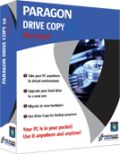
Giveaway of the day — Drive Copy 9.5 Personal Edition (English Version)
Drive Copy 9.5 Personal Edition (English Version) was available as a giveaway on May 25, 2010!
Create a virtual clone of your PC, including operating system, drivers and settings, all your applications and files. Save it to the USB hard drive and use it on another computer, just as if you're working from your own PC.
Use Drive Copy Personal to easily migrate to new hard drive or even different hardware without reinstalling, create backup images of your hard drive, and perform basic partitioning operations and even more.
Learn how to make your system mobile with Drive Copy 9.5:
- Create a virtual clone on your PC. Including operating system, drivers and settings, all your applications and files.
- You can choose the format of your virtual environment. Choose format you prefer –VMWARE or MS Virtual PC. New users can download a virtual player from the official site of preferred vendor for free.
- Save a virtual clone of your PC to a USB hard drive. Save a virtual player on the same disk as well and use your PC anywhere.
- Your PC is in your pocket now! Plug your USB drive to other computers, install a virtual player there and use your PC anytime you need it.
Key and New Features:
- Windows 7 Support (32/64-bit). Accomplish any operation under Windows 7.
- Refined User Interface. Improved two-level user interface (Easy/Advanced) to satisfy the needs of every customer.
- Support for major virtual machines. MS Virtual PC, VMware Workstation, VMware Fusion.
- Wide migration options. Migrate to another hard drive, migrate to different hardware, migrate to virtual machine, migrate your Apple hard drive.
- P2V Copy. Migrate a Win2K+ physical system to a virtual environment.
- P2P Adjust OS. Make OS start up after unsuccessful migration with 3rd party tools.
- Smart Driver Injector. Make the process of adding new drivers smooth and easy.
- Simple Backup and Restore Wizard. Make the process of adding new drivers smooth and easy. Create compressed image of your hard drive or partition.
Detailed Product information is available at Paragon Drive Copy 10 Personal Edition website
If you are x64 OS user please follow the link here.
Limitations: No WinPE included in this download
Technical Support:
During the Giveaway period Paragon Software provides technical support at http://twitter.com/paragonsoftware. Please, post your questions if you have any troubles while downloading, registering and using the software. Paragon Software’s support team will reply you as soon as possible.
System Requirements:
Windows XP Home Edition / Vista (x32/x64)/ 7(x32/x64) and XP Professional SP1/SP2 (x32/x64)/ 2000 Professional SP4; Intel Pentium or compatible, 300MHz or higher processor; 128 MB RAM; 40 Mb HD space; Internet Explorer 5.0 or higher, SVGA video adapter and monitor.
Publisher:
Paragon SoftwareHomepage:
http://www.paragon-software.com/home/dc-personal/index.htmlFile Size:
101 MB
Price:
$29.95
Featured titles by Paragon Software
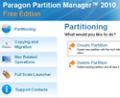
The safest tool for hard drive partitioning! Partitioning is not for amateurs. That is why millions of people have trusted our safe, stable technology and professional software solutions for over 15 years. Our latest Free 2010 Edition easily organizes your hard drive and redistributes free space to enhance system performance.
NEW 10.1 Edition - Total PC Protection for Serious Users! Take complete control of your PC’s safety. Based on solid commercial backup and recovery software from Paragon, the new Backup & Recovery 10.1 Free Edition will give you a rich set of features that you can trust. Smart people backup; Backup & Recovery is smart backup.
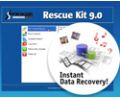
Don't wait for a disaster to strike - get an instant data and system recovery kit today to ensure your protection! Rescue Kit professionally fixes boot problems as well as retrieves your data when your system fails to boot. It even rescues deleted partitions. All, you need to do to achieve complete control over any situation is burn the software on your CD/DVD!
Comments on Drive Copy 9.5 Personal Edition (English Version)
Please add a comment explaining the reason behind your vote.

iPhone app giveaways »





Android app giveaways »




As a follow up
Limitations: No WinPE included in this download
:(
the linux/dos recovery cd that the program burns says:
incompatible with your hardware settings.
If I dont have a recovery CD that works properly, then what is the point of all this software?
I did goto the paragon support fourms and the people there were VERY helpfull and even went so far as to write a plugin for BART PE that after a lot of reading and a few tests let me burn my own PE recovery cd with paragon drive copy as a plugin. I've tested it and it works great so far...
Thanks to all at the Wilders security fourms, your help was invaluable and muchly appreciated.
Save | Cancel
Cannot open the disk 'F:\mysystem.vmdk' or one of the snapshot disks it depends on.
Reason: Insufficient permission to access file.
I keep getting this error message whenever I try to open my vmdk file with the vm player any ideas how to fix this?
Save | Cancel
Great Looks and Features
works nice on windows7
Thanks
Save | Cancel
I have got my desktop running on my laptop via virtualbox. Everything running good. My only question is how does Microsoft handle the activation? I got a message that said 3 days left untill auto activation? I do not want to invalidate the original Vista install on my desktop.
Save | Cancel
#1 - Thank you for the registration help. Having been away from computers for 10 years, there is a great deal I have to (re)learn. I am lucky if I end up downloading half of GOTD's offerings because I can't seem to figure out how to regester then. So thank-you for help for the unlearned (but trying).
As far as stickers go - "The only good sticker is the oned that was NEVER WRITTEN!!!
Save | Cancel
the soft ware is great, mike can you email me at rockncook@yahoo.com about a problem i am having and no one has been able to help me. thank you betty
Save | Cancel
I have been waiting for this program for a long time, finally it's here!
THANKS GAOTD and PARAGON.
The 101 MB file size mystifies me somewhat, and the unusual setup step and registration take a while to do.
Once I extracted the downloaded ZIP file, on my XP SP3 machine, I ran the SETUP and it registered itself at GAOTD. It then extracted the MSI file.
I ran the MSI file and registered at the paragon site, that it took me to automaticlly.
In 1 min i had my Serial number and KEY. I entered them in the installer.
The installer ran for a very long time. So long I was starting to get worried.
After what seemed like forever, the installer put an icon on the desktop from Paragon and the installer said the installation was complete.
Then explorer Crashed. and the installler asked me to reboot now or later? I chose later.
explorer re-started after a moment, then i re-booted.
Booting seemed to take a little longer, but all was fine.
I just burned the PE rescue CD and am very happy so far. I just need to go buy a blank hard drive to clone to and I will be set.
I pray the program works as advertised.
Awesome Giveaway, Thanks again.
Save | Cancel
This software has other features worth considering. It can repair MBR and Partition Boot Sector. It can handle file and folder transfer from one location to another. It can do incremental/differential backup and scheduled backup. It can clone a hard disk to another.
Take note that for virtualization, it clones the O/S and all other data to either another hard disk or USB drive. There is no way to just clone the O/S or Windows Directory. In any case, just by cloning the Windows Directory is not sufficient to have a PC on the go because many applications have the habit of putting their data in the Application Data directory.
Some application is known to create its data folder in the My Documents folder. If you just want to virtualize your O/S, I have not found the function in this software to do so. If someone had looked through the features and found that it can just clone the O/S, please let everyone know about it here. I did not find such a feature when I tried out the software unfortunately.
Save | Cancel
32x version would not install to Win2k pro sp4 and returned a message that the OS was not supported. ?? anyone else have that problem
Save | Cancel
Mike... Thanks for the explanation! I have one more question:
I have an old laptop with Win XP 32-bit. I have a new laptop with Win 7 64-bit. I have some programs on my old laptop that were 16-bit but still run. I can only use the old laptop occasionally as it heats up and crashes (not sure if it's the fan or something more serious). I cannot install the old programs on my new laptop, even in *compatibility mode*. If I were to install Drive Copy on a flash drive from my XP laptop, and install a VM on the new laptop, would I be able to run the 16-bit programs on the new laptop... or do I have the concept wrong?
Thanks!
Save | Cancel
Okay . . .after reading the previous comments, I have an idea of what this program does and is useful for. At the moment, the only USB drive I have available is 8GB, and I have a lot more than that on my 500GB C:\ drive. Indeed, I have much more than 8GB of programs from GOTD installed there! :) So does this program give me a stripped down, crippled version of this system, without all of the neat utility-type programs from GOTD and elsewhere that I use all the time, to take to another machine, or what?
Save | Cancel
No. 45 - Mike - Macs PCs - Thank you so much for that brilliant explanation of how this program works. You couldn't have explained it better and I am grateful that you took your time to write such a clear helpful explanation.
Save | Cancel
I am NOT sure exactly what "virtual machine" means? With this pgm, can I make a TOTAL copy of my laptop (has Win7) on an external disk drive, then load it on my desktop (Win XP),after I have made a TOTAL copy of my desktop on a diff hard drive with this pgm, then I will be ablt to run ALL the pgms on my desktop that were on my laptop? And I can easily restore my original hard drive to my desktop and continue to run the desktop's original pgms?
Save | Cancel
I use Paragon Hard Disk Manager 2009 for my drive imaging needs.
I've replaced the hard disk in my older PC which had a 6 year old 80GB Excelstor and even older 12GB Quantum. Imaged both old HDDs using HDM2009 and wrote the images to a new 500GB Seagate HDD.
Windows (W7) booted fine from the new HDD, but a re-activation was needed.
Drive Copy seems to be integrated into Hard Disk Manager so I will not install it separately.
But it's a very good program if you need to make HDD images.
@45 and others: To disable Stickers, add this to your "hosts" (C:\Windows\System32\Drivers\etc\hosts on x86) file:
127.0.0.1 stickr.com
Save | Cancel
A very quick and easy way to experience a virtual computer is to download the 'Embedded' version of 'Damn Small Linux'. By running it you'll immediately have a completely functional Linux system running inside Windows. Great fun! :)
And you CAN, but don't need to run it from a 'Pendrive'/USB-Stick/whatever. You can just unzip it to a folder on your hard drive and run 'dsl-base.bat' to start it.
Wikipedia: http://en.wikipedia.org/wiki/Damn_Small_Linux
Here's their list of Mirror DL sites
http://www.damnsmalllinux.org/download.html
And here a direct download link to the embedded DSL. 53MB in size (53.096.634 bytes).
http://distro.ibiblio.org/pub/linux/distributions/damnsmall/current/dsl-4.4.10-embedded.zip
Save | Cancel
To help people unfamiliar with/confused about the whole concept of virtualisation I'd like to refer to this Wikipedia article about Hypervisors. A basic concept behind virtual computers that it is useful to have some insight in. I linked to the part in the article about PC's about 2/3 down the article but I advise the interested to start reading the article from the start.
http://en.wikipedia.org/wiki/Hypervisor#PCs_and_desktop_systems
An important distinction is the difference between type 1 and type 2 Hypervisors. I'll quote that bit from the (start of the) article here:
================================================================================
* Type 1 (or native, bare-metal) hypervisors run directly on the host's hardware to control the hardware and to monitor guest operating-systems. A guest operating system thus runs on another level above the hypervisor.
This model represents the classic implementation of virtual machine architectures; the original hypervisor was CP/CMS, developed at IBM in the 1960s, ancestor of IBM's z/VM.
* Type 2 (or hosted) hypervisors run within a conventional operating-system environment. With the hypervisor layer as a distinct second software level, guest operating systems run at the third level above the hardware.
================================================================================
So Type 1:
=== Operating System layer (guest OS).
=== Hypervisor software layer.
=== Hardware layer
And Type 2:
=== Operating System layer (guest OS).
=== Hypervisor software layer (MS Virtual PC, VMware Player, VirtualBox)
=== Operating System layer (host OS - e.g. Windows, Linux)
=== Hardware layer
Save | Cancel
Maybe this is a dumb question ... I have an app (Dragon Dictate) that only runs on 32 bit systems. My old 32 bit XP laptop is slow but runs Dragon Dictate. I have a 64 bit much faster Vista desktop. If I run the XP as a virtual machine on the 64 bit, will the 32 bit ONLY Dragon Dictate work on the 64 bit PC? It would be great if it would.
I hope I explained that well enough. Thanks in advance.
Save | Cancel
Do I have to uninstall V9 before installing V9.5? And how does this compare to Acronis? i have both in computer, and I try to do the download of. 9.5 several times but all failure, may be you let a advise how to proceed ?
Save | Cancel
This is odd.
People have discussed in this thread whether or not DC9.5 supports P2V for VirtualBox. As stated earlier the PDF-files I referred to previously do show this option AND I have just used this option on my W7Ultimate test installation to create a virtual partition called "vdisk.vdi" (default name) which it happily creates for me.
However.... On Paragon's Twitter page referred to at the start of this page (and for your convenience repeated below) I found this message:
-------------------------------------------------------------------------------
@Karl1111 Drive Copy 9.5 doesn't support VirtualBox.
about 9 hours ago via web in reply to Karl1111
-------------------------------------------------------------------------------
See: http://twitter.com/paragonsoftware
I can't find any postings here on the English GOTD thread by a Karl but to whomever they are replying what they are saying there seems to be, ehhh.... WRONG!
Could Paragon please clarify this?
In the version I downloaded here and installed this option is present and apparently functional, although I only used it so far to make an image of a very small partition without an OS on it. Has anyone already actually used a bootable VirtualBox image created with today's DC9.5?
And I would like to see a reply on Twitter to my earlier question (#35) about the exact differences between Paragon's "System Upgrade Utilities 2010" that was recently offered here on GOTD and this "Drive Copy 9.5(10) Personal Edition".
Apart from that. Thanks to Paragon for their regular presence here on GOTD with a variety of their software.
Definitely appreciated.
Save | Cancel
Will I never learn to read the instructions? Silly me, It installed just fine with no problems on my Windows 7 (DIY) computer.Then I think I better get it installed on my USB flash drive. No that is not the way you do it. Well lesson leaned the hard way - as usual. Now I will go back and read the instructions and install on the USB flash drive from the program already installed on the computer. Will report back later.
cuggie [Dwane]
Save | Cancel
Under Win 7 Pro 64 bit, anyone have any idea why the 64 bit version installs in C:\Program Files(x86) (the folder for 32 bit apps) when all my other 64 bit programs install in the 64 bit Program Files folder?
I definitely used the correct 64 bit installer...
Save | Cancel
Comment by catlover @ #26 I have a desktop that is Windows 7 and a laptop that is running Vista . . . Can this be used to change my operating system in my laptop? I would love to have Windows 7 there as well
Hi Catlover & all other users unsure how you can make use of this software ...
I'll try to explain as basically as I can - With this software you are taking a SNAPSHOT or PHOTO of your Windows Drive as it is RIGHT NOW !
Then you need to install a "Virtual Machine" into the Target PC etc. This CAN BE the PC it was copied from - I recomment this to TRIAL new softwares - without clogging up your actual system !
Say you are using Win 7 BUT you really like your old XP system to & you don't want to give it up - NO PROBLEM !
simply run this software IN XP - then install a "Virtual Machine" onto the Win 7 machine ( I'd recommend either "MS Virtual PC 2007" or Sun's "Virtual Box" ).
Now load up your Virtual Windows XP SnapShot inside the Virtual Machine & you have XP as if it was installed from new !
This DOES NOT INSTALL XP onto your 7 PC - you don't get a Dual Boot to choose from !!!
the way it works is -
You load up the PC in Win 7 as usual - on completion - you click on the icon to open the "Virtual Machine" software. Now you load up the file with your XP SNAPSHOT in it
& there you have XP INSIDE Win 7 ! Because XP is running inside a "Virtual Machine" - you can flick between XP & other programs like your e-mail or Internet etc. & then back into XP again ! Never leaving Win 7 !!!
It's like driving a car up ramps onto the trailer flat-bed of a lorry - !?!? - stick with me - it will make sence . . . I HOPE :o)
Once the car is on the lorry - The Lorry is now in control ! It's on the ground & does running ! While YOU are on the lorry's flatbed also - You can still get into the car & you can still listen to the radio BUT all of the time you are still on the lorry - sort of a piggy-back !
To put it another way - Here in the UK we have several massive stores & Super Stores - I'm going to use ASDA as an example because in America they are known as Walmart.
Anyway - ASDA usually have big superstores that stand-alone. You walk from the car park straight into ASDA ! They are the dominant building with smaller departments within ( Bakery / groceries / clothes etc. ) BUT If ASDA was inside a Shopping Center complex - the store may look the same inside BUT you would have to pass through the main complex to get to ASDA - the complex would be the main entity with ASDA only an optional store to visit - ASDA would no longer be the dominent building - it would be a store WITHIN a larger complex - dependant on that complex !
Well . . . this is the same - you can load up XP while in Win 7 - you can run your XP programs that copied with the system & you can use the internet inside XP or install NEW programs inside XP
BUT XP IS NEVER IN CONTROL of your PC - Win 7 IS !!! You would load up XP in the same way as you would - Office or Encarta etc. It would be like A PROGRAM - an Environment WITHIN an environment !!!
Obviously the same is true in reverse - If you have a machine that is capable of running Win 7 BUT it's running XP - you can use a snapshot image of Win 7 INSIDE XP !
This time XP is in control of your PC & Win 7 is the one "inside the Virtual Space" With the screen Maximised - it looks, feels & runs like Win 7 BUT if you want to you can move back & forth from the Win 7 area to the larger - MAIN XP Environment.
When you've never seen a "Virtual Machine" run before - it's quite weird to view it for the first time !
You are looking at your normal windows BUT at the same time - in a program window - you can see all of the boot up messages as well - even the POST & BIOS ( the Black Screen & White Text / Info or Brand LOGO etc. when you first switch the PC on ) it is quite literally a VIRTUAL version of the machine it's running on at th time !!!
I know I've been talking very techincally BUT I hope you got the jist of what I was trying to explain ! Especially with the Lorry / Car thing - I've never tried to explain it like that before BUT I think it came out OK :o)
I hope I've been of help to some of you!
Cheers For Now :o)
- - Mike - -
- Macs PC -
________________________________________________________________
Just a quick note to the GAOTD crew - PLEASE lose the "Stick It" icon - the only function it serves is to get in the way. I'm not going to tell you Where to stick it BUT you get the idea.
I end up having to click away from where I need the mouse - just so I can see what I'm doing because
The icon just sits there blocking whatever is behind it !!! I tried viewing the page in COMODO Dragon BUT It's even worse in there :o(
Can we PLEASE have an On/OFF switch for it ???
I know I'm not the first to ask & I doubt I'll be the last. Obviously you're getting paid for it to be there BUT PLEASE give us the option.
Save | Cancel
I've downloaded the software and am about to set it up but know nothing about virtual environments. Is there a reason to choose one over the other between Virtual PC and VMware? Thanks for any direction.
Save | Cancel
Is there a download for 64 bit? I have Windows 7 64bit and it does not seem to want to install.
Thanks!
Save | Cancel
Can someone kindly tell me what use is a PC on the go if you have 2 PCs and one is virtualized. The moment you work on either one of the PC, the data will be different already for each PC.
Is this the efficient way to work with your data, where you end up with different versions of your folders?
To virtualize your PC on another hard disk or USB flash drive to test out new applications seem like something only a few people out there will do since most of us will just install a new application on our PC to test and if found not compatible, un-install it.
Unless there is a way to synchronize the data and O/S, including all updates and having two similar hardware configuration for both PCs for the virtualized PC to work, I personally feel virtualization is not practical and serve only limited purpose for most PC users.
Save | Cancel
I'm lost when it comes to the 'virtual' part of this. My family has XP, Vista, and Windows 7 PCs. I own a copy of CasperXP for one of the XP boxes, and periodically I just blast an image from my HD onto another HD (I actually hook up an additional internal HD, blast the image, and then take the drive back out). I drop the copy drive off at my brother-in-law's house. If/when my drive fails, I can install a new main drive, and blast the image copy back onto it.
I know this is not the perfect backup strategy, but it really fits our situation well.
Would I be able to do this with this software, but on our Vista and W7 machines?
Thanks!
Save | Cancel
Where do you get the virtual player they are talking about
2.You can choose the format of your virtual environment. Choose format you prefer –VMWARE or MS Virtual PC. New users can download a virtual player from the official site of preferred vendor for free
Like what's the name of it and where can I get it. I'm so trying to use this xp machine accessible as a virtual on my Windows 7 64 bit Ultimate machine so I can carry this machine with me on an external hard drive... Help please
Save | Cancel
Well said Mr. Mike. I totally agree with you. I am just getting ready to download and install. I be it will help me learn more about how to best use my computer. I trust "Paragon". They do good work.
Cuggie [Dwane]
Save | Cancel
Hi Mike, very well said. It is so sad that there are so many people today that have nothing better to do than to complain about anything and everything. You hit it right on the head. So many people either put something down or argue about issues they have no idea of what they are talking about. So sad it is such a negative world. Thanks for all your work and help. May the good Lord Bless and keep you and yours.
Brother Ron
Save | Cancel
I'd like to know the difference between Paragon's "System Upgrade Utilities 2010" that was recently offered here on GOTD and this "Drive Copy 9.5(10) Personal Edition"
http://www.paragon-software.com/home/suu/features.html
http://www.paragon-software.com/home/dc-personal/features.html
Is Drive Copy's functionality a subset of the System Upgrade Utilities (that can do backups and migration to physical or virtual machines too, and more) or can DC do things that SUU can't do? And what are they? There doesn't seem to be a software comparison table on their web site. They seem to make many products with overlapping functionality by combining different functional modules as building blocks. This doesn't help the transparency of their product differentiation.
Save | Cancel
@ #4 Keith Alston said "What a waste of space! I currently have 3 hard disks, and back up daily to a 1 Tb USB drive, automatically, during the night."
Hi Folks
Why do a handful of visitors to this site have to criticise software here - when it's obvious THEY DON'T UNDERSTAND IT ??? !!! ???
This software is NOT a BackUp & Restore software - Paragon does several of those already. This is a Virtulise & Go software !
Those of you who've been reading my notes in the last year will know that I recommend using a 'Virtual PC' to trial softwares etc. & this software is an ideal starting point to that !
By creating a Virtual Copy of your PC - you have a better understanding what affect a new software might have. While the Virtual PC is not a 100% carbon as it uses Virtual Drivers - it is as close as you can get without having a second swapped hard drive.
Just because it can backup as a bi-product of it's functions - does not mean that is it's function !
It seems that anytime Paragon & similar companies put a program on this site . . . either Bubby or Mike ( the other one ) or myself etc. end up defending the software & it's developers aginst pointless criticism . . . WHY ??? We don't work for these companies - we just understand what the products are for.
If you're NOT SURE - if you DON'T UNDERSTAND what it's for - JUST ASK !!!
IT'S NOT 'ROCKET SURGERY' !!! . . . Sorry - I just love that line :o)
Anyway - by making these sweeping impropper statements against a software - just puts backs up & causes a higher level of negative feedback for the comment !
The negative comments @ no.4 have aquired '-45' the time here in the UK is 16:00 - the software has been live for 8 hours
( due to the US being behind GMT - GAOTD always goes live @08:00 here in the UK ! )
It seems by mentioning that they have loads of kit means what they say is supposed to be FACT - how many times do you hear Bubby, Ashraf , Mike or myself saying the total number of machines & hardware we have ?
I have several Lap's & PCs - different sizes - different jobs on a network - because that's what I choose to have & because it's what I do !
That hardware quantity doesn't make any difference to how good or otherwise the software is unless I've tried the program on each & it ran or failed on all or none of them ! The other viewers of the site take one look at 'I have millions of Gigs on my system - it's the best in the world' & all think the same thing - that's nice - do you get out at all ?
I hate shills on this site as much as anyone BUT what's worse is when there's someone who insists on proving that they didn't read the info & just assumed that the program's name meant it does what THEY EXPECTED it to do !
If you can't be bothered to read the details - DON'T BOTHER TO COMPLAIN !
Cheers For Now :o)
- - Mike - -
- Macs PC -</b
Save | Cancel
What is the difference between "Drive Copy 9.5" and "Virtualization Manager 2010 Personal"?
Save | Cancel
G:\Software\ParagonDriveCopy_x32.zip.part could not be saved, because the source file could not be read.
Try again later, or contact the server administrator.
That is the typical problem with GAOTD files this large. Have been trying from FireFox, IE8, on T1 connection.... and goes for a couple of mb and then stops!
Save | Cancel
For those that think it doesn't work with VirtualBox: Wrong. VirtualBox can use VHD files (the default for MS Virtual PC).
Save | Cancel
If I clone my current Windows 7 system to a VMware instance, don't I need to reactivate my windows again on this VMWare instance? Since the hardware is different, windows 7 will need to be reactivated. This is like moving a hard drive from one box to another completely different box.
Save | Cancel
Can you tell me if this software would work for me in this way?
I have a desktop that is Windows 7 and a laptop that is running Vista with 4 gigabytes of RAM. Can this be used to change my operating system in my laptop? I would love to have Windows 7 there as well. Didn't know if this was an option. I try to keep it simple...
Save | Cancel
#4 Kieth,
It seems to me you did not read everything in the description. The goal of this software is to copy your OS to a portable USB hard drive. A drive you would then be able to take to multiple computers and run your applications just like your were doing it from YOUR normal Desktop. Of course if your computer has hardware that is not in the computer you are using, a video capture card for instance. It would be unreasonable to expect that to work.
Save | Cancel
Do I have to uninstall V9 before installing V9.5? And how does this compare to Acronis?
Save | Cancel
# 7 Onter
>> Disk2vhd will create a virtual hard disk from your PC’s hard disk
But it doesn't support VMware
#8 einstein
>> it’s a pity it does not work with virtualbox. anyway, can the resulting clone be used when the host system is linux?
If you can have VMware or VirtualPC running in Linux :-)
#9 angie
>> ow does this offering differ from the early Drive Copy 9 GAOTD had a few months back??
New version has virtualization tools and P2P wizard for migrating to new hardware
Save | Cancel
Hi,
To comment no. 3 and no. 8., yes it does virtualbox too, and vmware and virtualPC. Start til program and choose"Migrate to virtual machine".
To comment no. 5. After running setup, it will extract the file for 32bit to c:\dc95_pers.msi. Run that file, and during setup, there is a button to get your free license. The page you are directed to is:
http://www.paragon-software.com/registration/dc95pers.html
To comment no. 9., check this page http://www.paragon-software.com/home/dc-personal/features.html to see what is new and updated compared to version 9.
Save | Cancel
For all:
virtual disk created in Drive Copy could be saved to any existing internal/external hard drive or USB-flash drive. There is no difference what location to choose. It depends only on user requirements.
Save | Cancel
As stated in the opening lines: "4.Your PC is in your pocket now! Plug your USB drive to other computers, install a virtual player there and use your PC anytime you need it." If you have say XP on your computer at home, and the same XP system on a USB ready to plug into another machine--doesn't that violate your licensing agreement with Microsoft, and thereby constitute a form of piracy? Just curious.
Save | Cancel
Just a note of appreciation: I d/l'd the 9.0 version of this when offered almost a year ago now. Took an image and stored it on a second drive. Yesterday my system crashed when ajusting the resolution on a newly installed monitor--it went into "Entering Power Save Mode" and would not boot past the first splash screen. Could not resolve issue. Thankfully, the drive would go into Safe Mode and from there I could start the recovery program on my hard disk and access the recovery image on the second hard drive. System then told me to turn off machine for the recovery to finish and it went into dos on reboot and completed the recovery. Seems to have been perfect. On reboot, I burned an image of the recovery program to dvd and it boots the system as well. Now all I have to do is burn that recovery image to 3 DvD's and I'll have my back up plan ready to go.
Now that I KNOW Paragon Backup 9.0 Express works on my (WinXP/32 bit) system, I'm not going to use any other. Course, now I have to back up my Win7/64 system==hope this version works as well as the earlier one. bobbo.
Save | Cancel
I am not sure I understand how to use this. It seems I can install this on my lap top and desk top with the virtual machine option.
Notes and Questions....
1 I can virtual clone my desktop to my USB, ( I assume it brings over the programs{some? all}, settings and files?)[XP64]
2 I can then run the USB VM on my laptop [W7 home] while on the road?
3 Can I then not re-sync files emails, notes, docs etc. When I return?
4 If the desktop has 215GB and my Flash has 4GB - what is taken on the USB?
I can gather this application is not a Norton Ghost or Acronis, but a Virtual Machine. There are open VM from sun and MS, so I am not sure the advantage here of having a proprietary VM. (of course there is the issue of security of open v proprietary) and I can't tell if it is PW protected.
Anyway, it seems that it has value but I am not sure the best application of the product.
Thanks to Paragon, their products are always top drawer, and thanks to GAOTD!
Save | Cancel
#11:
Check if system allow to use 'short file-names' on that partition. Please run REGEDIT (or REGEDIT32) and verify that the registry key: 'HKEY_LOCAL_MACHINE\SYSTEM\ControlSet001\Control\FileSystem\NtfsDisable8dot3NameCreation' is set to zero value.
#12:
1. Verify that the Window Installer service is running.
* Windows XP: Click Start > Run, type services.msc and click OK.
* Windows Vista and Windows 7: Click Start, type services.msc and press ENTER.
2. Locate the Windows Installer service, right-click it and select Properties. Select Automatic from the Startup type drop-down and click Start.
3. Click OK and try the installation again. If you receive the same error message, the Windows Installer service could be corrupted. Please see the following Microsoft Knowledgebase article for assistance in repairing the Windows Installer service: http://support.microsoft.com/kb/315346.
Save | Cancel
Funny but just yesterday I got round to using Paragon Virtualization Manager from a previous giveaway. That does support Sun VirtualBox.
I managed to clone my host Windows XP to a virtual drive and run that in VirtualBox hosted on the windows desktop.
I also cloned a virtual Mandriva Linux 2009 from the file out to a real HDD, with resized partitions.
Next step is to install VirtualBox to the Linux host and run the virtual Windows XP from there.
Paragon Virtualization Manager made the process smooth, but I'd say you need to understand the concept of a virtual machine and have a little experience with running a guest on a host to get the most from these offerings.
Save | Cancel
P.S.
My basic system drive has over 50 Gigs of data - how can that possible fit on a USB key? If it means an external USB HDD does it matter if it is IDE or SATA? Can't an additional Internal be used? This sounds more like n imaging program to use as a recovery drive rather than a backup system as it is described above in comments that it wipes out the target, that it needs new partition for each increment; I'm passing. Thanks for the comments!
Save | Cancel
To save others some trouble here's a page at Paragon with two PDF files describing the Physical to Virtual (P2V) migration process. It includes links to the Microsoft and VMware Virtual PCs.
http://www.paragon-software.com/home/dc-personal/scenarios.html
For those who'd prefer to forego the tedious registration procedure at VMware before they can download the file there, you can download it at FileHippo too. It's exactly the same file. (VMware-player-3.0.1-227600.exe - 94.333.096 bytes).
http://www.filehippo.com/download_vmware_player/tech/ (The green button top right).
Microsoft's Virtual PC page is here:
http://www.microsoft.com/windows/virtual-pc/
Save | Cancel
Note to Keith Alston - almost a great back/recovery plan. If I read you correctly, a fire, flood or other disaster will wipe you out completely, as it sounds as if your backups are in the same building as your pc - a complete backup/recovery system also stores a complete backup off-site at regular intervals; anything LESS is virtually wasted time.
Great observation though and vital to know that it wipes the media you save to - thank you!
Save | Cancel
hi...I m not getting through the installation process..need some help as i m getting the msg stating "The windows Installer Service could not be accessed.This can occur if u r running Windows in safe mode,or if the Windows Installer is not correctly installed.Contact your Support personnel for assistance".
M not to comp savy but dont want to miss out on todays stuff...awaiting for help asap..
Save | Cancel