Every day we offer FREE licensed software you’d have to buy otherwise.

Giveaway of the day — Cute Reminder Standard Edition
Cute Reminder Standard Edition was available as a giveaway on July 13, 2010!

Create desktop sticky notes, set up non-annoying reminders, and manage your ideas with just one or two mouse clicks.
Cute Reminder software supports schedule, recurrent reminders, individually colorable skins, audio files in various formats (mp3, wma), quick search and easy arrangement of sticky notes on your desktop, linking files and Web pages to reminders, archiving of notes and reminders into history, printing, and more.
Be more organized, creative and successful with Cute Reminder:
- Stay synchronized and instantly make new reminders for your appointments, important events and deadlines. You will be gently reminded but not distracted from your current work.
- Remain focused on the job being done. Do not get confused when interrupted while working on important things. The rapid and simple operation of Cute Reminder will keep your mind focused.
- Expand your brain and free your head from the clutter of daily incoming information without losing any important piece of it. Stick desktop notes with only one mouse click.
- Be creative by managing your ideas. Get inspired by your own creativity and discover how smart you really are with the help of our software. Manage your ideas as easily as with desktop sticky notes and enjoy finding hidden treasures in yourself.
System Requirements:
Windows XP/2000/ME/9x/Vista/2003/7
Publisher:
CuteReminder LabsHomepage:
http://www.cutereminder.com/File Size:
3.60 MB
Price:
$29.95
Featured titles by CuteReminder Labs
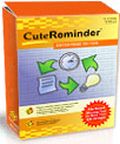
The Enterprise Edition of Cute Reminder has all the features of the Standard Edition and provides you additionally with keyboard shortcuts, improved user interface, filtering and ordering capabilities, import and export functions, and more. It also supports communication over your local network and allows you to easily send messages, assign tasks, and control deadlines working within a team.
GIVEAWAY download basket



Comments on Cute Reminder Standard Edition
Please add a comment explaining the reason behind your vote.
iPhone app giveaways »





Android app giveaways »




JESS -thanks so much - I checked out the ReadMe Text and foudn the Registration Code...which BTW has an expiration date so if you hadn't sent that comment I would have just assumed that the download was only a trial version and my overall impression of Giveawayoftheday would have been severely tarnished. Thanks again for the timely insight!
Save | Cancel
Hi,
Just downloaded for the fun of trying it for later comparison with suggested alternatives (here and on DotTech). On thing that did finally decided me was one remark (on DotTech?) saying that Cute Reminder has the Reminder on board which the alternatives lack (I haven't checked that yet, but I thought it an omportant enough extra).
Besides: I can always get rid of it.
Also for XP Pro with Avira Antivir active, the RAR-archive did not download completely (part of the Setup and the whole Readme were actually blocked. Disabling Anvior solved the problem.
Ans registering also took two runs but finally the progie seems to work fine (only partially tested though).
Sorry for being so late with this comment but needed a couple ofhours sleep before writing this. Sorry!
Greetz.
Patrick.
Save | Cancel
Thanks for your review #32 Keter.. Your practical account of how you use the app is really helpful in showing how useful the app can be..
Thanks Fubar and Mike for the technical insights... Your posts always make me sit up and pay attention... Fubar, please post more often..
Save | Cancel
@29 Mike
Thanks for the heads up.
It's very helpful to learn what changes an install makes inside the computer. Many of us, I suspect, don't have the skills to understand the full significance of what's going on 'under the bonnet' even if we have the software to do the analysis.
So your guidance is appreciated and
after some thought I decided not to install this one, already having enough hiccups on my computer to demoralise it ;-)
Save | Cancel
@24 Corey.... that's the same thing happened to me first time.
My tips are:
a) Carefully read the 'Readme.txt file' included with the zip you downloaded, and follow its instructions precisely.
b) Make sure your firewall isn't blocking GOTD from getting out and activating the software. Normally you will see a box saying 'Activation Successful' or something similar when it's properly activated.
c) On Vista systems it's useful to right-click setup.exe and select Run as Administrator.
d) After installation, it's useful to check the Menu 'About' item for confirmation that the software is registered properly. Though on a few software interfaces that item isn't included.
Unfortunately there are other variables and I think many people here have on occasion been unable to get things properly registered and 'Free', depite having enjoyed numerous occasions when installing and activating went perfectly.
That happened to me on the two recent softwares for USB Stick Encryption apps. Why? I'll never know .... and despite trying every which way, they remained 'Trial versions'.
In the end, those occasions have to be accepted philosophically, and next time it's just as likely you'll have success.
Hopefully others may have a few good tips to add based on their experiences.
There are always new people visiting GOTD, and I think it's timely for a box of 'special tips for first timers' to be included on this page. This would reduce the numbers who turn away disappointed.
Good luck!
Save | Cancel
Pretty good if you've a busy schedule to keep, especially with appointments, interviews and meetings, or plenty of different things to schedule! I got used to storing a 10 item to do list in my head, so something like this is mighty useful! :) Cool GAOTD!
Save | Cancel
The need for this sort of thing fizzled years ago. Now you can do the same thing with services like Evernote, except they can be accessed from anywhere, on any device, and shared with whomever you want. Don't bother with "Cute Reminder" ... it ain't that cute - or that useful.
Save | Cancel
NOT CUTE at all.
It failed to execute in Vista(32) and good old XP,
Both systems, Vista and XP had ATI graphics.
On XP, it said file corruption.
Total of four times of re-installation: 2 times on Vista and 2 times on XP and same result.
There's no error in Vista. Program does not execute after installation.
I'm using Online armer, so I had disabled it on 2nd try, but no difference.
On XP, disabled AVG, and download clean copy on 2nd try; no difference, Same error.
Unless GOTD, publisher, or user post some work around I'm not trying any more.
Save | Cancel
My favorite is kana reminder -simple and effective
http://www.kanasolution.com/index.php?fid=11&pid=2
Save | Cancel
ok My hubby and i have have two different pc's and we are on the same net connection.. so when i downloaded this it will not let me use it on my pc due to restickion's only allowed one per pc.. but we have two his and mine.. anyway around this? so i guess we can say it's a tracker!
Save | Cancel
Downloaded and installed to Vista 32, no error message during installation; however, I cannot start this program, and there's no error messages. Reinstalled twice, but same condition.
I see few users got error messages after installation. Are you using Vista? I wonder why program won't start?
Save | Cancel
I can't believe Evernote is not listed here. I've been using it for years and really love it. I also pay the $45.00 a year for additional storage space. It's free. Check it out at Evernote(dot)com.
Save | Cancel
fubar
It's a welcome relief to see a review from you again. You make a lot of good points about this software. I will give it a try based only on "your" review.
Save | Cancel
For free, nice little program to use. For $29.95, way too expensive considering all the free alternatives.
For those of you with Windows Vista, there's a Sticky Notes program under Accessories>Tablet PC folder. Try it.
Ron
Save | Cancel
Installed and runs on Win 7 Pro x64. I did have to complete the registration steps TWICE (appeared to complete correctly both times) to get the registration to "stick." You know you have completed it fully if the program starts without bringing up a "nag" screen.
I have used Cute Reminder for about 3-4 years now, and have always liked it. I have the Pro edition on one computer - sorry to not see it linked here because it is best for the user that does not need the workgroup features and includes the popularly requested hotkey feature.
The installation includes three themed skins, of which only the default is, IMO, by far the best, and the Control Panel gives you manual control over all of the colors of the interface. You can also manually "minimize" a note to take up little screen area...I typically put a title line on them and minimize to show only that and then arrange my notes on the upper right corner of the screen so that when collapsed they "nest" together and take up little room. When I have dual monitors available, I stack them on the secondary monitor.
The thing I like best about Cute Reminder is the REMINDER function, which as far as I can tell, does not exist in the other free alternatives listed (although I am going to test drive incollector). With Cute Reminder you can snooze and reschedule reminders, set them to recur on any schedule, and control how aggressively they display. You can also place a URL into the reminder (double-click to activate). I used this feature to run down a lengthy list of simple tasks I had to check everyday when I was working in a corporate job - some of which might not yet be available on my first access, which then would require me to remember to loop back to them - and that postpone (snooze) feature REALLY saved my bacon. I also use the reminders to remind me in time to prepare for my appointments, and then a few minutes before the appointments, and to give me an advance reminder of bills that autopay so I can move money around if needed, and to keep track of schedule milestones.
I do believe that CuteReminder really could use a facelift at this point...they've had about the same GUI design all along, and it doesn't fit well with the softer/transparent new desktop themes. I also would like it to support internal navigation to open specific files or to launch specific programs. I will enter that into the Improvements section...BTW, that is a great addition, GAoTD!
Save | Cancel
Thanks everyone for the free alternatives
Save | Cancel
If I'd not been using free stickies already, would have been sorely tempted. Staff also using them, and we share regularly, so going to stay with free version. I guess it depends on one's needs. The concept works 101% for my business and personal needs. As always, thanks GAOTD.
Save | Cancel
@11,15,18,23. On one of my machines (ASUS P4S533, WinXPSP3) I had the same problem, despite repeated download and cold reboot.
Oddly, on my other WinXPSP3 machine (Dell Latitude E5500) the program installed correctly, as it did on my Win98SE machine (Gateway G7-500).
As the program appears to be useful, I hope the problem will be resolved.
Save | Cancel
This http://www.zhornsoftware.co.uk/stickies/index.html for Stickies by Larry Sessions@19 is a welcome recommendation and thank you for it. I'm trying it out now.
For those who prefers something similar to today's GAOTD, then there is a free software Quotepad at http://quotepad.info/. Check it out, besides, it can be portable too.
Features include:
* Reminders
* Quick filtering
* Automatic backup
* Multilanguage interface
* Timestamping
* Checklist
* Print
And check out this review of 5 note-taking tools: http://lifehacker.com/399556/five-best-note+taking-tools
***
Save | Cancel
Everything installed perfectly. Only one problem......... the language is in Arabic even after I installed it in English!?!?!?!?!!?
Save | Cancel
Here's another free alternative that works great. I've been using it for years. It has many options. http://www.hottnotes.com/media.html
Save | Cancel
when I installed Cute Reminder it just installed the Trial version! This is my first exposure to GiveAwayOfTheDay.com website and if all it offers is Trial installation then what a useless site! If I am missing something, please let me know. Thanks!
Save | Cancel
Per entries #,11, 13, 15, and 18. Have received the same error message. Downloaded again, same error message. Went to site to download and received the same message again. Not knowledgeable in this area to figure out what the problem is. It looked like a real nice program to try, but must move on. Win XP Prof 32bit. Hope this helps. Have a nice day everyone.
Save | Cancel
IMO, not worth the 30 dollar price, several features implemented in the Professional version should be in the standard. Nice looking, and simple to use, but lacks enough features to warrant the expense. Thanks GAOTD, and Cute Reminder Software.
Save | Cancel
Fubar: It is good to see your analysis again. You're information is always straight-forward and right on target. Wish you would come back more often with your analyses of the daily give aways.
Save | Cancel
Not bad at all. It has many enough options to create nice notifyers yet it's basic enough to learn to use quickly. Thumbs up! Thanks Gaotd.
Save | Cancel
This is not a review, but why use a large program when you can get everything you really need in a smaller free package? I've tried many and the best is Stickies: http://www.zhornsoftware.co.uk/stickies/index.html.
It is, without doubt, the best freeware I have ever used and I have been downloading software apps since before anyone had even heard of the Internet. Stickies doesn't have all the bells and whistles, but if you need all the bells and whistles, my guess is that you are looking for a toy, not a useful piece of software.
Save | Cancel
Also getting this same message:
error:1.%1 is not valis win32 application
Using Win7 Professional
Anyone find a solution?
Save | Cancel
Hi---I love this little program.
I used it for 4 years from GAOTD--
then I lost it in a format last month.
So Happy to have it back--A BIG Thank-you
to GAOTD---Hugs Blue
Save | Cancel
the central directory was not found, when trying to open the zip file
Save | Cancel
I got the same error as 11 above(error:1.%1 is not valis win32 application)...
Tried to install again with the same outcome? This is the first problem I've had with a GOTD product offer. This box has XP SP3.
Save | Cancel
After I installed I received an error message: Cute reminder has stopped working. Windows is looking for a solution. I am running Vista 32. Uninstalled program.
Save | Cancel
This is a good free one
http://www.zhornsoftware.co.uk/stickies/
Save | Cancel
The program could not be installed because of an error message saying:
error:1.%1 is not valis win32 application
Save | Cancel
Third try, ran as administrator over first installation, then uninstalled and ran as administrator again. I get "CuteReminder has stopped working A problem caused the program to stop working correctly. Windows will close the program and notify you if a solution is available. And that's it. I am running Windows Vista 64bit. So that is probably the problem. Oh well!
Save | Cancel
Reminder/To-Do/PIM applications are so subjective that I don't see value in recommending one over another, it depends entirely upon which suits you best. If you read through Cute Reminder's Help, you'll see that there are a fair number of features, many of which you'll never know about if you don't read the Help. It does require its own Internet access at registration time, and it tries to access System.MDB at startup, which I block. While it's true that Cute Reminder is a bit pricey and charges even more for versions with more features, it's not as crippled as some have claimed. The Quick Access Panel can be moved to any edge of the primary screen and positioned anywhere along that edge, and you can require a mouse click to open it. Displaying/hiding all notes/reminders at once isn't an issue for numerous reasons, given the display flexibility. Cute Reminder does use the term "Show Desktop" incorrectly, it actually minimizes all windows, which isn't the same thing, especially on Vista and higher.
There are so many alternatives that I'm not going to mention any. I will mention a non-comparable alternative, which I use in addition to the various features of my PIM. A super-simple, in-your-face to-do list is the free NextAction, from TimeSnapper (not to be confused with numerous other applications with a similar name). It's standalone (no-install, although its data resides on your PC), you have to create an auto-start entry for it yourself, and it has minimal documentation. You should have brains enough to be able to play around with it and figure out the UI and what it can do, which is more than initially appears. Right-click the (optional) tray icon and select Help to see a few of its features and some of its UI use.
Save | Cancel
Hello. Thank you very much for this reminder program !
It is working perfectly here... and I had no installation or activation issues of any kind.
What I like most about Cute Reminder is how very customizable and very user friendly (easy to use) the program really is.
Thanks GAOTD for another great program ! Cute Reminder is working here under Windows Vista Ultimate 64x SP2
Save | Cancel
Feature overview: http://www.cutereminder.com/compare.php
Before installing, take a look at their screenshots too: http://www.cutereminder.com/screenshots.php
Though they say this application is skinnable, they don't offer extra skins on their website.
IMHO the lack of keyboard shortcuts and the system tray support make it feel like shareware, even when you paid for it!
Save | Cancel
I will stick to the conventional ol' tried and tested Sticky Notes
Save | Cancel
I think I will put this on my laptop just for the heck of it but... - there are enough alternatives out there that I really don't need any more "reminders" on my business computer. I appreciate the effort of gotd and bring on more of the graphics and icon editors so I can spruce up http://play-free.org!
Save | Cancel
Despite all the thumbs down I think this is a nice little program.
Far better than windows sticky notes.
It doesn't keep anything in your taskbar or tray.
Unless you mouse over it all you see is a very small line on the edge of your screen that can be moved to any part of any of the four screen edges.
It's very easy to use.
The only downside is that it does consume about 25megs of RAM while running. But if you have enough RAM then this shouldn't matter.
Save | Cancel
The Good:
- Easy to use and convinence.
The Bad:
- Can not access individual notes/ideas/reminders for show/hide or even transparent it to the desktop (neccessay to everyone).
- Can not edit the display time for ideas...
- Can not expand/contract or have check box on notes/ reminders...
Thks for free license!
Save | Cancel
For a different approach to note-taking, there's the (free and open-sourced) Tomboy. It's ported from Linux but works very well
http://projects.gnome.org/tomboy/
My preference is for InCollector (also free)
http://www.incollector.devnull.pl/
Save | Cancel
The Good
* Straightforward and easy to use.
* Allows users to create "notes", "ideas", and "reminders".
* Has a "quick access" panel for easy and quick access to create notes, ideas, and reminders.
* Users can specify word-specific audio sounds to play when reminder is set to show, or use a default sound for all reminders.
* Has a built-in calendar/schedule that incorporates with reminders.
* Has the ability to trace the "history" of individual reminders.
* Users can customize the color of notes, ideas, and reminders.
* Reminders can have files linked to them.
* Has a built-in search function to search for specific text in notes/ideas/reminders.
* Allows users to print notes/ideas/reminders.
The Bad
* Notes, ideas, and reminders only support plain text: No images, lists, text formatting, etc.
* Lacks the ability to use hotkeys to create notes, ideas, and reminders.
* Users have no ability to get rid of the quick access panel (such as minimize it to the system tray) if they find it annoying or bothersome.
* Has no feature to share notes/ideas/reminders with others, such as exporting or syncing capabilities.
* Users can't show/hide individual notes (can show/hide them all, though).
Free Alternatives
Stickies
Note Mania
For final verdict, recommendations, and full review please click here.
Save | Cancel