Every day we offer FREE licensed software you’d have to buy otherwise.
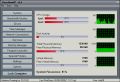
Clean MemXP 9.4 was available as a giveaway on August 20, 2008!
Clean MemXP is a system utility for watching the current state of the system such as CPU usage, RAM and Virtual RAM availability, Disks, Processes, Network Monitoring (Processes accessing Internet, Network Traffic/Speed), Services, StartUp Programs.
Currently Clean MemXP has been translated in English, French, Deutsch, Spanish, Hungarian, Russian, Greek. Clean MemXP supports skins (choose between 20 skins).
Features:
- Watch CPU Usage (Support 4 CPU cores).
- Watch RAM and Virtual Memory Availability. Defrag Physical Memory when Memory reaches a limit.
- Show information for all system disks and drives.
- Watch Active Processes and Programs (Show detailed information about Modules and Registry Keys used by each Process).
- Watch Network Bandwidth Traffic (Support all Network types e.g Internet(ADSL)/Ethernet/Wireless Speed and Traffic).
- Watch Processes accessing Internet (TCP Protocol).
- Manage Windows Services (Start, Stop, Pause, Restart, Remove, Change StartMode).
- StartUp Manager. (Manage Programs that are automatically executed when windows start)
- Program Launcher. Easily run your Favorites Programs and open your Files from System Tray.
- Show and explore Special Folders of Windows.
- Access hidden commands of Windows, like hide/show desktop, taskbar, enable/disable Start button.
- Run installed Screen Savers, enable/disable Screen Saver.
- Change Screen resolution.
- Empty Recycle Bin, Clean Recent Documents, Run Menu Commands, Search Files, Internet Explorer typed URL's.
- Access Control Panel items.
- Lock PC.
System Requirements:
Windows 2000/XP/2003 Server/Vista
Publisher:
Fotis SoftwareHomepage:
http://www.fotissoftware.com/utilities.htmFile Size:
4.21 MB
Price:
$20.90
Featured titles by Fotis Software
Extract Thousands Pictures, Videos, Music, Sounds hidden inside programs / files on your computer with AllMedia Grabber. AllMedia Grabber searches in files (executables, libraries, custom controls, data files e.t.c.) and extracts multimedia files.
GIVEAWAY download basket




Comments on Clean MemXP 9.4
Please add a comment explaining the reason behind your vote.


iPhone app giveaways »





Android app giveaways »





Really a cool tool to monitor all the core functions and processes..
It should have been a freeware as its similar to the tweaks program with a memory management added to it..
But still a good tool for monitoring internet and network traffic. suits well for a beginner-intermediate level windows user.
Save | Cancel
OK, but not obvious. There is a tiny tool at Analogx.com that does the freeing up of physical memory.
Save | Cancel
Well, after all the people saying they actually liked this, I did take a look at it. It's terrible. It's slow, the windows don't resize, the columns don't sort, much of what it does is via calling standard Windows command-line utilities, and simply displaying the formatted results. Significantly less information than comparable utilities (that's an understatement). AnVir; Microsoft Sysinternals Process Explorer, Process Monitor, and AutoRuns; and Vista Reliability and Performance Monitor stomp it. My security suite absolutely stomps its Network Connections view, as expected. The hotkeys require a keyboard hook, updates require Internet access.
The requested restart after installation is for systems that already have the VisualBasic control, MSComCtl.ocx, which it replaces with its own. Of course, if you already have that installed, you can actually run Clean MemXP prior to restart.
As I've mentioned previously, I don't use any of the marketing fluff (anything related to any kind of "optimization") which AnVir has unfortunately added to counter the similar crap in some of their competitors' products.
#53, Cat, a number of utilities display information about "modules" (DLL's) and (open) registry keys (handles). AnVir does (although I have the full version, check their website for limitations of the free version), Microsoft Sysinternals Process Explorer does. If you really want to see what a process does, use Process Monitor.
#62-63, BillW50, you should look at some real utilities, several of which I mentioned back at comment #2.
#41, WeyrleaderZor, #70, TheBlindBat, regarding my comment #49, I didn't take the time to go into detail about pagefiles, I've posted detailed information previously. I use multiple (on different physical drives) fully defragmented fixed-size pagefiles, and I don't let Vista delete them. Windows will use the pagefile on another drive if the current drive is busy. It's easy to see this in action with the Vista Reliability and Performance Monitor.
Save | Cancel
#70 is right...installed fine on my xp system
I was fiddling with the Start Up Manager, using the google look-up feature.
What was reported as not necessary, was actually the scroll on my touchpad..thanks restore!
neat utility but for the professionals..but i'm not deleting it yet
Save | Cancel
Installs simple enough.
Only thing it does not report correct amount of memory. It tells me "Total physical Memory 0 mb" and "Free physical memory -1063."
I have 4 gigs of ram on xp pro 64.
Save | Cancel
#41, what kind of load of misinformation is that? You even managed to confuse the experienced users, even if only for a moment.
Virtual memory, or VMem as you put it, is not to be confused with physical RAM, which is what this utility "defragments".
Windows keeps a dedicated file on the hard drive for virtual memory. While it can grow and shrink if you let it (bad move as I'll explain in a moment) and this can get fragmented, this has nothing to do with this utility nor does this utility do anything to affect that. The "fragmented" state of RAM will not affect anything when it's swapped out or in.
As for page files, the best way to prevent fragmentation is to NOT let Windows manage it. Set it to a fixed size (usually about 1.5x or 2x your physical memory--or just use the recommended size) as the minimum and the maximum size. However, you can get a permanently fragmented page file doing this so use a utility (sysinternals has one for XP) that will defragment your page (swap) file, and, once done, it'll stay defragmented.
While placing the page file (fixed size) on another partition may prevent it from being fragmented in the first place (if it's a new or blank partition), you will gain no other benefit from this if the partition is on the same physical hard drive. Placing your page file on a different hard drive than where Windows is will, however, help performance.
Anyway, Windows manages fragmented memory as it needs to. It will move physical memory around when it deems it necessary but not before. That's one of the functions of the memory manager. Just because some cute utility shows fragmented memory, this is not a 'problem' and does not indicate any performance loss. Windows will rearrange it when it needs to.
In this case, keep your fingers out of the workings of the operating system when you don't need to and shouldn't be fiddling there. These utilities are not going to benefit you and may even mess things up.
Save | Cancel
This program is really sort of cool. The great thing about it, IMHO, is the easy access to various other programs in Windows.
Save | Cancel
Disregard comment number 56...!!!!!! Brain Freeze!!
It looks like a cute little program for the less educated computer geeks out there. Provides a lot of info quickly.
Sys Internals is still the best!
D
Save | Cancel
Anyone know why the registration key line is blank when trying to activate?
Thanks
D
Save | Cancel
Eye Candy, Fluff, something else to eat system resources when all it's
"useable" functionality is already imbedded in most O/S's, especially
(ugh)VISTA. Defrag Physical Memory?? Really??? That would be a
neat trick because physical memory is contiguous simply because of
the operating system addressability. CleanMem XP isn't worth the time and effort to install it, discover the truth, and delete it.
I'm a systems research & developer and I would stay away from this one.
Save | Cancel
This program downloaded and installed fine on Win XP, but I'm trying to figure out if I like this better that AnVir task Manager Pro - which was a GAOTD a while back. This program will do a lot more than just memory management - but do I really need a program to turn off or lock my computer?
I noticed that the tray icons are good and plentiful - but AnVir not only tells me my memory usage and available memory, but it tells me which programs are using memory, and how many Mb they are using. In all fairness, CM will monitor your bandwidth and tell you what programs are using what ports (useful if you suspect one of your programs is 'calling home' without your permission), and I don't think AnVir does that.
I'm going to keep this program, although I don't think I'll have it on all the time. I'd suggest that if you don't have AnVir (or even if you do) that this will be a good "tell you what's going on" program. I ran them both at the same time and didn't notice any conflicts or resource hogging.
I give it one and a half thumbs - just because it makes most of the computer data you'd want to know so easy to access and monitor. Easy to install, scanned free of hidden nasties (after unzipping) - Good program. It's free, and you'll probably have fun with it. I'll leave the debate about 'defraging ram' to others.
BTW, I disabled auto update - as sometimes updating a GAOTD program turns it into a 30 day trial.
P.S. If you just want a no frills memory manager/cleaner, try Casheman ( http://www.outertech.com/index.php?_charisma_page=index ). They have a paid and free version.
Save | Cancel
this is nice and GAOTD has no virus
Save | Cancel
#53 Cat: Can someone please tell me how I can see “detailed information about Modules and Registry Keys used by each Process” without this tool?
I don't know Cat? Maybe some of those people who claim this program doesn't have anything new that other programs already has. Slick things that I have found besides this are the following:
1) Bandwidth Monitor: Shows true bandwidth to the Internet and not worthless local network speed. Although shows that too if you wanted to know.
2) Task Monitor: Besides the above, also shows Peak Memory, PageFile Usage, and Peak PageFile.
3) Network Connections: Always nice to view who is talking to want.
4) Services: Also shows where this file is. Very rare.
Overall I find this program not bad at all. There are 5 things (one mentioned by Cat) that it does that are indeed very cool!
Save | Cancel
#11 You are amazing "who said that"!
1) 4GB Ram is 2GB
Could be, I have 2GB and it reports 2GB. Most people have less.
2) It wants a restart after installation.
Not for me or others who has posted here. I am running Windows XP SP2.
3) It “MUST” be run with administrator rights under Vista!
SOP for Vista, isn't it?
4) It missed my CPU usage by several percentage points. I compared it to the task manager!
All CPU usage monitors will show this difference. One reason is each program you use to monitor, also uses the CPU.
5) It added 3 icons to an already moderately cluttered task bar.
Well turn them off under Options! I found this in 5 seconds. Even if you couldn't find this, Taskbar properties allows to to hide icons anyway.
Save | Cancel
I put in the register name and key, which was the same as the register name and everytime I open the program it comes up as unregistered. It looks like a useful program, if I can't register it, I don't want it. I hate putting anything in my computer on a trial basis. Thanks GAOTD. It does look like a program I would have liked.
Save | Cancel
For one, the memory "optimization" is a myth. There are many articles on the net about how this can actually harm your computer and make it slower, as all it does is take up valuable resources. Thanks for the thought, but noone really needs this one. Check out Anvir task manager. It does everything you need and its free
Save | Cancel
Running Windows XP Pro 64-bit SP2 Cpu: Quad2x2 3.0g
Okay, Downloaded and installed fine, registered very easy.
Easy program to operate and it was very nice to see how my cpu's are balanced. The Ram and everything else is showing the correct figures and I like the interface. It has so many applications I am not going to list them all here. The over-all is a thumbs up for this one.
Play with it for a long time B-4 posting a comment on it.
Excellent product so Thank you GAOTD & Fotis
Save | Cancel
Thi might be good and all but Vista already has this functionality. The Windows Reliability and Performance Center showcases all of these features. Built right into the OS.
Thi is just my take and everyone has there own opinion.
Save | Cancel
Well, if it can't even accurately determine how much memory I have in my WinXP system, I certainly can't trust it to do other things correctly. Fractured English doesn't help.
Uninstalled it after 5 minutes.
Save | Cancel
Cheezzze! I am not even sure where to start with my comments.
Might start by saying that Clean MemXP & even AnVir Task Manager, which I use, are not something that is new. They are trying to emulate WinPatrol that has been around for quite awhile and has gone trough several updates. WinPatrol, by the way, is very often recommended by folks who are much more computer literate than I.
Yes, if your expertise leans towards being a Puter' Geek, there are more powerful applications, where you can really get your fingers dirty, that do the same as Clean MemXP, AnVir Task Manager & WinPatrol. IE: Systemnentals and withing the system itself. However, when you go this route, you are entering No-Man's-Land unless you are more or less a Puter' Geek.
No, Windows Task Manager can not be considered as being on pare with Clean MemXP, AnVir Task Manager or WinPatrol. It is limited and can be a cranky helper.
Some have complained that they do not like the icons placed in the Task Bar and feel that critical resources are being gobbled up by these more complete type Task Managers. My reply to that is it isn't so if you really check what is going on.
What good is either of these Applications? Thought you would never ask. Let's address the CPU Icon. Here is a tool Icon can really provide you with real time information that can be invaluable and lead to a satisfactory fix.
Prior to my installing and continually using AnVir Task Manager, I was aware that my CPU was spending too much time being maxed out. The indicator was the increased speed, almost continually, of my 120 mm variable speed CPU Cooling Fan.
Well, I begin monitoring that little CPU Icon in my Task Bar and discovered that a process called, "File Indexing Service" was hogging my CPU and ANVIR Task Manager would frequently inform me that it was taking away excessive CPU use by File Indexing.
I Googled File Indexing Service and learned that while this process was there to keep a list of recently used files, it was constantly rearranging the list and hence the heavy CPU usage.
Most importantly, going through several of the Google Search results, I discovered several messages from well known Computer Folks. Each of them indicated that you do not necessarily need the automatic File Indexing Service. They recommended, that your computer can run just fine without this Automatic Service and it's settings could be changed from "Automatic" to "Manual". I did just that and to say that I was astounded by the decrease of CPU usage.
Right then and there, AnVir Task Manager became an important tool for me. Keep in mind, I could have found this out, I believe, by using Windows Task Managers, but that would require having it activated for viewing all of the time. Now that is intrusive.
I could address the Memory Icon and that it has allowed me to ID the Memory Hogs in my computer. Well, it would just be a repeat dialog, for the most part, as my positive CPU experience.
My Take, if ya' are not a Puter' Geek the three applications I have been addressing here are invaluable.
How do I rate them after using each?
1. AnVir Task Manager: I like the Interface of this App.
2. WinPatrol: Tough decision for not making this #1 because WinPatrol has been around a long time and while it currently is not active it is installed on my computer.
3. Clean MemXP: I was not really able to find anything negative with this Application, however, the others fit better like that favorite pair of well worn gloves.
Y'All Take Care! Ya' Hear!
Save | Cancel
#53 I have been running Clean MemXP 9.4 now for 8 hours and I never saw any popup and especially not one that states: "The Free System Memory is more than 0 MB. You don’t need to Defrag Now."
Save | Cancel
The application would perform a non-stop, continuous loop of launching a popup: "The Free System Memory is more than 0 MB. You don't need to Defrag Now."
Even after turning off ALL options, settings, etc - it would not stop!
I sincerely would have tried this app. However, I'm going to uninstall.
Thanks though, to GOTD for all you do :O]
Save | Cancel
Can someone please tell me how I can see "detailed information about Modules and Registry Keys used by each Process" without this tool?
Save | Cancel
#42 Is this what you are looking for:
http://www.wireshark.org/
Save | Cancel
#42--FYI, there apparently is no @ in front of 3Wireshark; Yahoo search indicates it's a linux tool formerly called Ethereal, for whatever that's worth. (LiveSearch found nada too, BTW)
Save | Cancel
#42, I found WireShark so I assume that #24 made a typo.
From Wikipedia, the free encyclopedia
Wireshark is a free packet sniffer computer application. It is used for network troubleshooting, analysis, software and communications protocol development, and education. In June 2006 the project was renamed from Ethereal due to trademark issues.
The functionality Wireshark provides is very similar to tcpdump, but it has a graphical front-end, and many more information sorting and filtering options. It allows the user to see all traffic being passed over the network (usually an Ethernet network but support is being added for others) by putting the network interface into promiscuous mode.
Wireshark uses the cross-platform GTK+ widget toolkit, and is cross-platform, running on various computer operating systems including Linux, Mac OS X, and Microsoft Windows. Released under the terms of the GNU General Public License, Wireshark is free software.
Wireshark link: http://www.wireshark.org/
Save | Cancel
#41, WeyrleaderZor, your post is so completely incorrect that I don't even know what to make of it. The Windows pagefile is pagefile.sys, shows up like any other file, and I keep mine defragmented and placed (decent defragmenters can even show you its placement and fragmentation status). Vista can delete the pagefile on shutdown for security purposes, but I'm not going to address that (would take too much of my time).
#36, BobR, based on the information and screenshots on the developer's website, I'm not going to install this. Windows Task Manager, AnVir (I have their "Security Suite" version), and Microsoft Sysinternals Process Explorer will all display all processes (be sure to select processes from all users), the information displayed is configurable, and the first two will also display services. The feature sets of these products and those I listed in comment #2 are all different. AnVir is the most directly comparable product, and I would choose it over Clean MemXP any day. Of course, everyone has their own personal preference. Depending upon how many nVidia products you have, if you want various on-screen performance charts and graphs, nVidia also has a free system monitor (it will also display non-nVidia information, such as various CPU, memory, and disk information).
Save | Cancel
Very comprehensive. Installs (does NOT require a re-boot!) and runs excellently under Windows Vista 64. The only quibble I have is that it shows an incorrect reading for my RAM. All the rest matches perfectly with Task Manager.
For entries such as #2 [fubar] - yes, there are other - free - tools out there. But hey, guess what? Today this one is free too, nimrods, AND all of the tools are in one compact yet very comprehensive package.
And then, at #17 [fubar], our resident self-appointed and boringly snarky Vista expert chimes in again for his greater glory.
But, thank God, we have people like WeyrleaderZor (#41) to point out some of these posters' idiocies and non-constructive criticisms.
Save | Cancel
Great application, well organized, easy to use, easy access to much information, neat appearance, has 'disable' and other useful options. Others that I have used are so technical I hardly use them.
Save | Cancel
just a toy. In one project, I had to work on an old computer where a guy must have though funny to install XP on it even if there is not enough RAM. I had to use only very lightweight tools (like VIM, that I hate from all my soul) and a small memory releaser. Sure it was working, but the whole system became unstable.
Save | Cancel
To commentor no. 9: many thanks for that practical utilities link.
Save | Cancel
This is not merely a useless piece of fluff, it's borderline fraud; everything the program does is available for free, and almost all of it is included in a standard Windows install.
Save | Cancel
I just wanted to thank all of you that evaluate the offerings here. I especially want to thank hose of you that have posted alternatives to software offered here, as this has made me aware of some of the fantastic software out there that I would never have known about (free, shareware, and otherwise).
But I want to thank GAOTD and the publishers for continuing to explore this unique marketing/advertising channel. It does matter; it is effective; it is appreciated.
:)
Save | Cancel
#24 - "@3wireShark is way better and free!!!"
OK, I was curious, but when I tried to find this, Google gets nada.
Give us a link please
Save | Cancel
To "Fubar" (post #2) - True, technically the memory doesn't fragment - however, the moment it is put into "Virtual Memory" on the hard drive it CAN be fragmented. Windows has never been good at how it handles that (even on Vista). It takes each and every bit of open space it finds starting at the very first sector of the hard drive and keeps using spaces until the stuff being written to VMem is entirely written. This, my friend, is fragmented data unless it all happens to fit in a single string of sectors with nothing between the start and end of the data written. Worse yet the process of erasing and writing memory on the HDD in this way also makes files you save do the same thing (since there's no other way of doing this).
The best thing you can do to improve VMem in Windows (all versions from 9x up) is to NOT have VMem on your C drive at all! Make a separate partition from that drive (just over 1.5-2 times the amount of your RAM in size, and tell Windows to use this partition (I make mine the "Z" drive and label it "Swap" (b/c it's "Swap space" for VMem) and then turn off VMem on the C Drive. It'll make the system more responsive, a lot less HDD to sweep over looking for parts of VMem data, and it'll reduce the amount of drive fragmentation you have to deal with on the working/storage drive of your machine (since VMem (the most commonly written/erased data in any system) won't be being written and erased from in between program files, saved files, etc all the time.
A "memory defragger" is a useful tool, I suppose, if you're using a lot of VMem and are caching a lot of data to the VMem drive since it can get that stuff fragmented, but I don't really know what kind of boost in speed you can get. If your system wipes the VMem files on boot or shut down then your OS and kernel cached files (to make the most commonly used components of Windows run smoother and faster) should be written in the larger open spaces nearer the start of the drive anyway... Some people have had great boosts from these tools, others have seen practically nothing, if anything at all. Just depends on your system I guess.
The one benefit I've seen for these tools is that they are good at cleaning out VMem space for files that are no longer in use that Windows doesn't clear out on its own when the process that called and cached them ended. Windows, even Vista, is notorious for being a memory (including disk space for cached VMem) hog in this regard and for being sloppy with its memory management (it could be, if it were more refined and the time was taken to properly code the memory management parts of the kernel - and applications were made to stop using "shortcuts" that eat up memory the way a kid scrafs down penny candy the way they do).
Save | Cancel
Program is OK. It loaded fine on Vista Ultimate laptop and did not require a reboot. It is nice to have the ability to configure so much from one program. It definitely needs to be updated with an adjustable window size. The small window really sucks. That is probably the only thing that would keep me from using this on a regular basis.
Save | Cancel
Defrag memory?
Be nice if these clowns learned how computers work rather than just writing sales copy.
Save | Cancel
RE: Memory: There's a debate on whether memory managers of any sort are pure hype or really help... IMHO it's all about what other software you're running & how well it behaves. If you want more info on the debate itself, Google. If you think it might help, try it & see.
As far as the rest of the program goes, features may be available elsewhere, but are they as easy to use? The Sys Internals stuff is great for example, but they're generally intended a bit more for the geeks among us. If some of the info it reports is off, it's not a huge deal as long as the data is consistent - data like CPU usage is mainly useful as a relative measurement anyway.
------
"... when opening it from the shortcut - right click then select Run As Administrator."
Why not just set the short-cut properties to do the same thing?
Save | Cancel
A pretty ratty lookin app, IMO. Plus, when I launch it, it says:
"CPU usage query failed!" Visual Basic apps aren't that great.
Save | Cancel
I don't understand or give much credit to most of the negative comments posted here.
This is far more than a memory manager--which in any case has limited value on most XP or Vista systems.
The app displays a lot of useful information on my XP SP1 machine quickly accessible from one program, i.e.: network connections and bandwidth monitor, complete info on and control of services (far more than Task Manager) and startup programs, quick access to key folders (Special Folders), drive info...
Memory usage (about 9300k) is not excessive considering the wealth of information displayed. CPU usage is within 1% of Task Manager's.
--Definitely a keeper.
Save | Cancel
These types of programs, while they are somewhat fascinating tend to actually create more issues than they solve in terms of speed and performance.. I always like them at first, and then I disable them, and then I uninstall them...
So I am going to skip the dance this time around, as fun as they are sometimes.
Save | Cancel
Installed and uninstalled the first time it was offered. Can't remember exactly what happened, just that I had to fix something.
No fond memories.
Save | Cancel
Installed cleanly in XP. No reason for it to not Run in Vista. Many nice features that are better than my standard monitor FreeMem.
Save | Cancel
I don't think this app is of any use to me. Windows already has everything you need and there are tons of free utilities available which do the same or even more than this software does. Also, my Windows XP 64 has it's own 64bit tools which show everything correctly on 64bit system with more than 4GB of ram.
Thanks for this nice offer, but I'll pass today.
Save | Cancel
So many have no idea what is in the OS to be helpful and will think this is something great. Keep trying there may be somethiny you can write that will be of use.
Save | Cancel
Very limited info about this company (web site), just one e-mail address, I wish I know a little more, sorry.
Save | Cancel
VileBill (comment 1), names are always scary, and if they are not to our liking we should always judge based on that and reject the name we don't like the look of. You should be thrown into prison and the key thrown away, I don't like your name, despite your system requirements and my complete lack of knowledge of you. Maybe a future post will change my mind.
Save | Cancel
Noted Feature: Empty Recycle Bin
Aside from the additional program running & using up resources to do so, I wonder how many extra clicks this "feature" takes over just right clicking the recycle bin & clicking "Empty Recycle Bin"?
LOL!
Save | Cancel
The program's description states that it does some things that are not needed (such as defrag RAM). The remainder are features already built into the operating system or readily available directly from Microsoft via links others have already provided.
This is unfortunately another example of someone trying to reinvent the wheel & therefore you have no need to download this.
There were 25 posts displayed when I typed this. Since some people would do it for a program that was proven to contain spyware/malware, I'm surprised we have not already had the influx of people complaining about the thumbs down or negative comments for this safe, but unnecessary software. ;-)
Save | Cancel
These apps are useless.On vista,xp,win 98 etc.They are a joke.
Save | Cancel