Every day we offer FREE licensed software you’d have to buy otherwise.
Giveaway of the day — Chameleon Startup Manager 3.2
Chameleon Startup Manager 3.2 was available as a giveaway on June 23, 2010!

Chameleon Startup Manager can control programs that run at Windows startup, which makes Windows start faster and operate with increased stability. Programs can be run according to various functions including startup order change, startup delay, priority, consecutive program launch, day selection and much more. Configurations can be created and selected at Windows startup or applied ‘on-the-fly’ without restarting Windows. Chameleon Startup Manager provides real-time monitoring of programs added to the startup list.
System Requirements:
Windows 2000/XP/2003/Vista/2008/7/x64 Edition
Publisher:
Neosoft ToolsHomepage:
http://www.chameleon-managers.com/File Size:
5.76 MB
Price:
$29.95
Featured titles by Neosoft Tools
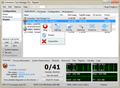
Chameleon Task Manager is a replacement for Windows Task Manager with the following main features:
- Automatic optimization of software performance with customizable settings for every program (7 parameters are controlled)
- Automatically freed memory (a smart system is used)
- Detailed information about programs (resources, libraries, etc)
- Various configurations for settings
- Quick and comfortable program management (with the help of new commands added to the control menu and using the tray menu)
- Complete forbiddance or permission to launch programs on certain days
- Notifications about current optimizations in the screen corner
GIVEAWAY download basket




Comments on Chameleon Startup Manager 3.2
Please add a comment explaining the reason behind your vote.

iPhone app giveaways »





Android app giveaways »





But can't you do the same thing by typing msconfig command in the run option and then going to the start up tab? At least for someone who just wants control over start up programs.
Granted there are no options in it for start up delay, start up order, or different setting for different days. But I doubt if those settings would be of much use to an average user...
Save | Cancel
I already have Chameleon Start Up Manager Pro version 3.1, so why would I want to change it to this non-Pro version 3.2? Thanks but no thanks.
Save | Cancel
Hey! Now this is the way that Giveaways should be installed and activated!!...Sweet and Simple...compared to the nightmare of yesterday's giveaway installation. GOTD, you deserve a big pat on the back for this one today! Thank you!!...and keep up the good work now! Of course, that's beside the fact that you are dearly appreciated for the work in providing all these Giveaways. Thanks again!
Save | Cancel
The last version given here was the pro version. I will stick with that. I know there are a lot of alternatives but I took a second llok at this. It does offer a nice clean interface. If you don't already use another program this is definitely worth a look. As always thank you to the GAOTD teams for all of your efforts. Thank you to the publisher, Neosoft Tools, for the offering.
Save | Cancel
the old standbys are 2 freeware programs by Mike Lin....Startup Control Panel and Startup Monitor....Startup Control Panel lets you manage what is allowed at startup but it won't allow you to delay any programs....Startup Monitor gives you a popup any time a program tries to set itself to run at startup - very handy...
and if you want to set a program to start delayed then WinPatrol allows you to select any time after bootup in minutes and seconds for a program to start...i have the Pro version of WinPatrol but i think this delayed setting option is available in the free version also....
Save | Cancel
Very nice program. What I found: Downloaded and installed easily. When program was first started, it was not registered. After shutting it down and restarting, it was registered for home use.
Could not uncheck boxes for most programs that were loading at start-up (Adobe ARM, Adobe Reader Speed Launcher, Spam Monitor, and others). Kept getting message "You must have Administrative Rights to do this" - or something like it, anyway. Installed and started Autoruns, was able to disable the progarms that Chamelion could not.
Very Nice GUI, well thought out. Startup categories listed in tree fashion -- nice! Able to save and select different startup optons. -- nice. Don't understand "Startup Filter" category, "filters" not found in help file. Right cliking on colored (blue and red) balls in the middle of the right pane brings up context menu with nice options. Did not find this info in Help file.
All in all, a very nice program. About the Admin rights - probably using the program for a while will let me find out how to handle them withoug resorting to AutoRuns.
Thanks, GAOTD and Neosoft!
And, Ashraf - I miss you, too!
Save | Cancel
Tried three times; all I get is "period to install this program is over!" NO idea why...?! It's 11:12 EDST here on 6/23/2010!
FEH!!!
Steven C. Barr
Save | Cancel
Fine program, works very well. I'll keep it for the time being because it's easy with handy options, but I've managed startups (among many other things) with WinPatrol for so long, and it works so well and is so simple, I may never use Chameleon Startup Manager or let it load on boot up. I really like and appreciate the program; I just can't convince myself I need it. It's just too handy to pass up.
Save | Cancel
The main objective of all startup delayer such as this program is to hasten up windows startup for you to be able to use your computer before waiting for all the startup items to finish. This said, different people has different concept of whether it does really help in attaining such objective. In the recent giveaway Process Lasso, which I still have in my computer, the author has a different concept of how to attain such objective, and does not believe that these startup managers are of much help. Since Chamelon has been a previous giveaway, and I have tried it for some time, and have also tried Process Lasso, both of which have the same objective but different method of attaining it, I believe that there is some wisdom in the concept of Process Lasso. I also have tried Antvir, and another startup delayer, with not much help, other than controlling what sequence to startup all the startup programs.
Save | Cancel
#23 - nice to see Ashraf over at DotTech.org get a shout-out. He did a review of an earlier version of Chameleon Startup Manager that GAotD offered last October, and recommended it with a 9/10 rating. Here's the earlier review:
http://dottech.org/gotdreviews/11243
Hope that helps.
Save | Cancel
I found no problem at all, very easy installation, easy to configure the best I have ever found in this catigory. and an efficient combination.
Save | Cancel
I have used Revo Uninstaller 3x today to get this to work. I had the older version from 10/26/2009. So I have tried to get this to work, but only get the FREE version. The old one I use a lot was Pro, But I cant even get this to reg to Standard. Yes I have tuned off the anti-vir and firewall (I don`t like doing that). Is there something I'm missing? How can I get this to Standard at lest? I guess I should of not "upgraded to the new version, because I have only the FREE version and it does very little compared to the Pro or even the Standard. Please Help!!!
Save | Cancel
Nice documentation. During install it recognized my firewall/progrogramme controller and asked if I wanted detailed information on how to configure it to work with Chameleon. A "yes" resulted in a nice screenshot with step-by-step directions.
Looking forward to using this. Thx GOTD.
Save | Cancel
Win XP SP 3 . Installed fine.
I want to congratulate this software company . The install offers you the choice to create a restore point. It offers you the choice to save it where you want. They do not make you go through lots of hoops to register and activate it. On install you are then presented with an option to play a video on how to use the program. They have a button on the prog for suggestions how to improve it.
The prog works and does what it says and doers not mess up your system
Lots of other companies could learn from these people. I wish therm every success in what ever they do, and maybe their installs should also ask you whether you want to click on an option to give them your email address , to keep you informed of any other products or up dates they do .
Save | Cancel
This seems decent but msconfig (type into "run.exe') can do most of the stuff as far as controlling startup programs and services. If you don't want to download or you missed it and want to control your startup programs just use msconfig
Save | Cancel
To add to my previous comment @45, just found out the "Give Away of the Day" given in Oct 2009 was version 3.1 PRO. So, may be better to hold on to that, as the present version is STD.
Save | Cancel
To Mark Churchill comment #23
Thanks for the info to find Ashraf.
I miss his input too!
Save | Cancel
Why are some items shown in red and others in blue on start-up?
Save | Cancel
Don't forget to uninstall the previous version of Chameleon Startup Manager otherwise todays version will turn up as the FREE version without some features like the time delay :-(
Just like reported from #11 Bob and #15 Zenwan
I had to use Revo Uninstaller and then reinstall todays download in order to get the STANDARD version installed.
Now it works fine - thanks Neosoft :-)
Save | Cancel
This looks like it will be handy because it helps to identify what programs some things in the task manager belong to and things that are loading that I never use. Thank you GOTD and NeoSoft.
Is there anything else free out there that will truly identify what programs or tasks are listed in task manager and whether or not they are necessary to run so as not to crash the system (like you wouldn't shut down explorer.exe but what are all the svchost.exe's - I have 10 of them showing up in task manager).
Save | Cancel
Any of you guys interested in this type of tinkering should really take a look at Soluto -- they match what seems to be the functionality of today's GOTD with a Wikipedia-like knowledge base to not only allow you to change what starts up but to know what people usually do/recommend doing about it. It is also free. See http://www.soluto.com
Save | Cancel
I too have been using Startup Delayer for some time now; is there a good reason for switching to Chameleon Startup Manager?
Save | Cancel
#39 The previous giveaway was the pro version 3, best to retain that version.
Save | Cancel
After installation you'll find a nice startup_demo in the installation folder e.g C:\Programmer\Chameleon Startup Manager 3\startup_demo
A nice feature :-)
Save | Cancel
I have Glary I do not see a reason for down loading today's offer. Thanks any way.
By the way you've had some super great give away's lately and I downloaded them. No conflicts, no problems. Thanks again GOTD
And I agree bring back the guy who did the reviews on your give aways I thought he was great.
Save | Cancel
I have the same question as Gina #13. I have Startup Chameleon that was offered on here before, and I like it. Tis a no brainer to use! So, our question is, is it worth our time to uninstall the older version 3.1.0.636 and install this one?? I tend to think not, but what is the difference between 3.1 and 3.2??
Save | Cancel
Not just a normal startup program, this has a really neat delay feature. Better than I expected. Thanks for this.
Save | Cancel
Thank you very much for this fine utility, GOTD and Neosoft. I am a devoted Anvir Task Manager user, partly for its startup management including delayed starts. I will keep Anvir for its many other great functions, but I really like many of Chameleon's features: It's easy to set startup delays by dragging and dropping, and you can clearly see your whole startup scheme in the time line or in a list. I like the ability to specify another program that the selected one must load after. I also like the idea of multiple startup configurations and the ability to pick one at startup. I haven't tested Chameleon fully yet, but so far it looks like a winner. Thanks again!
Save | Cancel
This program is good but my only complain is why have Standard and Pro as the price difference was minimal $5 dollars difference and confusing it says on the website prices start at $15 dollars but the only prices I see is for Standard version which is $19.95 it was $24.95 for 1 user license and Pro version is $29.95 for 1 user license.
What about the license agreement in terms or major upgrades to new versions? I don't see it on your website, the least you could have is a FAQ page explaining that.
I have Process Lasso which was offer one day here and has similar features to Chameleon Startup Manager except for the startup delay features.
Save | Cancel
Actually, there is a better freeware proggy anyway r2 Studio's "Startup Delayer". Been using it for close to a year now, let's me time when programs start at boot, avoids the memory crunch of too many necessary programs starting at once.
Thanks though guys, keep up the good work!!
Dayzed
Save | Cancel
Installed and activated fine on WIN 7 Home Premium x64 with UAC off.
What I like about this software is that it can be used to just easily disable certain application startups or you can go much deeper to customize how start-ups are executed. For me the feature to have more than one startup configuration is really great. It means that I can have all the bells and whistles turned on in 'normal' mode, and only the bare essentials for when I run my MIDI music software where I need all the resources I can give it.
I was expecting that the 'wizard' was an automatic configuration utility. However, it is not automatic... just gives you access to the advanced features. I guess the idea is that you use it if you are a 'Wizard'. ;)
On the whole it is a versatile and useful tool. Definitely a keeper. Thanks to Neosoft Tools and GAOTD.
Neosoft: When your process manager is ready to roll out, perhaps you will consider letting us try it???
Save | Cancel
MY RATING : 6.0/10
SUMMARY : Key functions of the program are (1) timely arrangement/enable&disable for start-up stuffs, (2) general process info
PROs : Good user-interface, nice explaination
CONs : Nothing innovated. There's a lot of free programs which capable of performing the key function above, the developer must think of something difference like SOLUTO
Save | Cancel
#14- as #23 stated, his name is Ashraf and he also has a fantastic website... dottech.org. I am a huge fan of both GOTD and Dottech. Ashraf normally takes time off this time of year so that is probably why you haven't seen any posts from him lately.
Installed this program w/o problems on XP sp3. I also use Anvir's program. Not sure if I need both but will try if for awhile.
Is there any problems or conflicts with using 2 startup programs (like using more than one anti-virus at a time)?
Thanks GOTD for all the great offerings....even the ones I don't use.
Save | Cancel
Really good quality program with great features. Well worth the download. Thanks GOTD!
Save | Cancel
One of the most clever startup managers/delayers I've seen is http://www.soluto.com. It's currently in beta but it's great.
Save | Cancel
Startup Delayer is miles ahead of this and free too.
Save | Cancel
Although I'll try it, Startup Delayer (http://www.r2.com.au/software.php?page=2&show=startdelay) appears to offer essentially the same functionality for free, and I have found it to be very reliable.
Save | Cancel
A simple freeware solution comes from R2 Studios (http://www.r2.com.au/) called Startup Delayer. Has simular functions, including showing a loading bar at the top of your screen so you can pause, start, skip and even abort the startup. Simply drag and drop the applications in the timeline, and move to the time you want it to start. Other options are starting other applications must wait until application X has completed. Basic interface, but effective and free.
Save | Cancel
I can manage startups with many other programs, but this one surprised me with it's features such as delaying startup, testing configuration,
and shows Memory usage. Thanks GOTD and Chameleon!
Save | Cancel
So does this affect the apps that start when a user logs into Windows, or when Windows actually starts (like a service)? I have a couple of apps I'd like to run in the background when the computer is just on and nobody is logged in (for purposes of accessing certain functions over the local network), and I've been looking for a solution since I can't figure out how to make them work as a service.
Save | Cancel
FREE alternatives..
StartUp Manager:
http://startupmanager.org/
Online Solutions Autorun Manager:
http://www.online-solutions.ru/en/products/osam-autorun-manager.html
Save | Cancel
His name is Ashraf. You can visit his site @:dottech.org. I am sure he would be glad to hear that he is missed. I think I'll drop him a line too. He has some nice giveaways too.
Save | Cancel
When installing, it automatically creates a system restore point, which is a good practice.
The program tries to activate itself and you'll have to wait for a while if (like me) you're behind a proxy server to receive the notification that "The activation Failed". Don't execute the installation file again or you'll end up with multiple instances of the same program all popping-up when timeout occurs (guess who did this). If you're behind a firewall then select press "yes" to the next question "Are you behind a firewall proxy" and type your proxy configuration and it works flawlessly ("autodetect proxy" didn't work in my case).
When the program starts, you'll be prompted to view a video showing you how to use the program. I found it very comprehensive although the program is very user friendly itself.
As others mentioned before me, this program is for the Standard Version.
The only features left out on this version comparing with the PRO version are:
All other features are included in the offer:
My opinion after using it is: YDWTMI: You Don't Want to Miss it!
There's another program that I also use (is currently in Beta but is extremely useful to me) to optimize my startup time which is: http://www.soluto.com/
Save | Cancel
I have used a commercial startup program for many years. Its utility in setting the delay interval and re-organizing the start-up sequence has been very valuable. Chameleon Start Up Manager definitely improves on the product I have been using by putting in an excellent and straight forward GUI, and giving the options of different configurations for different purposes, such as games and multimedia. The back-ups are a wonderful feature as well.
It installed easily on my Win 7 64 bit Home Premium laptop.
Save | Cancel
#17 Sounds like you need to download the file again. ( browken file?)
or maybe update your zip program.
Save | Cancel
My problem in #15 was resolved. I contacted support at the Neosoft home page, and Evgeni responded almost immediately.
I had been running a previous version of this program, and I had uninstalled it first, but checked the box for 'keep settings'. I was told to uninstall again, but uncheck that box, which I did. Then I added it to the exception list for my firewall, and when I installed again, it worked.
I'm really impressed with this level of service for a giveaway. Thank you!
And I'd like to add that I've used the free version of this for years, and I think it's really worthwhile. I like the startup delay also, as well as knowing when any program tries to add itself to my startup list, as Real Player and Adobe, amongst others, always try to do. I recommend it often.
Save | Cancel
To all:
if you have any problems with activation, try to do next:
1. Allow the program to access a internet or disable a firewall
2. Uninstall the program without settings keeping and install again
Save | Cancel
Who could help me to solve such problem, while I opening ZIP file, it Pop-up a window, fail to open it. THX
Save | Cancel
I think most of you are missing the point of this program. It has a *startup delayer*. This is perfect for those who have a fairly large amount of programs start on boot, it'll prevent hard drive thrashing and will cause windows to boot faster. Really Microsoft should have this feature built in.
Save | Cancel
I have the same problem as Bob #9. I installed it twice, but although it says it's been activated, it has not.
When I run it, it is called Chameleon lite (free version) and offers me the option to upgrade.
Save | Cancel