Every day we offer FREE licensed software you’d have to buy otherwise.
CapTrue was available as a giveaway on September 9, 2008!
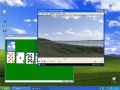
CapTrue is Microsoft Windows software for creating desktop screenshots very easily. It behaves just like your Print Screen button, but allows you to do more in a single keypress. The key feature of CapTrue is the ability to capture video players windows. You can save image in various file formats or store image in the Clipboard, capture mouse cursor.
Key features:
- Video players window capture.
- Capture only what you really need. You can capture entire desktop, active window or you can capture image of a specific region.
- Several output file formats. CapTrue can save your screenshot into BMP, PNG or JPG format. You can adjust quality settings for the latter.
- Clipboard is a good place for your brand new screenshot. You can put your captured image into it, if you like.
- Mouse cursor is also important. Optionally you can include mouse cursor into resulting image.
- No performance loss CapTrue doesn't use dirty tricks with disabling hardware acceleration. It does its work honestly, saving all your PC performance to you.
System Requirements:
Windows 2003/XP/2000/Vista
Publisher:
CapTrueHomepage:
http://captrue.com/File Size:
1.28 MB
Price:
$19.95
Featured titles by CapTrue
Thumbnailer is Windows Media Player plugin for creation the thumbnails image file. Once you have loaded your media file into Windows Media Player, you can easily create thumbnail image of your movie. Share your video thumbnails, create video catalogs, it's easy now!
GIVEAWAY download basket




Comments on CapTrue
Please add a comment explaining the reason behind your vote.


iPhone app giveaways »





Android app giveaways »





I tried it. I tried to capture stills from videos. I could not capture stills from videos (I was able to crash VLC media player once).
Regarding whether this is a 30-day trial or a licensed version: The help file (located in the program directory) says that to activate your license, you need to click "activate" in the settings screen. Since there is no "activate" button in the settings screen, I assume that means it is licensed. The help file also says the trial version puts a watermark on captured screens. I saw no watermarks.
Due to the failure to perform, video-wise, I will uninstall this program since that was the only feature that seemed useful.
Save | Cancel
Ok I give up downloaded it and installed somewhat ok doing so.I cant get it to run and it wont print at all.I uninstalled it twice and reinstalled it to have the some problwm again,I am running windows xp service pack 3.I cant get it torun/work right so I am gonna pass on this. GL to those it worked ok with.
Save | Cancel
Just want to jump in with some screen capture utilities that I haven't seen mentioned yet.
The first is called Snippy. It is only 100k and it doesn't require installation. You can select a rectangular region or freehand an area to be copied to the clipboard. As soon as you release the mouse button, it's done. There are only about 5 options, so even us GAOTD denizens can manage it.
The second is called Bug Shooting. No, honest! It combines screen capture with a "paint"-ish environment for annotating and otherwise fiddlin' with what you captured. It was developed for software testers so they can point out boo-boos in applications, but works for humans also.
Snippy is used by a number of instructors at work and is my KISS favorite.
I will now download and install today's offering because, well, I'm a GAOTD addict and I never know when I will need some obscure feature of some obscure program-- if only I could remember which one it was...
Save | Cancel
Oh man - what a sucky experience. This application blue screened my system (I am running AltDesk). I have not blue screened Vista in a long time. Everytime I ran CapTrue my system would lockup hard. Do not pass go, do not collect any fees from me.
After uninstalling everything returned to normal operations.
Save | Cancel
If you get a black window when tryint to get a screen capture, this might work:
This is what I did and now I can capture a picture in WMP any time.
Open Window Media Player
Then go to Tools | Options
In Options, select the Performance Tab
Way below you click on the Advanced Button
Uncheck “Use Overlays’
Click Ok
And you are ready.
Now run your movie in any size or screen resolution. Use the standard ‘Print Screen Key’ Method:
If you use Windows, then just by clicking on print screen key will capture or take a photo of whatever is playing at that moment and put it on your clipboard. Then just paste this to any image editing software (paint, photoshop, whatever).
That should work, if not, try this: from here: http://www.videohelp.com/forum/archive/t280938.html
"If you are writing a screen capture program to get video frames but find that it only captures a blank window when playing a video then I discovered a trick for you. >>>
Under normal circumstances, hardware acceleration prevents you from capturing the video layer resulting in a black frame where the image should be. It might be very difficult if not impossible to disable hardware settings on someones computer within your program so what can you do?
The trick is to first start a small video in background before running you screencap application. This will occupy the hardware layer with the small file. Only one playing video can use hardware acceleration so when you run the next video it runs with software assist only and you can then easily get all the screen caps you want."
Following that advice, I first played a video on loop in Real Player, and ignored it. I then played the video I wanted to cap in WMP. I paused on the frames I wanted, "Print Screen", pasted into MSPaint, then saved as a jpg file. So simple once one knows the trick.
One of the above usually works. There was a time when I couldn't get either to work, however and I got the CapTrue offered today and that did work. Now though my computer has since crashed and I lost that program. After doing a total restore, my computer works again and I can cap anything with just "print screen". Weird, huh?!! lol
Save | Cancel
Freeware able to capture SS of Videos
http://camstudio.org/
Free Streaming Video Software
CamStudio is able to record all screen and audio activity on your computer and create industry-standard AVI video files and using its built-in SWF Producer can turn those AVIs into lean, mean, bandwidth-friendly Streaming Flash videos (SWFs)
You'll always find the latest version of the CamStudio program, the Lossless codec and the source code on SourceForge.
CamStudio on SourceForge: http://sourceforge.net/projects/camstudio/
http://www.free-codecs.com/download/VH_Screen_Capture_Driver.htm
VH Screen Capture Driver is a DirectShow filter, which emulates Video Capture card and captures screen activity.
http://www.free-codecs.com/download/Virtual_VCR.htm
Virtual VCR is a small, free and versatile DirectShow video capture application designed to work with TV tuner and video capture cards that have WDM drivers.
Features of Virtual VCR 2.6.9 :
- Arbitrary resolution settings (480x576 etc).
- Compression codec selection and setup (Video and Audio)
- Smart Tee Preview for capturing and previewing at full resolutions
- Pre Filtering allows use of installed DirectShow filters [more]
- Video crop before capture
- Can be used with a Scheduler to capture at preset times [more]
- Command line options for use in BAT files etc
- Real-time Capture stats including compression ratio, bytes sec etc
- Small, Fast and Free
Save | Cancel
Does not work Claims Prnt crn is in use by another program. Tell me to change hotkey, but does not work also. Claims to be only a 30 trial
Save | Cancel
Downloaded and installed on xp machine to check it out and I was disappointed that the only window the app seems to have with the exception of showing tips, was just the settings window.
I noticed in the agreement, it specifies this is TRIALWARE, and there is noplace in the settings screen, the only app interface it has, to verify any kind of registration.
I looked for info on registration verification on their website and in their blog and found no info at all.
I suggest to the makers of this software that there be a way to be able to check the program through app interface, to verify registration was successful. Also I suggest a help page be added, no instructions on use are provided. My guess is that this automatically makes itself default app for saving ss, which can be a problem if the default app is later uninstalled or you want something else to become default. The user should have control over whether the prog runs on startup and serves as default or not.
I don't think I will install this on the Vista machine, I think I will try one of the freewares suggested here instead.
As for dvb, here's the DVB official site.
http://www.dvb.org/
My guess is that if I look for freeware that is DVB compatible, I probably will be able to find them.
Save | Cancel
I have downloaded and installed this program three seperate times, and none of them worked.. it just kept freezing up. It sounds like it would be a good program, if it worked. However, after the third attempt, and the fact that is says in the agreement that this is only a trial version, makes me not want to bother with it anymore. I am not going to download trial versions to see if I like it, when the purchase price is so cheap. DUH!
Save | Cancel
I use Irfanview - http://www.irfanview.com
Not only does this do the job in screenshot jpegs (or in any format),
but it'll also play .wmv files for precise image captures
Save | Cancel
I downloaded and tried this software...
I thought it captured video [motion pictures, animations, flash, etc...]. It does, but only 1 frame. It doesnt copy multiple frames!
Bummer.
I uninstalled it and it left 2 files on my computer and left info in my registry. I did however have it running with the icon in my systray showing during uninstall- so maybe it was my mess up.
I could write a program that captures moving video in less then a day- perhaps thats what i need to do.
Save | Cancel
Thanx #90 Bloughmee. I looked up snagit and understand more now. Thanx for taking me seriously as I'm going on for 60 and teaching myself. Never heard of this before in Aussie.
Save | Cancel
this is great! GOOD JOB GAOTD!
Save | Cancel
This program does not catch scrolling windows, and it does not include an editor for the created shot; I cannot think it has been updated since long ago! The only reason to keep it is the fine ability to catch a video window. Well, this, and because it is free :-)
Save | Cancel
I actually needed something like this for capturing pictures from
old TV shows to make scrapbooks, however there is no 'repeat last capture' hotkey, which makes the program more trouble than its worth to use. There are things I like, such as saving to png in a chosen directory, but its a no-go for me. No thumbs-up or down on this one.
Mansion Trash
Save | Cancel
Related to #53, #56, #76
I'd say the best way to capture pics (frames) from video should be using a video player, that has this feature. GOM player
http://www.gomlab.com/eng/
(IMHO one of the best video players) can do it easily (just press ctrl-E). And better yet, it can do so called "burst capture" (ctr-G): it will capture several frames (up to 999) in user defined intervals between frames (let's say 0.5 sec) so you can later choose the right one even if you don't start capture in the best possible moment. It takes snapshots from the video file, so it doesn't matter if you watch it fullscreen or in a window. Pictures (frames) are saved to user defined directory (folder) as .jpg or .bmp files
Save | Cancel
Installed not working on my Windows Vista Premium SP1.
Oh well thanks for the give away.
Save | Cancel
to comment #93:
Haven't you bothered to read anything people have posted above you? Your ignorance of all the uses for this tool is no reason to trash it. That goes for a few of you actually. I don't expect to read all positive reviews, constructive criticism and bug info is good- I see there is a forum here...the link is highlighted in blue, just above the comment input box...
I'm fairly new to this site- and I've gotta tell you- I was just dumbfounded by the comments people leave here! So many of you get nasty attitudes when something's offered that you either- don't know how to use, don't have a need for all of the extra features, or already have a similar product. And I just have to ask--- WHY? Why the rudeness? If you have nothing really useful to say you really ought not to comment. No one has forced you to download their free offering.
I'm sorry to the rest of you, my post isn't particularly useful either most might think, but perhaps necessary..?
Save | Cancel
To comment #100: What do you mean "Tried & installed it but it didn’t work… well what did I expect… it’s FREE"?
Do you know the name and purpose of the site you are own?
Save | Cancel
Installed ok, tried to run, it displayed it's splash screen and then just froze. Running XP64 (Compat. mode didn't work) Sad. At least I have this installed in my VM which uses 32bit XP and the program works ok.
Uninstalling now.
Save | Cancel
Just out of curiosity, since I've never downloaded and installed anything from this site, can you download the program now, and install it a later date, or do you have to install it immediately? If you install it later, will it no longer be free, or once you download it, do you have the complete, free, version saved?
Save | Cancel
I installed using Vista Home Premium and found that when I started setup the activation window came up but instead of going to GAOTD to activate first it installed the program then activated it so that I only got a 30 day trial which is no good to me. Anyone know how to fix this problem. I love all of the comments I get to read here. i have learnt a lot and gotten lots of freeware from other sites as well. Thanks all of you helpers here
Save | Cancel
After some rest, maybe I can say something more coherent. My point was that many screen-capture utilities will capture video (and I'm not talking about specialized video capture utilities). For a simple screen capture utility, Gadwin PrintScreen (free version), which several people have mentioned, works pretty well, and is certainly much better than CapTrue. If you think CapTrue is good, you should download Gadwin PrintScreen. I used to use it to capture video on XP (you may need to select between the various window and fullscreen modes to see which works for capturing video from a particular application). As others have mentioned, TNT Screen Capture has some nice features. The problem is that most of these don't work as well on Vista, which is why I switched to WinSnap (it's cheap, and I got it at a discount, $15). At the time, WinSnap was better at capturing Vista images than SnagIt, although SnagIt has far more features (at a price). I might take a look at SnagIt 9, which was released a couple of months ago.
Regarding hotkey conflicts, my wording wasn't very clear. If you can't determine which application has hotkey conflicts with CapTrue, you can load CapTrue anyway (ignoring the hotkey warnings), and then change CapTrue's hotkeys (right-click the tray icon).
Regarding keyboard/system hooks, I actually prefer screen-capture utilities to hook at as low a level as possible, so that their PrintScreen will override applications' PrintScreen (which usually suck), and so that the application will never see the keypress (which is a problem for screensavers and some games).
People who don't have Vista don't like my Vista comments, but those of us who have Vista have to deal with its quirks. Since I use PrintScreen frequently, I always have capture utilities load at startup. I'm not sure that running them as an Administrator helps much, and Vista blocks startup items which have Administator privileges (no way to tell it that particular applications are safe). I do have a licensed copy of PTFB Pro which I haven't used; it might be able to start blocked applications, but it would be yet another startup item (which might itself get blocked), and I have too many startup items already.
People have suggested all sorts of screen-capture utilities. I've tried several, most suck. One trial I tried was terrible, but it had a better hook than most. I couldn't justify buying it just for the keyboard hook. I looked at my long list of screenshot capture utilities, and CapTrue was already on it. One freeware offering which some have recommended is Screenshot Captor.
Save | Cancel
This isn't bad... but I think Desktop Screenshot Whiz just does the same thing. Plus, it's free everyday :)
Save | Cancel
Thought it was a good idea since I lost my print screen. But after installing on XP SP3 I was never able to load the program cause it crashes.
Save | Cancel
For those seeking (for any reason) (very good, if not the best) free screen capture utility, the last freeware version of earlier mentioned (#16) FastStone Capture can be found at
http://www.321download.com/LastFreeware/page4.html#FastStone%20Capture
as well as MANY other freeware or LAST freeware versions of software.
Save | Cancel
Tried & installed it but it didn't work... well what did I expect... it's FREE... so I immediately uninstalled it... it's just useless program & a waste of time for me :(
Save | Cancel
just try this: http://www2.ashampoo.com/webcache/html/1/product_2_0224__.htm
Save | Cancel
I use Jing you can do a screen capture and save it as a jpg or you can make a movie and show people how to open a window LOL... plus it's free :)
Save | Cancel
Sounds good, but not my cup of tea. (Anyways, I still have Topaz Moment from a previous giveaway, and use it for video screenies!)
Thanks anyway, GOTD. Better than the converters. I just use MediaCoder, which is advanced, but worth the learning curve.
P.S. If you have Windows Media Player (which I curse!), look for something to do with Overlay Settings. I don't remember exactly what to set it to, but do some experimenting, and you should be able to get screenies. VLC Media Player is also good for screenies.
Save | Cancel
During installation, it said that this was a 30 day evaluation copy. I didn't see a registration number in the readme file. Next, I tried it and couldn't see any difference between it and the standard print screen function. Finally, I uninstalled. But it had put itself into the startup menu, so I had to remove it from there before I could finally delete the entire folder.
All in all, a thumbs down.
Save | Cancel
TopazMoment, giveaway of some time ago, gives really good pictures of video. It combines a few frames to get a sharper image then most screenshots.
Save | Cancel
against all the "bad" advice
(personaly , I consider all commentry to be of "some" value)
Download tells me that my hot key has been squated & that I should choose another
- refused by this self same product
- therefore, for me at least, no posability to compare or to comment,
hence,
this missive is without value, please ignore
P.S please excuse my English as I am......
Save | Cancel
CapTrue is no different then a Windows Print Screen. Do not waste your time by downloading it. If you have Windows Vista, your Snipping Tool will work a lot better than this piece of trash software.
Save | Cancel
I not trust program because says not good English and looks bit strange to me :/
Btw, I'm using Snagit for screenies and I intend to keep it that way. Thanks for the offer anyway, GAOTD
Save | Cancel
Faststone is the best screen capture tool and all I'll ever need. Nice try though. Faststone does the job!
Save | Cancel
#26 Lyn - I will excuse you from the Moron Gallery today because you ask an honest question.
Answer.) Ever see a software manual or online Help with images of the software? Screen capture utilities are used to generate those. It's also very handy to do things like send a screenshot of an error message to tech support....a pic of a Google map to someone else.... a shot of your settings to someone trying to diagnose a problem... etc. Tons of uses for screen capture utilities. Once you have a decent one installed you'll find uses for it.
The gold standard is TechSmith's SnagIT, which is $50 ($40?) - go to www.snagit.com to see other uses - they have some great 'day in the life' tutorials up there to show people the value of this kind of software.
Save | Cancel
Great utility - two thumbs up. With the addition of a free editor like paint.net you've got something roughly equiv. to SnagIt, which is $40 - and the industry standard. If I were a developer needing some documentation but no money- this would work just great. Thanks GOTD
For all of you idiots in the Moron Gallery posting "same as the PRTSC key blah blah blah" - yeah right. A full-featured capture utility is not the same as the blind and non-configurable PRTSC. Thanks for wasting my screen real estate and bandwidth with your ignorance Keep on showing your arses, we're used to it.
Save | Cancel
Got the same "can't register" message as #47. Does'nt seem to be any way to re-assign the hotkey functions to a combination not used by some other program. Oh well, at least it uninstalled easily.
Save | Cancel
Just downloaded and checked out (#81) Jojo's suggestion--FastStone Capture freeware version--since he made it sound so much better than this. Its most interesting feature, per the accompanying help file, is that it tells you to go turn off hardware acceleration when you want to capture a video screen from a media player! Seems to me that CapTrue's key feature is that this isn't needed with it. (In fact, Windows' own PrintScreen Key should work in that case!)
If you're going to recommend alternatives to GAOTD's software offerings, at least mention the fact that your "alternative" doesn't have the primary feature(s) of the offered giveaway.
Thank you.
Save | Cancel
>>Finally! something that gets the cursor!
>>Thanks GotD!
Sorry about posting twice. Internet died during first submission, and I thought the comment hadn't gotten through
Save | Cancel
If you have vista you really don't need to download this program.
Goto accessories.
Click snipping tool.
You will have to select the area you wish to clip.
Save in the format you choose.
Cheers,
Jas
Save | Cancel
"FastStone Capture" does not capture the TV screen of the TV card nor Video of Windows media player. CapTrue does.
Save | Cancel
So this program captures video screens, nice. However, you can press "Ctrl + i", and it does the same with better resolution.
Save | Cancel
Hi found that the last freeware version of FastStone Capture does just as well and can even run from a portable drive/device.
http://www.321download.com/LastFreeware/page4.html#FastStone%20Capture
Save | Cancel
Actually, this looks pretty cool, but I think I'll stick with Cropper - hands down, one of the best capture utilities out there. Oh, and it's free.
Save | Cancel
It installed on XP SP3 without issue and worked fine. However, the program would not "exit" or shut down. Hence, I unstalled it, which required some manual removal of files. I don't recommend it on this basis.
Save | Cancel
I haven't tried this, but I don't intend to. For years I've been using Gadwin Systems' PrintScreen. It does everything I need it to and it's free. There is a "Pro" version but the free version is awesome anyway. Hope you find it useful!
Save | Cancel
#71
".... I really would like to find a program that captures text boxes that continue off the screen."
Google FastStone Capture 5.3
It supports scrolling window. Version 5.3 was the last freeware version before it turned shareware.
Save | Cancel
I'd like a program that captures images from videos -- to use as a cover for video boxes in my blogs. But this one won't be it.
It seemed to install, but the window provides no commands or instructions. Closed it down and started it again. Re-downloaded, reinstalled. Hung up again. Closed and started again. Still frozen.
Nope. Too much trouble. Little programs like this that can't work easily can wreak havoc with programs that do work. Thumbs DOWNNNnnn.
Running Windows XP Media Edition.
Save | Cancel