Every day we offer FREE licensed software you’d have to buy otherwise.

Giveaway of the day — Batch Image Resizer
Batch Image Resizer was available as a giveaway on October 14, 2008!

Resize, Crop, Flip, Mirror, Rotate, and Resample Multiple Images. Easily perform all these operations with lots of images in just one batch! Create Thumbnails with Ease. Easily create thumbnails with this program! Control resizing quality using 7 built-in interpolation modes!
Features
- Change width and height independently
- Use both percent and pixels for width and height independently
- Change width proportionally to height, or height proportionally to width. For example, set width to 600px, and change height accordingly to maintain aspect ratio (in this case the value of height does not matter)
- Resize with and without preserving aspect ratio
- 7 Built-in Interpolation (Resizing) Modes: Low, High, Bilinear, Bicubic, Nearest Neighbor, HQ Bilinear, and HQ Bicubic
- Rotate images freely or in steps of 45 degrees
- Set background color for rotated images
- Flip images horizontally (mirror) and vertically
- Crop images from any combination of 4 sides, using any combination of absolute (pixels), and relative (%) values!
- Change image resolution by resampling
- Save results in jpg, gif, png, bmp, tif, or wmf format!
- Access program functionality from Windows directly (available through optional context-menu integration)
- Intuitive user interface
- Lightning-fast processing speeds
System Requirements:
Windows Vista/XP/Me/98/2008/2003/2000; 800 x 600, 16-bit Screen resolution; 800 MHz Processor; 128 MB of RAM
Publisher:
BinaryMarkHomepage:
http://www.binarymark.com/Products/BatchImageResizer/default.aspxFile Size:
1.65 MB
Price:
$24.99
Featured titles by BinaryMark
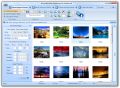
View, organize, resize, watermark, convert, rename, adjust color, batch-process, and make Web gallery of images in just a few clicks using one piece of software! It features more than 90 built-in actions and effects, 25 image formats (including BMP, JPG, GIF, PNG, TIF, SGI, PSD, WMF, EMF, PCX, DDS, TGA, and RAW), Windows explorer context-menu integration, 32-bit alpha-transparency support, layers support with more than 20 blend modes (including screen, overlay, and lighten), templates for easy image processing, built-in preview and effects sequence editor, integrated slideshow and duplicate image file finder (so you can easily remove duplicate images), advanced GIF optimization and dithering, multi-core processor support, and much more. TIME LIMITED 2-DAY ONLY Special pricing for ALL GAOTD USERS: 30% OFF (Professional Edition costs only US$104.99, Standard Edition only US $27.99). Click here

Save Flash video (including streaming video) from Internet websites like YouTube and Google Video to your PC in either flv or avi file formats as you watch them in your browser. The program runs in the background, in system tray, and will ask you to specify if and where to save video when you begin watching one. No need to find and paste URLs (like in numerous gadgets) - everything is done automatically! It saves you time and bandwidth, because videos are saved as they play on web page in browser. It features hot key access, simultaneous downloads, flv to avi conversion, and more. It is easily configurable, and for example can be started automatically with Windows. State the following in some way: TODAY-ONLY Special Price: Just US $9.99 to download and save all your favorite videos! Click here
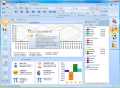
Chart, analyze, and compare your biorhythms to discover your good and bad days, avoid threats, and achieve goals in professional new software using latest technology. See your Physical, Emotional, Intellectual, Intuitive, Mastery, Passion, Wisdom, Aesthetic, Awareness, Spiritual, Perception, Psychic, and Success rhythms in 7+ views like Chart, Table, Calendar, and Report. With all navigation 7+ and controls at your fingertips, using it is a breeze! TIME LIMITED 2-DAY ONLY Special pricing for ALL GAOTD USERS: 30% OFF (Premium Edition costs only US$ 34.99, Standard Edition only US $17.49).Click here
GIVEAWAY download basket


Comments on Batch Image Resizer
Please add a comment explaining the reason behind your vote.


iPhone app giveaways »





Android app giveaways »





# 57, Webmaster:
Happy Birthday!
Your reviews are great, thanks.
Your a great guy!
Thanks,
Blackrabbit aka Steve
Save | Cancel
Social Media Marketing | Social Bookmarking | Real Time Reporting And Tracking | Link Building | Pay Only Per Guaranteed Submission | Start Your Campaign Today !
http://www.widecircles.com
Save | Cancel
#69, anonymous, did you try Batch Image Resizer? I'm not going to belabor the point, but I find their settings to be quite logical. Any unchecked dimension won't be resized, period. There are no options for proportional sizing unless both dimensions are allowed to be resized. If you select proportional sizing, it can apply to only one dimension. I find their layout quite logical--the list of possible operations are down the left side, whether any of those operations is applied (including resizing) and any parameters are in the settings for each possible operation. My primary objection to Carpe Derriere's post is that a lack of understanding of the product's UI is being passed off as problems with the product. For example, the preview works fine, and has many options, as I discussed in post #42. I don't understand the complaints about no undo. The live preview shows what the result will be, you can change any setting (undoing anything you did) and the preview will show the new result. No files are changed until you start the batch process. This isn't a paint program, there are no complex or freehand operations which may need to be undone.
As I stated, I don't use these types of tools. Just about every alternative people have mentioned has been on my list of image-editing applications. As #35, who said that, mentioned, Photoscape has a simple-to use batch editor, and a video showing its use on their website. I did find a batch add-on for Paint.NET, but it's not well-integrated. True batch resizers are generally easier to use and have options that image-editing applications, even those which allow batch operations, may not have. For example, most support settings presets, some have options to not upscale images which are smaller than the resize dimensions, and to output files which are guaranteed to be less than or equal to a maximum filesize. For example, I use Quick Photo Resizer because although it has few features, it's very easy to use, and at the time I bought it (at a discount), it was the only app I could find that actually honored the maximum file size constraint (necessary for my photo host). JpegSizer is another commercial product that's focused on resizing, but has a lot of options and presets. People who haven't tried them shouldn't dismiss them because they're commercial products, they may have features or ease-of-use which the freeware products don't have.
I find the complaints about the embedded static ad to be silly (it doesn't meet the definition of adware). A lot of programs have ads in their help files, some have ads in the products themselves, even if you pay for them. As I've stated before, companies are generally losing some potential revenue by posting their wares here on GOTD, so you're going to continue to see attempts to get you to purchase better versions.
Save | Cancel
#28 #42 #69
Regarding the question of having to enter two values, even if aspect ratio is desired to be maintained when resizing....
I haven't installed BIR, but I'll hazard a guess as to why this might be a useful (and necessary) feature. Both BIR and Image Badger are designed to be primarily BATCH Image re-sizing tools. I also found it less than intuitive when I first attempted to resize a single image in Image Badger. I agree that, when maintaining aspect ratio, most image editing software only requires one dimension to be input, and it's very user-friendly to see the other dimension automatically calculated in proportion, and input on-the-fly.
But this obviously is not a possibility, if you were wanting to re-size a batch of diversely sized images. Using Image Badger as an example...If original aspect ratio is selected to be maintained when re-sizing, Image Badger will ask for the input of (one or both) Max Width and Max Height values.
Let's say your intention was to batch process a collection of your photographs, so that they might all fit nicely, for printing four on a page, each within 400x300 constraints. Entering 400 and 300 as maximum values, will serve to re-size all diversely shaped images so that they are as large as can be permitted, within the bounds of your constraints. Sometimes, it will be the Maximum Height value that is crucial when re-sizing, whilst with a different shaped original, it may be the Maximum Width which determines the size.
Save | Cancel
Fubar, I appreciate your reviews. Not supporting Drag/Drop was a good point I overlooked.
FWIW, I was basically carping about the design and seemingly excess buttonpushing. Pointing out the need to click both width and height to enable proportional sizing was my oblique comparison to Photoshop's and MSOffice Picture Manager's methodologies. (they employ different sets of steps to arrive at the same proportional result) Admittedly, it may be just my familiarity with those applications that make them seem less cumbersome. I realize that Batch Image Resizer's dual buttons allow one to choose which measure to constrain, but my obtuseness prevents me from appreciating a benefit from doing it that way.
PS: Image | Image size and enter width or height and the other automatically changes (I usually keep Constrain Prop enabled)
MS OPMgr: Edit | % of Orig Size (and watch as measurements change between orig size and new size)
IrfanView: Image | Resize | (with default Preserve Aspect Ratio)
Jeez, I completely forgot about Faststone and it's sitting on my desktop for easy access. So many programs, so little time.
Save | Cancel
I am not one to respond to comments on "freeware", but it truly is a bit unethical to say that the product originally costs $24.99, but today it is free, when their own website is offering it at $5.00. Truth in advertising must be applied on this website, for every developer seeking publicity. I downloaded the product, Vista Ultimate Sp1, and tried a few ‘Batches’. I was impressed with the outcome after resizing and reducing the resolution, then comparing it to the original. However, I will stick with PS CS3.
Save | Cancel
I'll probably pass on this one, thanks anyway, GAOTD! I would really like you to giveaway Flash FLV Video Downloader, It sounds good.
Keep it up, GAOTD!
GAOTD Lover
Save | Cancel
#2, #3, #9 This software FREE on this site. Hello. Do you process that?
Save | Cancel
Batch Image Resizer is a fairly quick, fairly competent, relatively harmless program that takes up less than 5 MB on your hard drive. Any advertising is as easy to ignore as it is on any web page you visit, and for the price it might come in handy.
What I think is a critical omission is the ability to change image resolution without re-sampling... Say for example you have a picture from your digital camera that you want to print. On screen it may be huge, with a screen resolution of 72 or 96 (MAC or PC respectively). TO make a print you want a resolution of 300 - 600 dpi - very basically you squeeze the pixels closer together the way your printer likes it. Batch Image Resizer can’t do that... you can create new pixels out of thin air, &/or you can resize your image smaller, throwing out a good many original pixels, but you can’t just shift them around, maintaining the original quality.
With that glaring oversight (so easy to implement), the developer can rest assured their ads for the more expensive version will be ignored - ‘least by me. But I’m sure there will be times it’s quicker to fire up and use than many of the alternatives, where you often have to drill down through a couple of menus and set up the batch operation.
One place not to use a program like this is with anything video unless it’s animation, as at least one comment has talked about [& why I’m tacking this on here]. Aspect ratios get really tricky with non-square pixels, & the color space conversions can really muck up quality.
Save | Cancel
#70 is right.
I have no use of this commercial software, when there are tons of freewares available which can do the same.
I'll pass today
Save | Cancel
Well being a proffesional photographer im really excited as this is something i can use, while i already have software to do the job, this application looks supperior. thanks giveawayoftheday! =)
Save | Cancel
#35 - Thanks for the link to PhotoScape. I don't recall having heard of it before now, but it does look like it may do a few things that IrfanView doesn't. I'll be downloading that instead of today's giveaway.
BTW, I've been using IrfanView for years to batch convert, rename and/or resize, but why would anyone want to batch crop? I'm pretty picky about my pics, and I like seeing exactly what's going to remain after cropping, so I always do that manually (I use Paint Shop Pro 11).
Save | Cancel
this one is free and portabile.
http://www.faststone.org/
Save | Cancel
Irfanview,XNView,GIMP,FX Foto,MS Paint.Net,Picassa....the list is endless.
You don't have to spend even a single penny for all these!
GO GET IT ! (:D)
Save | Cancel
@ 42 Fubar,
I do very much appreciate your daily professional input and if I visit after you I will always make sure to first read what you have to say.
However today I must disagree with one line of yours.
"As for Carpe Derriere’s comment about needing to select both width and height to enable proportional sizing, well, duh. An unchecked dimension won’t be resized."
IMHO Carpe Derriere is right. When we are talking about proportional sizing then when you enter one dimension the program should automatically calculate the other dimension in proportion to the initial picture. So if I have a picture which is 100*150 pixels and I want to resize proportionally then when I enter 50 for the width the program should automatically enter 75 for the height.
Save | Cancel
#17- Thank you, I honestly have wondered what these converters would be ever neded for, & now I see I may one day need one! I appreciate suggestions about what a program could be used for! Not right now, though.
Thanks GOTD, for the offer.
Save | Cancel
#69,..........The spyware called Deviant.D… as detected by "Stopzilla" ius a false positive & something only detected by the garbage "Stopzilla" which is the true nasty installed on your system. I wouldn't use it if they gave me a free lifetime upgrade key.
It's quite apparent your knowledge of PC security is nil at best. "Stopzilla" has to be the absolute worst garbage I ever wasted my time trying on a PC. Now, just for the hell of it, go try uninstalling that junk & then you will know first hand exactly what kind of garbage it is.
Save | Cancel
A big Thumbs Up to #64 yvone, a big Thumbs Down to developers that
include advertising in a full version program. Though I would like
to try this one, I will not install it. Thanks to the poster that
brought the advertising to everyone's attention!
Mansion Trash
Save | Cancel
I have been using Photoshop to edit and batch edit my photos so this isn't much help to me but I know of a few people who this would be perfect for. With their film cameras they'd take the usual 24 pictures (One roll) during an entire vacation but now they take that many, plus 50 more, a day since they got a "point-and-shoot" digital camera. They usually ask me to resize the ones they want to email to friends but now they can resize tham all easily and quickly. I don't pay any attention to that "Normally $25, but free today" stuff. It's free today and they will download it and really enjoy using it, I'm sure. (And now I'll have more free-time to download anime!)
Save | Cancel
@Developers
There is no way I would try this out after seeing the comments about advertising in the program. While I may accept advertisements in a freeware app, it is completely unacceptable in a paid for app. Thumbs down.
Save | Cancel
#36...thanks for pointing out that irfanview can do it too
#39...thanks for the detailed tutorial, it works
Save | Cancel
Everybody still loves IrfanView and XnView! I moved on from those when I bought a new computer running Vista Ultimate.
I now have a complete collection of apps to do whatever I need to do with photos, wallpapers etc. I use "paint.net", “Photo Scape”, both freeware along with "Image Mender", "Inpaint", "Zoner Photo Studio v10" & "Paint Shop Pro"! Expensive & not for the average home user.
Yep! You guessed it. I do a lot of things with is & have a lot of these programs so I can work on from digital photos, create new wallpapers for Vista and so on but todays give away is sub par for me. Thanks anyway. It's also a form of adware that I can do without!
Although considered by some security apps as infections but not really, just more of an anoyance I still don't want to see it. I',m also a tad sick of seeing give aways that are nothing more than low end offers in an attempt by a software vendor so sell a more thorough, upgraded program.
Please, just bring what you have or don't bring anything at all. Low enders are a waste of my time and will never generate a purchase by me.
Save | Cancel
I am with the IrfanView users. I have used it for so many years and totally happy with it I sent him $10.
Save | Cancel
Ever heard of the spyware called Deviant.D... You should.. because that is what this program is infected with.. Stopzilla found it..
Save | Cancel
I support 52.Phraed in what he is saying about a consistent integrated user interface and that it's about time we adopted Vista's GUI. And 54.Antonio is right in wanting Irfan to updated his UI!!! World calling Irfan - it's update time!
Save | Cancel
I've just posted Wednesday’s games over in the forums, which include Paper Flight, Revenge of the Rats, Perceptia and 7 more games. I did post a link to today’s game The White Room (see link above) that I posted earlier this morning but it didn't get past the moderators the first time and was only posted about an hour ago.
http://www.giveawayoftheday.com/forums/topic/4050#post-43494
As for today's giveaway; it does the job it says it does, but I wont be keeping it for two reasons, the first one is the advertising and the link on the GUI asking me to buy it (I hate that), plus I'm really happy with my version of Zoner Photo Studio. There are loads of decent freeware alternatives that others have already mentioned as well, so the asking price of nearly $25 is far too much (though I realize it’s free for today). Thanks anyway.
Save | Cancel
Today is The Webmaster's Birthday!
That is, me.
I'd say, that this program, is OK, but only for starters.
6/10
Webmaster Reviews
Happy Birthday to me!
-Webmaster
Save | Cancel
well with how to do batch in photoshop now this program is going to be useless and i dont see anyone spend $25 on such a small program with so many free alternitives
Save | Cancel
I have not downloaded this offering as I already have a batch resizer that I'm quite happy with - FastStone Photo Resizer - it does a good job of keeping resolution, within reasonable expectations (you're still not going to get great wallpaper out of a thumbnail). The FastStone product is also freeware all the time.
If you already have an image viewer and/or photo editor that lacks this capability, then by all means try this one or FastStone.
If you're looking for an affordable (or free) all-in-one product so that you don't have to install, use and maintain 3 separate programs, then maybe this impressive wikipedia comparison will help you to choose one that is right for you...
http://en.wikipedia.org/wiki/Comparison_of_image_viewers
Personally I use TheGimp for photo editing, but forums suggest this is too difficult for newbies to use, and I use Picasa2 as my image organizer/viewer. Both are freeware.
Save | Cancel
Batch Image Resizer + Faststone Image Resizer's GUI + Irfanview 4.3 + Irfanview Plugins + that 3rdParty Context Menu Extension = A CATEGORY-KILLER Batch Image Resizer, no?! As it is now, BIR is, kinda...ordinary, really. Thanks for the try though!
A Best-of-category, imho, would be: Irfanview + Irfanview Plugins + BUILT-IN Context Menu Extensions + UPGRADED GUI !! That's if your reading this, Irfan :-)
Faststone Image Resizer has the prize on GUI-aesthetics, going away, in freeware.
Great day! BTW, BEST of luck to you ALL, financially!
Save | Cancel
Here's an alternate freeware. http://www.faststone.org/FSResizerDetail.htm
Save | Cancel
The only thing we geeks here are missing is Aunt Maude.
While most commenters here talk about themselves what Vista is missing is an integrate facility like the right-click PowerToy that XP had, one that Aunt Maude can use without jumping to a new visual paradigm outside Vista's consistent look.
While IrfanView and XnView and BIR are pretty good at their jobs the total change to an alien program and its different visual cues puts off Maudes all around the world.
Forgetting geekdom for a moment - I'm calling for an integrated resizer that looks and works the way the OS of today works: like Vista.
That'd be nice.
Of the three, BIR is looking good.
Save | Cancel
Check out today’s free weekday game, available via the game discussion forums. It’s called The White Chamber:
http://www.giveawayoftheday.com/forums/topic/4038
Save | Cancel
#14, Sue, our complaints are meant as a service to the software developers. GAOTD didn't seek out the programs to offer for free here. The software developers approached GAOTD to feature their program for a day so they can get user feedback before they launch their product at full blast. As a result of our feedback, they might or might not improve the software or adjust the pricing, and they would be further informed about current competition they might not otherwise know about. Relax.
Save | Cancel
XnView can do all this and much more, Irfanview has also been around a while. I know this is not much input however there are so many free viewers that do batch conversions, and these guys ship various sized versions for those that do not want all the bloat. Do not spend money on graphic tools unless you are in the industry and need the power of Photoshop or CorelDraw.
Save | Cancel
IrfanView already does this, it's free, and is very well established.
http://www.irfanview.com/
Save | Cancel
#12 and #21. I miss my imageresizer power toy since switching to Vista. Do anyone know of and such progam for Vista (i.e., right click any pic and have predetermined resize available for selection without having to go into a seperate program)....simple, fast, effective, but no joy for Vista
Save | Cancel
Another renivented wheel. And an expensive wheel at that.
As others have suggested, Irfanview does all this and so much more and it's ALWAYS free.
Save | Cancel
I remember a time when programs carrying advertising came for free.
It seems programs these days are going the same way as TV, Paying the license fee gets us no-advertising channels.
Then Jonny Foreigner came along with big ideas of multi-channels you PAY for whilst bombarding with Adverts!
We already have Ad blocking programs on our computers so why install a program with a non-stop Ad?
Save | Cancel
#16 r0lZ
Image Badger, which I referred to earlier, includes an 'Auto-Trim' filter, that does exactly the job you describe.
Save | Cancel
You say this same outfit also produces such hokeum as "Biorythm Calculator" it's certainly no surprise they would put advertisements and other shoddy things in the program. You pay for a program, and they plaster it with ads? Fooey on them.
Save | Cancel
Well, after a few comments about potentially useful alternatives and a great many useless comments, especially #28-30, Carpe Derriere, I took a look at this. Yes, this is a basic batch resizer. If you don't need batch resizing, then you may not have much use for this. I don't use these types of tools; I have Paint.NET, but I didn't notice any batch features.
Installation was quite clean. Yes, there's an ad for another of their products across the bottom, but who cares? It's a little annoying that it can't be maximized (it's about a quarter of my screen resolution), but that's not a deal-breaker.
It doesn't support drag-and-drop. Add Images adds files, Add All adds folders. There's no Help file. If you save to another folder, it will create it if necessary. If the program is open and you delete that folder and try a resize operation, it won't recreate it, and the operations will fail. It has options for overwriting files or creating backups. I used a different output folder, and I noticed that re-running a resize operation, even without the backup option set, it created backups of the first run.
If you select JPEG output, it has a quality selection. Other output types have various options. If you select Original output, you may want to set the various file type options first, especially JPEG. You have a small amount of control over how you want output files named.
The live preview window is handy. You can select one of the input images, and see what the result will be. You can select actual output size, or fit-to-window. You can scroll, drag (panning tool), use selected-area zoom, or pan via a mini image (navigator tool). You can display a background grid (if the image is smaller than the window). If you're not using the zoom tool, you can click on an output pixel and it will indicate the color. It shows the output pixel coordinates and the zoom factor.
As for Carpe Derriere's comment about needing to select both width and height to enable proportional sizing, well, duh. An unchecked dimension won't be resized. I find the image manipulation options to be quite clear. The description said rotation was available in 45-degree increments, but I found it to be always unconstrained, -180 to +180 degrees.
Explorer shell integration works, but isn't very smart. It shows up for non-image files.
As for the price, while $6 shouldn't break anyone's budget (ordering is via Plimus, a standard software ordering service), others have mentioned freeware alternatives. I was going to compare this with VSO Image Resizer, which looked like it might have a lot more features, but there were multiple posts on its forum indicating that its shell extension crashes Vista Explorer.
Save | Cancel
Have examed the program very carefully. It is for resizing images. If you wish to resize an image, it will resize the image. If you do not wish to resize an imaage, then possibly this program would not be for you. Hope this info helps.
Save | Cancel
It is nice that it has the batch crop and rotate/flip features but I can't think of a time when I've wanted/needed to do any of those. For resizing, I have been using Easy Thumbnails for years. It is one of those programs that has a simple interface, it does one thing and it does it well.
Thank you for providing this one even though I already have a tool for this.
http://www.fookes.com/ezthumbs/
Save | Cancel
@ #20:
using irfanview to convert between image file formats:
1. start irfanview
2. select 'file' from the menu
3. select 'batch conversion/rename' option
4. select and add the images you want to convert
5. in the 'work as' menu box (bottom-center) select 'batch conversion' radio button
6. select desired file format from the 'output format' drop down menu
7. click 'start' to convert the files
Save | Cancel
I'll stay with IrfanView. Thanks for the offer. Also thanks for the links to other freeware. Nice to see things I would not otherwise have known existed. Thanks
Save | Cancel
#20...try upgrading your Irfanview or something as Irfanview does convert to bmp among a lot of others. I didn't know it did batch until today. Thanks everyone for that information. It pays to click on the menu bar of a program just to see what that particular program can offer you. Thanks again. I also like the free version of Fastview and use it to create colored frames around my pictures for the web. I looked through I-view, but so far, can't see that it offers framing. But I will look again!
Save | Cancel
I think we can quit with the "Infranview" as an alternative comments. All but the newest computer users should already know about Infranview. I've known about it forever but nowhere did I see "Photo Scape" offered as another, even better alternative for working with images.
It can be downloaded here: http://www.photoscape.org/ps/main/index.php
Did I mention it has a Giff animation creating module & a screen capture utility all built in & all for free! It also has very solid reviews everywhere you look including at download.com.
You can see a couple quickies here:
http://www.download.com/PhotoScape/3000-2192_4-10703122.html?tag=mncol&cdlPid=10893886
It's also perfectly compatible with Vista & no, I'm in no way involved with it's publisher. I'm simply pointing out another free alternative that yes, I just happen to prefer to "Infranview" for working with photos, wallpapers & any other images.
It just happens that in the past two weeks I've been doing exactly what todays give away does & much, much more to an extensive collection of photos & desktop wallpapers.
With all that said, I pass again today. I just finished with my project yesterday. I'd also like to mention that "Inpaint", recently given here was a key program in my project. I removed a few hundred watermarks successfully with it, making it a key tool for me. Now just imagine that!!!
Save | Cancel
#2 Thanks for the warning about needless intrusive advertising. I noticed that this software was from the same stable as the recent advertising-laden Biorhythm Calculator, so I was waiting to see if there might be similar comments. I'll now refrain from installing. Sad really... there's probably a lot of of great screensavers that I've missed out on as well. Software developers should realise, that we can judge for ourselves whether to maintain an interest in their companies.
Apart from needless advertising, a second reason why I've decided not to install today, is because I remain extremely happy with "Image Badger" (a former giveawayoftheday). Most of the image files I work with tend to be (poser generated) tif files. These files contain an alpha channel, which is usually crucial for post-work. I've been finding that a lot of graphics related programs, have problems successfully dealing with my poser tif files (Inpaint was the most recent giveaway that encountered problems). But Image Badger allows me to mirror, flip, crop, and resize (as well as applying fx filters), whilst maintaining the alpha channel to perfection in accordance. It also does batch processing. Don't let the simple (bit childish) interface fool you. Image Badger is very powerful software.
Unfortunately, Batch Image Resizer won't be giving it a run for it's money.
Save | Cancel
Well this would have been very handy to me as i make digital scrapbooking supplies and i would love to be able to resize items in bulk but i dont like how this one handles at all. Just read comment 28, that pretty much sums it up. And for those people who dont think this could be useful...i would have said that months ago, but since i started scrapbooking it would have come in very handy. Its very tedious to do this in any image software, PS or PSP.
Save | Cancel