Every day we offer FREE licensed software you’d have to buy otherwise.
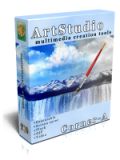
Giveaway of the day — ArtStudio 1.3.2
ArtStudio 1.3.2 was available as a giveaway on December 1, 2009!

Corner-A ArtStudio is powerful animation software that can bring to life boring static images. ArtStudio has a lot of build-in filters, it has hardware acceleration support, various export possibilites and simple interface - you don't need to be an artist or designer to use ArtStudio.
Warning! This software requires video accelerator with "Pixel Shaders 2.0" support!
Features:
- All effect are hardware processed with video accelerator card.
- Light and easy interface: all filters are simply drawn with mouse.
- More than 20 built-in filters will help you to animate water, clouds, smoke and create other natural and abstract effects.
- Result can be saved as screensaver (scr), standalone executable file (exe), flash animation (swf), gif animation (gif) or images sequence (bmp, jpg, or png).
- No professional designer or artists skills required, almost everyone can animate favourite picture with ArtStudio.
System Requirements:
Windows XP/Vista; Video accelerator card with 'Pixel Shader 2.0' support; Microsoft .NET framework 2.0; Microsoft DirectX 9
Publisher:
Corner-AHomepage:
http://corner-a.com/page.php?7File Size:
10.9 MB
Price:
$35
Featured titles by Corner-A
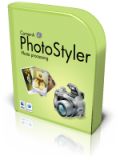
PhotoStyler is light, quick and simple photo enchancer designed to make digital photos looks like analog, styled pictures. Old tattered sepia images with scratches, 30-th like photos, famous and incredibly popular polaroid pictures – you can choose new style for you digital photos. PhotoStyler is also ideal for both styling poor-quality images took with phone cameras and good pictures of high-end photo cameras.
GIVEAWAY download basket


Comments on ArtStudio 1.3.2
Please add a comment explaining the reason behind your vote.

iPhone app giveaways »




Android app giveaways »



![[365fun] Running Man Giveaway](https://android.giveawayoftheday.com/wp-content/plugins/gotd_googleplay_plugin/images/100/2026/06/com.whitewind.runningman_app_icon_1780400784.png)
Unable to get screensavers to work, either on XP or on VISTA.
Error code: d3dx9_33.dll is missing.
Tried installing, but then get an error code "device not found, code#2"
Any workaround?
Thanks!
Save | Cancel
Thanks for the feedback caulbox #55. I should have known better than to write what I did about the dll files. I've had to replace a newer dll with an older dll several times in the past because a software installation or update overwrote the one that works with older software while the newer dll version crashes the app or causes a failure to run.
Save | Cancel
# diana 54
Actually d3dx9_33 and d3dx9_35 are two seperate distinct component libraries within the DirectX package (i.e. the '35.dll' is NOT an updated '33.dll'). You may be surprised at just how often the DirectX 9.0c package does get updated. Microsoft often releases updates to DirectX 9 without updating the version number or letter. For most purposes it isn't essential to have the very latest version installed, but personally I like to keep my system absolutely up-to-date. Although obviously available from Microsoft, I recommend bookmarking, and keeping an occasional check at FileHippo, where the full redistributable current DirectX 9 is available for download (drivers section), and like everything else at FileHippo gets regularly updated. The latest version is DirectX 9.0c (Aug 09) which is a 103.26MB download.
http://www.filehippo.com/
Save | Cancel
Installed and activated fine. It needs good hardware to handle the multiple effects projects. My GeForce 6200 Go chipset in my 4 year old Pentium M based 1.73Ghz laptop with 1GB ram gets bogged down by larger projects. My Core 2 Duo E6400, 2GB ram and a GeForce 7300 card handles this software much better but it is pretty old too.
I can't see any of the sprites I add to a project. I only see an empty box that I can move around with the finger pointing tool. Even if I choose a sprite image that came with the software and was already in the opened project and visible when I opened the project, it won't show up after that same image is added to another layer by me.
I exported in gif, flash, image sequence and avi modes fine. Trying to run the exe output got me an error: unable to locate component, this application has failed to start because d3dx9_33.dll (version 9.18.904.15) was not found. I could not run the exe file or the screensaver output until I downloaded and placed this particular dll file in my Windows\system32 folder. I had other versions of this file already installed, including a later version, d3dx9_35.dll which is version 9.19.949.1104 so I don't know why this software could not use the more current version.
The sprite issue is most bothersome because I didn't find anything helpful online or in the software. I use particleIllusion (definitely not a freebie) for this type of special effects work usually, but this is nice for a freebie. Could definitely use tool tips and a help file with specifications on the types of files (number of colors, types of transparency, size limitations, etc) you can use as sprites.
Save | Cancel
i like it i made a woman and a baby all chopped up with blood spurting out of all the cuts and hack marks. very nice indeed.
Save | Cancel
well, just because my MSI FX5700-VTD-128 card *supports* pixel/vertex shader 2.0, doesn't mean this will run. maybe the latest drivers (doubtful) will help, but so far, crash-boom. Oh well. directx 9c, .NET 1.1-3.0, winXP.. got everything else.
Save | Cancel
You can still keep the version 1.1.2 and install this new version 1.3.2. It does not overwrite as the software filename is different.
Save | Cancel
I had the previous version and to try the latest, I installed this version. It seems the previous version is easier to use.
Everything said, a nice software. Just wished it has a Preview function.
Save | Cancel
The comment box directed me at the Microsoft .NET Soft. first. When the .NET Soft finished, only when the changes were made, The attempt completioned. [completioned is sense ]
Save | Cancel
Ari, In Win 7 try running it under the XP sp3 mode. Go to Control Panel. Click on Programs. Under the heading Programs and Features look at the option on line 2 of Run programs made for previous versions of Windows. And go with it from there. It will bring up all of your programs and just click on this one. Hope this helps.
Save | Cancel
@ #26 Niketan Ramgolam, check the directory where you unzipped the download. It creates a separate file named Activate.exe that you can use to activate it. Good luck.
Save | Cancel
very good program installed good on vista and xp partion on a early 2008 mac
Save | Cancel
Works great on my new confuser with Win7home64 and 6GB.
Save | Cancel
How do you put in pictures? It has nowhere I can put in photos and I can't access the online help.
Save | Cancel
This looks as though it would be a great program, but unfortunately, when I create an AVI, the resulting file causes Windows Explorer to freeze whenever I open its folder.
Has anyone else had a similar experience or know why this happens?
(Windows XP Home SP3)
Save | Cancel
Thank you Mike #33. You answered a ton of my questions. Downloaded, installed, activated with no problems on my Vista 64 laptop. Don't know why some say it takes a long time to load, mine loads instantly. I updated from the last version and had fun with it but haven't tried this version yet.
Save | Cancel
I installed the software with out a problem but when running the activation I get an error message saying:
FATAL ERROR: KEY IS INVALID.
I'm running win 7 X64.
Any thoughts?
Save | Cancel
Installed ok, I scanned it with A-Squared prior to install.
I made a cool screensaver using the snow layer and a picture,saved as, added sound, exported as scr for screen saver and it wouldn't install due to a dll issue, so I guess it isn't Vista 64 friendly.
Had a lot of fun playing around with the program but was quite let down by not being able to get my cool screen saver to work.
uninstalled :(
Save | Cancel
I love this program I paid for it a few months back however the settings for brush size ) they messed up ,it was better before they made it hot keys only.They need to go back on it.
Save | Cancel
Installed and activated without a hitch, but then came the error message that it’s not supported by my graphics card, so uninstallation and registry restoration promptly followed.
Now, my system supports all other graphics tools I tried, including PS, video processing and gif creation. And I don’t see why this tool has to place additional, unfulfillable demands.
Therefore, my advice to the developers can only be one and unequivocal: Make the tool more tolerant to graphics cards still in use. This will not only increase the number of prospective customers, but will also avoid creating negative feelings among them.
Furthermore, there are people who don’t like experimenting with their systems, nor do they know exactly what their graphics card can do. They would therefore prefer to play it safe and keep away from the tool, even if their cards would in fact support it.
Save | Cancel
This is one of my favorite giveaways, and I think the latest version is easier to use.
After downloading and installing in a couple of minutes, I took out an old sepia-toned landscape photo from the 1870s with a lake and mountains. I added water and clouds, and I was quite surprised by the effect -- even in sepia tone, the resulting animated image is eerie and evocative. I highly recommend this one.
Save | Cancel
I installed this back when it was offered before under an earlier version. Oh, I like this program very much!! You can download some samples at their website too: http://corner-a.com/page.php?15 . Using the samples, you can convert them to multiple formats. I have a couple that I created from 2 static picture that I made with the giveaway last time, ans saved as a screensaver: http://www.yadtel.net/~chucksm2/animations/ . Oh, I installed todays giveaway to my Windows 7 laptop, and it worked perfectly! In my own opinion, ArtStudio is rather user friendly too. Just get it, it is fun and great eye candy when done! I rate it a 9 out of a 10 at least!
Save | Cancel
There may be more to it *under the hood*, but this latest version of ArtStudio seems to be mainly a [nice] UI update, taking icons from the toolbar for example & placing them in their own window on the left margin. Working with the layers seems more intuitive too with the new arrangement.
ArtStudio is a creative app where play is rewarded, to the point that using it can be a frustrating 1st time experience otherwise -- this is absolutely not a 1 click & save photo app. It's essentially a particle generator, used to mimic natural, [semi] random movement like you see in smoke, clouds, water etc, that can be applied to an entire image or selected areas, on different layers... That last part, about the layers, can make a pretty big difference if/when you really start getting creative. In a nutshell you import an image [many of the Microsoft Windows' desktop backgrounds can give you something to start with], define an area of the image where you want to add movement or motion, then add an effect, tweaking the effect's settings -- optionally you then add another layer & repeat once or a few times. You create/use masks to define the effected area of your image, & while the tools in ArtStudio are a bit on the simple side, you can import masks you've created in your regular image editor. A great idea from their forum was to have different leaves in a tree selected & *moved* different ways on different layers. Once you're done you can export your new video several ways, including Windows avi -- that's the most flexible option, where you can save/archive a high quality original, then convert copies to send email, stick on a web page, whatever. ArtStudio uses the video codecs you have installed, & you can pick one or more lossless [or near lossless] codecs up as free &/or share-ware at videohelp.com. [While the lossless type are great for archiving & preserving quality, Windows Media (wmv), Flash (flv), Xvid etc are much more efficient, meaning smaller files on-line, attached to emails & so on.]
As far as the tech aspects go, ArtStudio takes up ~59MB in 136 files/ 11 folders, but you can pare that down by ~45MB just deleting the Winter.arw sample, making the whole thing just over 12MB. That's not bad, especially considering it's very light as far as Windows goes, with only a couple of registry keys, & it uses the un-intrusive 7-zip installer. Activate.exe as usual adds keys/values to Windows' registry, so you may need to run it as admin to give or allow permissions to do so. The trial download is different & will not work with the GOTD activation, though I didn't see any functional differences. As mentioned a few times, ArtStudio requires .NET 2, DX9, & pixel Shader 2 support. Direct X setup can be downloaded from Microsoft.com, usually as a small app that checks your status & only downloads & adds any needed updated files [if you're bandwidth challenged, the full setup is included on/with quite a few software & driver install CDs/DVDs]. .NET 2 installs & runs alongside other versions of .NET, so no worries if you're in Vista or 7 & don't have it yet -- as some have discovered, unfortunately later versions don't always meet requirements for version 2. ***DO Visit Microsoft Update after .NET 2 install*** for any critical updates. Pixel Shader 2 support is quite common, though it may require a driver update -- check the web site for whomever made the graphics chip [GPU] you're using [While laptop makers sometimes have special driver versions, whatever's listed by PC, motherboard, & graphics card makers is VERY often out of date, so find out what you have & visit the Chip Manufacturer's site.] If you don't have hardware support, Google on Pixel Shader 2 emulator or Pixel Shader 2 software etc.
Save | Cancel
To # 9 - caulbox use the [ key to increase and the ] key to decrease the size of the brush
Save | Cancel
Hmmmm....doesn't seem like anyone is offering a equivelent free software on this one. Is it that unique.
Save | Cancel
Disappointing when you look forward to a new bit of software (that isn't a converter) and it requires a purchase of something else. I guess I will wait and see what tomorrow brings, although I must say I have my own fun following suggested links and searching for items such as today's Pixel Shader 2.0. Oh, the places I have been!! Teehee.
Thanks anyway, GAOD! You rock!
Save | Cancel
Activation was automatic, but takes a lot of time to load. It's worth it though
Save | Cancel
A serious limitation : there is no help file within the program. Clicking on Help sends you to an Online help. If no Internet connection, then no way to use efficiently the program.
Save | Cancel
#9, the pointed finger symbol is the smudge tool in other graphics programs I have used.
Save | Cancel
I installed the program but found no activation utility. Therefore I could not work with the program. Could anybody send me the activation code Please at my email add.?
Save | Cancel
Installation: easy, fast. (10/10)
Useful: not very useful, but ok. (5/10)
Ease of use: harder then later versions but OK. (7/10)
Stable: I had 1 problem. (5/10)
Other comments: maybe own effects creating or downloading effects will be good. (7/10)
All: 7/10 (OK)
Save | Cancel
Thanks GOTD
I'm going to give this one a try.
Hugs
Save | Cancel
to #16 - Wordsmith - re: GIF import - If you have Irfanview you might try 'options/stop animation' (then save as) or 'option/extract all frames' to get the shot you want. Might be other programs that will do this but I'm stuck on Irfanview and seldom use others sooo...
I downloaded Corner-A Art Studio last run and used it once or twice. Worked great and I loved it but I just don't have a real need for it. I'm not artsy-fartsy enough I guess.
Although a friend did send me a pic of a fox in the snow crossing her backyard. With this program I added a bit of snow falling about it and sent it back to her. She was delighted and used it as a screensaver for a while. So did I...
Save | Cancel
• Art Studio installed activated without any issue. You can give a try installing the software not bothering much about Pixel Shader, even if you have 4-5 years old system.
• This is a simple tool that can be familiarized in 10-15 minutes. You can create very nice animation effects using still images. Effects are predefined, but combinations can be many.
• For those who are familiar with Photoshop, this tool is as simple as using Layers and Quick Mask options together.
• Brush size can be changed using [ and ] keys. You can use the menu option Mask (Hide/Show) to view the masks. Masks can be exported and imported.
• Export to Flash, GIF, AVI worked fine. But export to EXE option gave an error when opened. Need to investigate further.
• Overall a simple, limited options tool with nice functionality.
Save | Cancel
>Delightful, fun program.
>Easy to install (XP3). (Run setup, then activate)
>Not intuitive..... however...
>Take the On-Line Tutorial: Help | On-Line Help, to be instantly productive.
>Easy to use, even on the early learning curve!
>I only exported to animated GIF and it works fine. (Note: Used Irfanview to view and it was a mess. Used XnView and it was fine.)
Thanks GAOTD & Corner-A
Save | Cancel
Installed on Vista x64 on a relatively new PC, ran through the licensing procedure OK. Launched the program, and immediately the system froze (crashed?). Had to hard reset the PC! Tried that 2 more times, and then uninstalled the program.
Save | Cancel
For a toy that can be some fun for a while it is just fine but I must say it is just like the older version in that after a while it becomes very boring. It does work fairly well but nothing to tell your mother about.
Save | Cancel
Yes, two thumps up!! I used the earlier giveaway and unfortunately my system crashed down and I lost this cute software. Glad to have the new version. It is an amazing software indeed. Thanks for the developers and GOTD.
Save | Cancel
Installation:- 10/10
Activation:- 10/10 once I beat McAfee into submission - it does NOT like programs talking to the internet
Program first run: Hellaciously slow to load - 20-30 seconds.
First impressions - it may be able to EXPORT animated GIF files, but it can't IMPORT them. As that's what I grabbed it to do, a BIG minus point.
Comment: Only opening static iumage types seems a little odd for a creator of animated images =:o(
Save | Cancel
And some extra info here:
http://www.giveawayoftheday.com/forums/topic/2216
There is a lot on the net on this subject, from "easy" to "very technical". Just Google away ;-)
A pity though. I don't even know wether the program registered fine or not. Once the error message displayed and you click OK or close the window, the startup sequence shuts down.
Will see once new card installed... but I fear this will be a let down :(
Anybody any ideas on free alternatives? (Sorry Ashraf, haven't read your full review yet but will do so later on the day)
Greetz.
Pat.
Save | Cancel
Pretty nifty, but quite difficult to understand when being a new user. I tried it a while, and even though I am sure some people will like it, I am going to uninstall it. The filters and settings are kind of messy to find and work with, that makes the program just irritating.
Save | Cancel
Yes, need to purchase a new videocard... Something for under the Christmasstree ;-)
If you want to know all details about you videocard try this download: http://www.techpowerup.com/downloads/SysInfo/GPU-Z/
Greetz.
Pat.
Save | Cancel
Installed fine on Windows 7 x32 with no problems and it runs fine had this before and lost it due to hard drive failure so thanks GOTD
Save | Cancel
will try to change browser settings
asquared caught it, not sure what it wanted to change
Save | Cancel
I still use the GOTD version 1.1.2 (NOT the latest GOTD version 1.2.1). One feature which I particularly like in my installation is the inclusion of a button which makes it possible (and very easy) to change the working image. Say for example I've loaded a standard project file which has some cool cloud and water effects, and I want to explore the possibilities of incorporating (a variation of) these effects into one of my own slightly similar images. I then use the existing layers as a starting point, import a new image, and all that's required is minimal adjusting, and editing of the masks.
Although I'm now deprived of new features (such as sprite layers) which were introduced with version 1.2.1, the "change working image" button is something which I think I would want to (continue to) use, a great deal more. I therefore opted not to update last time.
With similar reservations, I've just erred on the side of caution, by exploring today's version 1.3.2 within a Sandboxed installation. The option to change working image does not appear to have returned with today's version. Also, albeit only from a very quick look, I couldn't work out how to change the brush size (very simply done with a 'mouse slider' in 1.1.2). Neither did I find it intuitive to understand just what the pointed finger tool button is designed to accomplish?
I'll probably await further comments here to see if I'm missing understanding something 'obvious' ? But at the moment I'm inclined to remain faithful to my old version, which continues to work well for me, in spite of lacking some new features.
Save | Cancel
says i need net 2.0 ... i have net 3 and 4 whay do i need to add another net ???
Save | Cancel
Installed and activated just fine on Windows 7 x64. Sorry no more details, but I don't have time to play with it right now. I just wanted to check for Win7 users if this was compatible.
Save | Cancel
To #2: It means you need a video card with Pixel Shader 2.0 or above. GAOTD gave away a previous version of this in 2008. I downloaded and installed that program but it wouldn't open for that very reason (I don't have Pixel Shader either).
For that giveaway, the website then went into detail into how to tell whether your video card had a version of Pixel Shader and gave a listing of video cards that had it installed. The dilemma now is whether to upgrade an older computer or buy a new one (presumably with Windows 7) that doesn't appear to be compatible, either.
Save | Cancel
Downloaded this last time (Version 1.1.2). Fun little program. Gives some very realistic effects. I've really wowed some people by adding effects to their pictures. It's incredibly simple to use (makes Photoshop look like an MIT PhD project in comparison.)
Regarding Pixel Shader 2, check the Wikipedia page here: http://en.wikipedia.org/wiki/Pixel_Shader_2
There's a chart telling you if your graphics card supports it.
Download and enjoy!
Save | Cancel
"Pixel Shaders 2.0" only means you need to have a DirectX 9.0 graphics card. DirectX 9.0 was introduced in 2002.
http://en.wikipedia.org/wiki/DirectX
Save | Cancel