Every day we offer FREE licensed software you’d have to buy otherwise.
Giveaway of the day — Aidfile Data Recovery 3.6.5.8
Aidfile Data Recovery 3.6.5.8 was available as a giveaway on May 23, 2014!

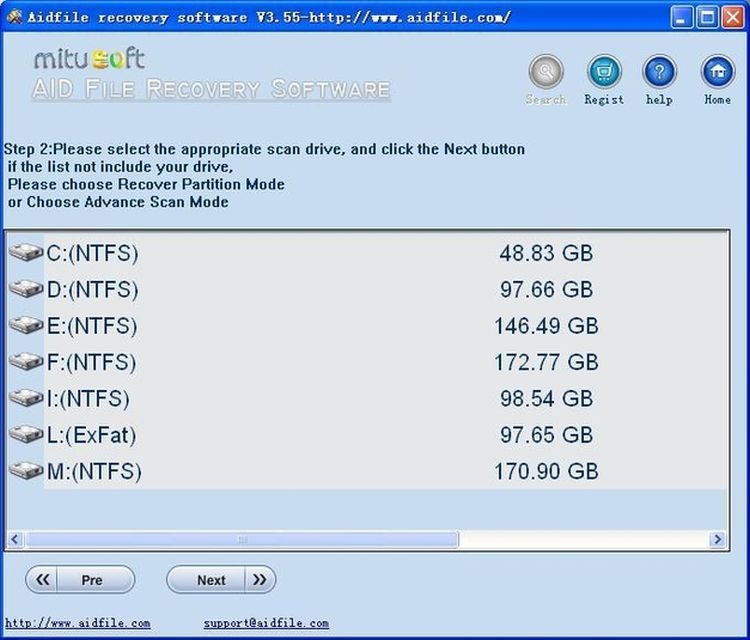
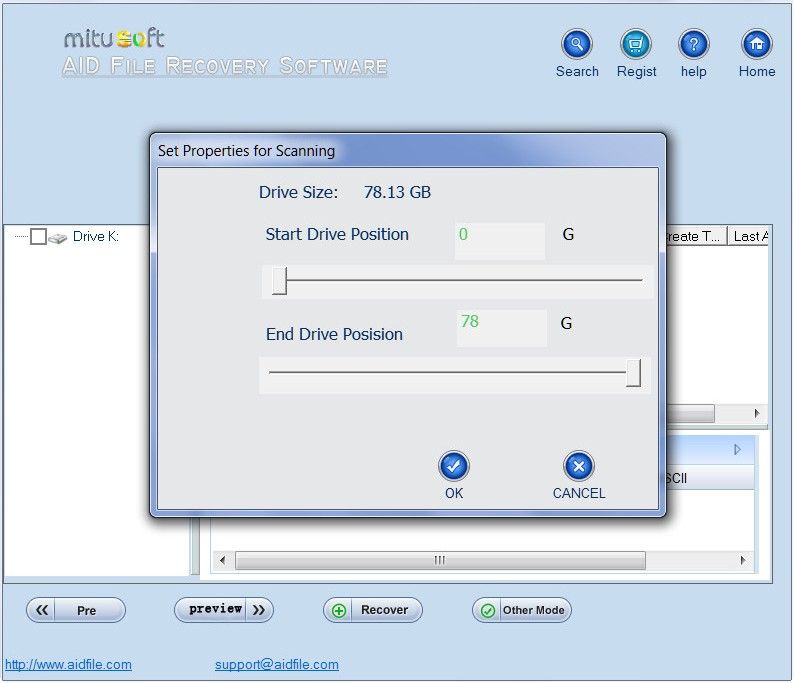
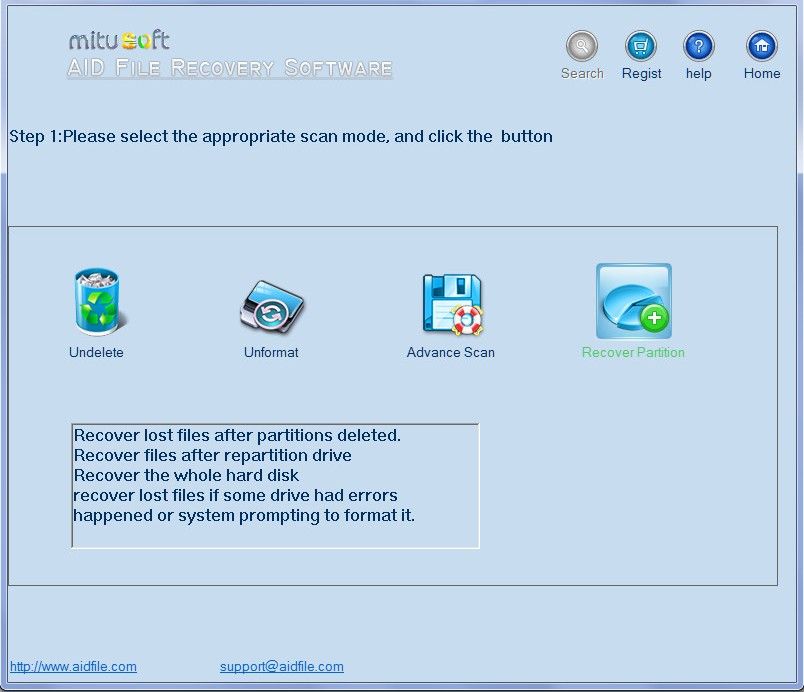
Aidfile recovery software is an easy-to-use and powerful hard disk data recovery tool specialized in recovering files from corrupted partition table in an easy manner. It can recover files and data from FAT32 partition as well as from NTFS and EXFAT. Aidfile data recovery can recover the data if there is an error to your software. For example, partition error writing, unintentional formatting, accidentally deletion, false backup, MBR losing, bad sector of BOOT, virus attack, hacker attack, conversion error, partition logic error, logical bad sectors of hard drive, partition table lost, etc.
Aidfile uses a combination of four industries'leading strategies to maximize the success for a variety of different issues of the comprehensive recovery.
System Requirements:
Windows 2000/ 2003/ 2008/ 2012/ XP/ Vista/ 7/ 8
Publisher:
AidfileHomepage:
http://www.aidfile.com/File Size:
11.4 MB
Price:
$69.95
Comments on Aidfile Data Recovery 3.6.5.8
Please add a comment explaining the reason behind your vote.
iPhone app giveaways »





Android app giveaways »





Remo Recover is also a best tool that will help you to recover more than 300 types of files from corrupted hard drive and from FAT32, NTFS, EXFAT and RAW partitions…
Save | Cancel
Please answer all experts, which Recovery Software paid or free, can recover ERASED files?
Save | Cancel
#14 - mike- I managed to transfer all my XP Pro settings to Win 7 by going via Vista (Business version).
This includes all my programs - the only settings I had to manually reconstruct were the printer setups.
Save | Cancel
#12 Rock:
Maybe this is what you are looking for?
http://www.easeus.com/mac-data-recovery-software/drw-mac-free.htm
Save | Cancel
Addendum to my comment on May 13, 2014 giveaway:
The last giveawy of this tool was included in my test...:
Yes, could find files on RAW partitions/Drives,
BUT
While Aidfile Professional found and recovered the structure of the drive, a too big part of the "found" files were NOT the REAL files, but just trash...
Save | Cancel
# 16 Fred Derd
Truecrypt is independend from your MBR. If it does not take your password it has another reason. I guess a changed or defect volume header. You have only one chance. You have a backup of your true crypt container. -> create a new traveller disk (e.g. a portable truecrypt on an USB stick. Open your backup container with this and your password. If you have a backup of your volume header -> restore it. If you don't have a backup of your volume header : MAKE A BACKUP OF THE VOLUME HEADER IN FUTURE WITH EACH NEW TRUECRAPT CONTAINER AND STORE THIS ON A SAFE PLACE!
#17 Troop
If your computer cannot recognize your disk, it becomes difficult.
Try testdisk under LINUX, boot from ultimate boot cd.
www.ultimatebootcd.com
Save | Cancel
#6 atyp1: Wait till you find you've deleted the wrong files and they are not to be found in your Recycle Bin, as often happens with external drives and devices.
GOTD is as much about helping software developers as indulging regular visitors with "Something-For-Nothing".
Recovery programmes come in all shapes and sizes, I'm delighted to read that EaseUS is held in high regard after paying full whack and successfully recovering files from a tiny phone card.
GOTD is not just about giveaways, it is also a forum where people exchange knowledge and experience.
Do I download today's offering?
I was tempted but will I really have an extra tool that will fill a gap my current programmes cannot fill?
IF I could run it from a memory stick, IF I could be confident it would succeed where others have failed and IF a comment showed that it has a unique feature not found elsewhere, then yes of course.
None of the comments so far have persuaded me.
The price sets it on a par with strong, established competitors and if they've priced it right, it's a very good GiveAway for anyone who has not (yet) purchased a recovery tool.
Thanks GOTD for finding another programme I might not otherwise have stumbled upon.
Save | Cancel
#2 Karl + #3 Giovanni + #13 Mike + any other expert
How do you recover files when your computer don't read your drive or usb. I have tried different computers, still none will recognize or read the drive. Hoping on serious intervention. Help please.
Thanks for your response
Not-so-Techy-Troop
Save | Cancel
Karl About truecrypt one day wood not take my password anymore
something changed mbr or boot record any help thanks
Save | Cancel
#5 George
It is possible that you could recover the deleted files of this program, however, the registry data is a totally different matter.
Let's compare it with a text document, if you modify the text within a document and save it you would not expect to be able to get back to the original.
The same with the registry, you would be trying to recover data within the file, not possible unless backed up.
Save | Cancel
Is there something like this for free that will do mac partitions?
Save | Cancel
I like to have many destruction-free recovery softwares available just in case and if I'm trusting the source. Different softwares may be successful more or lesse for one file or file type. In case of failure I would try the next one.
I dislike above "Aidfile uses a combination of four industries’leading strategies ..." without telling details! And I dislike missing information about themselves.
You should read at http://www.aidfile.com/ "How to recover files" or elsewhere what you must not do if you want to recover files successfully.
But I am missing there: If it's your windows or program's partition, best would be recovery from another computer or with some Live-/Boot-CD, as windows never stops writing something and thus may destroy your recovery candidates forever!
A lot of additional information about recovery may be found in comments to former GOTDs like
http://www.giveawayoftheday.com/kiwig-data-recovery-6-2-2/
http://www.giveawayoftheday.com/hdd-recovery-pro/
http://www.giveawayoftheday.com/icare-data-recovery-4/
http://www.giveawayoftheday.com/7-data-recovery-suite-2-3/
http://www.giveawayoftheday.com/munsoft-data-recovery-suite-20/
etc.
Unfortunately you have to activate javascript to read more than 3 old GOTD comments there! I don't know why.
Save | Cancel
Quite a bit of such software on the market now, freeware, payware, and shareware (the latter always claiming to have found all your files but but doing no more til you pay). Today's offering seems to work as claimed, but I see nothing special to justify a price of $70 when there is freeware just as good.
Someone else mentioned Easeus Data Recovery, freeware which has also been my program of choice for several years; it quickly recovered over 90% of the data from a 420gig HD windows only recognized as 380gig of unallocated space, after two other recovery programs (one payware) seemed intent on running forever and accomplishing nothing.
Save | Cancel
# 4 George
Will this software allow you to recover a program which was accidently uninstalled and all registry keys pertaining to that program removed?
A good question and a detailed answer.
Yes and no. This program could restore your uninstalled program, if nothing happened between uninstalling and recovering.
But you booted several times. This means creating and deleting temporary files from the windows operating system itself. These would with a high probability overwrite the now free space, where your former program was. Let's assume you could recover the complete directory of your program.
One thing cannot be recovered and this is your registry. Your registry is not deleted! It has changed values in the registry. In this case also your "registering" and program details. You cannot recover these information with any program, since this is a permanently ongoing dynamic process.
You need to restore a former state of your registry... and this is done by one single program : backup! nothing else helps.
Save | Cancel
#3 Blu Jack
without any question for me it is a former giveaway, the Munsoft Data Recovery Suite or the subset, the EasyFileUndelete from the same russian programmer. For me a top class software. No, I have no connections to the company.
There are many reasons to prefer this, among these the possibility to skip files in temporary folders, overwritten files or files with overwritten first cluster and the chance to determine the file type.
Save | Cancel
Regarding the Query about recovering an uninstalled program - try using a System Restore reboot to a date/time just before the uninstallation...it SHOULD put it back again.... has done for me anyway.. ... and on any Windows machine at least up to (before) Win8 which I just haven't had or want. I assume you know how to get at the System Restore screen - it varies by Windows version but generally right up to Win7 it's easy enough to find - often the simple route is via START-All Programs list and maybe under such as System Tools or similar
Save | Cancel
It's so many applications on the market. Why still backup and recovery programs? It is waste of time and space. They are taking almost 20% of gotd resources, and in real life they are not so requested. (according to newsweek statistics, more than 81% people don't use them).
A
Save | Cancel
Will this software allow you to recover a program which was accidently uninstalled and all registry keys pertaining to that program removed? No other action (other than booting and shutting down some dozen times or so) has been taken.
Save | Cancel
#1 Karl would you mind if I ask you a question; what's your favourite recovery program, thank you already.
Save | Cancel
No bad at all: can even recover lost files by file type from RAW partitions, a key features missing in most FREE and PAID recovery data software out there.
So the current ridiculous low GAOTD rating is once again utterly wrong and misleading!
Full tutorial:
http://www.aidfile.com/how-to.htm
Softpedia Review:
http://www.softpedia.com/get/System/Back-Up-and-Recovery/Aidfile-recovery-software-professional.shtml
BEST FREE ALTERNATIVES
- PhotoRec & TestDisk
http://www.cgsecurity.org/wiki/PhotoRec
Test Disk Bootable CD & Live CD version:
http://www.cgsecurity.org/wiki/DOS_BootDisk
http://www.cgsecurity.org/wiki/Create_a_TestDisk_FreeDos_LiveCD
http://www.cgsecurity.org/wiki/TestDisk_Livecd
- Puran File Recovery
Superb FREE app which helps you recover deleted or lost partitions and files from formatted and even from RAW drives.
Supports pretty much any kind of storage medium detected by Windows as a drive (Hard Disks, Pen Drives, Memory Cards, Mobile Phones, CDs, DVD etc...).
http://www.puransoftware.com/File-Recovery.html
See also:
http://www.icare-recovery.com/index.html
Enjoy! ^_^
Save | Cancel
Installed and registered without problems on a Win 8.1 Pro 64 bit system.
A company without name&address.
A small window opens, can be resized to full screen.
You can search for deleted files of the recycle bin (the files with the $$ in the file name), you can search for a deleted partition and you can do a full search.
This program recognizes virtual drives (e.g. Truecrypt). You cannot change any "preferences".
I tested it on a small Truecrypt partition (13 GB), where my main programs are running. The result is...
I'll explain in detail. The program claims to have found 140.345 files in a rather short time - about two minutes. This are of course all files in this drive. The existing good files are mixed together with directories "Lost files scanned by aidfile recovery". By clicking the directory with these names you can see, which files are in this directory. You have a "preview" utility of Hex/Text/Image...
With the search button, you can search for file characteristics.
Within the 140 thousand files I wanted search for files with a "*.jpg". It does not accept the wildcard sign, you have to search for "jpg". It shows ALL existing files on the drive. The good files (with a correct filename) and the "deleted" files with a name like $rndgb64.jpg. On my drive thousands...
In the preview area not a single file(I checked some thirty ...)could be shown as image. The recovery wasn't successfully.
One of the many recovery tools, not in the group of the best ones.
Uninstalled via reboot.
Save | Cancel