Every day we offer FREE licensed software you’d have to buy otherwise.
Giveaway of the day — Remove Logo from Video
Remove Logo from Video was available as a giveaway on October 20, 2011!
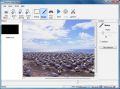
Remove Logo Now! is an unique application that can easily remove annoying watermarks and logos from video files. The program is completely automatic. Thus you won't need to manually analyze the video streams or detect static overlays - the program will do it all for you.
With the Remove Logo Now! software you will be able to easily and quickly process videos of different types. Formats supported are: from popular AVI, WMV and MOV to rare MP4, DVD, MP2, M1V, SWF, M2V, FLV, SVCD and more. You will get a chance to edit the video while deleting logotypes from it; with this software you can change the video's bitrate and frame rate or convert it to different formats.
System Requirements:
up to Windows 7
Publisher:
SoftOrbitsHomepage:
http://www.removelogo.com/remove-logo-from-video/File Size:
9.57 MB
Price:
$15.61
Featured titles by SoftOrbits

Photo Stamp Remover is a photo correction utility that can remove watermarks, date stamps, scratches, dust, stains, wrinkles, tears and other unwanted artifacts that appear on photographs. The utility offers a fully automatic process. What takes hours to correct using the clone tool, can be accomplished in a minute using Photo Stamp Remover.

SoftOrbits Flash Recovery is a Flash data recovery tool. It can recover data from any type of storage media (music sticks, digital cameras, flash drives, USB drives, PC cards, etc). There is 100% Success Rate. You do not need to set any options - the entire process is done automatically with a built-in photo recovery wizard.
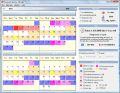
Advanced Woman Calendar helps you achieve or prevent pregnancy predicting your most fertile time of the month by monitoring your menstrual cycle. With an ovulation calendar in your hands, you can view and print a calendar of your safe days and your most fertile days.

Batch Picture Resizer is a new easy and user-friendly picture resizer and watermarking tool. It helps you to resize large groups of pictures in one go for the purpose of sending via email, publishing on the web or just to save space on your hard drive.
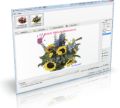
Batch Picture Protector is a powerful and easy-to-use batch image watermarking tool. It protects your digital images and artwork by adding professional transparent watermarks that combine text, illustrations and graphics.
Comments on Remove Logo from Video
Please add a comment explaining the reason behind your vote.

iPhone app giveaways »





Android app giveaways »




When drawing the rectangle around logo zoom in to get better view.
Adjust the rectangle so you do not see any lines (shadows) from the logo. At the adjustment the rectangle is trying to jump left and up by one pixel, drag it back to the right place. To get some output you have to choose at least .avi in the output options, with default settings it produced no file.
Save | Cancel
I just installed this program. Kaspersky detected a keylogger virus.
Save | Cancel
Even after registering it says evaluation copy when i load a video file.
Save | Cancel
Is there any freeware that will remove watermarks and logos from photographic images?
Save | Cancel
Does not work with Radio Shack Model 1 TRS-DOS 1.3
Save | Cancel
#11 haiku. I remember using windows 3.1, but that was made for the early 90's. You really should update to newer version of windows if you want todays programs to work. Most programs today will not work with windows versions older than XP.
Save | Cancel
Installed fine on my XP (sp3) but didn't like my old clunker XP (sp2) as it always gives an 'encountered problem and needs to close - please tell Bill Gates' ;) every time I exit the program.
Works well as described - If you zoom all the way in to the pixel level, you can really highlight just the area you need fuzzed out. Takes a little practice, but works better than doing it at the zoomed out level - (more precise.)
It would be nice if the program allowed us to give the output file a name of our choosing as well as allow for multiple areas when using the 'select' tool - such as by holding down the Ctrl key while selecting additional areas ( please vote for this above if you also would like these features ).. You can, however, do multiple areas if you use the 'marker' tools instead.
I also think this is a keeper.
Thanks SoftOrbits and GOTD,
Nickalf. . .
Save | Cancel
Not a bad program, but does have a couple flaws. The first is that the "find logo" command often finds not only the logo but other parts of the pic, too.
Second, it doesn't get rid of the logo as much as obscuring pixels in the area where the logo use to be. It's obvious something was there, others just can't tell what it was.
Save | Cancel
mike #36
Thanks mike I stand corrected it does have a progress bar, however, instead of choosing one with many bars they chose a very chunky one, a poor choice.
Save | Cancel
Works well on short video files , Quality loss is a problem if wrong codec is used or the codec is divx or xvid , Works best using the original video codec . I will keep it for small loop special effects video files I use in After effects .It looks crap though , Needs to have a jazier interface .I will use it for now and keep checking the developer's site for improvements . :-)
Save | Cancel
I'm confused if today's GOTD is "Remove Logo From Video" or "Remove Logo Now!" but I'll go here with the 2nd because that's what the program's folder's named. What it does that's different is it uses the same sort of approach to removing objects as Inpaint or yesterday's iResizer -- it's basically the developer's Stamp Remover tweaked to work with video... for an idea of how well that prior GOTD app works check the comments on this GOTD page [ http://goo.gl/RIsJl ] &/or read the CNET Editor's review [ http://goo.gl/uUj9Z ]. Remove Logo Now! worked for me in XP Pro & win7 ult 64, but 1) I don't like the installation, 2) choice of available output formats is poor, 3) it seems like it's missing tools that should be there, & 4) I expect that it'll only do it's job well with a narrow range of video content, e.g. in testing it didn't handle underlying motion well at all.
Installation as noted in an earlier comment [#7: r0lZ] actually installs ffmpeg(!) -- till now I didn't know it could be installed... at least 99% of the video converters that have appeared on GOTD use ffmpeg, & not one of them does more than include it in the program's folder. [BTW I tried it without the ffmpeg install & while Remove Logo Now! will run it threw an error starting.] You get the "Remove Logo Now!" program folder with 35 files, 1 folder, ~18 MB, & I recorded roughly 700 new registry entries, with over 1/2 belonging to ffmpeg. I really don't know if that can or will cause problems, but I'm apprehensive since ffmpeg is used by An Awful Lot of video & audio software.
Unfortunately while Remove Logo Now! sort of revolves around ffmpeg, it doesn't use many (most?) of its capabilities... at the least you should be able to output .wav audio, the max bit rate of 192 is too low, & the same with the max sample rate of 44100 [AFAIK most sound cards/chips work at 48000 internally]. For video there are a fair number of formats but bit rate choices jump from 6400 to the top rate of 12800 -- if you want to go to DVD you ideally need to be able to fill-in-the-blank from 5000 - 9000, but should at least have 8000 or 9000 as a choice. For "Video frame rate" you're limited to 10, 15, 25, & 30, which frankly is too little choice to be acceptable -- they at least need to add 12, 24, & 29.976. For encoders you're given your choice of DivX, Xvid, & X264 -- Xvid is OK if a bit old & inefficient, their DivX is AFAIK just Xvid with DivX in it's headers for compatibility, & there are no settings for X264, not even to choose between regular mp4 & the AVC it's most often used for. All setting dropdown boxes start with the default of "Auto", but there's no hint anywhere [that I can find] of what exactly "Auto" does or uses. I think if I had a project where Remove Logo Now! worked well, I'd explore converting the video to images [e.g. in VirtualDub], use Stamp Remover to batch process those images, then put them back into a video file [again in VirtualDub] so I could use the fps, bit rate, & output format I needed/wanted.
Heading up the list of missing tools is an Undo &/or Unselect button -- if you use the rectangular select tool & want to remove your selection to try again, you have to choose the marker, check the box for Deselect, then click on that rectangle. As far as how well Remove Logo Now! might be able to remove logos etc... Video is often noisy, particularly the broadcast &/or online video where I most often see logos. That noise is often not that apparent until you remove it from a section of the picture, e.g. by blending things where the logo is or was, & then the viewer's eyes can pick up the difference -- this is something that's often made worse during encoding, where the encoder's motion analysis can lead it to encode less detail where there's less noise. If you were to use something like Inpaint on the individual frames rather than the clone tool in your image editing app, the results will be smoother with less noise -- I'd expect Remove Logo Now! & Stamp Remover to behave the same way, & that's what I got in my quick tests. IOW I'd expect today's GOTD to work better when the area surrounding the logo has little or no noise, &/or when that portion of the picture makes it hard to see the noise anyway, e.g. if it's dark -- otherwise I'd expect more traditional filters that use interpolation to do the better job.
That all said I didn't see any problems installing or running Remove Logo Now!, & it does have a progress bar that can be turned on/off from the View menu.
Save | Cancel
@ #33 Seriously? DOS? I LOL'd so hard I spit my coffee out. Todays giveaway is decent for those beginning to edit videos and for the quick and nasty edit of a video that your not too worried about the video quality of. For more precise control I too would recommend VirtualDub as I have found it produces more consistent results.
Save | Cancel
Tried it.
It does not work well.
Will uninstall this software.
Blobs are left where logo was.
The impression of command structure is that this was rushed out to market and not yet polished.
You cannot do multiple rectangular selects.
The Output Directory always defaults to C:\results when you restart the program, even after you have changed it to another folder.
Same for the video output choices. It reverts to a default even after you have selected another format.
Some video producers are clever. They have a dark horizontal band and then a ligher colour main area below. Then they place the Logo and words spread over the intersection of these two bands. This makes it difficult to clean or remove the logo and words properly.
National Geographic videos are done this way.
Save | Cancel
Does not work with MS DOS 5.0
Save | Cancel
@11 yeah it also takes ages to download using a 9.6kbps analog modem and it nearly fulls your 120MB hdd.LOL.
Time to upgrade to Win95 mate :)
Save | Cancel
I'm a video professional and a perfectionist, so I'm not going to try this program. That said, I think too many people are being overly critical about today's giveaway.
Analyzing video, then removing logos and making it look like a perfect job is generally a pretty difficult task for people and even more difficult for a computer/software combination. Either way it involves first identifying which part of the picture is logo and which part is not, then using adjoining pixels and motion estimation to cover it up -- frame-by-bloody-frame!
One of the big differences between people and machines is a computer doesn't give up, so you will get a finished product, albeit with varying degrees of success.
I applaud the effort made by the software engineer(s) on today's giveaway and I encourage everyone who has a desire for this kind of thing to try it, but understand it's probably going to work pretty well in some cases and horribly in others.
Here's my only question: What is up with Advanced Woman Calendar? That title from today's software company sure seems to be out of left field!
Save | Cancel
Thank you GOTD and Softorbits! I have been looking for a program like this and now have found it.
The registration info was in the text doc that was unzipped after DL. The registration was completed by going to the help tab at the top of the program. Simple,fast and a great deal. Thanks again!
Save | Cancel
LOL...once again the current GOTD user rating system (70% Thumbs UP ) does not reflect the real value of the product offered by giveaway team, as 95% of negative comments here clearly shows...and I wonder why!!!
Anyway, today's giveaway is a pretty decent basic video LOGO remover tool but only for beginners!!
If you are eager to know how to effectively remove LOGOS and even SUBTITLES from any VIDEO in a very professional way, without spending a DIME of course, just read this excellent guide:
http://www.videohelp.com/guides/category/how-to-extract-remove-subtitles-logo-from-a-video-5;66#841
As you can see, it mentions a couple of different tools besides VirtualDub and another VirtualDub filter more powerful than DELOGO called "LOGOAWAY":
http://voidon.republika.pl/virtualdub/ladocs301/logoaway.html
Cheers from Italy!!
Save | Cancel
If it helps at all, cropping & [proportional] resizing is the only guaranteed way to remove US broadcast station or channel logos from video, especially the motion type that are popular after a commercial break. If/when the captured/recorded video is interlaced for standard TVs you need to add a de-interlace step 1st because you'll be enlarging the frames. Using the free VirtualDub you have a list of the filters that are applied in order, so adding a de-interlace step isn't a huge deal, & you can apply additional filters to for example clean up the video as needed. You might also use AviSynth to get the video into VirtualDub, & in that case AviSynth can perform much the same filtering. Then you set the start/stop points or time for each segment you want to keep and render your new video clips one at a time -- afterwards you string all those clips back together.
If you use an NLE [NonLinear Editor] like 1 of the versions of Vegas or the Videowave app that comes with Roxio etc., you can cut out commercials [if they weren't cut during recording with Comskip etc.], apply different amounts of cropping as needed [for larger after-commercial logos, rating info etc.], & render/encode your video once, rather than doing each segment separately in VirtualDub -- VirtualDub OTOH is usually much faster. When you have a static logo -- not the larger motion logos after a commercial break -- you can instead use a logo removal filter in VirtualDub, or try today's GOTD, Remove Logo from Video... The advantage is you keep the full, original frame -- the disadvantage is the picture might not look as good where the logo was replaced [how well replacement works depends on the quality of the video source & the picture under the logo you're removing, e.g. is it more or less static foreground or is there a lot of movement or motion].
Whether you crop & re-size the video or remove a logo you're going to have an output re-encoding step that will cost you quality. You might need to use an intermediate format, e.g. something to save individual segments to or in if you use VirtualDub or Remove Logo from Video -- A) formats like mjpeg can be strung together in one larger file without re-encoding, & B) you might find neither app offers a good encoder for your preferred final format, e.g. mpg2. And depending on your video's original format, you *may* need to re-encode that video just to get it into VirtualDub, Remove Logo from Video, or your NLE... AviSynth optionally with VFAPI [VFAPI works in 32 bit Windows], can often help you avoid that initial re-encode.
Don't forget about the audio end of things -- I think most of the time you'll want to make sure it's in .wav format before importing your video into any video editing app where you're going to do any cutting. There are quite a few apps that will strip the audio out of a video file so you can re-encode that audio -- the software you can use to "de-mux" the audio & convert it to wav depends in large part on what video/audio formats you're starting with.
Finally, there's nothing wrong with using several apps in a video project -- in fact that may be your only choice. You might run your video through Remove Logo from Video, saving the result as mjpeg for instance, then use a video editor to crop the after commercial logo stuff & maybe cut out commercials. Whatever you decide to try [assuming you want to go through all this in the 1st place], run some short tests first -- it's *Much* better to find out something's not going to work, or that maybe the whole thing isn't worth the time/effort, when you've spent 1/2 hour or less rather than waiting till the end of a long render.
Save | Cancel
On first usage the program gave the impression of being a bit rough around the edges, the lack of a progress bar being an obvious example.
On further usage the program became an evaluation copy, and reinstallation was necessary after a difficult removal process.
The loss of quality I cited earlier, occurred because a different codec was used that resulted in a slightly smaller file size but a drop in quality.
The only reason I shall be removing this from my system is because it needs to be more polished, it looks like it just came out of beta and quite frankly needs to go back there.
It's a fair price once the rough edges are removed, and I look forward to seeing improvements in the future.
Save | Cancel
The developers of this programme should do a lot more to make it a success. the description of the software and its performance did not match.
Save | Cancel
I downloaded it, set up was easy, first pass was bad quality output, then I looked at the options and changed the output to avi and the quality was as good as the original avi file that I tested. At first you do not know if it is working, then when finished pops up.
It is a keeper for me.
Thanks GAOTD,
Save | Cancel
Installed and registered successfully on Windows 7 32-bit. Ran program. States rendering is finished, but output folder is empty. Will try on few other files before uninstalling as "doesn't work."
Save | Cancel
What part of "Up To Windows 7" do people not quite understand. This product is NOT made for Windows 7. I have 7, but even if I still had my old Vista; I'd pass on today's program, too many 'buggy' comments.
Save | Cancel
#11 Seriously Windows 3.11??...lol sorry but I havnt seen anything work with Windows 3.11 in a longggg time... But back to my point.
Installed fine on Win 7 32bit was able to remove watermark on some videos with just a slight blur left I can live with that but most Videos it just shows pixels in place of the watermark. I give it a 5 out of 10 for easy install and use.
Save | Cancel
Nice piece of software. Have been looking for this.
Thanks
Save | Cancel
hey jeff you can't see the conversion progress. If you are converting a big file it will take some time to complete. After completion a conversion completed dialogue box will appear. Try to convert a small file .then you can see it .
Save | Cancel
The program has a simple interface, I chose an FLV file with a logo. Manual area selection was simple, I had no joy with Find Logo.
On pressing Start nothing appeared to happen, this exciting state of events continued until the message stating it had finished appeared. This process took about 8 minutes, for a 42 minute video using a quad core machine, running the obsolete XP version of Windows (lol).
On examining the finished article the logo had disappeared, however, the distortion around where it had been was sometimes unpleasant.
One unexpected aspect was a definite loss of quality, surprising as all the options had been left on auto. If I cannot find a way of addressing this problem it will not be a keeper, but testing this will take some considerable time.
Save | Cancel
successfully installed but commands much system resources (memory). Thanks but I uninstalled after some time.
Save | Cancel
its a Good Program to keep for beginner's , "plug and Play" but if you like me want more freedom on Playing with the Video , you have better luck with Virtualdub using Delogo Filter ..i have attached two Samples of Logo removed from a Video one done by this software and the other was done by Virtualdub using Delogo filter.
* Original Video
http://www.youtube.com/watch?v=lvDJGI_gKCw
1- StampRemover ( today Giveaway )
http://www.youtube.com/watch?v=VxPspi2NRuY
2- VirtualDub with Delogo
http://www.youtube.com/watch?v=woueexF6LtY
Save | Cancel
The resulting video is as good as you can get, but the program needs some tinkering with to get the best results, at first I lost the audio but it worked after selecting an audio output in settings rather than leaving it at default.
But I have problems (Windows 7 64) It removes the registration of a previous Giveaway Photo Stamp Remover and Although it shows as being registered in the About section, when I load a video it shows the evaluation please register dialogue.
There is no trimming or cutting feature so you need another program to remove adverts, I have been using Virtualdub with logoaway filter which has a lot more options.
Save | Cancel
thanks for the try guys. quick to load, activate key is just going to help and hitting register, c/p serial that was called diffrently.
of course sound and video gets currupted when its a higher quality , that is quite normal for standard vs HD programming .
superfast and easy does not remove titles, but logos to bad its on the pc and will go off the pc soon.
Save | Cancel
Can not get this to work on windows 7 64-bit. When I hit any start button it does nothing and all other buttons fade. Anyone else having problems or have any hints?
Save | Cancel
Downloaded the software with great expectations. Tried with a file edited in avs video editor with a watermark in it. Tried automatic, select and marker methods. In automatic the watermark is still there. In selelection the selected area is unwatchable. In marker method the video quality become so poor. There is no way to know the conversion progress. Wait until the conversion completed dialogue box appear. I think it is better to watch the video with the watermark in it. Anyway thanks for the giveaway.
Save | Cancel
Does not work with Windows 3.11
Save | Cancel
@7 It's better to bring your own FFMPEG as to rely upon the user to install it. Also, you could copy your dll over the one installed with this application. Just make sure you have a backup in case there's a version mismatch or perhaps even a missing feature.
Save | Cancel
After entering the reg code, help/about indicates registered, but when Adding a file, the nag screen says "Evaluation Copy"
Also will not save the result even though it says it finished.
Save | Cancel
The program removed video from my file. There is only Audio :-)
Save | Cancel
Many bugs! For example, it can load MPEG PAL video files, but cannot display and process them!
The installer installs ffmpeg (that is free BTW), even if it is already installed. Not a good point at all!
Also, it cannot load AVS files, and cannot act as a frame server. That means that you have to re-encode the original video, even if you want to process it also with another program. (You can of course save the resulting video in an uncompressed AVI, but you need much disc space, and the process is slow.)
Not a keeper IMO.
Save | Cancel
Interesting that Zemana Anti-Logger blocks this a "Keylogger Type 3".
I can't figure out why it needs to hook my keyboard and record my keystrokes?
Installed it in a sandbox and it works 100% without capturing any keystrokes....easy to use and about 80% effective on the 3 files I logo cleaned. It does leave it's own artifacts when it doesn't remove the logo completely. Maybe I expected too much from this app.
I just don't trust this app unless the publisher can tell me why it has this odd - suspicious behavior.
Save | Cancel
Installed on XP SP3 without problem.
The program does what it says with more or less success, the result can be amazing or deceiving, it is not constant. The "Find Logo" feature is useless as it is, selecting way more than the logo, sometimes close to selecting the whole video area!
I also regret the way output is handled, no presets for the video formats.
Yet it does the job way better than i could do it manually (frame per frame) so this software will stay installed.
thank you GAOTD
Save | Cancel
the program removed the sound track from my video.
Save | Cancel
I just tried this out. I suggest you don't waste your time doing likewise. Logos are replaced by pixelated blobs, which I might be able to live with but for the terribly drop in video quality.
Save | Cancel
It's a good application for me, thx GOTD!
Save | Cancel