Every day we offer FREE licensed software you’d have to buy otherwise.
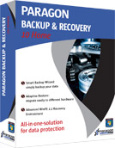
Giveaway of the day — Paragon Backup and Recovery 10 Home Special Edition (English Version)
Paragon Backup and Recovery 10 Home Special Edition (English Version) was available as a giveaway on June 22, 2011!

All-in-one solution for data protection!
Whether you want to simply save your data or create complex backup routines - this package of useful tools covers all your needs. This solution quickly backs up these files and folders: My Documents, My Media Files, My Email Folders and easily secures valuable data without additional configurations. Backup & Recovery Home has an improved user interface with special wizards that ensure ease-of-use, even for novice users. It’s ideal for the comprehensive security of your home PC and data.
Key and New Features:
- Windows 7 Support. Enjoy full-fledged support for Windows 7.
- Smart Backup Wizard. Quickly backup following files and folders: My Documents, My Media Files, My Email Folders and easily secure valuable data without additional configurations.
- Backup and Restore to or from FTP. Offload backup images to offsite storage for an even higher level of protection if disaster strikes.
- Scheduling for File-level Backups. Schedule any file-level backup task according to your requirements and obtain a new level of flexibility.
- Selective Restore. Extract individual files and folders from an archive without restoring an entire image.
- Next Generation of Adaptive Restore. A powerful and unique technology that restores any version of Windows (since Win2K) to completely different hardware.
Detailed Product information is available at Paragon Backup and Recovery 10 Home Edition website
Limitations: No WinPE included on this download
Technical Support: During the Giveaway period Paragon Software provides technical support at http://twitter.com/paragonsoftware. Please, post your questions if you have any troubles while downloading, registering and using the software. Paragon Software’s support team will reply you as soon as possible.
System Requirements:
Windows XP Home Edition/ Vista (x32/x64)/ 7(x32/x64)/ XP Professional (x32/x64)/ 2000 Professional SP4; CPU: Intel Pentium or compatible; 300MHz or higher processor; RAM: 256 MB; Disk space: 150 Mb; Internet Explorer 5.0 or higher.
Publisher:
Paragon SoftwareHomepage:
http://www.paragon-software.com/home/brh/File Size:
188 MB
Price:
$29.95
Featured titles by Paragon Software
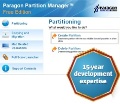
The safest tool for hard drive partitioning! Partitioning is not for amateurs. That is why millions of people have trusted our safe, stable technology and professional software solutions for over 15 years. Our latest Free 11 Edition easily organizes your hard drive and redistributes free space to enhance system performance.
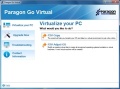
Enjoy the benefits of virtualization without being too technical and for free! Continue using your PC’s applications in a virtual environment. Programs, files and user settings are transferred automatically with zero user downtime. Even if you moved from PC to Mac – you can continue using your Windows PC on your new Mac.
Don't wait for a disaster to strike - get an instant data and system recovery kit today to ensure your protection! Rescue Kit professionally fixes boot problems as well as retrieves your data when your system fails to boot. It even rescues deleted partitions. All, you need to do to achieve complete control over any situation is burn the software on your CD/DVD!
Comments on Paragon Backup and Recovery 10 Home Special Edition (English Version)
Please add a comment explaining the reason behind your vote.
iPhone app giveaways »





Android app giveaways »





Got the registration product key and serial.
Rebooted as suggested.
But now where is the registration data supposed to go ?
Save | Cancel
Installed fine on Win7 computer, but on the Vista machine the install had an error message about an invalid drive d, there is no drive d on this machine so this is a bit confusing......................
Have retried several times, but no luck :(
Save | Cancel
I know this is probably too late to help anyone, but my old version and today's version both show "Paragon Backup & Recovery™, version 10, build 10444 (14.07.10 ) Home Special Edition." So as far as I can tell, there have been no new changes.
Save | Cancel
Today's installation had a lot of unnecessary hazing. I didn't regret it because the users give me the impression that Paragon's programs are worthy and now I have one more.
Save | Cancel
To 34 click on the get registration code in the first window it will open a web page in your browser fill in the form to get the registration code to your email address.To 34 click on the get registration code in the first window it will open a web page in your browser fill in the form to get the registration code to your email address.
Save | Cancel
@4 Dan, its this same version: Paragon Backup & Recovery™, version 10, build 10444 (14.07.10 ) Home Special Edition
Save | Cancel
Version 11 is free also
http://www.paragon-software.com/home/br-free/
.
Version 10 Registration page
http://www.paragon-software.com/registration/br10homesp.html
Save | Cancel
I already have this version, so don't think I need to download this one.
Save | Cancel
Yay, Mike #36! Thanks for doing that & telling us the details! It's an incredible ap, isn't it?:) It runs circles around Acronis & all the rest! One welknown backup ap even deleted everything on my external hardrive before it started to do my backup! Holy cow! Just cause some are familiar with a different ap, sure doesn't mean anything is better than this! Except Paragon's own Suite maybe. I found I don't usually need all the Suite can do, but keep it just in case anyway, especially since it's a paid ap. But I use this simpler version usually. No technical knowledge needed. :)Sorry for 2 posts, I'm just such a fan of this! Thanks again, Mile #36! :)
Save | Cancel
I agree with # 7 & 9! This is THE BEST, EASIEST backup sytem in the world! Even has a prompt you can use to start recovery when you turn on the PC, if you need it. I have needed it 4 times, & it did a PERFECT recovery for me every time!It also has MANY RICH FEATURES! Don't let any comments influence you that this isn't perfect! It is! AND if wanted, they have paid aps like the Suite also, which can do anything you can think of that any backup ap could be needed for! The Suite has SOOO many features that I actually prefer the easier/ no decisions needed Backup & Recovery version. I've had all the other backup aps, & each failed me in some way. This does not! The ONLY thing I'd change is it needs a safety lock so it can't be stopped in the middle of a recovery. I did that, & it had already deleted my partitions & started to install my backup-let it finish! Durrr me! :)This can even install your backup on a different PC, or be run as if you had a second PC, called a virtual system, right from the backup. It works it's very best if you have an external harddrive to put the backups on. Oh yes, you don't need WinPE, just use this or their rescue disk if needed. WinPE is complicated & difficult! This is simplicity itself!
Save | Cancel
http://www.paragon-software.com/registration/br10homesp.html - was actually hunting for more info, is this 10 SE actually better than 11 free (anytime free).
Save | Cancel
Here is the version information for today's giveway, from the About screen:
Paragon Backup & Recovery™, version 10, build 10444 (14.07.10 ) Home Special Edition
Components versions:
Paragon Base Services Library, version 1.1, build 10444 (14.07.10 )
hdm.dll, version 10.0, release 11, build 11844
biont.dll, version 10.0, release 11, build 11844
biont.sys, version 10.0, release 11, build 11844
Save | Cancel
Can anyone tell me the advantage of using a proprietary backup system like this? Especially when it compresses in a way you can't easily access individual files.
What's wrong with using a good old DOS Command like "Xcopy"? Or simply "Copy To" in Windows Explorer.
With those, I believe it is much easier to find individual files that you may wish to get again -- like a JPG file that has somehow become corrupted. For me, that might often be more important than having one big wadge of a file with "everything" in it.
I realise I am probably missing the point here, but this is not so much trying to make a point of my own -- it's actually seeking information.
Still, aren't there people out there who, like me, would just like to keep an exact "native" copy of many important files, UNcompressed -- whether you do it via DOS's Xcopy, or straight from Windows Explorer -- which I also use.
What's the best, and fastest way to do that (often en masse) -- uncompressed, with individual files readily locatable? I'd really like some helpful suggestions -- because every time these "really good" backup programmes come along, I soon "back OFF", as it seems they don't really meet MY needs.
But as I say, I am prepared to admit I am probably missing something...
(Maybe I should have "backed up"!!)
Save | Cancel
I've always wondered if I have to make a Recovery CD each time I run this program. Seems like once it's made (and verified), it's "good to go" in case it's ever needed.
I've checked Paragon's Forums, and have yet to find the answer. Does anyone know if there is an advantage to making a Recovery CD each time? Or is once enough? TIA!
Save | Cancel
To answer my own question:
This does indeed work with my MacBook Pro (late 2008, 10.6.7) set up with Bootcamp and a Win7/64 partition.
I did a backup of the Mac disk, using the bootable CD media, to a networked drive.
Then I installed the full program on another machine (XP SP3) which had the new empty drive connected via eSATA, ran it, and did a restore with expanded partitions. I had to install the full program because the bootable media would not run on the XP machine.
Swapped the new drive into the Mac, and on first boot win7 ran a chkdsk, but found no issues and booted right up. On the Mac side, I had to verify, then repair Disk Permissions.
I did have to re-install Vmware Fusion because the disk structure had changed.
Save | Cancel
Right after posting #36 above, I rebooted my computer off the Paragon Recovery Disk to see if its recovery wizard was different from the one that appears when starting the recovery process within Windows. YES IT IS. And just as I feared, without "fair" warning, it started to recover the archived file--to my C Drive which is what I would want, but I didn't see any messages to this effect. About 200MB of files were copied "somewhere" before the cancel button stopped it. Machine has started up again with so far only my Browser starting without its last pages viewed, and HOPEFULLY nothing serious has been altered beyond what should be files just replaced by the same file that was archived?
So--once again==I don't really know what I have here. I assume the program works, that is my hunch, BUT THE INSTRUCTION NEED WORK. Hire someone fluent in English and who is an average consumer in his uses. Someone like me. I'd be happy to work with your engineers and marketing people to have your program instruction actually MAKE SENSE.
My fingers are still crossed. You never do know if these programs work until you actually need them. Just about ready to install another storage disk. May play with it and Paragon to see if/what gets installed when using the ambiguous if not wrong instructions.
Save | Cancel
#18 ("Ayrton_MB")
This is NOT a Windows 7 support forum and I can't imagine that my comments to help you will be "rated" other than negative...
However , for "troubleshooting problems installing Windows 7 Service Pack 1" you could try :
http://windows.microsoft.com/troubleshootwindows7sp1
There is also a Windows 7 forum at Micro$oft : http://answers.microsoft.com/en-us/windows/forum/windows_7
You could also try the Standalone installer for Win 7 SP1 .
Please notice that all advice is given as is and all actions are taken at your own responsebility..
Further more you are adviced to back up your whole computer or at least all important files prior to proceeding....
Save | Cancel
@33
Under "Key and New Features"
"Next Generation of Adaptive Restore. A powerful and unique technology that restores any version of Windows (since Win2K) to completely different hardware."
This implies backup of the OS. But there doesn't seem to be any other confirmations specific to this Giveaway.
So, does this Giveaway have "Adaptive Restore"?
Save | Cancel
I got the previously offered Paragon System Backup 10 Special Edition and right now I can't get to a screen to find the version number.
why all this talk about Bart PE and what not? The SE edition comes with a Recovery Media Builder that will boot the computer into the Paragon Recovery Wizard. What is needed beyond that?
And my answer would be--CLEAR INSTRUCTIONS. Using the restore Wizard I'm at about the 3rd step and it says: "Click the check box next to any file or folder you want to restore from" but the only option is my boot disk or Drive C. So I check my only option and get the next screen that asks "Where to Restore" and shows all my non-boot drives.
This strikes me as completely BACKWARDS. Why would/how can anybody "restore the archive? to anywhere except the boot drive? Very much this same confusion has been seen before where for some reason the program treats the actual recovery files as if they were the original copied partition but the language is just completely garbled. I'm afraid to click "Next" too far so as to start the recovery process and who knows what will happen then?
Paragon is NOT the only one who seems to have the language backwards, switching "to" with "from" and "archive" with "original". They all seem to have this linguistic problem. Is this programmer talk or what?
Anyway I want to "restore" my archived file TO the boot partition aka Drive C and I can't find the right boxes to click on to do this. Why would anyone want to restore an image of their Boot Drive to any place but the old Boot Partition or on a new partition on a new drive?
Is it me? Very frustrating. Maybe the restore wizard on the boot disk is different? If so, the restore wizard operating within the windows environment still needs some corrections. IMHO.
Save | Cancel
#34 ("Peter"), while you do the installation you will get the choice to click and go to the Paragon Software site to register to get a free key...
So I really don't know why you ask, however , todays Giveaway , "Paragon Backup and Recovery 10 Home Special Edition (English Version)" is registered at :
http://www.paragon-software.com/registration/br10homesp.html
Save | Cancel
The last time that I installed a Paragon product similar to this, running the GOTD setup caused a Paragon installer to be extracted. The Paragon installed could be retained and run later when Windows corrupted its registery and forced you to reinstall everything.
I installed this, but the ability to get an install program that could be reinstalled later seems to be "fixed". The problem that I have with that is that I find it complete unacceptable to use a backup program that can cause all of my important backups to be held hostage and force me to purchase a copy of the backup software, just because Windows did what I know Windows will do.
Am I missing something and do I still have a copy of the installer hidden somewhere that can be run after today if need be, or should I just uninstall this software now because I will not risk making backups but looking the ability to recover from them unless I buy the product?
Save | Cancel
Anyone have the URL for the registration page?
Save | Cancel
As hard drives have come down in price , for me a back up prog is only any good if it can copy the operating system as well.
If windows wont start , having a back up of any folders is not much use. With any version of linux on cd ( free downloads ) or free with linux Magazines , you just pop it in your CD drive , mount the Windows hard drive and it will "see " all your folders , etc you can copy over any folder, doc, picture you want, to where ever you want.
At first glance I cannot see that this version of Paragon software copies the operating system as well so will pass .
Save | Cancel
Paragon product overall is good, but it's too bulky on the size, really hope that they could do something about it.
Save | Cancel
Paragon Backup and recovery is a great tool to secure data, The backup can either be created on the hard disk or on multiple DVDs.
Greatest feature is that we can create an image of the entire hard drive into bootable DVDs, so next time if windows goes corrupt, just have to boot the DVD and we have the restored windows and data.
Incredible
Save | Cancel
I'm not certain if this is the best way...but on Twitter, I find a post made by the company and Reply to it. They don't have to be following you to do that.
Search for ParagonSoftware and you should see their tweets and then can reply to one.
Save | Cancel
I am waiting for info about the version too, I have old one.
For today app the .MSI file is digitally signed in 3 Sept 2010, don't know what meaning this for version of program..
Save | Cancel
Hi Mike,
Will a recovery CD (made from Paragon's WinPE, issued for Paragon System Backup 2010) work for Paragon Backup Recovery 10 ?
Thanks
Save | Cancel
Anyone know if this can be used to back up a MacBook Pro with Bootcamp running Snow Leopard and Windows 7/64, then restore to a bigger drive and expand the partitions to fill the new drive?
The "Backup & Recovery 10 Home" features page says it does support Bootcamp, but sometimes (often?) there's a difference between the retail version and the "special" free edition on GAOD...
Save | Cancel
I'm not sure how apropos this is and way too far out of my element to offer suggestions, but after seeing repeated comments about software not having free BartPE, maybe this will help?
On the recommendation of a friend I installed Macrium Reflect's free imaging software. Has 32x and 64x versions, and a BartPE Rescue CD plug in though I haven't used that feature, yet. Not sure if it's what you guys want or not -- http://www.macrium.com/reflectfree.asp
For vista users, this VistaPE project is based on Win PE 2.0 (Vista) -- http://vistape.net/
Save | Cancel
Still hoping for an answer to my previous post. Is the question so ridiculous that it rates negative clicks?
This is an excellent program that was last offered September 29, 2010. It was version 10444 (Build: 14.07.10)
Does anyone know if this is an improvement on the last offering or the same version?
*** Thanks ***
Save | Cancel
1. I also have never been able to ask a question of Paragon on Twitter and have never seen any GAOTD questions there. I admit I am not conversant with Twitter usage. Does anyone know exactly how to reach Paragon on Twitter? Where is the GOATD discussion?? Or has no one been successful...? Or is "System Backup"s advantage ongoing backup? Is there a place on the Paragon site that compares/contrasts?
2. Are Paragon's "Backup & Recovery Home" and "System Backup" overlapping? It looks like "System Backup" tasks are available in "Backup & Recovery Home" but nice vice-versa. Is that true?
Save | Cancel
#16 - Paragon offers a feature comparison of their free and not-for-free Backup and Recovery programs (Free/Home/Suite):
http://www.paragon-software.com/home/brh/comparison.html
The Home version has a nice set of features other than WinPE as previously mentioned for licensing/cost reasons.
Save | Cancel
But can it backup long file names? This is the problem I've encountered with every backup program I've tried. I don't have time to hunt and trim down all the file names!
Save | Cancel
Very disappointed because there was no Alert about Win7 ServicePacks unable to install due to Paragon take-over of the System's Register.
Would like to find out how to install Service Packs without Formating the HD...!?!?!? 8(((
Save | Cancel
One of the big problems with Paragon's backup software is that after you go to all the trouble to schedule a backup, with all the various settings the way you want them, and a long complicated list of exclusions, it saves everything as a script.
If you then go to that scheduled task and click "Edit", it opens the script in Notepad! There you see a long, complicated script that's almost impossible to change.
The script editor should use the same wizard system that was used to initially create the script. If you schedule a backup of any complexity at all, you'll find yourself having to create the entire script again any time you want to make changes.
Save | Cancel
Firstly to #8: Easeus is proprietary software. If your computer goes down, the backup can't be read by any other software, and GAOD freebies can't be installed more than once.
Secondly: Paragon is also proprietary, and I was not able to successfully copy backups to CD/DVDs.
A WinPe disc is a nice thing to have but I don't know of any Microsoft product available that creates one for free.
Save | Cancel
Thanks, GAOTD & Paragon Software for this awesome giveaway, time for me to backup those important docs....
I will let you know how I get on with this :-)
Save | Cancel
"Paragon Software" software is quite good (I use it myself) so you really ought to try it out.
"Paragon Software" also got a user forum where you can discuss and ask for help from other forum users : http://www.wilderssecurity.com/forumdisplay.php?f=107
The Linux "rescue disc" is relatively good but the "Paragon Software" Windows PE version rescue disc is likely to be more compatible (and better) in some situations.
#5 "MitchOs" is right that it is a Micro$oft licensing issue with respect to the Windows PE disc.
However , as #8 ("PhilS") point out then people can build their own Windows PE disc. So the lack of "Windows PE disc" with any Paragon Giveaway of the Day is in fact just an example of how Micro$oft will NOT allow the "Windows PE disc" given away FREELY in READY MADE form (not even as part of a rescue disc as it is in this case).
Micro$oft is about money (and trying to make you believe that they are not), any other impression they may try to impose on you is pure b.s. .
Ofcourse "Paragon Software" needs bread on the table and can't live of Give Aways so perhaps they would like to sell some paid versions of their software. And as someone else mentions then the paid versions of "Paragon Software" backup programs include the Windows PE version rescue disc as download.
With respect to the "BartPE" then please see http://www.nu2.nu/pebuilder/ where it also says : "PE Builder is not a Microsoft product and does not create Microsoft Windows Preinstallation Environment ("Windows PE")".
Save | Cancel
"Please ask any questions on our twitter" and as I did many hours ago, I did not get a reply because it is impossible to message people on twitter who are not following you.
So here is my question:
Does Paragon use a proprietary EXE format, or does it simply copy the folders I select? I want my incremental backups as simple ZIP files, not some EXE that automatically overwrites everything.
Save | Cancel
I used to think that paragon had the best backup utilities, but after using rollbackrx; paragon and all the other non-snapshot programs have become irrelevant.
Save | Cancel
Thank goodness I had this product installed when they last gave it away. In addition to standard backups it allows you to create a special 'time capsule' set of backups in a separate partition of your hard drive. If your windows installation gets corrupted / destroyed by viruses this software will let you press a key upon booting your computer to restore from any of your backups. It's similar to the restore to factory settings option - except these are your own backups.
Save | Cancel
Whilst there is absolutely nothing wrong with this Paragon offering at all, Easeus Todo Backup Free 2.5.1 is my choice of backup and imaging software and offers more for free, including the ability to create WinPe bootable media (as long as you download the Windows AIK, free from Microsoft).
Check out the specs here.
http://www.todo-backup.com/products/home/free-backup-software.htm
Save | Cancel
Get it. You won't regret it. It's a stable, flexible and reliable solution to imaging, backup in image or file form (with a choice of several levels of compression) and for incremental and differential backups or mounting of backup images as drives.
You can virtualize and make P2P and P2V adjustments (OS machine and drive letter, drivers etc.) with the windows version. In the meantime the Linux recovery disc works well and efficiently.
You can also do many other disk management tasks and all tasks can be stacked ready to go, then left for the program to perform in its own time (with auto shutdown if desired).
Negative comment: the times estimated for task completion are usually wildly out until shortly before completion! But this is a minor hassle compared to the benefit gained from having this program at your disposal.
There may be better commercial solutions, but this for free is a gift.
Save | Cancel
For making image backups of partitions, this works as well as anything; including Norton Ghost & Acronis. For making file backups, if you've got any dynamic drives (like truecrypt, for instance) you'll have to look elsewhere (like Acronis) because this doesn't support such.
There's no shortage of free file backup programs but it would still be nice if this supported them.
Paragon is also losing ground to Acronis in its UI but, then again, this is free for now and Acronis isn't.
Save | Cancel
Looks like is common to Paragon freebees to exclude this part of their program. Yet BartPE is available and works about the same. Google it.
One can hurry and reason why WinPE is not included in the Special Edition : because WinPE is a seperate download. Even when you purchase the program, WinPE does not come with it. But the truth is Paragon simply cannot give-out WinPE recovery discs for free for their freebies because of licensing issues. WinPE stands for WINDOWS Preinstallation Environment. Meaning, a big cost for Paragon to be given it out for free.
There...WinPE is licensed and costs money. To distribute for free to all of us would be quite the expense.
Linux, however, is built into the program so you can literally create a Linux based recovery CD/DVD/Flash drive. Though WinPE looks (arguably) more professional than the Linux one.
You will only miss the WinPE edition if you were going to make some P2P Adjust
Save | Cancel
This is an excellent program that was last offered September 29, 2010. It was version 10444 (Build: 14.07.10)
Does anyone know if this is an improvement on the last offering or the same version?
*** Thanks ***
Save | Cancel
Limitations: No WinPE included on this download ???!!
This IS the feature that users say they want it a backup program.
Why remove one of the best things going for it?
Save | Cancel
Paragon is back! Thank you GAOD!
One question: where and how can I "weight" the differences between this and the previous Paragon Drive Copy 10 Personal SE ? Is it worth the replacement?
Save | Cancel
Thanks, GAOTD & Paragon Soft.
Good backup app, many options, serious soft.
I have old version of this program, how to upgrade with today giveaway? Have I to uninstall the old one?
Save | Cancel