Every day we offer FREE licensed software you’d have to buy otherwise.
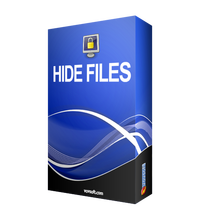
Hide Files 6.0 was available as a giveaway on August 15, 2020!



Secure your confidential files and folders. Hide Files is a folder-locker utility. You can encrypt and decrypt your sensitive documents, photo albums, videos, emails and any kind of data. You can password protect any secret or embarrassing files. Hide your files and folders from prying eyes. Set your master password and lock your files.
No one can access your files without your master password. Hide Files supports NTFS, FAT32 and FAT16 file system types, local hard drives, external hard drives, SSD drives, SD/MMC memory cards and USB flash disks. Hide Files can lock and unlock your gigabytes of data within seconds. Hide Files supports drag and drop from Windows Explorer and supports lost password recovery. Hide Files stops locking process if any file or disk error occurs and helps you not to lose your important data.
However it is always a good idea to backup your important files and folders first.
System Requirements:
Windows 10/ 8.1/ 8/ 7/ Vista/ XP
Publisher:
VovsoftHomepage:
https://vovsoft.com/software/hide-files/File Size:
2 035KB
Licence details:
Lifetime, no updates
Price:
$15.00
GIVEAWAY download basket




Comments on Hide Files 6.0
Please add a comment explaining the reason behind your vote.
iPhone app giveaways »



Android app giveaways »





I had several viruses warning from my Windows 10 PC during installation, anyway if the password is stored in the registry it cannot be very secure, there are plenty of free security apps available anyway,
Save | Cancel
Hi, can a ransomware affect hidden files? Are hidden files has a special file extension?
Save | Cancel
i was looking for such app
Save | Cancel
I suppose this app is the same as other lockable type folders, that is when the PC is started in safe mode everything hidden is wide open and visible!
Save | Cancel
mike, Thanks just tried it out on a W7 laptop (easier to get safe mode) and in safe mode it did not reveal the test file i had hidden as most other apps that i've used normally do!
Save | Cancel
For strong security, the software must be:
1-Portable and never installed on any specific drive
2-No password stored on your C: drive and the password must be encrypted on a USB drive as key file
3-The vault created must be encrypted by default on an external drive
4-The individual files must be encrypted and decrypted only when correct password is typed.
This software has none of the above.
Save | Cancel
One word for you VeraCrypt.
https://sourceforge.net/projects/veracrypt/
Save | Cancel
Just want to thank all commenters for the info.I usually check what you all write about the giveaways to see if its worth even for free.Free is free but not at the expense of your files...
Save | Cancel
One of the features of the licensed version is 'Recover forgotten password'
So that makes me wonder that if there is a back door then what is preventing the program from using it in the background to pass data on?
Too much of a potential security worry to try.
And without a standalone version, it would make data recovery more difficult in the event of a system crash where you would need to boot from an external source to access drives and partitions.
If I recall correctly, windows can already hide files and folders on NTFS partitions.
Save | Cancel
No thanks! I'm happy with my VeraCrypt
Save | Cancel
Podpinam się pod pytanie KK. Nic nie stoi w przeszkodzie zainstalowania programu. Jednakże chciałbym najpierw uzyskać odpowiedź od pracownika odpowiedzialnego za to z Vovsoft zanim jednak go użyję. Nie powiem, żeby mi nie zależało na ukryciu nawet takich rzeczy jak zapisane hasła na komputerze, ale ta informacje będzie miała przewodni oddźwięk do zostawienia lub odinstalowania tego programu
Save | Cancel
Paweł, Well that's easy for you to say
Save | Cancel
Zriddy, could you make it more comfortable for me to understand ? As far as you don't seem a person who works for this company, I don't mind asking you whether I demand too much from my message or not.
Save | Cancel
....but not easy for us to understand!
Save | Cancel
hamish, Ok you're right but as I saw in the previouse giveaways my mother language as a Polish wasn't being a trouble to understand (translated however). So thank you for making me more comfortable to understand ;)
Save | Cancel
Just a heads up for you all, Vovsoft has done some previous giveaways here and their software is known to be a bit amateur-ish.
- One of the biggest mistakes is storing passwords as plaintext in the registry.
- A shady thing, as mentioned by KK (#2) here is that they apparently collect personally identifiable information.
Source: https://www.giveawayoftheday.com/daily-journal-4-2/ (comment #12 by TK)
Comments on older version of this software:
https://www.giveawayoftheday.com/hide-files-4-4/ (see comment #5 by starvinmarvin about why this isn't a great idea in general)
That's not to discourage anyone or to say they haven't improved their software, but just a warning so someone doesn't lose access to their important documents.
Save | Cancel
TK,
Thanks once again for looking into the software and your time, very valuable knowledge that comes down to "not worth using"
It just saddens me that there are people and companies trying to push their poor, paid, redundant software onto people who don't know better, when there are free alternatives that are well-made and work better.
Save | Cancel
Can this be directly installed to an external HDD and run from that same HDD?
Also, does Vovsoft collect information on files included in folders that it PW-protects? I'd like to protect tax information and other banking info, but I'm a bit concerned by the ToS.
Save | Cancel
KK, what i have done with my own pc's, i created a virtual hard drive, then i used bitlocker to encrypt it. as a 2nd set of security, the files stored on it, are also encrypted. when i have need for the files, i click on the .vhd file, enter my bitlocker password, utilize what i need. when done, i right click on the drive letter, and 'eject' it.
Save | Cancel
It doesnt look like this software encrypts anything, it just hides it, is that correct?
Save | Cancel
JB, according to their website:
Question: Does "Hide Files" provide military-grade encryption?
"Hide Files" makes data hidden, changes folder locations and renames files. It provides essential protection. But it doesn't encrypt the file contents because content encryption is a time-consuming operation and usually irreversible if correct key is forgotten.
Question: I forgot my password. I keep getting wrong password error message. How to recover my password?
Open "Hide Files". Click: "Forgot Password". A reminder email will be sent to your email address associated with your license key. It is not possible to send password recovery email without a registered license key.
Save | Cancel