Every day we offer FREE licensed software you’d have to buy otherwise.
Giveaway of the day — Easy Photo Unblur 4.0
Easy Photo Unblur 4.0 was available as a giveaway on July 16, 2020!

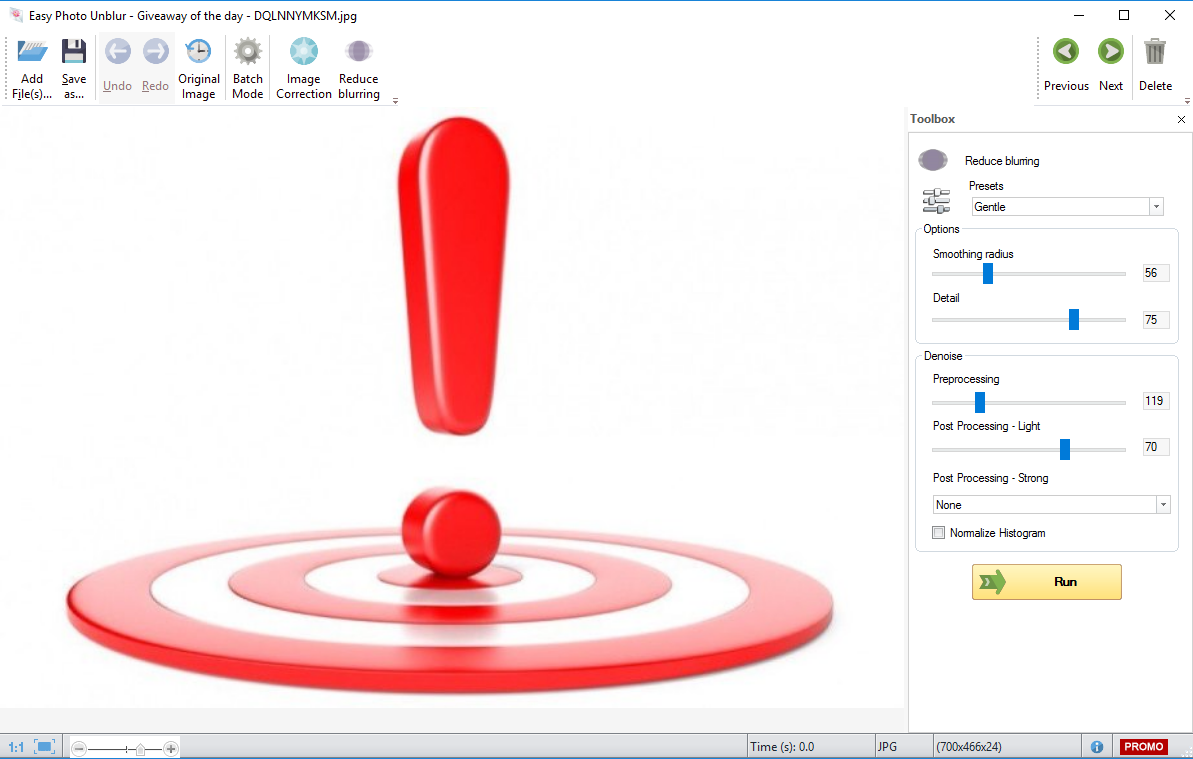

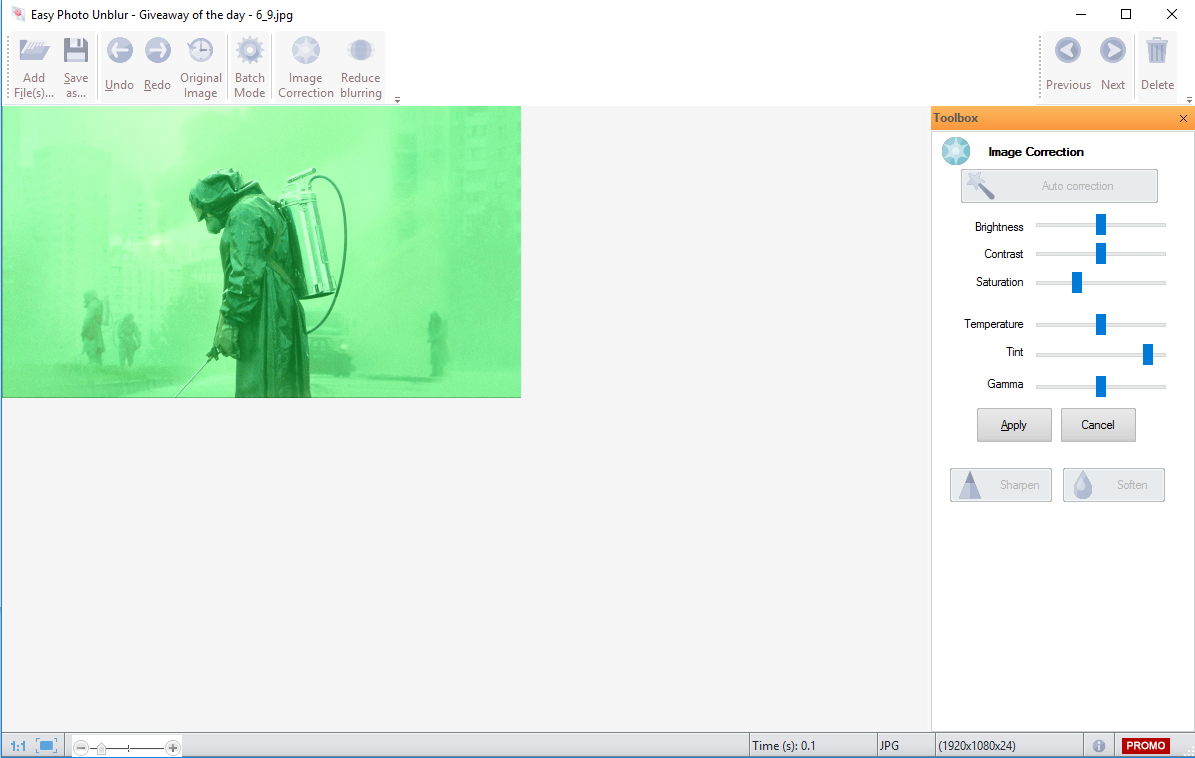
Easy Photo Unblur improves the quality of camera shots by removing excessive noise and sharpening the blurred objects.
Making photos in motion or unfavourable light conditions often results in blurred or noisy shots. With Easy Photo Unblur pictures become crystal clear thanks to smart digital optimization. The program algorithms unblur photos by detecting misfocused objects and intelligently cleaning the noise.
The program offers a range of unblur pics modes with adjustable parameters – smoothing radios, detalization, noise pre- and post-processing. Depending on the noise intensity, you are free to use different unblur image modes to fix the handshake, misfocus and motion blur. This unblur picture app supports batch image optimization that is much faster than unblur photos one by one. Just drag and drop the image folder to the app and start processing.
There are many ways how to unblur a picture, and most of them require professional skills in graphics editing. Easy Photo Unblur fits everyone regardless of skills in photography and design. The program helps to unblur a picture using artificial intelligence mechanisms. It is much more efficient than flat sharpening used in the most of alternative solutions. A user can preview the result and compare it with the original photo before saving changes.
Purchase an Unlimited personal license (with support and updates) at 70% discount!
System Requirements:
Windows 7/ 8/ 8.1/ 10
Publisher:
SoftOrbitsHomepage:
http://www.softorbits.com/unblur-photos/File Size:
38.2 MB
Licence details:
6 months
Price:
$49.99
Featured titles by SoftOrbits

Sketch Drawer is a kind of photo editing software tool intended for converting photographs to pencil sketches. This program enables users to make usual photographs into exquisite pencil-drawn pictures, both black-and-white and colored. While creating a pencil sketch, you can choose your most preferred settings and options. There are two ways you can edit photographs with SoftOrbits: manually and by aid of ready-made presets. These presets can be used as guides by beginners.
Photo Stamp Remover is a photo correction utility that can remove watermarks, date stamps and other unwanted objects that appear on photographs. Offering a fully automatic process, the program uses an intelligent restoration technology to fill the selected area with the texture generated from the pixels around the selection, so that the defect blends into the rest of the image naturally. What takes hours to correct using the clone tool, can be accomplished in a minute using Photo Stamp Remover.
SoftOrbits Digital Photo Suite product line provides data solutions for retouching, resizing, converting, protecting and publishing your digital photos.
GIVEAWAY download basket



Comments on Easy Photo Unblur 4.0
Please add a comment explaining the reason behind your vote.

iPhone app giveaways »





Android app giveaways »





Which formats can it work on ?
JPG
BMP
GIF
I am particularly interested in, whether it can sharpen GIF's
Save | Cancel
Got v.3 at the end of last year and having downloaded this new version I'm not sure how it differs. The download was very straightforward. I'm quite pleased with it as it does improve the majority of blurred images, as did v.3. You will need to play around with the options to get the best out of it.
It does NOT make blurred pictures perfect and I never expected it to do so but some degree of improvement is always better than none.
Save | Cancel
Sorry, but I do not believe those examples on homepage. Even with Photoshop and advanced user, it is impossible to make that sharp for example that cat photo. I am sure that original photo is sharp, and blurred one is made so. ;-)
Save | Cancel
Turre Borreliosis, I agree. Everything in the image is continually out of focus at the same level throughout and shows no focus point - which doesn't happen in an image.
Save | Cancel
I have been using version 3 that I also got from here, with largely positive experiences. In most cases, it does a good job and saves a lot of fiddling with the likes of Photoshop.
Compared to the similar tool, Simply Good Pictures, also offered here in the past, the latter seems to do a better job with color correction, whereas this one is superior at sharpening, and probably overall.
A weakness of both tools is that their default settings tend to over-correct, with the result looking a little artificial. And if you have to make adjustments to avoid this, it sort of defeats the purpose of simplicity of use.
Of course, though these tools can improve a weak photo, no tool can fully correct a bad one and is no substitute for taking a good photo in the first place.
Having said all that, if the 6 months license means it will stop working after that – please clarify this - I’ll stick to my version 3, and kindly suggest to GAoD to refrain from offering such extended trials.
Save | Cancel
tomcat, If you feel the picture over-corrects, then all you need to do is click on the SOFTEN button or adjust the sliders to the preferred settings. I have tested this program with several photos and found it very useful. Not sure why every software offered here is not tested before comments are made.
Save | Cancel
AFPhantom2, I believe tomcat may have been referring to the batch mode. I, also, found that the program over-corrects in the batch mode. The Image Correction mode does a much better job, but that's a manual, one-picture-at-a-time mode. It would be nice if there was a way to limit the amount of correction performed by the batch mode.
Save | Cancel