Every day we offer FREE licensed software you’d have to buy otherwise.
Giveaway of the day — Apeaksoft PPT to Video Converter 1.0.6
Apeaksoft PPT to Video Converter 1.0.6 was available as a giveaway on February 23, 2021!
Apeaksoft PPT to Video Converter is a useful tool to convert PowerPoint presentations to popular video formats so that everyone can share their PPT files on social media, blogs, or video sharing sites. It also works as a PPT to DVD burner, which lets you create a DVD disc or ISO file at your will. It is fully compatible with PowerPoint 2000/2002/2003/2007/2010/2013 and PowerPoint Viewer 2007/2010. You can export HD/SD videos in MP4, AVI, MKV, ASF, M4V, MOV, WMV, FLV, etc., and web videos like YouTube video, Facebook video, and Vimeo video. It can convert PPT files to video formats compatible with iPhone, iPad, iPod, Apple TV, PSP, Xbox, Samsung, HTC, Sony, Motorola, Google phone, and more. So take this PPT to Video Converter to make your work more convenient and simple.
Apeaksoft provides 50% off coupon code: APKEGNK (apply to recommended products and other products) for all GOTD users.
System Requirements:
Windows XP/ Vista/ 7/ 8/ 8.1/ 10
Publisher:
ApeaksoftHomepage:
https://www.apeaksoft.com/ppt-to-video-converter/File Size:
169 MB
Licence details:
Annual
Price:
$55.96
Featured titles by Apeaksoft

Apeaksoft MobieTrans is the professional mobile phone data transfer and manager tool which enables you to transfer various data on your phone, create ringtones, and convert HEIC images with ease. As a professional data transfer (photos, videos, music, contacts, SMS), it allows you to copy any frequently-used mobile phone data between iPhone/iPad/iPod devices and computer without iTunes, iOS devices and Android phone, even Android devices/iOS devices. For ringtones, you are able to create, add and delete ringtones easily. Moreover, you can convert HEIC images to JPG or PNG for easy viewing on your devices.
Now get MobieTrans with 50% OFF Coupon: APKEGNK
Apeaksoft Screen Recorder, the powerful screen capture software which enables you to record video and audio on your computer in high quality. It lets you record streaming videos, live songs, online meeting, online game video, video tutorial, and more on your computer for sharing easily. It also kindly gives the option to edit the video while recording like drawing, caption, callout, blurry, etc. Recording area can be customized as window lock or exclusion, and schedule recording is supported when you are not sitting in front of computer. Recording your computer screen in super high resolution up to 4K and export it for universal playback on your any player.
Now get Screen Recorder with 50% OFF Coupon: APKEGNK
Apeaksoft Slideshow Maker is the best slideshow creator that makes fantastic slideshows with videos, pictures and audio files. It is equipped with 10 ready-made themes and more customizable styles. Whether you want to create a wedding show, create a team presentation, make photo slides, or hold an event show, it would be the best choice. Besides the built-in slideshow theme, Slideshow Maker also offers you excellent editing tools to edit the videos, photos and audio and generate a perfect work.
Now get Slideshow Maker with 50% OFF Coupon: APKEGNK
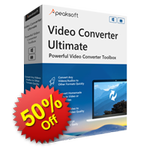
Apeaksoft Video Converter Ultimate is the all-in-one video converter, DVD ripper, editor and enhancer. As a powerful video converter, it supports over 300 video (4K/5K/8K supported) and audio formats, like MP4, MOV, AVI, MTS, M2TS, WMV, 3GP, MP3, FLAC, WMA, AAC, AIFF, OGG, DVD, and more. For the editing features, you can use Rotate, Crop, Clip, Merge, Watermark, Adjust filter and effects, add audio track and subtitles, etc. to edit videos with ease. Moreover, it provides popular tools like Media Metadata Editor, Video Compressor, GIF Maker, 3D Maker and Video Enhancer.
Now get Video Converter Ultimate with 50% OFF Coupon: APKEGNK
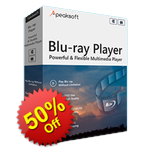
Apeaksoft Blu-ray Player gives you immersive visual experience when playing Blu-ray/DVD disc, folder or ISO files on Windows computer or Mac. Also, it helps you play your 4k videos in MP4, WMV, ASF, MKV, FLV, VOB, AVI and more formats smoothly. With the latest Blu-ray technology, you can enjoy and customize your Blu-ray playback with various settings. It also supports DTS-HD Master Audio, Dolby TruHD, Apple Lossless Audio Codec, which brings you lossless audio and dramatic HD surround sound effect.
Now get Blu-ray Player with 50% OFF Coupon: APKEGNK
GIVEAWAY download basket




Comments on Apeaksoft PPT to Video Converter 1.0.6
Please add a comment explaining the reason behind your vote.

iPhone app giveaways »




Android app giveaways »





Please follow the guide to register Apeaksoft PPT to Video Converter:
Step 1. Download Zip package from GOTD.
Step 2. Unzip the Package and run setup.exe to install it.
Step 3. Select the disc type to enter the main interface. In the popup window, click “Register” to enter the register window. Then click "Get Free Registration Code" button to visit the registration page, where input your username and email address to receive the registration code for free.
Step 4. Back to the software interface, click “Register” button and paste received registration code under “License Key” to register it successfully.
Note: Check Junk or Spam email if you can't find the free registration code.
To learn more information, you can visit the page: https://www.apeaksoft.com/ppt-to-video-converter/
A 50% off coupon code (APKEGNK) is for GOTD Users. You can use it to buy all products at:https://www.apeaksoft.com/
Save | Cancel
Apeaksoft Studio, Step 1 - OK. Step 2 - OK. Step 3, clicked "register" nd there was no option "Get Free Registration Code." Just options to "Order Later" "Purchase" and "Register." How can I get the registration code?
Save | Cancel
Hi, Gary, could you please contact customer support team via support@apeaksoft.com? There will be steps in pictures sent to you.
Thank you for your cooperation in advance.
Apeaksoft Studio
Save | Cancel
Besides converting VOB to PowerPoint video format, iDealshare VideoGo also can convert PowerPoint incompatible video formats like 3GP, FLV, F4V, OGV, WebM, WTV, DVR, MVI, MOD, TOD, MKV, TS, AVCHD, RMVB, MP4, MOV, DV and etc to PowerPoint supported format.
Save | Cancel
I see on their web site that "You need to install Microsoft Office PowerPoint on your computer" I don't have it.
So will this GOTD works with PP viewer? with Libre office? SoftMaker?
Save | Cancel
ad id, I Suggest That You Reply To The Comment by Apeaksoft Studio In Comment Number 1, Also You Can email The Apeaksoft Studio At:
support@apeaksoft.com
Save | Cancel
Hi, ad id, Apeaksoft PPT to Video Converter supports Microsoft Office PowerPoint only.
Thank you for your understanding in advance.
Apeaksoft Studio
Save | Cancel