Every day we offer FREE licensed software you’d have to buy otherwise.
Giveaway of the day — WinUtilities 9.1
WinUtilities 9.1 was available as a giveaway on November 9, 2009!

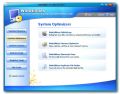
WinUtilities is an award winning collection of tools to optimize and speedup your system performance. This suite contains utilities to clean registry, temporary files on your disks, erase your application and internet browser history, cache and cookies. It also supports to defragment your disk drives and improve computer performance and stability.
Built-in StartUp Cleaner allows you to control startup programs that load automatically with windows, find duplicate files, fix broken shortcuts and uninstall unneeded software. other features include secure file deletion, recycle bin shredding, system maintenance tasks scheduling and undelete deleted files.
System Requirements:
Windows 98/ME/2000/XP/2003/Vista/7
Publisher:
YL ComputingHomepage:
http://www.ylcomputing.com/content/view/9/27/File Size:
5.75 MB
Price:
$49.95
Featured titles by YL Computing

YL Mail Man is a flexible email addresses management and email delivering software. it helps companies or shareware authors organize and manage large volumes of customer email addresses and contact all customers by email in simple steps.

YL Mail Verifier is a powerful and easy-to-use solution for the "email message delivery error". with this Mail Verifier, you can easily check every email address from a mailing list and determine if the email addresses are still valid.
GIVEAWAY download basket




Comments on WinUtilities 9.1
Please add a comment explaining the reason behind your vote.

iPhone app giveaways »





Android app giveaways »





At first I was impressed by the sheer variety of tools it offers. I started my test by applying its Registry Cleaner. It came up with 288 problems. That very much surprised me as I have been using Uniblue's Registry Booster quite regularly for quite some time now. It normally comes up with three or four problems, but very rarely more. When I clicked on the cleaning button it seemed to take less than a second for it to do the whole cleaning job. I simply do not know how any program can do this so quickly.
Than I tried it with the program that finds file duplications. I found this option very useful indeed as I have been wondering for quite a while now how to do this manually. Yes, I agree with some other commentators in that it is a very simple program. It took me very long to click on all the many boxes for the files that had to go. But it did its job, and I am very grateful for that.
The other program I have used so far is the DiskDefrag tool. When it starts analysing at first it colours all the files as represented on its monitor in green. Green stands for Used Space. As this still makes sense to me the next thing it did does not. The same files where now shown in red, which means Fragmented. Is this a kind of visual gimmick? Only when it had finished the analysing process it did show everything with the objective colour codes. What surprised me even more is how long it took to do its work. Here I did run it in comparison with my well trusted IObit Smart Defrag tool. The first time I gave up after much more than an hour as there was no sign at all when it ever would finish. Therefore I did run the Fast Optimize program on my IObit Smart Defrag. It finished it in the usual way, i.e. in not more than 10 minutes. At next I did run WinUtilities again. Its analysis did show the same result as the IObit in terms of the few remaining defragmented files. But then it was not even able to do its work on those files within 1 1/2 hours. That was the point where I gave up.
Save | Cancel
Thank you for the new 9.1 version. Like a few others I had some problems installing it over the older 7.1 version, but succeeded after the 3rd. try.
Then had a problem where the control window had some over prints due to mis-registration of the various field. Reinstalled it again and now it works fine AND looks fine, thanks very much!
Suggestion to providers of programs: How about including in the Readme file instructions on how to best install a program WHEN THERE IS AN OLDER VERSION OF SAME ALREADY INSTALLED on the computer. This will save a lot of headaches, disappointments AND a lot of bad and negative reports due to inability to install a program properly because of no such instructions. I usually just install over the old, but I recognize that sometimes it is NOT the best way, or actually will result in a botched program - both the old and the new versions!
Thanks again,
Eldad
Save | Cancel
I could not get this to run on my windows xp professional sp3 system. I don't have any previous version of it. I kept getting a run time error c++. Reinstalled, rebooted and uninstalled.
Save | Cancel
Win XP sp3 - Program will not install. NSIS Error Installer failed to Launch. Tried rebooting, same thing.
Save | Cancel
Advanced system Care is now Spyware
WinUtilities 9.1 All the tools you need very good.
Save | Cancel
I have a simple question states at top
The program is available for $49.95, but it will be free for our visitors as a time-limited offer but when I goto set it up it says installing free version is there any difference in the free version than if we paid for it? by the way it installed great and works good also thanks GOTD
Save | Cancel
Why does the install wizard say Welcome to the WinUtilities FREE Version 9.1 Setup ?
Save | Cancel
Marlee # 35
CCleaner has had a very good reputation for years with XP. It is a basic simple tool, that is ideal for regular use, rather like a dustpan and brush, instead of a vacuum cleaner. It cleans out your junk folders, and removes usage history, then does a basic registry clean. Also it has a few advanced functions which are very handy.
However, it does not do : a deep registry clean, defrag your partitions, defrag the registry, and so on. For that I can confidently recommend, novices go to IOBit.com for Advanced system Care 3, freeware, and read up on their tutorials, while experts can get JV16 Power Tools, payware.
Other necessity free tools are Revo Uninstaller, JavaRA, and Eraser for erasing the unused disc space.
Try to master this set of proven, free, safe, tools, and when you get a new computer, you can carry on as before. Now your setup, you can try out programs as WinUtilities, for fun.
Regards Bill. PS Hope you are using Firefox and Thunderbird.
Save | Cancel
What bothers me is that now that I've downloaded, uninstalled 7, deleted, downloaded and deleted (or aborted) several more times, I have no winutilities on my computer at all. keeps saying it's missing dll's and a .png file.
Save | Cancel
I just went into the Perfect Utilities program and it's YiL Software that apparently makes it and they look almost identical in thumbs. I've been using Perfect and it's free!
Save | Cancel
I had the same missing dll problems when trying to install v9.1.
After reading the comments above, I re-booted my computer and uninstalled version 7 (just a regular Uninstall from the Control Panel). After that, v9.1 installed without any glitches.
Save | Cancel
My bad...didn't see it already mentioned!
Save | Cancel
Isn't this the same program as Perfect Utilities at www.putils.com ?
Save | Cancel
It installed fine on XP SP2, but the main window becomes garbled easily, and then I have to close and reopen the program to be able to read the window.
This is yet another example of a tailor made GAotD version. It comes pre-registered to Giveawayoftheday.com. During installation it displays "Free Version" on several screens. After install it says "Full version".
Is it a Full Free version" or a " Free Full version", or just a "Tailor made Free version"?
Save | Cancel
Installed ok Win 7 Ultim 32 bit. Only ran Registry Cleaner function or whatever it's called. Boom found @400 errors. Oh joy I thought.
So trashed them all. Does make a backup registry.
Ran LiveMail. Boom me. Contacts list gone. And that's a mother to get back. Tried the LiveMail internal method. Loaded up a very old
list, maybe the one brought over from Vista.
Ran Win 7 for a prior day's backup point. Regain ok list. Lost this
WU 9.1 program. Will stay lost. Thanks anyway.
Save | Cancel
I have got Glary and Just downloaded WU. Nothing bad to say about this software. But the one thing I did see was that WU looks and acts just like GU. GU has updates for the free software they have. So my question is this. Is WU suppose to be better ? Cause after running both I seen no diffrence between the two softwares. This is just my opinon. So if you want regular updates I suggest download GU. I will keep this software just to try it out, unless it starts to causing me problems.
Save | Cancel
This is a very good program, no problem on Vista 64 bit OS.
I'm glad to see it back, the only things I don't I don't use are the registry cleaner and the uninstaller.
Revo's Uninstaller works better and for me any registry cleaner is needed only as a last resort.
Otherwise a great program, nice that it will work on windows 7 too.
Much Thanks!
Vidimo Se!
Save | Cancel
Had the same dll problems as mentioned above on both of my computers, neither of which had a previous version installed. Would hope these bugs can be fixed and we get another chance to use this software.
Save | Cancel
Using advanced mode of Revo uninstaller, I uninstalled the previous version 7, which was offered here. Then installed this version. Successfully installed. When it recommended to tick Automatic Updates, I did not, since I presume GAOTD version will not get any updates anyway.
When asked to tick "smooth fonts", I did, without knowing what it will do. I presume "smooth fonts" is for LCD display, not sure if it is though.
I'm on XP Pro, SP3
There are some nice features with WinUtilities. Just need to spend time to explore it.
Anyone had used the Registry Cleaner and was it any good? It will ask to Create Restore Point after it has done the scanning. It uses what it calls a Rescue Manager to restore to previous Windows Registry status.
On a whim, I did a scan of the Registry and it picked up nearly 9000 errors in my system. Most of the errors are Missing and Invalid Paths. The other errors are Invalid Class ID, Missing Uninstall Information, Recent Use Records, Missing Start Menu, Missing File Association and Missing Shared DLLs. Not sure what some of these mean.
I did not proceed to clean the registry, as I am not sure how the Rescue manager work if after cleaning, Windows cannot run. Can we restore through Dos Prompt or Safe mode if that is the case?
The rest of the features of WinUtilities are useful, I would say.
Save | Cancel
I had version 7 installed on my computer ( XP SP3 ) and I just upgraded to version 9.1 with no problems.
1. Exit WinUtilities completely. Make sure it is not running in the background.
2. Uninstall using WinUtilities uninstall option.
3. Reboot computer.
4. Install and activate new version normally.
Should work fine.
Save | Cancel
Those mentioning Perfect Utilities or those thinking about downloading it
Stay clear of version 3.03 (this was an unpacked scan):
http://www.virustotal.com/analisis/3ef7584f203201bdbecfa0b4129d1a98274b1791f193ebd81702359bc52d6f38-1257792536
v3.02 is okay (as of right now!)
regards,
Damian
Save | Cancel
I don't see a need to upgrade but I am a user of 7.1 and I have to admit that its disk cleanup is one of the few of these automatic cleanup utilities that I'll let go do its thing without close scrutiny. (I did give it close scrutiny when I first installed it and was surprised to never find a problem with file deletions, so after a long enough interval to learn to trust it, I now let it run unchecked when I need space).
I don't use the other functions much, and agree with everyone that registry cleaning is not worth the risk for dubious benefit.
Save | Cancel
Make sure the old version isn't running when you install the new version. It won't install over the old version if files are in use. So be sure winutilities 7.1 or whatever previous version you had is closed or you will get an error that it cannot copy files over and it will have you ignore try again or cancel. Good luck!
Save | Cancel
Thank you, John #50; rebooting did the trick for working around the missing .dlls (and eventually, even a broken .exe!). You know, I'm a bit leery now, because my initial uninstall of vs. 7 actually used WinUtilities own Uninstaller. Hmm...doesn't breed confidence. Oh well, I'm very glad to have 9.1 finally working. Thank you for your advice about the reboot.
Save | Cancel
Screen shot here looks like Glarys . I've used Glarys (free version) for years and it's NEVER erased or screwed any thing up.
It HAS updates and help. Supports x64 bit too.
It's the same size and NO registering.
Does everything WU9.1 says and more (this looks like a copy-cat to me)
http://www.glaryutilities.com/
Save | Cancel
I think the key to installing this program is to make sure you do not have the old version running in the background... Also, "DO NOT REMOVE THE OLDER VERSION"....
After realizing I had the old version running in the background and turned it off it all went fine.. It is version 8.0 it reverts to when you run the "one click clean up", I have no problem with that though... It's still a great program... Hope this will help...
See # 38 for my previous message...
Save | Cancel
#46: "So is it any better or otherwise than Glary Utilities?"
IMHO & FWIW... I think it's hard to rate one convenience suite against another, when by their nature they both compromise function for ease of use. In a way it's like this hand mixer we have -- with all sorts of gizmos & attachments it can work as anything from a stick blender to a food processor, but doesn't do anything as well as the regular appliances. As Ashraf said: "master of none".
Save | Cancel
All the comments seem to say either, it went fine and is stable and useful OR there are upgrade path problems.
My question is, if the developers of this software are not capable of handling the upgrade for the user automatically like most software does, why would you trust it to work over your system files?
The lack of change from 7.1 to 9.1 on the one-click cleanup option screen that one user mentioned is a slip-up over 2 major versions and that by itself makes me shaky on this software.
Save | Cancel
#2 - @mow123 ... Sorry to burst your bubble (you seem so happy...) , but good luck trying to undo those 2000 "repairs" this utility made for you. If you've used a computer more than a day or two, you quickly learn that "registry cleaners" almost always do more harm than good. It's a whole category of "solution looking for a problem"
-Pat
Save | Cancel
WinUtilities is a suite of individual apps for system maintenance, aimed squarely at the casual user who doesn't want to bother searching Windows &/or on-line for alternatives. There's nothing wrong with that, & this type of program suite can be useful, just please disregard the over-hyped adverts -- nowadays if you're using WinUtilities or one of it's competitors, there's better... you're trading power for convenience.
WinUtilities includes mostly older versions of 15 files for Windows' system folder -- many (most?) will already have all but one of those. With a couple of earlier comments stating they were getting missing dll errors after removing an earlier version, I'd advise backing up, or at least setting a restore point before removing &/or adding WinUtilities -- if it's those common files causing problems, more than WinUtilities could be effected.
For defragging hard drives, recovering files, securely erasing files, & managing auto starting apps/services, alternatives have been on GOTD, along with comments pointing to more alternatives. History cleaners IMHO cause you inconvenience if you use your own PC/laptop -- I often use the File -> Recently Opened menus in Windows apps. For disk cleaning, Windows' built-in app is the only one AFAIK that can remove old Restore Points -- a huge help before a backup. Finding/removing duplicate files, memory optimizers, & registry cleaners all are at the center of [sometimes heated] debates... they might be so-called snake oil, carrying the risk of damaging your PC/laptop, or they might be incredibly useful -- I can't cram those debates into one comment... I will say that as long as you can put things back [i.e. restore a backup], there's very near zero risk of permanent damage from trying these sorts of programs.
WinUtilities includes a File Splitter, & I wanted to mention a novel use for this endangered species [I thought apps of this sort had bit the dust a long time ago, when networks got cheap &/or with the invention of P2P file sharing]. I used to use them to take a small chunk out of large encrypted files -- I never performed any detailed testing to verify how much, or even if it really enhanced security, but I still think it would. You could for example post the much larger piece on-line, sending the smaller, easily managed portion email.
Save | Cancel
So is it any better or otherwise than Glary Utilities?
i have Glary Utilities is this better?
Save | Cancel
I downloaded v.7.1 on my laptop, but I installed a new hard drive and lost it. Now I have the new and improved v.9.1. Thanks GAOTD! I've been waiting on this to come back. I really loved the old version, so I know this one will be better. Two thumbs up!
Save | Cancel
Hmmmm. Revo Uninstaller eliminated some bits left behind by the initial MS uninstall of vs. 7, but still I get the exact error messages as #40 Bob. Ignoring repeatedly simply made my finger tired. I hope GAOTD can find out for us what's up...I really was excited to have the update. Wish I'd never uninstalled vs. 7, because it was quite nice...
Save | Cancel
Whats the difference between this and and AnVir Task Manager??
Save | Cancel
Winutilities91 give away downloads but will not install all the files. A number of dll files won't load and the program as such doesn't work.
Save | Cancel
I had 7.0 before and was wary about trying to download, but after reading #20's remarks, I did as he suggested and downloaded Revo, deleted with the most aggressive uninstaller. Didn't use administrator rights and am using Vista Premium. WinUtilities installed and operates beautifully. Thanks people, for all the feedbacks.
Save | Cancel
There is some talk here about Perfect Utilities, which i have used in the past, but if you read their forum (others have provided links to their site) you'll see a discussion about spyware included with the latest version. The discussion started weeks ago and has continued without any denial or any other sort of acknowledgment from the developers. So my advice is to steer clear of PU for now.
Save | Cancel
UPDATE: I realized my 7.0 version was open in the tool bar, once I closed that and ran it again it installed fine...
I did notice even though it is version 9.1 when you click on the one click clean up the page changes to version 7.1, what's up with that????
Thanks for the download..
Windows-7 Ultimate 64 bit, it will not install… Says there are missing dll’s.. Also tried to install and run as administrator, makes no difference..
A shame, I really wanted to up grade to this version..
Save | Cancel
To those missing dll's and such .I had same trouble with a dozen warnings till I ran winutilities 7 through revo and uninstalled a bunch of it and retried the 9.1 install through the mirror and had no problem..I run XP and it runs great now..
Save | Cancel
I just uninstalled the previous version of WinUtilities yesterday from my computers. In every case, the program interface was giving all sorts of gibberish on main screen & would no longer work.
I SUSPECT that last version was long term trialware. It worked fine for months (although I seldom actually used it) until the above problem.
Anyone else find the previous version no longer works prior to installing new? Is my experience unique? Or is this too longer term trialware?
Save | Cancel
Can anyone tell me how this is different that CCleaner, which is free and works quite well?
Save | Cancel
I'm using WinXp SP2. First I used Revo uninstaller (aggressive option)to completely remove the previous version of Win Utilities, then had to reboot to totally removed anything leftover. Then ran the zip file and installed the latest version with no problems at all! It started up fine, no error messages about missing DLL's or anything. It's a good program, and thanks GOTD for this update!
Save | Cancel
I was also having trouble installing it. I had previously uninstalled version 7.1 and then tried to install 9.1 - I kept getting the missing .dll messages.
I just rebooted my system and it installed fine. No more problems.
Try that out.
Save | Cancel
I have Norton IS 2010 installed and it was deleting the setup.exe file. If you have Norton's make sure you temporarily disable during installation and turn it back on as soon as you are finished installing. I don't like having to do this, but Norton's sees the GOATD wrapper as malware.
Save | Cancel
Windows-7 Ultimate 64 bit, it will not install... Says there are missing dll's.. Also tried to install and run as administrator, makes no difference..
A shame, I really wanted to up grade to this version..
Save | Cancel
Thank you Andrew (#6) for your words. Your post changed my mind and I will now update from Win Utilities 7. Before reading your post my opinion had been "why upset the apple cart?" Your words changed my decision and I will download it. Yes, those little red x's have always confused me also. Win Utilities is excellent in my opinion.
Save | Cancel
I installed the program without uninstalling my previous version - every thing worked OK. For #14, #16 #19: Have you tried starting the program direct from the winutil.exe file in the program/program files folder? If the shortcut on your desktop is wrong you will get the message of missing dll's. If that helps simpy make a new shortcut. According to my experience of earlier versions this is a useful and stable program worth installing.
Save | Cancel
I'm running xp 32 bit. all my progs run in DEP-mode. But this program won't run. DEP closes this program automaticly to help protect against damage from viruses and other security theats. Personally I don't think there is anything wrong with the program, except that it is poorly written.
Save | Cancel
Installed and activated on Windows 7 x64 without any problems. One of the first things that I've noticed is that this program fails to create a restore point before cleaning the hard drive and registry, even though "create restore point" is checked in the settings. However, it is not a deal breaker for me.
Thanks GOTD and YL Computing.
Save | Cancel
Very similar is project named Perfect Utilities @
http://www.putils.com/ . The products even look the same, but one of them is freeware... May be someone has hijacked others work, may be it's just an coincidence. You have chance to choose and/or try out.
Save | Cancel