Every day we offer FREE licensed software you’d have to buy otherwise.
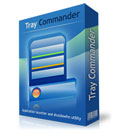
Tray Commander was available as a giveaway on February 25, 2007!

Tray Commander is a tray launcher that lets you gain quick access to your most frequently used applications and system commands via a customizable menu.
Not only can you open applications and files, but also launch screen savers, shutdown, reboot your computer and much more, all from the system tray! Also you can use this multifunctional utility for everything, from opening multiple applications to optimizing your computing environment! All commands may be executed by pressing hot key.
Features
- Launch multiple programs with a single click or by pressing hot key
- Quick power off, stand by, hibernate and reboot computer
- Monitor power off
- Lock Workstation
- Open favorite web pages
- Open or close CD tray (with automatical closing)
- Launch Control Panel items
- Open files
- Paste text
- Launch screen saver
System Requirements:
Windows 98/NT/2000/XP
Publisher:
Ardamax SoftwareHomepage:
http://www.ardamax.com/tc/File Size:
938 KB
Price:
$14.95
Featured titles by Ardamax Software
Ardamax Keylogger is a keystroke recorder that captures user's activity and saves it to an encrypted log file. The log file can be viewed with the powerful Log Viewer. Use this tool to find out what is happening on your computer while you are away, maintain a backup of your typed data automatically or use it to monitor your kids. Also you can use it as a monitoring device for detecting unauthorised access. Logs can be automatically sent to your e-mail address, access to the keylogger is password protected.
Mouse Wheel Control enhances the features of the mouse wheel. With it, you can use the mouse wheel where it is not supported, change its functionality or extend its use. There are a lot of programs where the mouse wheel is not used or where it is used in some way other than you want it to be used. Mouse Wheel Control solves this problem.
GIVEAWAY download basket




Comments on Tray Commander
Please add a comment explaining the reason behind your vote.


iPhone app giveaways »





Android app giveaways »





This is really a good product. Unfortunately in the past two years there have been no updates, though OTOH it is very stable and takes up few resources. The biggest bear to this program is that you must manually set up the hotkeys -- drag and dropping does not work. This is rather time consuming but worth that one time cost.
Save | Cancel
Having read all these comments plus considering a positive vote of 85% I am being incited to buy TC.
But can you trust a company having THIS address?!!
http://www.soft411.org/company/Ardamax-Software/about.html
I feel sorry for you, all you postmen in Veliky Novgorod in Russia.
Save | Cancel
Thanks GAOTD! Nice little program. Because it has right and left clicking features it can be set up for two users to customize the way they want it.
I agree with #73 about #71.
Thumbs UP !!!
Save | Cancel
3rd person (#72) - This depends on which version of Windows you're using. In XP, just right-click on the desktop, go to "Arrange Icons", then uncheck the appropriate option. Windows 9x have this option in the Display Properties, but I believe you have to enable Active Desktop for it.
Alternatively, you can try this, though I don't suggest it:
http://www.annoyances.org/exec/show/article05-012
BillW50 (#73) - No, the start menu isn't slow. If yours is, you haven't cleaned it up, and thus fall into the category that The Advanced Specialist sarcastically wrote about already. Good job, you just shoved your food firmly into your mouth :>
Save | Cancel
I have used the free version for for over a month and like it, this program is small but very effective. Thumbs up.
Save | Cancel
SITE SEER:
Too bad your list didn't show.:(
Maybe you can try posting it in the 'FORUMS'?
I [and probably others] would enjoy checking it out.
BILLW50:
Thank you [& others] for posting the screenshots! I wasn't going to try it w/out seeing it [+lack of info]. They + others positive info. help changed my mind.
--THANKS TO ALL !
PS. BILLW50 ; -Thanks for the con. aspects of 'LAUNCHY'; -[good to know!].
Save | Cancel
At fist I thought there was no real need for it then i installed it .
Now I'm sold on it I love it ...
Save | Cancel
#71
But that one is way to slow. You have to wait half of the time for data to be read from the drive to the RAM, etc. It is really bad! And the Windows Quick Launch is almost as bad. Plus many program installs place them under folders with company names that you have never heard of before. And stores things like readme files, installs, homepage, etc. But all you want is the program shortcut and that is all. And for the rare times you did wanted something else, it is all in the program folder anyway. I would guess that 95% of all of the shortcuts in there, I don't even use. So is there anything better? YES! Tray Commander!
Save | Cancel
#53:
"and you can disable icons on your desktop and use it as a kind of invisible launchpad"
What? how can you do this? without setting the hidden attribute of the file?
Save | Cancel
I Already have a menu "that lets [me] gain quick access to [my] most frequently used applications and system commands via a customizable menu." and can "Not only open applications and files, but also launch screen savers, shutdown, reboot [my] computer" ...
Mine that I have already has the word [START] on it.
I even have a 'hotkey' for it right on my keyboard. And the key has a little picture of the windows logo on it.
It's nice because the picture on the key even matches the little picture of the windows logo next to the word [START] on the menu. So I can always remember what the key goes with. If I forget.
Save | Cancel
Post #53 sums it all up. seems nice but everything can be accessed in the same or fewer amount of time.
ex. quick launch toolbar
clicking start shows the same shortcuts
*with a little backround knowledge of computers, you can personally customize your computer for quicker access to all programs without this paticular program
thanks anyway!
Save | Cancel
#64 I appreciate the thought Site Seer
#67 Thanks Schop
Save | Cancel
Simple, yet very functional!!!
Save | Cancel
#18, BillW50, ever tried 'The Wonderful Icon' http://www.thewonderfulicon.com/ ?
Does everything this app does, and for free...
Save | Cancel
this product is usless if you all ready have n-launcher. great product though. i downloaded it for my L-top and its works perfectly. yet another great give away GAOTD
Save | Cancel
To #61 -- from what I can see, so far, it doesn't steal your hot-keys although it could override them if you're not careful. Pay close attention to the configuration options. You can disable hot-keys as required. I had trouble with CTRL_P, a windows hook, at first, but managed to get Tray Launcher to recognize it. Play around a bit. You'll get things tweaked properly.
Save | Cancel
Already have a very well organized Start menu so this would be redundant, not to mention something unnecessary always running in the background. There's also the Quick Launch bar built right into Windows, which some don't seem to know is there. But I can see a use for launch bars for someone who has installed a bunch of programs, never changed default Start menu options upon installing, and either doesn't feel like cleaning up the resulting mess or doesn't know how.
BillW50, nice of you to post a screenshot, like others I too hate when shareware developers don't bother. It's plain lazy, and why should potential customers have to install their product just to see what it looks like? Tried to answer you first question in #18, posted a bunch of names with links to freeware launchers that are safe files and that I think are much better than today's program, including one for the MAC. (Launchy was not on the list, BTW) Unfortunately the post was either deleted or never allowed to go through. Oh well, I tried. But they are out there.
Save | Cancel
Tried it, found that it doesn't really offer much for me, and uninstalled it. As always, though, I appreciate the service that this site provides for everyone. It's great to know that, even if I don't care for this particular program, at least I had the chance to try it out for free.
See you again tomorrow!
Save | Cancel
P.S. Re: #53
Yes, it does synchronize with existing Favourites. Right click on the "Chosen Commands" menu and choose "ADD -- Favourite Links". Alas, it doesn't seem to recognize Firefox bookmarks.
Save | Cancel
I wasn't sure at first that I would ever use it since I already use the quick launch toolbar that comes with my Win XP. But I have a tendency to run out of space for my open window links, especially when I have a dozen or so message windows open and then I have to go digging for the one I want to reply to because they are all stacked on top of one another. It's nice to be able to free up space by hiding my Windows Quick Launch and use this little icon in my system tray to handle all of them. Very Neat, although I wouldn't call it exceptionally small in regards to memory size for a utility. Thanks GAOTD for all the great opportunities!
Save | Cancel
I'd like to weigh in on this one to say that it's a useful (if non-essential) and elegantly designed app that helps to keep your desktop clean and increase efficiency. Sure, you can do most of what this app does using various kludges in windows, but you won't do it as quickly.
I don't like my computer to annoy me ... and this app reduces the annoyance factor.
As to RAM, I've done some fancy configuring in the few hours since downloading and Tray Launcher's appetite hasn't gone much over 2 megs. My AV software and Firewall take up almost 10 times that, and, useful as they are, they don't increase the fun factor of computing by a whit.
CONS: somewhat cryptic help file . . . you know the type . . . simply describing what each menu item does without any overall context.
PROS: Simple. Low RAM appetite. Flexible. Efficient.
I might, or might not, pay $15 for this ... but I'm sure as hell going to use it for free.
Thanks again GOTD.
Save | Cancel
Oops, or a cheating wife or girlfriend.
Save | Cancel
#30 you must not have teenagers.
Save | Cancel
Tried it - [promptly] binned it - complicated to use, multi menu setup = confusion and suspect advert etc. I have always used PS Launch VVL [freeware] - a freebie / launcher from a well established company - very clean and faultless. http://www.pssoftlab.com/pshl_info.phtml
Save | Cancel
Click Start - and you can do all that too, build in.
Save | Cancel
Ah, a little more to say since some comments have cropped up while I was typing mine...
For those of you who're used to using the Quick Launch toolbar, remember that you can "squeeze" it and turn it into a menu. Sure, you still have to have a minimum of three or four icons showing, but after that you can put in folders to have submenus! Pretty cool, eh?
Save | Cancel
Doesn't seem terribly impressive, unfortunately. Let's go through it item by item:
Shortcuts in your start menu and desktop can do this (and you can disable icons on your desktop and use it as a kind of invisible launchpad), and most launching programs also support this.
Personally, this doesn't impress me either. There's nothing hard about hitting a key om my keyboard (suspend), hitting the power button (hibernate), or if I really need to, changing the focus to the taskbar and hitting alt+f4 and then enter (shutdown).
Why? If you have APM enabled, you don't need to worry about this. Elsewise, enable it. Also, see that button on your monitor...?
Win+L.
Somewhat useful, but I bet it doesn't synchronise with any existing favorite or bookmark (or any set thereof), so I'm not sure how useful this really is. After all, even if a launch program doesn't support it per sé, you can still feed it an internet shortcut (.URL file) and it will work.
The physical button is easier to reach in almost all circumstances, and a trip to My Computer isn't that long for the other cases. This might be useful, though, for those who have to open and close it often, but... what are you doing?
Same as the internet shortcuts here: You can make shortcuts out of these, so it's nothing special.
Need I say it?
Anyway, I recommend a program called PStart, as it is fully portable (and used to be recommended by Portable Apps). It is slim, fast, and portable (as I said). :>
Launchy, though, does seem fairly impressive. I'm'a go try it...
As for people saying OMG THEYS MAKE KEYLOGGER PROGGY!, get over it. Many companies make keyloggers - are you suddenly afraid that this program's going to spy on you like a keylogger? Why? They have no reason to be spying on you, and when you think about it, there are plenty of companies out there that don't make keyloggers and yet still spy on you like crazy, without recording your keys. You're all making no sense and throwing F.U.D. around. Please don't do that.
Now, as for keyloggers being used for criminal activity - they can be, yes, but there are also many legitimate uses for them. (In comparison, your ISP could be filtering out BitTorrent packets like mine does.)
Save | Cancel
How do I get the registration key
Save | Cancel
Nice one GAotD team, and thank you Ardamax software for allowing us to have this application for free today.
Save | Cancel
The company doesn't even off a screenshot of the product (as far as I could see). Even freeware utilities have that available. I wouldn't touch this software with a 10 foot pole.
Try RK Launcher. It's the best launcher I've found.
Save | Cancel
Just great. Using PowerPro, it already does
all this one can do. Thanks anyway.
Save | Cancel
Hello all! Today's review is up! Check it out!
http://www.bladedthoth.com/news/2007/02/25/15mr-tray-commander/
As a reminder, I'm leaving here shortly for my trip here and won't be back until tomorrow (Monday) evening and my review may either be delayed or not be up at all. My appologies to my faithful readers for the inconvienience!
Save | Cancel
Lots of good reasons for not using this. For those of you who are just looking for a quick launcher go to http://www.launchy.net/
Launches everything with a few keystrokes: Apps, URLs, documents.
Save | Cancel
How do I launch thee? Let me count the ways. I launch thee with the "Start\Programs" menu. I launch thee with the "Quick Launch" bar. I launch thee with the "Run" menu. I launch thee with the Shortcut keys. I launch thee with the "Explorer". I launch thee with toolbars I drag and drop from the "Start\Programs" menu. I launch thee from the "most recent programs" part of the "Start" menu. I launch thee from the "Internet Explorer". I launch thee from the command line. I launch thee from shortcuts on the "Desktop". ETC.....
Thank God, now I have another choice!
How about some more choices, GAOTD? How about some of those launchers that work when you put the mouse cursor in the corner of the screen, or those that you only have to "shake" the mouse a certain way to do something? Surely, you can come up with some more software that nobody really needs to give away.
Thanks, anyway. I still love this site, but I won't be a-downloadin' today. Just thought a little helpful criticism would be good for your project.
Save | Cancel
This is the first time I've left a comment - Thank you so much for Tray Commander! I can now save space by closing Quick Launch toolbar. The option to "open several folders" is extremely useful.
Save | Cancel
Not good......it aint good.....eats up RAM....its better to open my computer and do what u want!
Save | Cancel
@#25: thanks for screenshot. helped me :-)
Save | Cancel
lame...
Save | Cancel
Sorry, my bad, its registered now!
Save | Cancel
It did'nt give me registartion code....how can i register??
Save | Cancel
Hi, this is a great piece of software.
It activated fine, and is working well.
When i click "About" it says "Unregistered"
Any help appreciated...
Save | Cancel
I don't have any idea why so many people have problems installing the applications offered by GAOTD. I have installed over 30 utilities and over 30 games and, as yet, have not had any problem launching a fully registered version. FOLLOW THE DIRECTIONS!!!
Save | Cancel
Very nice, but it did not give me the name and registration code...how can i do to register?
Save | Cancel
..thanks for the program. It's very useful!
Save | Cancel
Any software that uses the word "automatical" in its description (which is not, in fact, a word) gets a healthy dose of skepticism from me. I might try it out later, but I think I'll probably just stick with Launchy.
Save | Cancel
I try to do research before deciding if a product will be useful and so download it. I have found many useful products here.
This one is a mystery to me. I went to their website for more info and really found nothing. The company should know that some screen dumps would be nice. A picture really does speak a thousand words. This product may be useful but from reading a description, I really have no idea.
Save | Cancel
Good screenshot here http://www.snapfiles.com/screenshots/traycom.htm
Couldn't find a screenshot on the home page - very shoddy work!
There is also a Lite version, free anytime http://www.snapfiles.com/reviews/Tray_Commander_Lite/traycomlite.html
Missing a few features of the full version.
Not for me, I have enough active and hidden icons in the tray that I do not want to add clutter there.
Save | Cancel
Thanks! Slim and stable.
At first I didn't want to give it a try, because there are no screenshots and the description is very brief, even on the website. Why? The UI looks nice!
Save | Cancel
I'm shocked to see under "More Titles by Ardamax Software" they sell an invisible key logger which will send the log files out to a remote PC by email. That's spyware and exactly the sort of thing that criminals install at internet cafes, or hackers place on your machine, to steal your bank passwords. They should be ashamed of themselves and GOTD shouldn't be touching this company with a bargepole.
Save | Cancel
I can't see where this program will do anything for me that will actually save me time or trouble.
And no screen-shots? What's up with that?
Save | Cancel