Every day we offer FREE licensed software you’d have to buy otherwise.
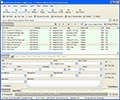
Giveaway of the day — Multimediafeed MP3 Tagger
Multimediafeed MP3 Tagger was available as a giveaway on December 30, 2006!

Multimediafeed MP3 Tagger - mp3 tag information changing tool. If you own a huge collection of music, this tool will help you organize your musical archive in a proper way. A large number of manual and automatic modes for tag editing will facilitate routine operations with tags in audio files. With MP3 Tagger, editing, filling and copying tags will be easier. You can save tags in UNICODE or ANSI formats.
Automatic wizards will help you quickly generate M3U and PLS playlist or lists (TXT, CSV or XML) of your audio files. The adjustable batch mode for tag processing will save your time when editing large amounts of data in audio files.
It takes a single click to copy, move or add information to hundreds of MP3 files.
System Requirements:
Windows 95/98/Me/NT/2000/XP/2003 Server, Internet Explorer 6.0 or higher, Media Player 9 or higher
Publisher:
MultiMediaFeedHomepage:
http://www.multimediafeed.com/id3-tags-renaming/multimediafeed-mp3-tagger.htmlFile Size:
3.29 MB
Price:
$29.95
Featured titles by MultiMediaFeed
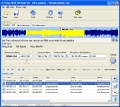
Direct WAV MP3 Splitter is an easy-to-use and very fast tool to split or cut MP3 and WAV files. This audio track splitter can quickly split larger MP3 or WAV files without recompression and quality loss. WAV MP3 cutter allows you to split, cut or trim a MP3 or WAV files and save results into new files. Direct WAV MP3 Splitter can works as an automatic MP3 splitter.
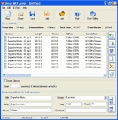
Direct MP3 Joiner is an easy and fast audio tool to combine, merge or join MP3 files. With Direct MP3 Joiner, you can join multiple music MP3 files to one larger MP3 file in just a second. You can fast merge, combine and join MP3 audio files without recompressing and without quality loss.
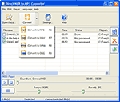
Direct MIDI to MP3 Converter is a fast audio utility that allows you to convert MIDI files to MP3, WAV, WMA and OGG formats. This audio converter can quick render the MIDI file into an audio format that you can burn on an audio CD and play on a regular CD player.
GIVEAWAY download basket




Comments on Multimediafeed MP3 Tagger
Please add a comment explaining the reason behind your vote.
iPhone app giveaways »





Android app giveaways »





This site is the best find of 2006.
Save | Cancel
#31 Site Seer:
Oh, I see. I didn't pay much attention to the comments, honestly, especially since I wasn't interested in that software. I don't recall why I peeked at the comments, but yeah... I had no use for that software (Batch files and self-made programs if I really need to), nor this one (Foobar2000 has amazing tagging abilities), thus why I didn't pay that much attention.
Save | Cancel
This software isn't anything too special.
I'd give it a thumbs down (next to the normal download of the day.)
Most of these features were available with Windows Media Player to begin with...and despite having a lot of music, I really have no actual use for tags. Sorry.
Save | Cancel
Ref: 38
> At nr. 13/30:
> You use Windows Media?
> That’s kinda like using ripped condoms…
Condoms are only for people who screw around. Besides, condoms take away the feeling. lol Nothing wrong with Windows Media Player for playing files anyway (why take away the feeling?). Although if you want to be really cool, use Classic Media Player. It is almost a clone of Windows Media Player v6.4. But allows virtually any format. :)
Save | Cancel
I downloaded this software on my laptop and it installed just fine, but I can't get it to install on my desktop computer. When I unzipped it on the desktop, I accidentally clicked on Activate instead of Setup, and now Setup doesn't run at all. Is the latter related to the former, or is there some other reason it won't run?
Also, thanks so much for all the great software giveaways. I truly enjoy opening my feed reader each day to find a new entry from this website. Not everything is useful to me, but if I find something I can't use, I can always wait until the next day. :)
Save | Cancel
Isn't this the same app as Mp3 Tag Assistant Professional 2.83 at www.assistanttools.com ?
Save | Cancel
To #13, stefaniceice
Actually, Windows Media Player isn't the same thing. Separate tag editors are for people who have very large music collections, especially when they need to do a lot of tag editing in batches. Clean and complete tags help when trying to find individual songs on audio players, and good tagging is essential for proper sorting on most players. Windows Media Player only has a very simple one-file-at-a-time tag editor that is FAR too tedious and time consuming for huge music collections.
To #15, Jessica:
Right, "time-limited" means the full registered version is free for one day just as they have been doing all along. As long as you download, install, and activate all on the same day then the program is yours to keep and will not expire.
To #16, ntyon:
Nope, this can't handle AAC. Blame Apple. They refuse to license use of their AAC format to anyone else, so if you use their format then you're stuck using iTunes for everything. Bummer, huh?
To #33, Engin Uysal:
Relax and stop scaring people, activation does not steal information. The 'activate' file is just to register programs, it isn't spyware. I run several anti-spyware, anti-adware, and anti-virus programs that are always kept up-to-date and can assure you the files offered by GOTD are clean. They scan the files several times before offering for download, but I scan anything downloaded anyway and have never gotten any alerts from programs installed from this site or their game site.
To #22, Keilaron:
Great post! BTW, part of the problem with activation some people are having is reflected in some previous day comments. People are looking for the "activate" file in the folder in which the program itself is installed, instead of going back to the contents of the downloaded zip file. Then they come back and say there is no "activate" file when the real problem is they are looking in the wrong place. If they would just look in the original zip they downloaded then there would be no problem, as there are only three files in there: A setup executable, a readme text file that repeats the directions on the site, and the "activate" file to register the program.
If you read a few of the more detailed comments from those who insist "activate" isn't there you can see that they are indeed looking in the wrong places. Most are looking in the program's install folder, and a few have actually been looking within the open program itself! A few days ago there were even a few people who couldn't figure out to SCROLL DOWN on a window that contained a registration code for a program that needed to be registered manually. They insisted there was none, they only saw a registration name but seemingly missed the scroll bar on the side of the little gray window that contained BOTH the name (giveawayoftheday) and full registration code to copy/paste.
Save | Cancel
At nr. 13/30:
You use Windows Media?
That's kinda like using ripped condoms...
At nr. 33:
Uhm... so does Windows....
But think of it like this:
If the software were to crash due to incompatibility with some hardware, then the company has the info to see where the problem is.
And if it's just hardware info, then what's the big point?
It's not like your SSN, credit card and bank info, and such stuff, is somehow grafted onto the hardware of the computer you use.
And if it was frafted on the hardware used, then it's only right someone gets to take a shot at it and wake people up :p
At those that complain about the software not being full versions:
I wouldn't call you illitterate.
You can find the keys on the keyboard to write, one who can write can read, so you're not illitterate.
Yet you can't find the things written in instructions and descriptions.
So, I'd call you lazy, greedy, grubby...
want want want, take take take, but never looking at pointers to how things work...
Blah....
On a personal note:
I've heard of this website a while back, have been checking it out on a daily basis since then.
Every day at 20:00, that's 8PM, is the time here that another giveaway is presented on this site.
Didn't yet see anything that I actually downloaded, but some things got pretty close.
This one, I'm still thinking about.
What I'm saying is, this site seems a great initiative.
Save | Cancel
Thank you GOTD for another fine software product. I have enjoyed using most every title you've offered. Each day I look forward to checking this (and GGOTD) website.
Please ignore the ungrateful posts. I do not understand how anyone could complain about this website!
Thank you again!!
Save | Cancel
Comment #33 by Engin Uysal. I think you may be confusing this with the window that pops up in one of the last giveaways, that ask for permission to record hardware and software usage; however it's only uploaded to the developers with the consumers permission. I Believe it's for R&D (Research and Development). I haven't a problem with this because if it means the software is going to be improved then it's a positive thing. Besides the use of such great free software is worth allowing this as I can turn it off if I wish.
Well said #22 (Keilaron) and I sympathize with #17's (Jack Carver)statement, but wouldn't go as far as saying illiterate, just a little ignorant; and I mean it in the literal sense, not as an insult.
Keep up the great work GoTD team. I really do enjoy my mornings every day, partly because of your efforts. I've found quite a few of your programs useful, novel and some even brilliant. I'll be purchasing most of the brilliant and useful ones when they are updated. I use Version Traker, so will probably find out relatively quickly once a new version is released, although some of the software, such as Blind Write has it's own update information, and I think is the software #33 was concerned about.
I'm looking forwards to 8 am. (10 hours away, lol)
Save | Cancel
#34 if u read my comment at the end u will notice i say..."not much use for me" and "maybe for other people"...read next time ye
Save | Cancel
@ #30..... Wow... really... there is another free program who does this mp3 tagging work as well?!? No kidding, what a news! Off course there are more programs moron! Like there are different office suits, yes.. even free ones.. but this doesnt mean we all have to go with the same (microsoft) software, one person prefers one program over the other! GOTD Way to go! Great software again.. I will give it a try for sure.
ps. no im not an anti-microsoft geek!
Save | Cancel
Activation steals your hardware information !!!
Save | Cancel
very cool!!!
Save | Cancel
Thank You GOTD team! I have thousands of songs on my computer and many are not tagged correctly. Now I can make them right and enjoy them all that much more. Keep up the good work!
Save | Cancel
hmm been looking at windows media since my last comment and sorry to say i am right...no before any of you say stop beeing greedy i am not having a pop shot at GOTD...they are doing a great job and i am full of praise for them..but this well isnt a great programe..it allows u to add pics to music files as well as add info..new version of windows media allows all of that and it wont slow my system down..sorry guys but not much use for me..but maybe for other people...well am looking forward to tommorows programme
Save | Cancel
Thank you!
Save | Cancel
Now that's useful! I've started editing the tags and entering the lyrics on all my MP3's. It'll keep me busy til next Christmas!
Save | Cancel
Does this software LOOKUP info for songs? Like album covers, adding them to the the tags, etc.?
Save | Cancel
trying to open HELP CONTEXT (F1) produces an error 25
Save | Cancel
#16 the setup wizard has mp3 and wma only
Save | Cancel
very cool!!!
thx gotd.
Save | Cancel
Great software, thanks yet again!
Save | Cancel
#19 - Let's not get hostile here, people. If you're so much better, don't go around insulting others; You're just bringing yourself down to the same level you say they're at.
#18 - You don't have to be a music artist for this to be useful. You just have to have a music collection on your computer. However, if you don't care about having your music properly tagged (e.g. correct artist name, album name, title), just skip this one. Don't insult the site owners just because you disagree with one title they offer!
#17 - I'm sorry, if people are too illiterate to figure out how to activate the software, they deserve not to be able to. The problem with Robo yesterday was probably due to the systray icon (though not necessarily, obviously), not the simplicity of the steps. It's already really, really simple:
1. Extract
2. Install (and close, if it ran automatically)
3. Activate
4. Optional: Enjoy.
I say #4 is optional because so few people seem to congratulate GOTD on their fine work (You have to keep in mind that they had to set this all up, and find software companies willing to do this!) unless someone leaves negative comments here.
(In case you missed the sarcasm: No, really, *do* enjoy the software. It was given to you for free. And while I see through the marketing that this site is meant to generate, I still do enjoy the site because it means good free software. There have been MANY titles I did not like, and you know what? I didn't complain, I just waited for the next one.)
Save | Cancel
I'm going to have to stop reading these comments. All these greedy, rude people who can do nothing but criticize. People, this is *FREE* software - if *you* can't use it there are others that can! Don't be so self-centered!
GOTD, I can do nothing but thank you for offering free software. If I can't use something you offer it makes me happy to know there are others out there that can. THANK YOU!
Save | Cancel
Looks like another good program...not sure if I'll use it at the moment. But thanks!
Save | Cancel
#17 - I am confused by your statement - literate? Is this something you can teach us about? Are you a teacher? Are you so much better than everyone else? I would never dishonor a fellow-American OR a foreigner by ASSUMING they are illiterate. Remember this: ASSUMPTION IS THE LOWEST FORM OF INTELLIGENCE, and it seems that may just be you!
Save | Cancel
Useless software unless you're a music artist. Can't you do better than this?
Save | Cancel
G'day GOTD folks! Good work and keep it up! :)
However, looks like you have to look at a systematic way to auto install and activate the app in 1 step, without any manual intervention from the users because as you can see, there are too many people who are not literate enough to perform the activation step or read the readme file, and yet blame you for releasing time-limited shareware.
This has to stop before your patience run out. ;)
Save | Cancel
Does anybody know if this app tags AAC files as well, or just mp3? It's pretty useless to me if it can only change info for mp3s. Thanks!
Save | Cancel
Is it true this is like the trial version? I don't think GiveAwayOfTheDay means that by saying time-limited offer, I just think that means we'll be able to download and install it for free only during TODAY. It's always been this way, I don't think GiveAwayOfTheDay would start offering trials or stuff like that just now. Right?
Save | Cancel
Phew, thanks for this software. I think it's similar to the MP3 Tag editor that was offered a few weeks ago. I had to do a full install of my Windows due to a disc failure the other day and was rather disappointed to lose the MP3 editor. This is a great alternative that seems to have more tasks. Thankyou very much.
Save | Cancel
dont see the point in this...organising it can be done in windows media player...i honestly dont see why anyone would need it if you use windows media
Save | Cancel
Very good program. Easy to use. Excellent layout. Needed this to help break out from the iTunes dependency.
Save | Cancel
Remember, when activating a lot of this software, you may have to turn off your firewall first. Zonealarm etc...
Save | Cancel
giveaway......... flash programs;D
Save | Cancel
its not timelimited stupido.
Save | Cancel
@6 (chackodepacko) -> No it wasn't, if you downloaded and activated RoboTask yesterday you got the full version with no time restrictions.
@4 (Visitor) -> Unfortunately you had to install Robotask yesterday to get it for free.
I haven't tried this program yet but I would like to say that the giveaways are normally pretty good, and yesterdays was outstanding!
Save | Cancel
thanks!
Save | Cancel
@ 4-> RoboTask was a time-limited Software (like this one!), so u can download the trial software anytime from their homepage.
Save | Cancel
[...] Ecco un utilissimo software per le Tag dei nostri file audio. Con Multimediafeed MP3 Tagger potrete gestire e cambiare facilmente tutte le tag dei vostri Mp3. Se avete una grande quantità di files audio questo software vi aiuterà a organizzare un archivio facilmente. Ci sono molte opzioni sia manuali che automatiche. Inoltre potete creare le playlist con un click. Adatto a chiunque, anche per i principianti. [...]
Save | Cancel
Did anyone download RoboTask -- I want a copy! :(
Save | Cancel
Before posting "it wont activate" read this.
How to install Multimediafeed MP3 Tagger:
1. Unzip the downloaded file to a temp folder (dont open it with your unzip program)
2. Open the temp folder and run setup.exe.
3. Follow the prompts (once all the files have installed uncheck launch after close).
4. Run "Activate.exe" (if you get a security warning, accept)
5. The browser should launch and say Succesfuly activated - what next?
6. Launch the program and enjoy the FULL version of Multimediafeed MP3 Tagger.
If there are any problems, THEN post in forums/comments.
Save | Cancel
Hello everyone,
You can discuss this software in our Forums:
http://www.giveawayoftheday.com/forums/topic/127?
Save | Cancel
Kool software, but I have no need to use it, thank you anyway GOTD.
Save | Cancel