Every day we offer FREE licensed software you’d have to buy otherwise.
Giveaway of the day — Extra Screen Capture Pro
Extra Screen Capture Pro was available as a giveaway on June 14, 2009!

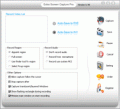
Extra Screen Capture Pro is a tool for recording any movement of your PC desktop screen. Extra Screen Capture Pro is an easy to use, powerful and lightweight screen recording program. It can capture screen activities and sounds to standard AVI video file or EXE file. If you move the cursor, launch a program, type some text, click buttons, select some menus - anything you see on the screen - Extra Screen Capture Pro will record all these, and sound from your system microphone.
With this useful program, you can demo action what's happening on your PC desktop screen. Audio can also be recorded from any source, including microphone, line-in, or speakers. Extra Screen Capture Pro is an ideal tool to make software demonstrations, develop videos for training and tutoring.
System Requirements:
Windows Vista/XP/NT/2003/200/98/95
Publisher:
Extra Software, IncHomepage:
http://www.dvdcopyrip.com/extra-screen-capture.htmlFile Size:
783 KB
Price:
$24.98
Featured titles by Extra Software, Inc
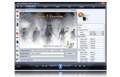
Extra DVD Ripper Express is a flexible and easy to use DVD ripper program that allows you to convert DVD movies to AVI, DIVX, XVID, VCD, SVCD, MPEG, iPod(MP4), iPhone, Apple TV, FLV(YouTube), Sony PSP, Sony PS3, WMV, Microsoft Zune Player for WMV and MP4 Video files (including Pocket PC and Mobile 3GP) without any loss of quality.
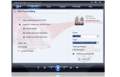
Extra DVD Copy is a flexible and easy to use DVD movie copy program. Its intuitive design gives you a one click DVD backup solution. Extra DVD Copy can copy most DVD-5/DVD-9 type DVD movies to DVD-9 (Dual Layer) or DVD-5 disks with no quality loss.
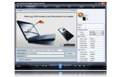
Extra DVD to iPod Ripper Express is flexible and easy to use DVD ripper software that can rapidly convert DVD movies to Apple iPod (MP4) without any loss of quality. Extra DVD to iPod Ripper Express allows you to monitor the video while ripping from the DVD at super fast speed. The quality of the output will amaze you! Now you can enjoy movies anywhere, anytime! Get your free trial copy of Extra DVD to iPod Express now and have a wonderful watching the movies you have ripped from DVD!

Extra FLV SWF Video Converter is a powerful, universal YouTube FLV, Flash SWF video- conversion and video-split program that converts video files between all popular video formats, such as FLV and SWF to AVI, MPEG, Apple iPod, Apple iPhone, Apple TV, Sony PSP, Mobile 3gp, Microsoft Zune, WMV, YouTube FLV, MOV, MP3, WMV, OGG and WAV.Idea for everyone! With just a few mouse clicks, you can convert your files. And you don’t have to be an expert to do it!
GIVEAWAY download basket




Comments on Extra Screen Capture Pro
Please add a comment explaining the reason behind your vote.

iPhone app giveaways »





Android app giveaways »





Downloaded, registered, tried it out. As a community college teacher it looked like a great opportunity. Did not turn out that way. Maybe it's just me but the lack of "help" left me a tad befuddled and struggling to figure out how to do what I wanted to do. As some have mentioned, there was quite a lag and the quality is not what I hoped for.
Someone posted a link to Wink 2.0. Went there, downloaded, now have 2 projects underway. The 2 tutorials are great, the user guide is well done, the interface is relatively easy, as are most of the options. I thank the person who posted the Wink link :)
And though I did not find Extra Screen Capture Pro to my liking, I thank GOTD for offering it.
Save | Cancel
Easy to use, installs fine on Vista with SP2.
BUT the quality of the video is poor.
Save | Cancel
This looks pretty good after a quick test. It should do the job of building the occasional tutorial.
Thank you!
Tom
Save | Cancel
What a great program. I have used it to record from the webcam and it worked fine, although the speech lagged a bit but i accept that. Looking forward to calling my grandaughter overseas (age 3yr) and ecording the conversation.
For those who can only offer negative comments about GOTD then plaese dont bother. It is good to be able to get some software and try it out for free, so GOTD keep on with the good work
Save | Cancel
OK, I did not have the XviD codec (encoder) installed before. I do see now that it does support it. I used it to capture video while watching a show in my browser on hulu.com. I am impressed with the quality of the results. Very nice.
Save | Cancel
Registered fine and easy.
In settings -> screen annotations -> Help does not work, it gives me error "Cannot find file 'C:.. etc.. Make sure the path or internet address is correct."
I hope I can get help on website. Bug in the sofware.
#33 hourglass cursor. It seems is default but can be changed to whatever you want.
thanks GAOTD!
Save | Cancel
I can't get it to record the audio my PC is making, I'm sure the microphone options work fine but I don't want to use those.
Save | Cancel
theres no digital signature. kaspersky denies it. thumbs down
Save | Cancel
Choppy video, jagged raster output... it's got a long way to go.
Not to mention it requres the dreaded .Net framework aka the .Net bloatworks.
Pro content creators pretty much all use SnagIt. $40 and worth every penny if you need good output and consistent results.
-Ricardo aka "grey and green rabbit"
Save | Cancel
First of all,thanks GAOTD. At the same time, very grateful for everyone's support. This software is very useful for teachers and professors to demo their teaching works. Our company decided that all teachers and professors can be permanently free of charge to use this software.
Save | Cancel
Used this today to make instructional videos for handling a membership database. My only complaint is that I couldn't figure out how to prevent the "stop" step from showing up in the video. I wouldn't use this for something professional for that reason.
I'd also like to have some sort of FAQ or other instructional file. The developer's website is geared toward support of problems.
Save | Cancel
I tried both Camstudio and Wink. I find this works a lot smoother with a lot less clicking--however, it looks suspiciously like Camstudio in many ways. The .exe it creates is full screen, as opposed to the smaller screens in .avi. This is perfect for showing people a quick "how to". I recorded opening a folder, opening and magnifying a pic, etc., and the total size was 233kb. The same procedure in .avi was almost 6mb. A few bugs, such as clicking the "capture" icon in the main window results in an .avi error. but, if you minimize the window, and use the hotkeys, both the .exe., and .avi work fine (except the .avi is too big). Even odder, is the apparent lack of a need to register it with the key or name. As a test, I used a fake name followed by 121212, and it says registered. This test was not the file from GOTD, but directly from their site! I ran the calendar up over 30 days, and it still works fine--now that's a bug they need to attend to. @42. You sir, are a moron. You offered absolutely nothing to the review process...No doubt, besides being full of bovine fecal matter, you are one of those extreme left-wing nut jobs who thinks Pelosi is a centerfold.
Save | Cancel
Installed great on XP SP3, registered fine.
Looks very good, unlike some of the other software, this is very aesthetically pleasing, the interface is very simple and does exactly what it says pretty well I would say and hardly any quality is lost.
If you have problems with the output format, you can use FormatFactory and convert it.
As a whole this software is really impressive.
Save | Cancel
#42, Mr. Lee, I strongly agree with #45, Terry (Canada), that your comments are extremely demeaning toward women. While, unfortunately, few women enter the computer science profession, on average, they're better than their male counterparts. Look at how many women hold serious scientific, engineering, and programming positions at NASA. As for toughness, where I live, many women run marathons, some of them are even world-class. Have you ever run a marathon? As a youth, I studied martial arts. The style and organization that I trained with trained us from day one to fight full-contact everywhere against multiple opponents simultaneously. At our tournaments, which were open to all styles but no one from any other organization ever participated in because they were afraid to fight under our rules, which were that you had to obey the instructor, you could use any part of your body to strike any part of your opponent's body, strikes had to be full-force or they didn't count, only two maiming and one killing technique were expressly prohibited (that always amused me, as all other maiming and killing techniques were implicitly allowed, although actually killing your opponent would have been frowned upon), and no protective gear was required (maybe a mouth guard, I don't remember), although you were permitted to wear whatever you wanted (if you were a male and had any brains, you at least wore a mouth guard and a cup). There were no divisions by age, gender, or weight. Matchings were randomly selected among members of the same belt level, but if you were champion at your belt level, you continued against higher belt levels until you were beaten or were overall champion. Women and girls can and did participate. A fifteen-year-old girl could have to fight a 200 lb. adult male, just as she might have to do in the real world in self-defense. Not only could one of our "little girls" kick your butt, after she kicked you full-force in the privates, then you would be the little girl.
As for the mean, bad old Fubar comments which I receive from time to time, I have a low tolerance for people who aren't willing to make the slightest effort to learn anything on their own. There were endless comments yesterday about no Help file, not being able to figure out how to draw straight lines, see what you're doing, undo what you've done, etc. The button bar only had a few items--Ruler, Protractor, Dividers (compass), Curves, Pencil, Rubber (eraser), Text, Objects, Hand, and Zoom. Hand is the usual drag the drawing region if it doesn't fit within the window, and Zoom is self-explanatory. The others, you simply click on, and it shows you your options, which generally involve moving, rotating, and drawing along them. If you can't see the result, you simply move the tool out of the way, as you would for real tools. Rubber (eraser) acts like a real eraser. To undo, simply use the Objects tool. None of this required a Help file or a degree in Computer Science. All anyone had to do was click on the buttons and select the self-explanatory options. Now, I'm not saying it was a great app, it should have been freeware and the coding and translations should have been better. But anyone who had ever done anything with a computer should have been able to use it.
As for today's comments, I stand by what I said. People think that if someone lists "Pros" and "Cons", then they must know what they're doing and their "review" must be accurate. I give short, terse, to-the-point comments, but I always strive to be accurate in what I post. The UI sucks for numerous reasons. It doesn't remember all of the last settings when you re-open it. The Record Region uses radio buttons, but upon subsequent use, for many of the options, you have to select a different option and then go back to the one you want. The Setting button requires that you go back-and-forth between the Basic and Advance (sic) settings. There are other UI issues, some of which have been mentioned in some of the comments. There's no indication of maximum resolutions associated with particular codecs, you simply get a generic error when you try to record. While you can specify a particular pointer to use (I didn't test), it fails to capture the normal dynamic pointer on my Vista PC, always showing the "busy" symbol. Now, I could have posted all of this crap earlier, but I didn't want to take the time, so I posted the relevant points, like I usually do. And I'm definitely not happy about wasting my time responding to your comment.
As for my remarks about other people not actually figuring out or testing most of this, I stand by them. This certainly isn't a great app, and especially considering the revision number, it isn't even very good. If it meets your needs, fine.
I've generally refrained in the past from responding to all of the little kids who've never written a line of code in their lives, or the people who claim to be programmers because they have a computer, telling me that I don't know anything about computers. I really don't care if everyone thinks I'm an idiot, that actually amuses me. You can tell me I don't know anything about computers and programming when you have a computer science degree and can write a thousand lines of assembly language (not that I'm recommending the use of assembly language these days) and have it assemble and run with zero errors on the very first attempt (in my book, that qualifies you as being a competent programmer).
Save | Cancel
Eh.. it's okay.
Installation and registration went smoothly (using Vista), and the product does what it says. My problem is the quality. The picture is quite pixellated and fuzzy, and the sound is filtered and there's a lot of extra noise.
Here's an example of the picture quality. I made a video of just my mouse moving around the Extra Screen Capture Pro window.
This is what it actually looks like: http://i7.photobucket.com/albums/y282/galacticon/actual.jpg
This is what it looked like in the video: http://i7.photobucket.com/albums/y282/galacticon/fromvideo.jpg
As you can see the quality is quite different.... it's darker, blurrier, and that little wavy line to the left of the menu is so pixellated.
Here's an example of the picture and sound quality. I just recorded a youtube video.
This is the original video: http://www.youtube.com/watch?v=SkzV5AIK8iM
This is the recorded video: http://s7.photobucket.com/albums/y282/galacticon/?action=view¤t=youtubeavi.flv
This was on Record Use System MCI. (I'm not a computer guru, so if it weren't for process of elimination I wouldn't have known that Record Use System MCI was the same as "record the sounds coming from the computer".) Extra Screen Capture Pro recorded the empty noise... that was a big con for me. It seems to have recorded a bunch of little extra sounds too. I'm not sure if they were sounds from real life (that is, not coming from the computer), because that would be even worse--that means there's no way that I can record sounds purely from the computer. And if they weren't from real life, then that means it just adds random sounds in. :/
I also wish it would allow me to save in other file extensions than .avi and .exe. (My video above is actually .flv... I have no idea how that happened.) I've never even heard of videos with .exe extension, because .exe is usually reserved for programs. I didn't try making anything in .exe, though. I wish I could save it as a flash video, or .mp3, or even an animated .gif. While in reality I suppose I would only ever need .avi, it just seems kinda limited. I also wish I was able to record just sounds, and save it as a .mp3. (But given the cruddy sound quality, I guess I wouldn't have used that feature anyway.)
To stop recording, you need to press Save. I wish I could edit the video before immediately saving. For instance, because I didn't know about Hot Keys (which, btw, is in Settings > Advanced Settings), I had to open up the window in order to stop recording, and it would record me opening the window (as you can see from my video above). In order to remove that bit at the end I'll need a video editor, which I don't have. :/
Also, the mouse always seemed to be that blue circle that Vista has when something's loading, and not the white arrow. Not a huge problem, but still.
Finally, the website didn't help much. Their guide on how to use it is obvious and blunt, and the coding is a bit off, so most of it is barely legible (using Firefox 3.0.11). But I figured everything out on my own eventually, so I guess it's not too much of a problem.
Overall, I would rate this a 5/10. I'm going to keep it, but only because I have no alternatives (and I'm too lazy to try out the free alternatives right now). I wouldn't recommend it, because I feel like it's very easy to find a good, free replacement.
Save | Cancel
Seems some are linking alternate "free" offerings and havent yet tried this giveaway program..
Some of those Free programs just dont stack up to recording avi and exe screen captures..Give this one a go first, then come back..Caio..
Save | Cancel
It installed just fine, but the video it made was jerky. The video captured was useless as a result. Thanks, but I'll stick with Fraps.
Save | Cancel
Very nice little program: THUMBS UP!!
Free (and even better) alternative: BB FlashBack.
Full (missing) Ashraf's review with screenshots of this little gem can be found here:
http://dottech.org/featured/6533
The Open Source "CAMSTUDIO" is also very good FREEWARE ALTERNATIVE along with "WINK" and "JING".
http://www.softpedia.com/get/Multimedia/Video/Video-Recording/Camstudio.shtml
Enjoy!!
Ciao
Giovanni
Save | Cancel
This is pretty cool! Tried it a few times; one peeve though is the cursor default is an hour glass. Going to advance options does let you change it to any cursor you want, but you have to go there everytime you open the application to set the cursor up. The other thing too, just realized .avi's can get quite big on size the longer your video. :P Otherwise, good video capture option! Thanks GAOTD!!
Save | Cancel
Extra Screen Capture Pro could be a good choice if you don't want to pay for a more sophisticated app, like one of the TechSmith (Camtasia etc) products. If you spot one of their older versions given away grab it. For something with a different look, experience, & result, look at the free Wink, which allows you to do a presentation or tutorial without often useless video -- you don't need video of a static screen while you explain something, do you?
Extra Screen Capture Pro uses the older VFW (Video For Windows) that Microsoft's been trying to kill off for years. This gives you access to older codecs & such, but limits the app & it's relative speed with more current video software & hardware you might have installed. While it does work, it has the bad habit of recording your video wherever, only allowing you to specify the location when saving afterwards -- this not only causes an unnecessary (perhaps lengthy) step, but prevents you from choosing a prepared drive, one that has enough space for example. It also doesn't have any way to precisely size your capture window -- many of the mp4 type codecs require a specific ratio, & strongly prefer even tighter constraints... you might for example want to size both video height & width to something divisible by 16. Regarding audio, you're not given the choice to record at or with a sampling rate of 48, which is the default, native format for a LOT of hardware... that's an extra step that your hardware or drivers have to perform (& may not perform well).
If you do give it a try, head over to videohelp.com &/or doom9.org for a VFW capture codec if you don't have one already... Something like PicVideo mjpg works very well. If you want to record audio at the same time, setting your audio card / chip default to 44.1 from 48 (when you can) *might* help in some cases... for narration you'll almost always get better results adding the audio as a voice over later, but that can be a bit of work. Think Creative... you don't have to use screen capture the normal way like everyone else -- record a window with you typing or drawing, then use a video editor or the free CineGobs for color keying, overlaying your typing / drawing on top of your video or stills. Could be a nice effect for those slide shows. ;-)
Save | Cancel
Thanks GOAD!!!!
My parents do not know how to use some of the programs and installations in the PC. I wanted some thing which is easy to use and at the same time to be more efficient and powerful - Bingo..I got the one of a kind.
There could be outstanding other alternatives, But I have used this and I am really felt very good about this.
I am very happy about all of its features - Light, very small, clear in what it is for.
Like said- the registeration button is still on - I am a developer too and I know its not a big deal to fix it.
Guyz - Dont creep that GOAD is not doing good. I have had so many good sw from GOAD, which were lost due to formating. Now, started with this one.
-Selva-
Save | Cancel
Works fine on Windows 7 RC 64bit, but just don't close the capture window through the window preview in the superbar, as the program will go crazy and crash.
Save | Cancel
Nice program for recording, but one problem.
It doesn't record audio from speakers.
They claim it does.
Has anyone else been able to record speaker audio?
Save | Cancel
Fantastic program and thanks! Installed on Vista Ultimate SP2 no problem and is working like a charm. No probs with anything.
Save | Cancel
#42 what male or female has to do to comments? By the way, "Mr." Lee, how old are you?
Installed and works on Windows XP SP3,no problem. The captured video is fuzzy but acceptable.Very easy to use!
Save | Cancel
#54 (Sue) - Select 'use cursor from file' instead & choose one from there. You have to do this before every use, as the program always defaults back to the hourglass... Must be a bug... Hope that helps
Save | Cancel
Program installed with no problem on Windows XP (updated to date). Ran the program with no problems at all for capturing sound and video saving to an avi file. I recorded some live365 radio to test it. It was able to record the sound from internal - not from speakers only as with CamStudio (maybe others don't have this problem with CamStudio - I can only record with the microphone and it has an error when I try to select the speakers input).
The screen frame setting worked fine as well. The full screen option also worked fine.
The trouble was with trying to make an exe file. I tried various options, all with errors. When I cjecked the files in the folder that ultimately saved (e.g. test02, Test03) the files did save and work, it just would not include the sound in this setting.
Without the exe option, I still give it a thumbs up - thank you GOTD.
Save | Cancel
Not bad. It has a bit more than my CanStudio.
Pros:
• You can choose whcih codec you want to use from what you have on your system.
• Installs super fast. Installed and registered and runs fine
• You can choose what cursor you want for playback. (If you have the AWIcons program from a prior giveaway you could even make your own custom cursor.
• Doesn't peg my system during use as CamStudio Does
Cons:
• The blinking of the cursor while recording is extremely annoying
• Doesn't remember the last folder you saved in, always defaults to saving in it's own folder
• Doesn't remember the last codec setting and re-sets to the default
• When you bring up the settings box, there is no way to close it
• Doesn't output to .swf like CamStudio, (but you can convert using one of the many converters of converters offered here)
• While it didn't peg my system during recording, upon closing the program my system has slowed to a crawl, and I am going to have to re-boot.
Save | Cancel
#1, #14, #20, #28: This is free too.
Save | Cancel
Thx but i would prefer the free BB FlashBack Express 2 Recorder
Save | Cancel
I need to amend my previous statement (#43). I could not get the sound and video to sync on my desktop with XP SP3. I believe that perhaps my video card is not good enough. I loaded it on my Vista laptop which is more powerful video-wise, and it worked perfectly.
The only thing I do not like is that the final product displays the timer cursor instead of whatever the actual cursor is. For example, I tried to make a Photoshop demo, but could not see the Photoshop tool cursors in the final video. I had "Use Actual Cursor" selected under the advanced setting. While recording, I can see the actual cursor, but it does not appear in the final video.
Save | Cancel
Installed easily on my Windows XP SP3.
Size is very interesting.
It seems to be a very light application on CPU requirements.
I will try it and , maybe, keep it.
Save | Cancel
45- Why bother stating that you are a woman? Seems full of sexism to me.
37/41- You have to click and drag the cursor to choose the area you want to capture.
Everything went smooth for me, this'll be replacing my HyperCam.
Save | Cancel
RE: comments about audio / video sync problems...
Audio & video use different clock speeds very literally. There are truly large numbers of issues that can crop up, some of them hardware, so sometimes the most effective way to deal with sync issues is after the fact. Since audio & video are totally separate tracks, audio can be shifted either way (towards the beginning or end) pretty easily, though it is much easier if the video is in an editable format. Virtual Dub is very fast at this using Direct Stream Copy, but you have to specify an audio delay (+/-). An editor with a timeline is easier -- you just shift the audio track & listen to the results, then render (save) the edited audio. If your audio is always off by the same amount, using Virtual Dub's direct stream copy, shifting the audio by that amount, is quick, easy, & straightforward.
A 2nd, more serious type of sync issue has the audio go more & more out of sync as the video progresses. At that point many people quite reasonably bail out. If you encounter this & want to give fixing it a try, normally the audio track's total length is off, so it has to be either stretched or shrunken, without altering pitch. Sony's video software can do it (the reason I switched to Sony software years ago), and so can the orig. Gold Wave. I think some of the recent GOTD audio apps could do it also.
In the 3rd type of sync problem, sync goes all over the place... it's not off by a fixed amount & it doesn't progressively get get worse. While it is indeed fixable, most sane people are fully justified in simply pressing the Delete key on your keyboard. ;-)
Save | Cancel
This software is awesome. But I won't let me save my videos.
Save | Cancel
For those with TV cards / tuners, Do Not use *any* screen capping software to record what you're watching -- use capture software that works with the incoming signal & not the display. It may work, but it's like printing a web page, then taking a picture of it with your digital camera, when you could have just hit the save button in your browser. Screen capping anything is *only* for stuff you can't save otherwise.
When you're capping (capturing) video, Not All Video Formats Are Equal. Some are MUCH faster than others -- some are higher quality -- some are made for editing. Mjpeg is good, or DV, or an old standby HUFFYUV, if you want something fast that allows editing [every frame is a complete [key] frame]. Mpg2 is semi-common. Mp4 types, like h.264, wmv, even DivX (which is pretty fast), and Flash video should be encoded using multiple passes -- there's little reason to even try to use them for initial capture unless you're streaming live at the same time.
How fast your PC is (or isn't) has very little to do with anything -- people were capping before Intel released the original Pentium. What can hurt is some other software, processes, & services running -- some can interfere with the flow of video data to your hard drive(s) -- so if you have problems, try shutting some of this stuff down. In the past I've found problems from software you'd not likely suspect, like mouse or keyboard software -- not drivers, but things like MS intellitype for the special keys.
If you're doing tutorials, please remember that full-motion video is not always the best choice, but it does make for the biggest files. At the least you might want to drop the frame rate -- does your audience really need to see your mouse cursor move at 30 fps?
Save | Cancel
Even though this is not for me, it still gets a thumbs up from the serious reviews today.
Save | Cancel
SWEET Two days ago I was hoping something like this would pop up on GAOTD! I'm an online professor and frequently have retired folks who are interested in getting their masters, but struggle with the online interface. This will allow me to develop tutorials for them easily and quickly! Great program!BTW, I originally got an "unable to create avi file error" when I tested the program out. Once I changed from "appoint region" to "full screen" it worked fine.
Save | Cancel
#42.....Mr. Lee .....I am a huge fan of FUBAR and GOTD; a person being a little condescending is fine by me, but your obvious chauvinistic attitude to women is deplorable and far worse than anything that FUBAR has ever said (I am here everyday, thanks GOTD!). On behalf of women everywhere I give you an infinite number of thumbs down! I am a woman, and I have never felt insulted on this site until now...SHAME ON YOU!!
Save | Cancel
#28 If you got Hypercam for free you stole it.
The web address for Jing is http://www.jingproject.com/ , not jing.com.
Save | Cancel
The audio and video are out of sync in the completed AVI file. I've removed it from my computer.
Save | Cancel
Comment #18 >Fubar... Are you a woman? I ask because you seem like a little girl "on the rag" lately with your comments. Sometimes your comments are helpful, however lately, your comments are arrogant, condescending and rude. Not everyone that visits this site spends every waking moment sitting in front of a computer. Perhaps they are skilled in other areas, that you have limited knowledge. They may be a carpenter, an auto mechanic, a plumber, an electrician, etc., etc. Are you an expert in these fields as well? Why put people down and insult them. How about a little patience and common courtesy? There will be a time in your life when the shoe will be on the other foot. Learn the "golden rule" and live by it. You'll be a happier, more rounded person. Have a good day. --- Mr. Lee
Save | Cancel
There seems to be a problem with this software running on Windows XP SP3, when I use the default selected "Appoint Region" option it says error unable to create avi or exe... If i select full screen works perfectly...
Save | Cancel
I've used another screen capture program and the video was not as good. Like the quality of this one. Worked on my Vista 64bit (Quad-Core 8GB RAM and 512MB video) just fine. Did notice that while setting the record region with the Vista Sidebar running the screen shifted the width of the sidebar to the left and shifted back when the recording started. Overall I like this program and give it a thumbs up.
Save | Cancel
I think this program is quite good for all basic recording needs, it has a nice interface and it's very easy to set up the recording window and start recording.
My only major complaint about this program is that it produces highly choppy video. While recording, the CPU usage is only around 20-40%. It would be very useful if the program could be allowed to fully utilise 1 cpu core (or more if the encoder can use them), because it really isn't a big problem today when most of computers have 2+ physical CPUs. Right now, it seems that i'm getting only 4-5 frames per second @ 640x480 resolution.
Apart from that, it's a well made program and it's got my thumbs up.
For all the users that complain about bad quality: DON'T USE THE MICROSOFT VIDEO 1 CODEC. Most of you probably have other codecs like divx installed on your computers, use them. It can all be configured under advanced settings: codec, quality and encoder-specific
settings are all there. There are also many options for different audio formats.
@ #33: you don't have to click save to stop capturing, you can set shortcuts for starting and stopping the recording under advanced settings
Save | Cancel
To close the setting window you must to change from :advanced to basic settings.
Save | Cancel
WIll not run XP Pro SP2: Error AVI can not be created.
Save | Cancel
Drat. It looked good but just gives me an error message. I'll try one of the recommended free programs instead.
Marie
Save | Cancel
This looks pretty good, how does it compare to Camtasia?
Save | Cancel
REQUIRES .NET FRAMEWORK!
Save | Cancel