Every day we offer FREE licensed software you’d have to buy otherwise.
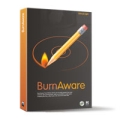
Giveaway of the day — BurnAware Home Edition
BurnAware Home Edition was available as a giveaway on March 24, 2008!

BurnAware allows you to easily perform the most common disc burning operations: write to all CD/DVD media types, including Blu-Ray (BD-R/BD-RE); create and burn disc images; write multi-session discs; verify the integrity of files; burn your compilations directly on optical media, without having to wait for hard drive staging first and much more. Its proprietary burning algorithm provides the highest level or fault-tolerance, error-free burning and data integrity.
Unlike the basic free version, the Home Edition writes data discs with additional options (data mode, label, date, etc.), creates bootable discs, creates ISO images from discs, supports ISO/UDF/Bridge file systems and CD-TEXT for Audio CD’s.
System Requirements:
Windows NT/2000/XP/2003 Server/Vista
Publisher:
GloryLogic Software CompanyHomepage:
http://www.glorylogic.com/overview-home.htmlFile Size:
5.75 MB
Price:
$33.00
Featured titles by GloryLogic Software Company
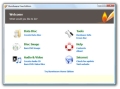
BurnAware allows you to easily perform the most common disc burning operations: write to all CD/DVD media types, including Blu-Ray (BD-R/BD-RE); create and burn disc images; write multi-session discs; verify the integrity of files; burn your compilations directly on optical media, without having to wait for hard drive staging first and much more. Its proprietary burning algorithm provides the highest level or fault-tolerance, error-free burning and data integrity. BurnAware Free Edition has a modern interface and supports Windows NT/2000/XP and Vista (32 and 64 bit). The application is free and contains absolutely no adware or annoying banners.
GIVEAWAY download basket




Comments on BurnAware Home Edition
Please add a comment explaining the reason behind your vote.


iPhone app giveaways »




Android app giveaways »





Installed this on the giveaway day. 8 burnaware exe files (burnaware.exe, burnaware_audio.exe, etc.) in the burnaware directory are all coming up as infected with Klone.P virus using AVG. Nothing else on PC found. Uninstalled. Whiskey Tango Foxtrot?
Save | Cancel
This is a while after this software was offered 18 May 2008 and AVG has detected that it is trying to install a Trjan (Klone) on my system. This may not have had any spyware/malware on it at the beginning, but its poorly written program is now prey or accomplice in hosting Trojans. Avoid installing this.
Save | Cancel
BurnAware works great!after testing I dumped Nero 8
Save | Cancel
I downloaded installed, and after 24 hours is just the trial edition. Of course I use the activation file. I am very dissapointed
Save | Cancel
Hi.
I try this software .Its having great n on going style very easy to use.
I also having one problem. I already install it but its giving me only 15 days trial to run more I need to upgrade it?
Any one facing this kind of problem?
Anybody having the solution about this?
Save | Cancel
Follow up to #107 - I noticed after posting my comment that there is actually a "Refresh" button next to the dropdown list. It has a couple of green arrows on it.
Save | Cancel
I was looking for an easy cd and dvd burning programe.I burned an audio cd as soon as I got the programe.The programe is easy to use and works great.my only concern is when you have to reformat that you
lose all these great programes.A real shame,or is ther any way to keep them.These programes are a real help and have been so useful,such a varity,would hate to lose them.
Save | Cancel
re: #100 Christina - I had a blank CD in my burner and BurnAware was not "seeing" it. I selected another drive from the dropdown list and then went back to the drive with the blank CD in it. This seems to have "refreshed" the drive in BurnAware because it then saw my blank CD. I hope this solves your problem.
Save | Cancel
I installed it and it tried to burn for 83 minutes, and wouldn't cancel. I ended up rebooting the computer and throwing the disc away.
Save | Cancel
Ah, but I just guessed the key, try (case sensitive) "Giveawayoftheday.com"! I'll just thank them for using a logical key name and pat myself on the back for guessing it. Now I'll try burning CD's for the first time ever on my own computer! I've worked in tech support since 2001 and owned a CD burner for 3 years--complicated, pathetic circumstances kept me from getting all the pieces together. Thanks GOTD!!
Almost--I just tried adding a single file to a CD-RW disc that already had files on it and it failed to burn the new file. First, upon clicking "Create standard data disc" showing an "Access violation" error message twice, the same message. Second, on one of the 3 attempts I made, it did not read/show any of the existing files on the disc, which I thought meant it might have wiped out the disc's directory--but Windows Explorer still read/recognized the existin files. Third, when did a writing pretest, it only completed the test and did not move on to the actual file burn! Fourth problem, it started but failed the file burn 3 times.
Overall, layers of problems with the multisession data disc scenario!
Save | Cancel
I noticed people claiming they couldn't create audio CDs with MP3 files and others that said they could. So I tried it and had no trouble adding MP3 files to the track list. However, songs of less than 5 minutes in length were listed in the BurnAware Audio tracks window as being about 15 minutes long?!
On my other computer, I tried adding WAV files to the Audio CD list and I found that BurnAware couldn't open some of my WAVs. This makes me think that the "can or cannot add an MP3 track" issue might depend on the individual MP3s being opened rather than being a case of it works on some computers and not on others.
As many have noted, this offer came with a year of free upgrades so, hopefully, the developers will read these comments and figure out why we're having problems because their application has top-rate potential.
Save | Cancel
Installed with no problem (Windows XP MCE SP2). I used it to create an ISO image of a game CD-ROM (about 280 MB). It took about 5 minutes. Then I burned the ISO to a blank CD, limiting the speed to 4x (because my burner has issues). The burn completed successfully in 9 minutes and the CD is recognized by my computer.
It's been my experience that when one application can't deliver there is often another similar application that can do the job. I use ImgBurn but I'll hang on to BurnAware - just in case.
Save | Cancel
Downloaded and installed great on windows vista home edition. I burned 2 DVDs and everything went just perfect. Easy to use. Nice little program Thanks GAOTD. No problems at all. Easiest thing I have done all day. Have a great day everyone
Save | Cancel
This software is awesome! I've been trying to burn a video file to cd-r for 3 days and keep getting an error message that the disc could not be sucessfully burned due to an error! I've wasted several cd-r's due to this. It worked sucessfully on the first try with this great software. Definately a keeper! Thanks GOTD, and keep up the good work!
Save | Cancel
Downloaded easily, however I couldn't try it because even though I had a disc in my drive, it popped up with a box that said "no disk in drive". I'll have to troubleshoot my drives, but so far both are working properly according to device manager. Maybe I'll be able to try it when they are up and running again.
Save | Cancel
Not to ba an alarmist but I use all paid security programs.Spy Emergency 2007 detected Worm.Win32.Kidale in the activation exe.
As much as liked this opffering, I killed the worm and uninstalled the software. After quaranteen of this detection (real or false positive) my full version reverted to a 15 day trial. Make up your own minds but I just can't take the chance.
I to use Nero and loved it up until version 8 so I'll stick with the last of version 7 hoping the issues in 8 are resolved.
I agree with Charles,. Ashampoo Burning Studio has too many burn errors when writing data DVD's. If I owned it, I'd give it away too.
Save | Cancel
GloryLogic says: Writes Audio CDs from WAV, MP3 or WMA files.
#75 says: I’ve burned a CD using the same MP3 files with BurnAware Home and the resulting CD tracks are flawless.
But BurnAware Home tells me: "Cannot add track" when I try to add MP3 files. It accepts WAV files.
GloryLogic Forum (updated 10 Mar 08) says: Q: My MP3 files can not be added (Error message: Cannot add track). Why?
A: This is a problem with current burning engine. I'll change it to another and this issue will gone.
I would appreciate advice.
Save | Cancel
@53, @84: Be sure that Activate.exe isn't getting refused internet access by ZoneAlarm or some other firewall. Check the Remember this" box and click [Allow] in ZoneAlarm when the permissions dialogue pops up, for example. Try again with that in mind.
Here, I downloaded, activated, installed, and ran it without issues. Here's hoping in can write to the DVD/CD-RW in my oddball HP Pavilion that neither Win nor HP can write to without making 100%coasters :-) .
Save | Cancel
I received an error in installation saying it couldn't rename some file. I restarted computer, unchecked the quicklaunch icon, just in case, and it worked. Can't try it now.
Save | Cancel
This is an awesome program and has very fast burning speed. Thanks alot!
Save | Cancel
It does do MP3 data very fast but I'm looking for something that burns WMA files besides MS Windows Media which has a bug in it . Yesterday's cool edit did not edit WMA files either.
Cheers
Save | Cancel
Just a thought or two please.
1) I have a license for Ashampoo Burning Studio 6 & 7. I use neither.
They have overstepped their bounds in these offering, who cares?
Anyone wanting either can leave a comment to me with an email and
I'll be happy to give you mine. Way to many burn failures in data
DVD's for me to use either. I'll stick with "Nero 7", thanks!
2) I'b be willing to bet it's a false positive but my AS app detected
a worm after this install. Deleting said worm also deleted my
license for this app. Sorry, I forgot to write the name down.
Anyway, my "BurnAware Home Edition" is gone. To bad really, It had
promise. Not to be alarmed, I could find nothing on it with a
Google searc
Save | Cancel
Seems lika a very good program. The only problem I had was with using multisesssion. In the first session I wrote about 3 Gig of data.
In the second session added another 998 mb of data. Now the size of
my DVD is reported as being 998 mb.
Save | Cancel
I was rather disappointed by this software. I had high hopes for it as an alternative to Nero, but with a lighter weight and function. Instead, it took me 19 minutes to burn a dvd at an average speed of 3X. I chose maximum burning speed when it asked, but I was disappointed when I saw that number. I usually use Imgburn for my dvd's. It has a nice light weight application. I will try this program for my next cd, but I am not really hopeful. One plus that this program has is that it is very easy to set up the burning process. Thanks for the program GOTD. It may still have a use, but I like what I currently use better.
Save | Cancel
Activation module doesn't work for me.
I don't know if it is a give away. 5 hours left for the day to end.
Save | Cancel
This burner seems simple and easy to use, does the basics. Personally I have been happy with Starburn even the free one.
If only I could find one that resizes for free like Nero I would be set.
I have also tried that Ashampoo burning studio but it seems to burn a lot of coasters for me.
Save | Cancel
I use ImgBurn and it does everything that this does including burning audio CD's, so i don't think i have any use for this one.
Save | Cancel
I've been using InCD for writing stuff to disk that I can take over to my kids computer and install stuff. It lets me rewrite as though it's a floppy.
However, I have to also install NERO which I really don't like.
Can anyone tell me whether BurnAware will do the same thing as InCD?
Thanks for the help. I guess I'm not a lurker around here anymore LOL.
Brew
Save | Cancel
Thanks Crypt and G for the info.
Save | Cancel
Made a DVD Video disc - no problems
Checked out the forum and this link is interesting if you burn images to multiple discs (it's kind of an addon...)
http://glorylogic.com/forums/viewtopic.php?f=16&t=62
The only thing I'm not sure about is whether or not the burn was actually verified (seems that it verifies as it writes _that's how it sounds from the product description). It does not say that it's verifying in the burning dialogue box. Anyone have an answer for this?
Thanks GAOTD and GloryLogic!
Save | Cancel
same as # 53. downloaded unzipped and extracted. read the "readme" file then ran "activate". that program just hangs on my screen. after a couple of minutes (thought it would do something)ran set up and installed the program. told me it was a trial version. Did this whole process a couple of times with same outcome. Any suggestions?
Save | Cancel
I have searched long and hard for a simple command line burner (for BAT file use) that will take a list of files and/or folders and burn them onto a CD/DVD on a folder that I specify.
Any ideas?
Save | Cancel
A more interesting question is whether a Blu-ray DVD player (which can also play regular DVDs) will play hi-def video if you write the blu-ray structures to a regular DVD... obviously it won't hold as much, but we used to do the same thing some years ago by writing regular DVD structures to CDs and playing them and that worked real nice on a lot of players... I have a hi-def camcorder, so I would be quite interested in burning hi-def DVDs even if they could only show 15 minutes worth...
Save | Cancel
It's almost like fate, today i downloaded fedora 8, i assumed my cruddie free iso burner would work, no luck i download this and it was an easy to use powerfull iso recoredr best ive ever used TY SOOO MUCH GAOTD IT IS AMAZING AND I APRECIATE ALL YOUR WORK!
Save | Cancel
Burned a CD, worked great and was very fast!
Now the test will be how it performs burning a DVD....
Save | Cancel
"Question:
Can a regular computer dvd recorder burn and play a blu-ray format and does it take a blu-ray disc?
Can we see a blu-ray movie from the store on a regular dvd player built in the computer?"
Nope.
a regular DVD player in a computer cannot burn and playback Blu ray
You'll need to buy a Blu ray writer/player from the store. they are not as cheap as regular pc dvd drives
Save | Cancel
Thanks to GAOTD. To #'s 9 and others, this program does appear to be based on Starburn. However, burning a disc works more efficiently with this program on my weird drives, and it doesn't install a SCSI passthrough driver (which gave me a lot of trouble before a recent reformat), so I'd say that it's only partly based on SB. Hope that this helped. All in all, this is a very nice program.
Save | Cancel
Like Browsers, there are many contenders in CD/DVD the burning field, The problem they all face is that OEM versions of Nero or Roxio are given away like confetti with every DVD burner purchase, but as Nero won`t let you upgrade from an OEM version, Programs like this are in with a fighting chance,it`s also a name I`ve heard of, and I`m also familiar with Deep Burner& Ashampoo alternatives.
My Preference is for the full version of Nero and I use the DVD player & slideshow maker but for smaller burning needs todays program would seem ideal
Save | Cancel
Downloaded and installed. No bloatware with this program, just pure functionality. Many times when compiling an audio CD from MP3 files using Nero, the resulting CD tracks have annoying skips during playback. I've burned a CD using the same MP3 files with BurnAware Home and the resulting CD tracks are flawless. I'm happy.
Save | Cancel
O-K, I gave this a quick test (as burning an Audio CD using Nero from an album of MP3's resulted in the first track being silent)
The result was perfect, Around the same speed as Nero but without the silent track appearing always on Track One!
Even Starburn gave me the first silent track but this offering worked perfectly first time.
Definately one for keeping as it does much more, I've only used a small part of it and VERY happy.
Thanks again GAOTD.
Save | Cancel
I guess it worked as designed but I was looking for a program to make a dvd from my mpeg2 files that I can play on a standard dvd player. This program did a great job of burning the file onto a dvd, but it is still a mpeg file. Anyone know of a free one? I guess I need some kind of authoring software?
Save | Cancel
Ashampoo Burning Studio 6.6 (gets given away free to all every so often) has issues with certain types of buffer underrun protection; It is not reliable on my Asus 18x burner.
@Keri coleman- also burn .EXE files to disk?
Yes, in a data-mode compilation.
@Skye-hook- “Options- Boot File Path (WHAT??) and “Emulation version”. Again, WHAT??
A bootable cd/dvd needs a bootable image to place in the boot block, and needs to know the method the target computer is going to be expected to 'see' it as, for example a virtual floppy-
see the Australian Bootable CD FAQ
@Lyn- Can a regular computer dvd recorder burn and play a blu-ray format and does it take a blu-ray disc? Can we see a blu-ray movie from the store on a regular dvd player built in the computer?
no to all the above, sorry.
Save | Cancel
I have the same problem as #30 "All this does for me is to produce a popup saying “There is no disk in the drive,” despite the fact that there is, indeed, a disk in the drive." I also tried downloading and instaling the CDBurnerXP program that several have said is similar and is also freeware. Same problem "no disk in drive" I tried threee different blank disks with each system. None worked. No idea why either program wouldn't burn.
Save | Cancel
# 59... That is not true that Ashampoo Burning Studio 6 is only for schools. It is free for everyone. I know because I received it. The only catch? They will ask for an email address to send a serial number to unlock the program. They would not accept my hotmail address. After that I received a lot of offers/spam from Ashampoo. To be fair to them I was offered discounted prices on their programs and I bought several of them. As for this program it is also a decent program. With the year of free updates it seems to be worth a download.
Save | Cancel
I have tried both sites for downloading, but I keep getting an "Application Not Found" Can anyone help?
Save | Cancel
Thanks GloryLogic and GAOTD. Nice tool. The freeware version is endorsed by MajorGeeks who are high in my book, so this can only be better (it is!).
#59 If you would have acutally looked at the page you would have found a banner on the right side which says Burning Studio Free Full version. If you click on the banner it will redirect you to:
http://www.download.com/Ashampoo-Burning-Studio-Free/3000-2646_4-10776287.html
On that page you can see that it is offered to anyone with no limitation. No mention that it's only for schools.
Burning Studio does everything this software does and besides ISO it also does CUE/BIN and ASHDISC (Ashampoo's alternative to CUE/BIN).
It's a nice alternative for those that miss out on today's offer or whish an alternative.
Save | Cancel
OK, what I want in a CD ripper/burner is something that will rip a CD to either MP3 or wave and burn audio CDs with CD-text included that can be read by my jukeboxs and car deck. I want to be able to access Gracenote, CDDB, or Freedb to get ID3 tags for MP3s that don't have them and have them converted to burnable CD-text. Finally, I want the ability to edit either the ID3 tags or the CD-text info before the burn.
I have software that can do parts of this but nothing that can do it all.
Suggestions?
Save | Cancel
#53
Read the Readme file and do as it says. If there is an Activate file separate from a Setup file, you usually have to run it first, but you can run it again after and it won't hurt - just may not help. Activate will be the file that "registers" the software for you. (Sometimes, Activate is included in the Setup file.)
Save | Cancel
For #59 The free version is here:
http://www.download.com/Ashampoo-Burning-Studio-Free/3000-2646_4-10776287.html
You wrote:
Paul said:
Ashampoo gives away a free licence to their Burning Studio 6. Worth $19.99, and from what I can tell has all the functions that BurnAware has…
If you’re referring to this: http://www.ashampoo.com/frontend/homepage/php/pressindex.php?pressitem_id=327&session_langid=2 - it’s only for schools.
Comment by g — March 24th, 2008 at 12:41 pm
Save | Cancel
For the average person with few needs other than basic copying, should I stick with the WMP in my Vista Ultimate? Why isn't that good enough?
What would I find I wish I had -- just after the download period has expired? LOL
Save | Cancel