Every day we offer FREE licensed software you’d have to buy otherwise.

Giveaway of the day — AVS DVD Copy
AVS DVD Copy was available as a giveaway on June 1, 2007!

Simple and intuitive interface, a variety of hot features and supported media types make AVS DVD Copy a most convenient and demanded software to make home video DVD copies, create DVD discs for home DVD Players and perform other burning tasks.
Features:
- Copy personal home video in the original quality. Make a quick 1:1 copy with only 2 button clicks easy as 1 2 3!
- Create your own DVD disc for home DVD Player. Burn DVD-Video files available on HDD directly on a DVD disc and watch a movie now in home DVD Player. All major media are supported: DVD+/-R, DVD+/-RW, DVD-RAM, Double/Dual Layer DVD;
- Make a new copy out of rubbish disc with corrupted structure. Restore any disc that no longer plays in your home DVD-Player and enjoy your favorite video again year after year;
- Write your data to CD, DVD and even Blu-ray Discs quickly and easily with AVS DVD Copy;
- Select what to copy: only the video or the entire personal DVD together with menus. No audio and video quality loss!
- AVS DVD Copy will automatically set the best video and audio settings and compress DVD to fit the disc if the size is too large!
- Make personal music CD copies! Use all-in-one tool for various backup needs!
- Copy your home video DVD to PC and burn it later whenever you want, as many times, as you need. Make an image of your personal video and save it on PC;
- AVS DVD Copy supports CD-R/RW, DVD+/-R, DVD+/-RW, DVD-RAM, Double/Dual Layer DVD and the latest Blu-ray technology BD-R and BD-RE;
- Use any CD/DVD recording drives, the software, designed and tested for IDE, SATA, SCSI, USB, and Firewire drives, works easily with most of them.
NOTE: AVS DVD Copy does not allow to copy copy-protected materials.
System Requirements:
Windows 2000/XP/2003/Vista (no Vista 64-bit/Mac OS/Linux support); Processor: Intel/AMD compatible at 800 MHz or higher RAM: 512 MB or higher; Disc Drive: CD-RW, DVD-ROM/CD-RW combo drive, DVD-R/RW/DL; DVD+R/RW/DL, DVD-RAM, BD-R/RE drive; Microsoft DirectX 9.0c or later; Administrative permissions for program installation and registration
Publisher:
Online Media TechnologiesHomepage:
http://www.avs4you.com/AVS-DVD-Copy.aspxFile Size:
15.8 MB
Price:
$29
Featured titles by Online Media Technologies
Rip and burn DVDs, convert video, split, join, edit, rotate, apply effects, transfer, copy! ALL KEY FORMATS ARE SUPPORTED!
AVS Video Editor helps you create Hollywood-like home videos with little prior computer video experience. Helpful tips guide you through each step of the process. Creating great video productions is now a hassle-free task with AVS Video Editor (even for beginners). Supports virtually all video formats.
Edit MPEG files without re-encoding. Cut unwanted parts and remove TV advertisings from DVDs or video files recorded with various PVR, DVR & DVD camcorders. Our scene detection algorithm saves your time by scanning video and splitting it into episodes. Leave the scenes you need, delete the ones you don't.
Watch and record TV to PC from any sources like satellite, TV and DVB cards & digital cameras! AVS TV Box works with any windows video capture device like satellite, TV and DVB cards, miniDV cameras, web cams, etc.
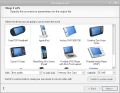
AVS Video to GO will do all the conversion job for you with just several mouse clicks. Just select the device you need and the software will choose optimized output file parameters, convert video files.
GIVEAWAY download basket




Comments on AVS DVD Copy
Please add a comment explaining the reason behind your vote.


iPhone app giveaways »





Android app giveaways »





This AVS DVD Copy software product is having good features. But it could attract more editors if more built-ins would be added to this software to be more competent.
Save | Cancel
Techgurl is right. I downloaded this freebie last year and it has since stopped working for me (actually, it started throwing up a random error and I tracked it down to the software expiring); possibly adding a short note for any future AVS downloads would be appropriate.
Save | Cancel
Example red
Save | Cancel
Belgian Dude, there is a huge difference between making a minor mistake over what level one has completed and trying to spin that a spyware program is magically marketing.
To the idiot who quotes another known spyware vector:
If a program does not listen when it is told NOT to look for updates, goes to the company website every time it is run, and sends system identification out every time it is run, IT IS SPYWARE!
Save | Cancel
NEW NOTE FOR MERRIL
Is your laptop a SONY or have you EVER run a Sony DVD in it? There are still quite a number of Sony DVD's with evil ROOTKITS in them that bugger up one's DVD write.
Save | Cancel
Giveaway :Tonight the 6-1 i had tried to download the AVS DVD Copy,
All i got was Error's 5 times Iam so upset the key down loaded and the program but would not start I need this program plese
Thank you I did take a screen shot also
Save | Cancel
Can someone tell me if I'm missing something. Every program I try to activate gives me a pop up saying unable to connect to GAOTD.com or turn off firewall. I'm running vista and the firewall is off. Oh, and I run it as administrator. Any help is appreciated. Thanks
Save | Cancel
Correction to #28 above. I said that "there are many websites where you can watch or download almost any movie, including current releases" for free.
There are seven sites that I find reliable (never been burned with a virus or other malware), all offer free watching/downloading of movies, including current releases. Four of those sites also offer high priority, faster downloads and/or higher quality downloads for a nominal monthly/annual fee. Again, both ends of this exchange are illegal in most countries. Always scan the (any) download before opening or run in sandboxie , many movies (in particular) are transferred via php so they could theoretically contain anything.
BTW, I just downloaded SpiderMan 3 from one of the sites. It is a classic copy, done the old fashioned way, with a hand held camera! Rare these days: high risk, more processing, low quality, but this one is great, steady camera, clear aud/vid, obligatory but unobtrusive head at lower right, just the right comments/reactions at just the right time by the other movie goers sitting around the pirate. Even a couple making out (or ?) behind/to the side of the pirate (with stereo sound up that close!) You feel like an angel watching over the people for this brief segment of their lives. And you get to watch the movie with them, too. Great stuff.
You can't get THAT with AVS DVD Copy... So, again, if you just want a free copy of a movie, there are other, easier ways to get it. These "rip and burn" programs take time and acquired skills to use properly. I guarantee, you will make several cup coasters before you get your first DVD copy that works. And even when you do finally it down, you may decide it's easier to just go buy the darn movie...
Save | Cancel
well this is a good program but it won't burn copy protected dvds and when will gaotd relezse a program that can make copies of video games.overall good program except for the part it can't copy protected dvds.thanks for the giveaway gaotd.
Save | Cancel
Great program. My burner didn't come with nero like was supposed to but thanks to this and an add-on (dvd43.com) I can now copy my dvd's in just one program instead of two. I give this prog. a 10/10 Thanks AVS and GOTD!!!
Save | Cancel
#60, Belgian Dude
Hello BD,
Thank you for the free links.
/BTW, I like Belgium very much. I have been there 4 years ago for 2 weeks in Trempoline community in town of S-H-A-R-L-E-R-O-A on a training.:)/
Save | Cancel
nero works better and its always free.
Save | Cancel
I have never seen so much complaining over something that is being given to you. I have several DVD programs now. Yes they are better than the one listed here BUT I didn't pay for this one so I simply uninstalled it with Your UnInstaller. I'm sure that most of you use some type of PC and reg cleaner so why all the fuss?
Would you complain to a man that just handed you 10 dollars (for free) just because he didn't give you twenty? See what I mean guys?
Just download and test it if you want. If you don't, simply pass it up.
One last thing, If I owned a software company, I would definately want to advertise on a site like this and offer a giveaway. I sure wouldn't give away my very best Software though. The idea is to give us a little taste of what they offer so we will go and purchase there software. It's that simply.
See you all later.
Save | Cancel
(Further to my earlier posts I have since read the description (er, properly...) and see that it does say that it does not copy copy-protected disks. That and the words "restore any disk" are somewhat ambiguous but having re-read the description I see that it seems to have intended to mean throughout the whole description DVDs that you have made yourself and as such "any disk" meant "any of your own disks" as it does talk of home videos.)
Save | Cancel
Free Easy CD DVD Burner IS NOT SPYWARE!
Look at the review: http://www.softpedia.com/reviews/windows/Free-Easy-CD-DVD-Burner-Review-53348.shtml.
Sotfpedia tested it and it's free of spyware, adware and virusss!!
Save | Cancel
Hempman....chill mate...before you start throwing wild accusations around you would do well to remember your own postings in the past
http://game.giveawayoftheday.com/nuclear-ball/#comments
Look at how you claimed to be able to get past level 29.
Nobody else had been able because there was an error in the game that the makers admitted to and fixed after the give away period.
Does that make you a shill for URSE Games ?
------------------
For those that want to check out so alternatives that are free and even can help you make actual copy of any DVD
http://www.dvdfab.com/free.htm
If you just want something free to help you burn DVD/CD
http://www.imgburn.com/
Or something that lies in between the previous two
http://www.dvdshrink.org/what.html
Have fun. Stay safe.
Save | Cancel
I read all the comments and decided not to download it. I dont really like the idea of it slowing down during the course of a burn. Then I would get confused and think my system froze and created a coaster. Would be nice if GOTD featured ANYDVD software now that be sweet.
Save | Cancel
#40 and #46
So many suspicions, intrigues, fears, passions and hopes... like in good old communist Bulgaria... that is why I love this site... c'mon cowboys, shake your hands... :)
Excuse me Developers, maybe your program is good one but I don't need it. I wish you every success!
Save | Cancel
Thanks again for a really useful program! It installed and registered just fine on both my Vista & XP. I only tried burning data so far and it works like a charm... much better than the burning programs that came with my computers. My laptop & desktop are only about 6 mo. old, so I guess they have all the hardware needed to run AVS DVD Copy. The interface is really simple to understand and I need simple.
Save | Cancel
Would LOVE to see AVS Video Converter again, I missed the giveaway window last time. But I'll take this, too. Thanks GAOTD!!!
Save | Cancel
what is the difference between this and amiersoft dvd?
Save | Cancel
OOPS, the above was a bad link...just go directly to the DVD43 website: http://www.dvd43.com/
Save | Cancel
Hello. I can't find regristration number ... I read the readme file and did't find it there. Help!!!
Save | Cancel
To decrypt encrypted contents before burning, use DVD43. It is phenomenal!
http://www.afreecodec.com/win/531/dvd43/download/
Save | Cancel
#44 I actually know quite a bit about computers, their programming and technical issues but I do not know how to override the copy-protection feature of this program. Would you let me know how this is done? I promise I won't have any more questions about it!!!
If you do not want to post this on here I can be contacted on my site by clicking on my name below this message.
Save | Cancel
@20: How can 99.99% of computers have dvd burning software when not even 99.99 percent of computers have dvd burners?
Save | Cancel
Downloaded and installed seamlessly with its own Activation Key instantly registering the program. Unfortunately the line from the developer's program description at the top of the page
is not true as I put in a DVD of Only You and it said that it could not back up copy protected disks. Therefore the word "any" of "Restore any disk" is totally inaccurate. I cannot try any other features of the program as for some reason (if anyone can tell me why I would be SO grateful) my laptop, despite being brand new and with DVD-RW will not recognise blank DVDs in the drive. It will play films but the minute I put a blank DVD in it chuggers once every second and no program will recognise that there is a disk in the drive. I do not have this problem with CDs in the same drive. (This is nothing to do with this program I have been having this problem from the start).
Surely competition for programs such as Nero, this is a smart program with crisp interface and user-friendliness in the way of "drag and drop" files and one-click buttons. But it boasts the ability to back up movies yet how many movies are not copy-protected? This is unfortunately a big con of the program that had so much potential and this one feature would have made it amazingly more useful.
Save | Cancel
I wish the whiners and complainers would air their views on THE FORUM, not the software review thread. I downloaded and tried this software. I copied a scratched dvd that skipped when played, and it seems to have fixed that problem. This software is easy to use, and will be great for a beginner. I give this software a Thumbs UP.
Save | Cancel
Thank you Boregard (#28) for the very constructive information you have provided. I will take a pass on this one, but GOTD is a great site. I have downloaded several very useful applications, and have been directed to other free software sites by commenters, as well.
Save | Cancel
#40, WALT, I would not trust anything more that you have to say. You demonstrate that either you are a shill for companies that produce spyware, or you do not know the definition of spyware.
If a program does not listen when told -NO UPDATES-, THAT IS SPYWARE. If it loads a retarded webpage every time it is run, THAT IS SPYWARE.
Exactly why does “Free Easy CD DVD Burner” try to send system identification out every time the progaram is run? SPYWARE, not marketing.
DO NOT download “Free Easy CD DVD Burner” unless you want spyware.
I have sent a formal compaint to Freeware to have them remove “Free Easy CD DVD Burner” as it is spyware and acts contrary to the website's polices. I do not expect that to happen, though as so many of thier offerings are also spyware that phones out despite being told NOT to.
OK, Walt, let's see you spin the truth and reveal yourself as the shill I suspect.
Save | Cancel
DVD cloner is waaaaayyyyy better than this. no thx avs
Save | Cancel
To Jack (#41)... and you base your "beta test" conclusion on what? The number of "problems" people are having installing and running the apps? The "problem" if one exists, is that the avg visitor to GOTD is less computer savvy than the target audience for the applications offered. (yes, for some even the screensavers offer them a challenging experience to install and use).
Tools like Aimersoft DVD Ripper are technically illegal in the US. (due to the DMCA, because it breaks the CSS encryption found on commercial DVDs). AVS DVD Copy is LEGAL in the US because it avoids decrypting the CSS encryption.
If someone has to ask how they can use AVS DVD Copy to copy copy-protected DVDs, then they shouldn't be using AVS DVD Copy. (there is a trivial way to get it to do that) Not because they are incapable of understanding the solution, but because that would be just one in a series of hurdles and questions they would have. Ending with complaints and frustrations that the 2 step process is too time-consuming and complicated.
Thanks AVS and GOTD for making this tool available.
Save | Cancel
crap. cloneDVD (v2 by elby = elaborate bytes = , not the fake v3!) is the thing to use; dvd decrypter for stubborn originals; and -best of all - the great DVD SHRINK 3.2
Save | Cancel
I love this software from GAoTD and www.avs4you.com and the activation gives you a serial #ID and not just a temp access to the use of the software. Professional software developers.
Please read the requirements to run this software....DirectX 9.0 and if you check this on the web or M$soft - you will find very few pc's will run this unless you have an add-on video card AGP and usually PCI-Express that states support DirectX 9.0+ and 256 meg on board ram.
Usually $100+ for a video card - Google for video help or Direct9 for understanding the application. You will find the software is so far advanced that the average pc will not run it properly. A blessing it will even run on 800 mhz cpu's but again super slow.
I consider us to be exceptionally fortunate for the use of this software for more than the usual 15 days trial by many developers.
Again, serious software for more than the casual user.
Thanks again GAoTD team and spread the word - that is why we are getting the better software and the opportunity to try long term before we buy.
Thanks,
Ken
Save | Cancel
I am starting to not trust this site anymore. There seem to be a lot of developers who are using it to beta test their software without disclosing the actual reason for the giveaway.
Save | Cancel
#37, have you ever heard of marketing? You may have this nifty program for free, but have you ever thought that maybe they gave it to you so you could, oh, I don't know, *gasp* UPGRADE and PAY?
Simple marketing technique. Give it to you for free, check for upgrades, send you to their site telling you all the benefits of upgrading and MAYBE some schmuck like yourself will actually pay for this software the next time.
Save | Cancel
Looks like an interesting App will try asap on some DVD i reorded with my Samsung Video camera....Installation took a bit, and nearly hanged my system (Setup really looked like it was not responding, but it was OK in the end)
Save | Cancel
Hello all! Today's 15-Minute Review is up! Check it out!
http://www.bladedthoth.com/reviews/15mrs/avs-dvd-copy-1-4/
Save | Cancel
# 18 posted something about going to "Freewarefiles.com and download Free Easy CD DVD Burner". The implication is made that it will copy copy-protected DVD's.
NOT!
In fact, "Free Easy CD DVD Burner" has significant trojan activity. Exactly why does it need to call home every time the program is run despite being told no updates? Why does it call out every time I try to copy my personally created DVD's?
DO NOT get "Free Easy CD DVD Burner", unless you like spyware-like programs (the same reeason I do not use anything by Real Networks).
Save | Cancel
If I install this, what would be different from me opening Windows Explorer and copying the DVD manually.
Save | Cancel
Meh, more of a useless program for me. My computer came with a nifty little program called Sonic that lets me save an image of a dvd, and then burn it onto a different dvd, thus making a copy.
But if I never had that program?
This is a useful program for those that don't have software for copying dvds. Although I don't like the AVS brand name very much (their "to go" converter, which is actually listed, didn't even have support for my mp3 player), so I can't say my expectations are high on this one. I read that it doesn't copy copy-protected dvds, but I'm not surprised. I mean, what do you think copy-protected means? That it automatically copies itself on a timely basis? I think not.
Once I get a chance to really look at the program, I'll post a better review.
Save | Cancel
For the people having trouble opening the program, go to
http://www.softpedia.com/get/System/System-Miscellaneous/Unlocker.shtml
Download the program- Unlocker. Then, right click on the application and click unlock. You will be able to run the program!!
Save | Cancel
Well this program has a very unique looking profile. but it doesn't seem to want to do what it says i can do. it gets up to 6 percent complete and then locks up after about 30 minutes i think i will stick to the other programs i have thanx any way GOTD for the chance to try this software keep up the good work.
Save | Cancel
Although personally I find this program to be redundant, it is an ok program. I would not pay for it.
But, come on, people. How many of you were asking what to do with the video you ripped with Amersoft DVD Ripper?
This is it! The other side of the equation.
Save | Cancel
If you go to their website, you will find the most complete collection of CD & DVD programs available. And these will do it all even the latest features needed.
I had planned to buy their software suite when I finished building the necessary faster pc and we are talking 3000 mhz cpu and 2+ gigs of ram, SATA drives OR you will be watching everything in extream slow motion. Not just their software but any that produces quality video. You really need a dedicated pc for this - not a web surf and ho-hum activity pc.
Thanks GAoTD for another fine offer today.
Ken
Save | Cancel
When i enter the registration code in the "Activation" tab, it says that the computer client, and time is invalid... help?
Save | Cancel
Just what I needed! Thanks!
Save | Cancel
Four major steps to making a DVD copy of a commercial DVD movie:
1. Decrypt: remove the original DVD's copy protection.
2. Copy: rip the original DVD (minus copy protection) to your HD.
3. Reauthor: edit out unwanted files (e.g., Ukranian subtitles) and reduce compression of DVD copy (little or no compression -> DVD copy will look and play better in your DVD player).
4. Burn: Copy the edited movie files to the DVD copy disk.
All four steps are accomplished with any of several FREE programs, even the latest encryption methods have been hacked.
AVS DVD Copy does steps #2, #3 and #4, but with limited options compared to a number of FREE programs. But (it says) it will burn to Blu-Ray, not currently supported by the FREE programs that I'm aware of.
Please consider, at least in passing, that the laws of many countries prohibit the activity outlined above (starting at step #1) and the laws are actively enforced (more in some countries than others). The word for it is "pirating". That said, unless you stand on a busy street corner hawking DVD copies of Spider Man 3, it's not likely that you'll be apprehended.
I read yesterday that people ARE, in fact, standing on street corners in China, offering SM3 and other current releases, for $1 US per copy...
Finally, there are many websites where you can watch or download almost any movie, including current releases, in "high quality" vide/audio if you like, or flash/flv. All free, but not legal.
Get AVS DVD Copy if you have the time and like going through the 2-3 hour (intermittent) process for each copy. I do happen to enjoy the process, but this particular program rates about 6/10 compared to the FREE programs that are 8-9/10, IMHO. Except for the Blu-Ray capability. That's unusual, but my guess is that it won't be unusual for long....
Save | Cancel
Is this only Beta software?
Save | Cancel
Looks great! Thanks giveawayoftheday! Its also a CD/DVD Data burner. Better than the software I got with my DVD burner.
Thanks again.
Save | Cancel