Every day we offer FREE licensed software you’d have to buy otherwise.
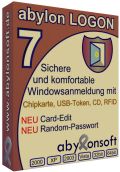
Giveaway of the day — abylon LOGON
abylon LOGON was available as a giveaway on March 16, 2010!

Secure and comfortable windows logon with smart card, memory stick or CD!
The software abylon LOGON offers a comfortable way to protect your computer against illegal access. You only need to train your smart card, your removable media (e. g. memory stick), or a CD/DVD with your windows login data and in the future this medium is your authentication for the computer.
The input of a password is possible as extended protection. By leaving your computer you need only to pull the smart card or the removable media and your computer locked or logged out automatically. Thus protect your computer against snoopier views and data theft without large training. For professional users various certificate smart cards are supported. During the registration to the computer only the smart card or the USB-Token (e.g. Aladdin eToken) must be insert.
System Requirements:
Windows 2000 to Vista
Publisher:
AbylonsoftHomepage:
http://www.abylonsoft.com/logon/index.htmFile Size:
9.04 MB
Price:
$25.50
Featured titles by Abylonsoft
Encrypting and signing of Emails; incl. Outlook Add-In. With the Add-In for Outlook (starting from Outlook 2000 / not Outlook Express) you can encrypt, decrypt, sign or verify your email data with one click. The software supports encryption by using passwords (SYMM-System) or X.509 certificates (HYBRID-System). For business use, abylon CRYPTMAIL provides so-called Secure Message Envelops (SME).
Encrypted file clipboard in networks for multi-user access. The encrypted file clipboard abylon SHAREDDRIVE is shown in the MS File Explorer on the desktop level. The complete integration into the Explorer environment simplify using of the software. The encryption and decryption with the e.g. AES algorithm is done for each file operation automatically in the background.
Wiping of files, freespace and internet trace. Working with the computer and browsing in the internet leave numerous digital traces on your computer. The normal functions of the operating system don’t delete these traces completely. Special software can recover your documents, fotos, videos and reconstruct your visited internet sites also after some weeks.In order to really delete files, the abylon SHREDDER overwrites the complete data up to 35 times.
Easy CRYPT- und ZIP-Collection to sign, encrypt, compress and copy. The security of sensitive data is often neglected. Only an encryption provide a full protection of the files on your computer or sending by email. abylon BASIC is a collection to encrypt, sign, compress, search, copy or move your files and folders.
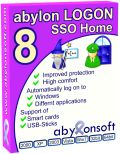
High secure and comfort through automatic Windows and application login. Can't you remember all your passwords and write them on slips of paper? The alternative solution is the software abylon LOGON SSO Home. During the Windows login you must insert only a smart card, a CD or a USB flash drive and an optional password. The windows login and all further password and user-name inputs will be done automatically by the software. And when you remove your key, the computer will be logoff or shutdown immediately.
GIVEAWAY download basket



Comments on abylon LOGON
Please add a comment explaining the reason behind your vote.
iPhone app giveaways »





Android app giveaways »





I want to see Rohos logon for GAOTD.
There are more features in rohos than aylon
Save | Cancel
@14, I have a few programs that hog RAM when they do not need to and make the O/S thrash the HDD. So I have tried a few "RAM defrag" programs and not all are :-
1) consastant in their abilities and
2) are able to deal with all troublesome programs.
Before any comment about "buy more RAM", there are many reasons for not buying more RAM, e.g. loan computers, and more reasons.
Also this "thrashing the HDD" ; which is easily missed on Desktop PCs, because they have good sound reduction and also the HDD light is genrally out of sight whilst the PC is in use, could be one of the reasosn why a suprising number of HDD do not last as long as they should.
Save | Cancel
What happems if you mislay said logon card??!! I`ve managed to daye to lose one empty one and it`s mighty annoying, but die to their ultra small size, inevitable= By the way Majorgeeks are copying your site with Easeous Recovery for 3 days ending tomorrow 18th being according to them completly free within that timespan
Save | Cancel
Adam@33:
Try reverting to a previous restore point.I tried uninstalling just to test your point. Got the same message but reverting to a previous restore does the job. Also if you uninstall using a proven uninstaller such as Revo (free),in "advanced mode", the uninstall is clean and no warning comes up.
Save | Cancel
@38
"I think that fingerprint scanning is more effective than any of these other methods because it is impossible for you to be able to lose your fingerprints. Any other keys, you could potentially lose them."
Ever hear of of an industrial accident? LOL. Seriously though, In addition to using randomly generated passwords through this or a similar program, there has been no stated reason why said passwords cannot be encrypted with, say, Axcrypt (the portable version). This program would be useful for those who really need that extra security but y'all have to remember that NOTHING is foolproof (for one, there are too many fools in this world), so you do all you can do and hope for the best and pray that when poop happens, it doesn't happen to you 8-)
Save | Cancel
What's wrong with a System Password again?
o You don't lose it.
o Nobody can steal it unless you write it down on a sticky note.
o You can take it with you anywhere.
o It won't lock you out when your USB stick or CD dies.
o Its already built in, merely requiring activation.
o You can have more than one for different users or purposes.
o You can regulate your own levels of desired security.
o Its next to impossible to hack. Even into Safe Mode.
o You cannot boot your system without it.
-JC
Save | Cancel
@26, you are correct, I did not browse away from the GAOTD site to verify compatibility. To be fair I was running on S2008r2 so if I went and bought the new version it shouldn't work, even though LOGON misidentified as W7?
@32, no, you have to buy the new version to get W7 compatibility. W7 is the issue, not 32/64. See developer's response in #26.
Save | Cancel
smart card usb? you should have more than one if you do this, just like a house key, it pays to have more than one.
I agree abylon should hire someone fluent in english to write descriptions and be their spokesperson.
I have to wonder what people would have on their home computer that they think other people would want ? you only need mild security for people who you live with, and if james bond breaks in then he could just take your whole computer or drives, and eventually get whatever info is on them.
a work computer or research computer then I can understand the need for more security.
Save | Cancel
#38 asked:
Does no one here know how to disable booting from disks from the BIOS?
I comment:
Yes, but since my BIOS is not passworded is not the boot sequence is easily changed?
Save | Cancel
"Therefore the software learn once the credential by entering."
Really? I'm going to give the people responsible for that sentence the key to the front door?
"Download the setups and additional information"
Maybe I'm crazy, but it occurs to me that if a company won't take the time (or worse yet, isn't capable) to get the language right - then there's no reason for me to believe that they didn't cut corners elsewhere too.
"Scrennshots of the software"
If you're not fluent a certain language, fine; but how hard could it be to find someone who is to proof for you?
Wouldn't it be worth it just to appease ass****s like myself?
"After uninstalling the correct login abylon all software made by the settings in the registry back on the value of the installation reset..."
Good lord.
Save | Cancel
Quote: "If I insert a live Linux CD how is the Windows data protected from being read or copied?
The Developer did not answer that question, as copied from above."
Does no one here know how to disable booting from disks from the BIOS? Simply set the Hard Drive as #1 priority, lock the back of your computer with a lock and your system is quite secure. Also, I think that fingerprint scanning is more effective than any of these other methods because it is impossible for you to be able to lose your fingerprints. Any other keys, you could potentially lose them. I'd rather stick to authentication that is with you forever, passwords and fingerprints. Using a smart card to logon would be the next best thing apart from fingerprints because they aren't easily duplicated, but you can lose a smart card easily though. Be careful, and don't lock yourself out of your own system!!
Save | Cancel
It seems this would be a great application for the very mobile laptops or netbooks, since those are more vulnerable to theft or loss. I take my netbook everywhere I go and would feel a lot better being able to "lock it up" as an extra layer of security should it fall into the wrong hands. All my media are backed up in triplicate and stored online so I don't have to worry about the odd memory stick failing or getting lost. This application sounds interesting and I'll give it a try.
Save | Cancel
Worth Remembering.
10 Immutable Laws of Security
Law #1: If a bad guy can persuade you to run his program on your computer, it's not your computer anymore
Law #2: If a bad guy can alter the operating system on your computer, it's not your computer anymore
Law #3: If a bad guy has unrestricted physical access to your computer, it's not your computer anymore
Law #4: If you allow a bad guy to upload programs to your website, it's not your website any more
Law #5: Weak passwords trump strong security
Law #6: A computer is only as secure as the administrator is trustworthy
Law #7: Encrypted data is only as secure as the decryption key
Law #8: An out of date virus scanner is only marginally better than no virus scanner at all
Law #9: Absolute anonymity isn't practical, in real life or on the Web
Law #10: Technology is not a panacea
(Microsoft didn't "create" these laws - but they do have a commentary on them)
http://technet.microsoft.com/en-us/library/cc722487.aspx
Save | Cancel
5. Nice find.
Save | Cancel
If I insert a live Linux CD how is the Windows data protected from being read or copied?
The Developer did not answer that question, as copied from above.
Save | Cancel
I downloaded this program and installed it properly. When I went to to uninstall it rebooted the computer and it gives me this message at startup:
"The Logon User Interface DLL C:/Program Files/Abylonsoft/SALogon/saltfgina.dll failed to load
Contact system admin to replace dll"
I have no idea what to do now...
Save | Cancel
Does this work on Win 7 64 Bit or not??
Please advise, several said no...
Thank you in advance.
Save | Cancel
The only form of data security i know is to open your hard drive, physically, remove the disk and disfigure it with a hammer before throwing it into the ocean. That's 99.999% secure. Its like breathing and looking for rest, the only eternal rest is in the grave, and that's 99.999% rest.
Save | Cancel
For someone who is in an environment where you need the extra security, this would be very good to have... Kids have this way of getting into things that would make a spy green with envy. A Mini CD-ROM disc would be my choice for the removable. sorry, but while I like this software, I don't need it in my current situation. Lou
Save | Cancel
Interesting offering, but I already use PGP Whole Disc Encryption - which I think is far more secure. If anyone pinches my computer there's no way they'll access my hard drive. Ever! :-)
Save | Cancel
Theoretically, if security is such a problem then why keep the information on the computer? If one has to have a flash card then wouldn't it make more sense to keep the secure information on the flash card or CD/DVD and not the computer? A flash card can always be locked away.
Save | Cancel
This is the finest download GAOTD has ever offered. Don't be foolish. Download it today!! I can tell you ... it's good!!
Hopefully my review has helped you make an informed decision.
Thank you,
Boingo
Save | Cancel
At first - sorry for my bad english ;-)
I want answer some questions from this board.
1)
abylon LOGON is just a part of your computer security and not a tool to encrypt your files. It should protect you e.g. from KeyLoggers.
It is faster and easier to logon and you can randomize your password each day.
You can use very long and difficult passwords, because, you do not have to enter it any time.
2)
abylon LOGON can be used togehter with X.509-Certificates (e.g. on SmartCards) - this smartcards could not be copy or cloned.
If you use a usb-stick, you could not clone or copy it to logon.
3)
biometrie is just one solution. Other don't want biometrie - they want to use SmardCards or cheap USB-Sticks.
4)
You should use the stick like a normal key. If you lose it, you can logon with a SecureID (manually). But if an other person take your stick, he can use it to logon. For this case, you can add a Password for higher protection.
5)
We don't write anything to windows-directory. We just create here a INI-File. INI-Files should save to the windows-directory (see Microsoft Dokumentation). This is just ONE SMALL FILE.
6)
Windows7 - we wrote on this homepage, that this version (7.x) is not for Windows7!!! If you want to use it on Windows7, you must download the version 8.x.
7)
Some other problems can sometimes happend, if you have a virus-protection on your system.
8)
I hope, that some other give us suggestions or help to make abylon LOGON better.
I hope, that my anser can help a little bit - and sorry for this english.
best regards - aby
Save | Cancel
@13: You clicked on the wrong link. You should have clicked on the homepage link in the grey-colored block.
Save | Cancel
I wish developers would stop putting their activation files into the Windows folder. The Windows folder is just that, for Windows. It's not a junkyard for other programs to dump in or hide stuff in.
Save | Cancel
That sounds like a great program to me! Like I mean... you can use a smart card or a removable device to logon to your computer? Kinda troublesome for most of us, but could be neato for some who really needs to secure their stuff!
~Joji~
Save | Cancel
Didn't read all of the comments but I'm sure someone brought this up.If your memory stick or cd drive craps out I assume you are screwed.
Save | Cancel
#18- It doesn't sound to me like it will have your Master Boot Record in the result-so no. It will just log you in & out of Windows & make it so your PC won't boot up without using it. Your Master Boot Record will stay on your PC.
Save | Cancel
Users who lose sleep wondering whether their files are safe can always go out and pick-up a PC with biometric security features. Which is the trend nowadays anyway with PC manufacturers so programs like today’s GOTD, will become obsolete. But in the mean time...
Save | Cancel
When your pc starts to play up (get hard to start), you will rue the day that you went to far with security.
Save | Cancel
Besides security usages, couldn't this software be used as an emergency boot disk, say written to a SM card or equivalent?
Save | Cancel
In Server 2008r2, I get the following popup during installation:
This setup does not run under Windows 7! Would you like to look on our website, if the current test version of Windows 7 is suitable? Therefor an Internet connection is required!
(sic)
Regardless of clicking yes or no, nothing happens.
Anyway seemed like a nice idea for the house server downstairs, as I could just hang a USB stick from the case for the family to use, and not have to worry about the password getting lost. Not much use for my laptop though.
Oh well, seemed like a good idea. :)
Save | Cancel
@ Donald Reynolds
Same here, but I changed the compatibility to be set to Vista SP2 and it installed fine. I haven't tested the program yet though.
Save | Cancel
Same thing but free http://www.snapfiles.com/get/predator.html
Save | Cancel
To # 9:
I think you are looking at LOGON SSO, not the version that is offered here!
Sparky
Save | Cancel
Before downloading & installing this software, I wanted to get more information from the manufacturer's website. Using the "learn more" link above, I was taken to the IOBit site for Advance SystemCare or some such...
Save | Cancel
This software apparently does not work with Windows 7 (either 32- or 64-bit version)!
Sparky
Save | Cancel
I heavily doubt real protection: what about booting the "protected" computer with a PE system from USB-flash/HD,CD,DVD or other external media?
Starting with this, aou would have to do a lot more to be on the safe side.
Than you have to protect your HD itself by password which is possible, but might bring up another problems.
It´s a long chain and a lot of knowledge is needed.
Finally, what was mentioned by TK (#3): Be cautious with the media you choose! Don´t trust the durability neither of sticks nor of CDs/DVDs too much. (And, just to mention: not only CDs/DVDs can be copied exactly - almost any media, even a flash drive could finally be mimiced.)
Conclusion:
A solution for home and a certain degree of protection - but with some possible arising problems... so plan and think about in advance for your goal/needs!
Save | Cancel
Supported OS [http://www.abylonsoft.com/logon/details.htm]:
Operating systems Nt4, 2000, XP, Vista, Win 7, 2003, 2008, WTS, 32 und 64bit
As you can see from the developer's site, version 8 is now current.
I would think for abylon LOGON to be more than casually effective you'd also need to use drive encryption. As your data is normally what you'd want to protect [no one wants to steal your Windows' files], I would think just encrypting those [e.g. Truecrypt] would work as well if not better.
Save | Cancel
When trying to install it showed a message that it was not compatible with Windows 7.
Save | Cancel
Re Flash Drive failure.
Shoot me down if I'm wrong here but I assume that SD cards are Ok and to keep a couple of spares locked in the vault would'nt be a problem for most.
For those that need it, this doesn't seem a bad offering.
Save | Cancel
If I insert a live Linux CD how is the Windows data protected from being read or copied?
Save | Cancel
I really would suggest not using this software unless you really need it. Flashcards are not just delicate but also easy to lose.
This sort of software's really best for companies that need better security. The standard user isn't going to need this sort of equipment.
'In case by loosing or defect of a physical key can be enter an emergency SecureID.' A backdoor method of access is provided.
Good things about it include easy locking by just ripping out the key, but this also means that if you're traveling and the flash drive accidentally gets removed, you've been locked out of your computer and your flash drive may have jut broken.
I'm not downloading it; I'd lose my flash drive by tomorrow :D
Save | Cancel
http://www.snapfiles.com/reviews/predator/predator.html
looks better to me Furthermore, Predator frequently changes the security codes recorded on your USB drive, so even if an intruder manages to copy your stick, this copy will not work because the codes on your own stick will have changed in the meantime.
Save | Cancel
If total drive encryption is used in this technology, consider what would happen if some important system files get corrupted. You will need to format the entire hard drive and start over again.
Save | Cancel
As an addendum, I work for the U.S. Army; only smartcards are allowed.
We cannot use any removable media at all, hence the need for the added hardware.
Save | Cancel
I have to use a smartcard to login and use a different software to do so, so I will bypass today's giveaway.
I will comment that using a smartcard, if you have one, is preferable to a password, but there is also hardware that has to be installed as well.
I don't see how many users of GAOTD can take full advantage of an offering such as this.
Save | Cancel