Every day we offer FREE licensed software you’d have to buy otherwise.
Giveaway of the day — 10-Strike Network File Search
10-Strike Network File Search was available as a giveaway on July 13, 2007!

Search files on network computers' shared resources and FTP servers. Search documents on a corporate file server or look up new photos and multimedia files on your neighbours' computers. The preview feature allows you to filter out the unnecessary information. Enter a search phrase or file masks and find the files you need.
10-Strike Network File Search scans shared resources and FTP servers using multithreading technology, this helps significantly decrease the time of searching. The program can look up network computers in Microsoft Windows Network or scan set of IP addresses or IP address ranges. 10-Strike Network File Search allows viewing search results and opening found files directly from remote computers. The program can generate and save handy HTML reports.
System Requirements:
Windows 95/98/Me/2000/NT/2003 Server/XP
Publisher:
10-Strike SoftwareHomepage:
http://www.10-strike.com/network-file-search/File Size:
1.20 MB
Price:
$24.95
Featured titles by 10-Strike Software

SearchMyDiscs is a handy software application that helps folks with large CD and DVD collections catalog their disks and quickly find the disk containing a needed file, photograph, music track or movie clip. No more trying to discern scribbles on back covers or endless browsing through stacks of disks.
The software is designed for Microsoft Windows network administrators. It allows them to maintain the inventory database of network computers. The program allows easily finding network computers and adding them to the inventory database. You can view hardware and software configuration on network computers remotely, track and watch configuration changes, generate various reports.
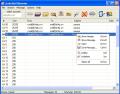
Delete junk mail, spam, viruses, and messages containing big attachments from your mail server before downloading it. Optimize your GPRS traffic! If your connection is slow (dial-up, GPRS, etc.) or you have to pay for internet traffic, Junk Mail Remover will save your time and money.
GIVEAWAY download basket




Comments on 10-Strike Network File Search
Please add a comment explaining the reason behind your vote.

iPhone app giveaways »





Android app giveaways »





Install the version from giveawayoftheday.com and do not run activate.exe after the installation. This should work.
If you run activate.exe the program will enter in trial mode.
Save | Cancel
this is not a free program, this is just trial...... or am I wrong?
must be handy for some people...... not for me I guess.
Save | Cancel
@39. You normally need to run Activate BEFORE you run Setup.
Save | Cancel
hmm, ok. toth review is useful to me.
"handy to scan an anonymous FTP server" (such as a util collection archive site, for downloads)
"supplemental Find ability [is not so good]". so, since i have other things to do, and rarely have interest in this app's forte (searching ftp), i'll leave this to other people to try/use. :-)
i forgot a useful ransack feature: can "preview" the same line as where search term exists. example: file word exists in line 24 of filename. ransack shows only line 24, even if the line is very short or very long (or filename contains no carriage returns).
thx 2 all who comment on gaotd.
Save | Cancel
can anyone compare this to free ver of agent ransack?
ransack:
does fine on home lan (no need to map or anything just choose the drive or folder).
ransack has regex option.
can save manually criteria (similar to a windows 'saved search') or results (essentially an index).
ransack runs on vista.
ransack can't do anything via ftp, AFAIK.
when pick file(s) from result list, ransack's context menu is more limited than window's.
[all above based only on years usage of free ver of agent ransack.]
Save | Cancel
Just a general big thumbs up to 10-Strike for extraordinary customer service.
Save | Cancel
@22 lmao!!!111 ,thx gaotd but ill pass for today^^
Save | Cancel
I think I'll pass on this one. Honestly it really sounds like a great hacker tool. For the common user, I don't see what benefit this program would be used for. I have a network in my home and if I need a file or anything, I know where it is, because it's my network and my computers. I guess the ip search ability is handy, but still comes across as some type of hacking-ware. Not to mention the "look up new photos and multimedia files on your neighbours’ computers." Wow.
Save | Cancel
tried everthing download setup.exe,and activate.exe then setup.exe
still not reg sayes not reg
Save | Cancel
Unable to register/activate. And yes like the others before me, I did read the instructions and there is nothing wrong with my timeclock and I'm pretty sure I'm in an okay time zone. PST (West coast USA)
Save | Cancel
Thanks, but i'll pass on this one today.
Save | Cancel
#14 Then allow activate.exe connecting to the Internet in your firewall. :)
That's not the answer either. I've installed tons of these programs with no problem and am doing everything right. Tried multiple times, multiple ways, still not activated.
Hey, here's a novel idea, send me an activation code. :-)
Save | Cancel
Good morning everyone!
My review is ready.
I hope you find it useful!
~ Swan
Save | Cancel
I will pass on this software as I don't have a network setup in my home. However I would still like to praise 10 Strike for their Search My Disk program. I think that was a great program. Anyone that missed the free giveaway should check out and buy this program.
Save | Cancel
@#6 Paulz67
If your neighbor does not secure his/her network, a 6-year-old with minimum computer knowledge could get into it and have all kinds of fun with it. It's not hacking; the neighbor INVITED you to use the network.
If it's a hacker tool, it needs to enable you to get into SECURED networks. That's called basic hacking. Hackers don't get on insecure networks and say "look! I hacked the network!"
Don't think messing around with noob stuff makes you a hacker.
Save | Cancel
Suggestion for those having difficulty with it being registered. Try right clicking the .exe file and click on run as administrator. I use to have the same problem until I started doing this way. Now programs install and register without a problem. Hope this helps someone.
Save | Cancel
Another great software from 10 Strike to add to my growing suite. I have needed this software for a long time and it will save me several gray hairs when searching multiple hard drives across multiple computers on my home network for specific files. Thanks GaoTD and 10 Strike!
Kitty
Save | Cancel
oh nice....anyone read the AP article about finding secret gov't plans on ftp servers? Oh...won't this do wonders for those who shouldnt be seeing these things be able to find it and strike a blow to our nat sec..or those of any countries. Or maybe its a good thing to show the holes in the ftp network. Oh well, I have better things to do than snooping at my neighbors files.
Save | Cancel
What next? Free game maker 7 ? :D.
Save | Cancel
What's the activation file for if it's already registered after you first install? Mine shows as fully registered without clicking any other files.
Save | Cancel
This program works great, testing on a network now, even over a different segment, and everything is showing up as I would have expected. Thanks 10 Strike and GAOTD for this program, it will be useful.
For those with activation issue, you did read that you are supposed to ACTIVATE FIRST right? Because judging by some of your responses, you are installing and THEN activating. I had absolutely NO issue with activation on 2 PCs by following the README.TXT instructions.
#13, it is not a trial, it is a "non-commercial" license...big difference.
Save | Cancel
u have to run activate.exe first....then install the program---it works fine
Save | Cancel
Hello all! Today's 15-Minute Review has arrived!
http://www.bladedthoth.com/reviews/15mrs/10-strike-network-file-search-v1-3/
Save | Cancel
No better than other freebies out there and yet much better ones out there..
Save | Cancel
I'll pass...
...as I did yestarday and the 4 days before,
thanks anyway to GAOTD, frankel
Save | Cancel
hi
is this like emule ?
Save | Cancel
I am unable to find anything in almost all searches. .exe search comes up with 161 files from System Volume.All shown as A001 plus. No idea what kind of files they are until I click on one and start setup.My third party File Finder found over 2700 .exe files with exact names.
Save | Cancel
LOL ! It's registered version while i still didn't active.
And it was unregistered version when i actived !
LOL
Save | Cancel
Based on #8 and #9:
This brings forth a glitch in GAOTD's activation system.
GAOTD may be physically located in a timezone where it's Friday, while a visitor might be in a timezone where it's thursday or saturday.
Save | Cancel
Even i was getting unregistered version. But then I ran activation.exe first, then setup.exe and that's it, it's showing registered!!!!
Save | Cancel
#14 Then allow activate.exe connecting to the Internet in your firewall. :)
Save | Cancel
Well this 10-Strike program did register unlike the 10-Strike System program given away the other day.....which will end in 5 days. Can a duplicate registration code be gotten as I need the other program....not this one.
Save | Cancel
#9 My system date is fine. I tried a few more times
and it just ain't happening. Still unregistered version.
Save | Cancel
So this is just a TRIAL then.
Nice Freebie - I don't think.
Save | Cancel
Just to remember all of us: Strictly non-commercial usage
Save | Cancel
My earlier comment still not visible!!
I also activated but it still says Unregistered version.Unable to use the software
Save | Cancel
Activated, but still unregistered... doesn't work for me...
Save | Cancel
#8 Correct your system date
Save | Cancel
Followed directions in readme and installed twice, but still comes up as "unregistered" version??
Save | Cancel
10-Strike Network File Search is available for $24.95,
but it will be free for our visitors as a TIME-LIMITED OFFER.
Thank-you
Ned
Save | Cancel
A lot of options. Seems to be a kind of hackertool also, on neighbours computers if they didn't secure their wireless network. But you must know where to search for.
Save | Cancel
no need of it hmmmm....
Save | Cancel
Three 10-Strikes on my PC. It's a gold series! I love this software company! I want to thank 10-Strike Software.com and personaly Dmitriy Stepanov for a free full personal license of 10-Strike SearchMyDiscs he gave me. It works perfect for me and I use this tool constantly. 10-Strike SearchMyDiscs is a clear software like a glass of water.
Have a good luck Dmitriy!
Save | Cancel
@1: This program can search all network pc at once. Have a look at the screenshot on their homepage. Then you can image the possibilities of the program:
http://www.10-strike.com/network-file-search/network-file-search_shot.jpg
Save | Cancel